

【VRChat 3D衣装】クリア・データ・シュラウド (Clear Data Shroud)
- 🌟フルパック🌟 FullpackDigital3,000 JPY
- しなの shinanoDigital1,600 JPY
- ルミナ luminaDigital1,600 JPY
- ルリエ lurieDigital1,600 JPY
- 愛莉 airiDigital1,600 JPY
- ミルティナFC milltinaFCDigital1,600 JPY
- ルルネ ruruneDigital1,600 JPY
- 墨惺 bokusei ( +head )Digital1,600 JPY
- ラシューシャ lasyushaDigital1,600 JPY

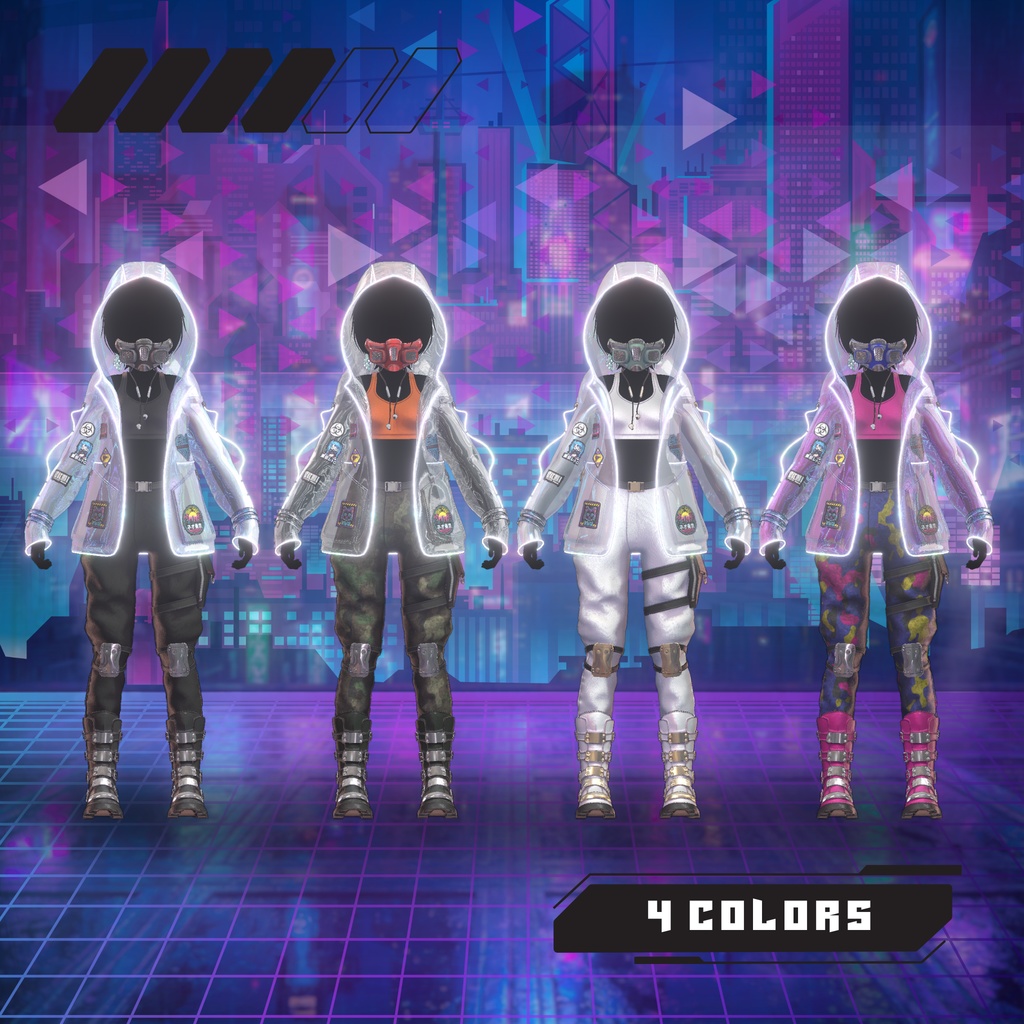
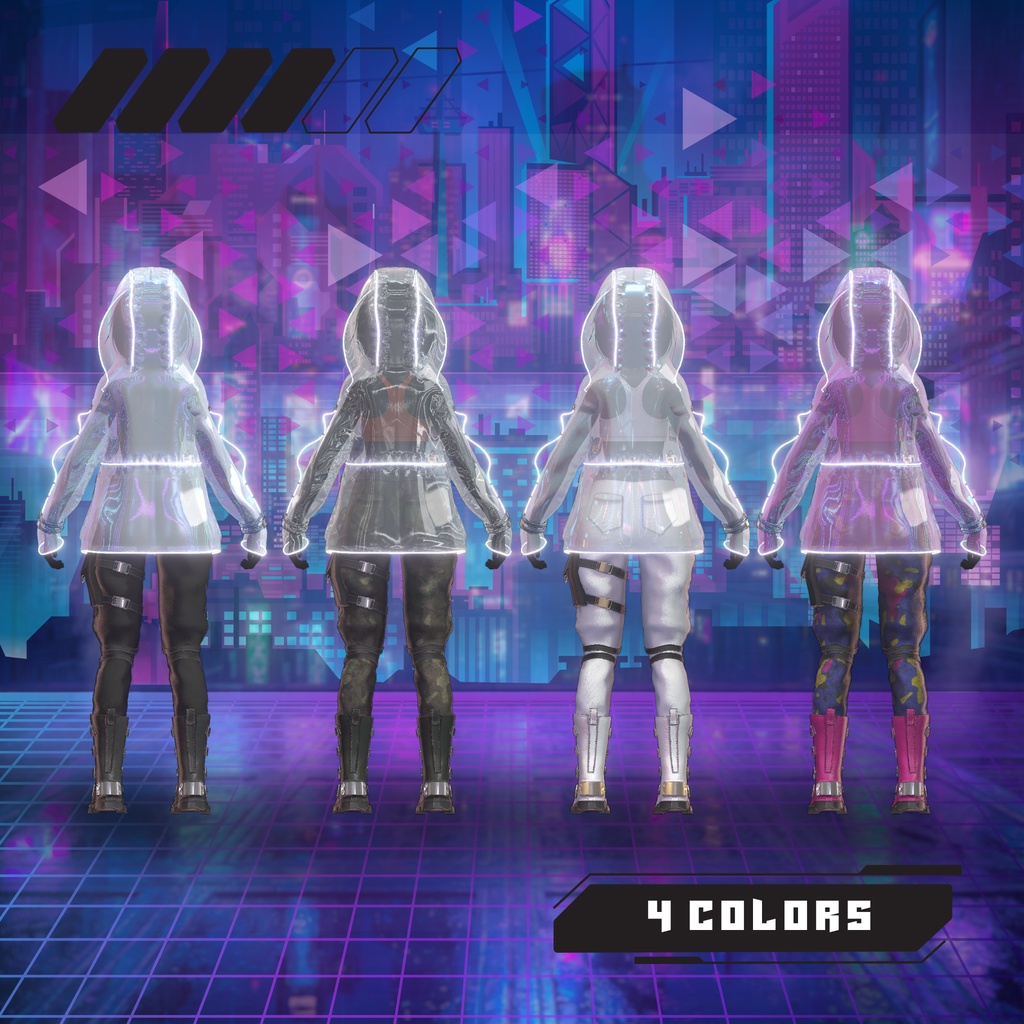
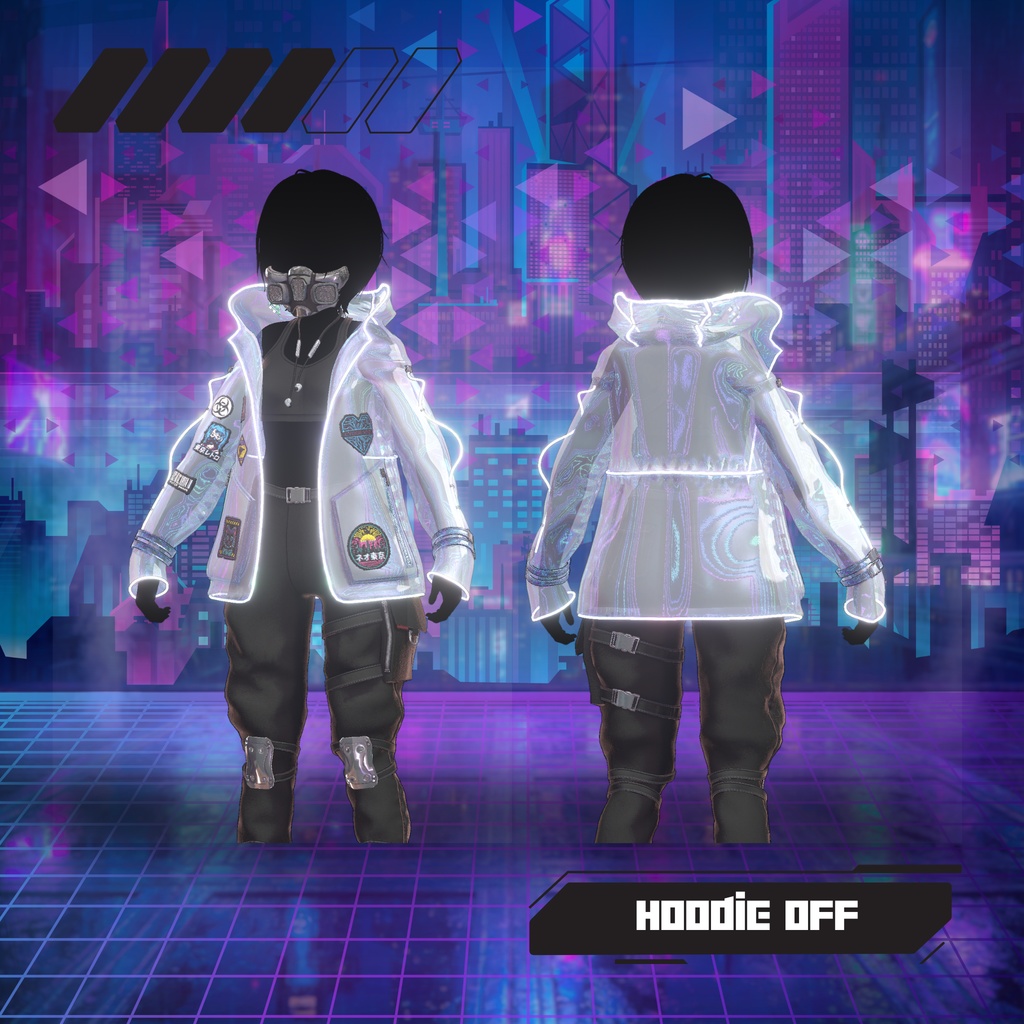
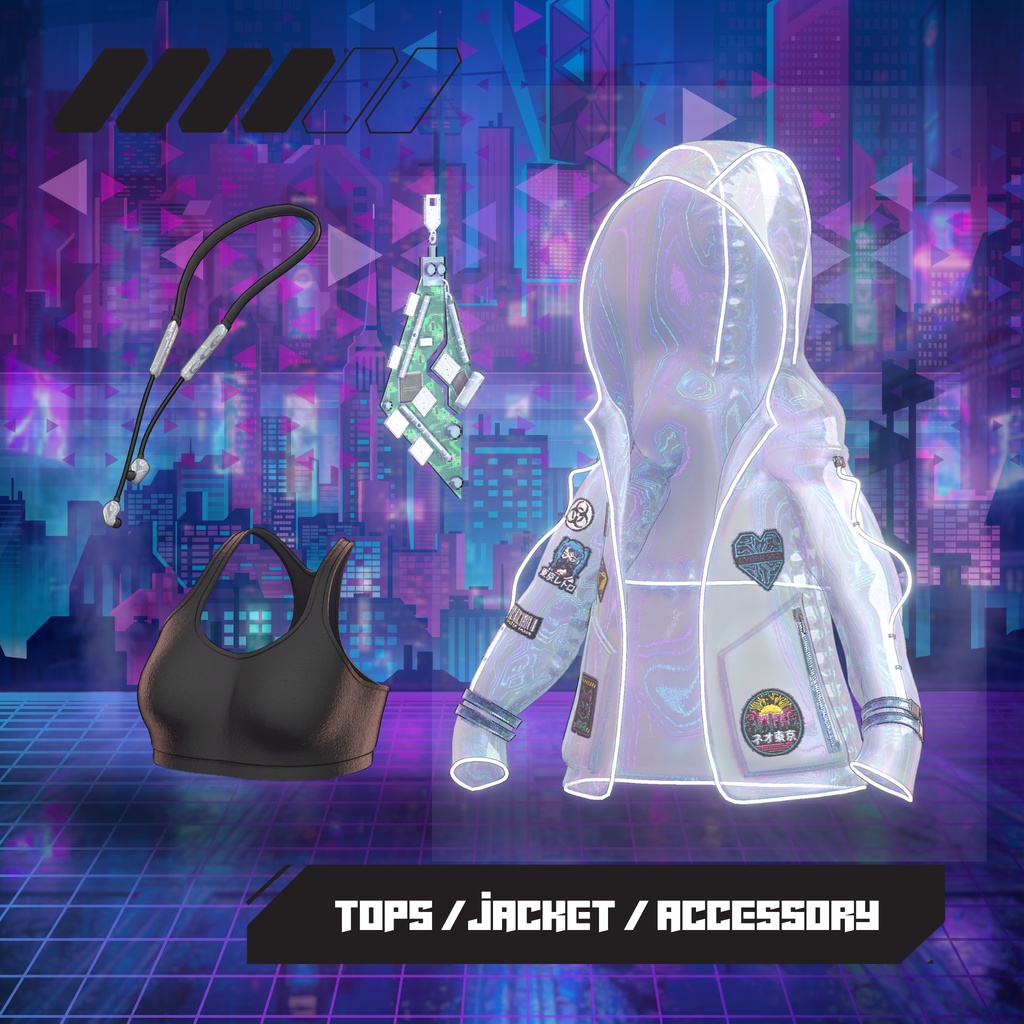
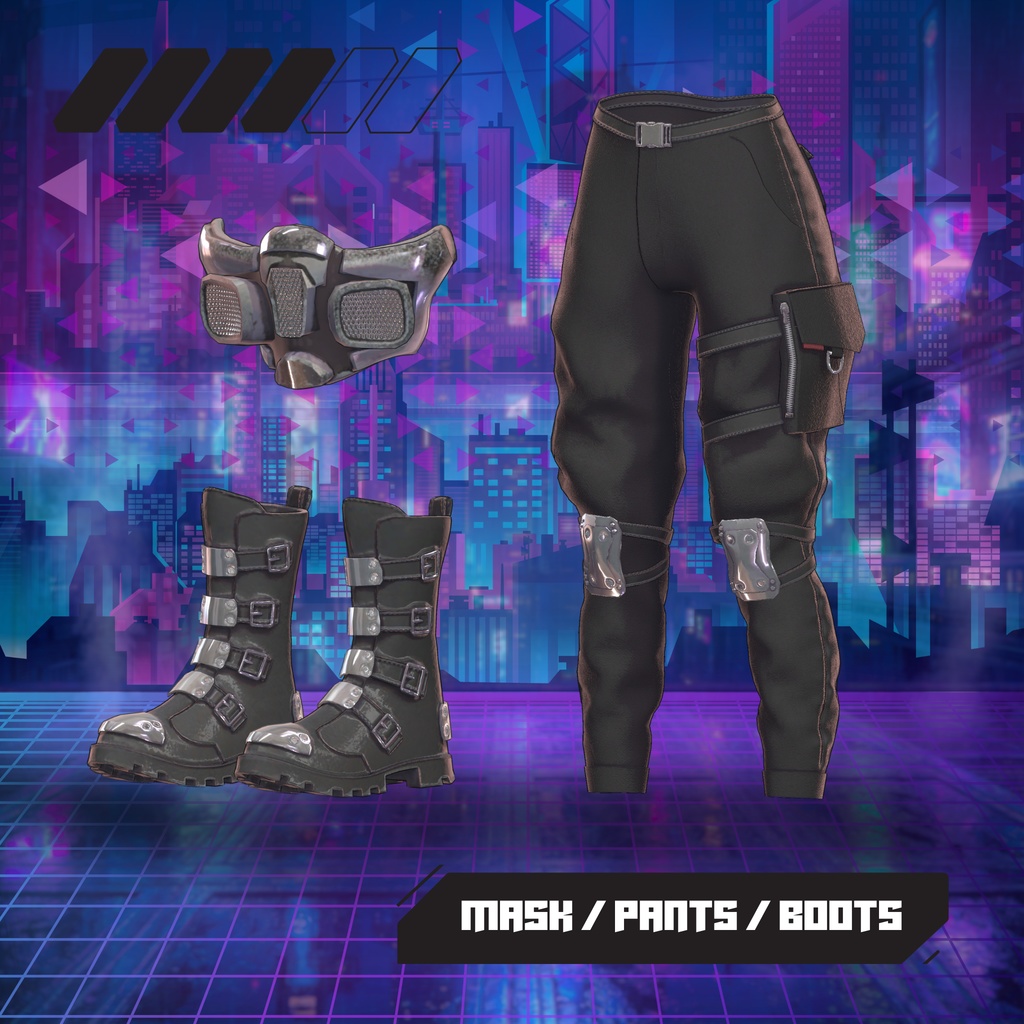

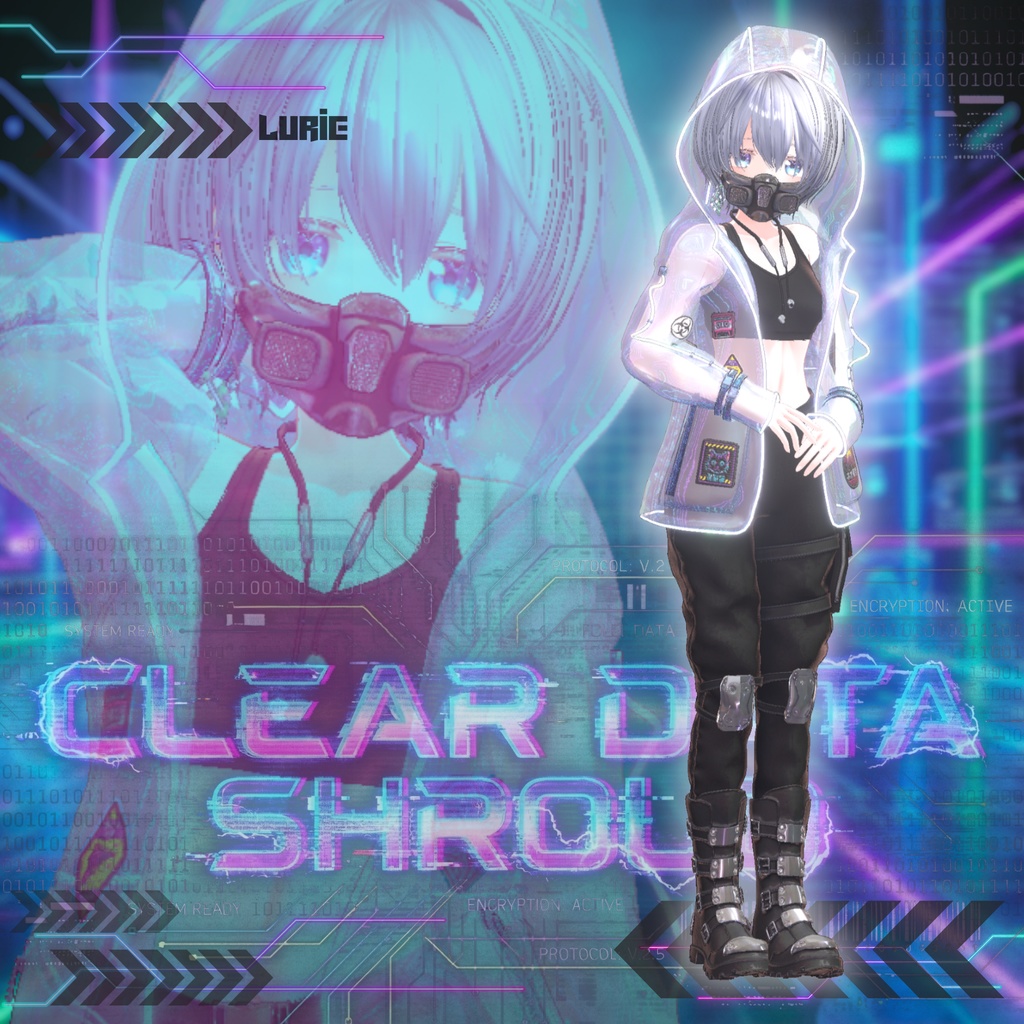
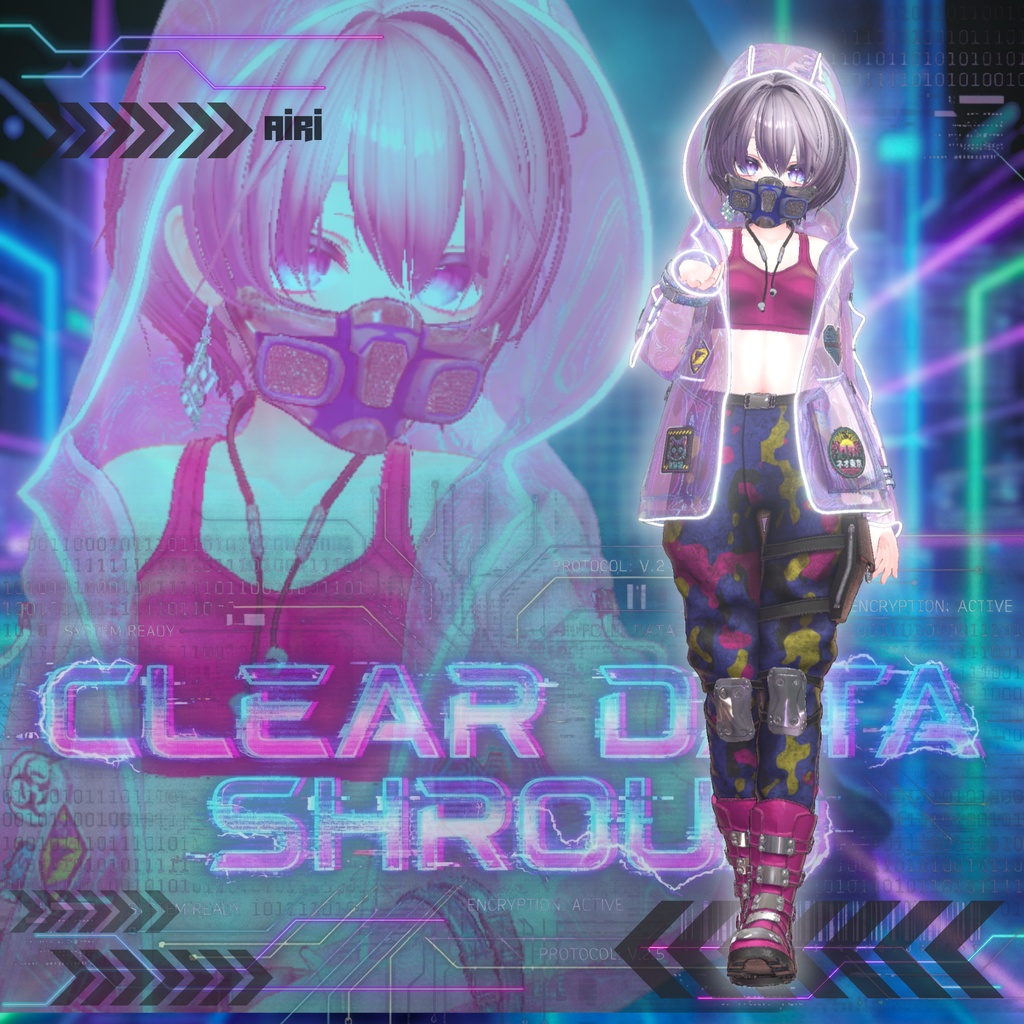
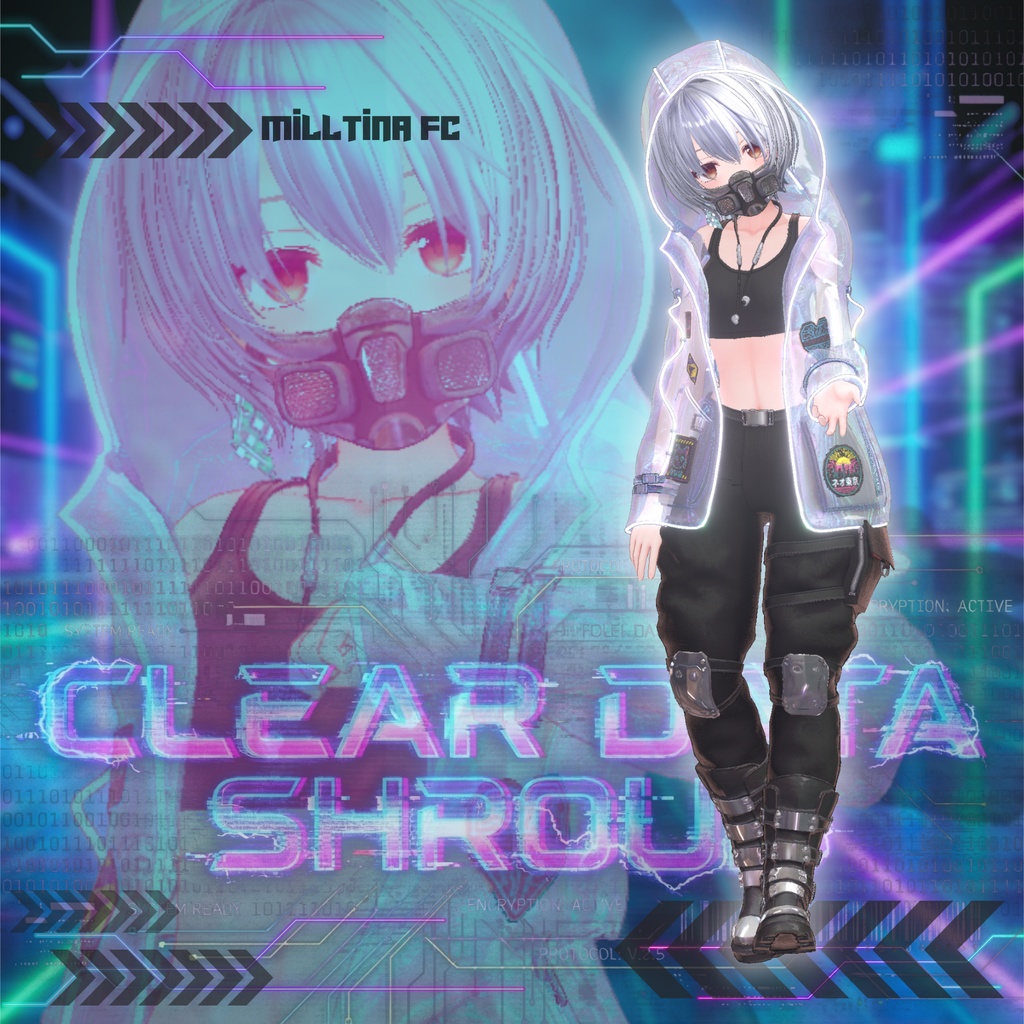
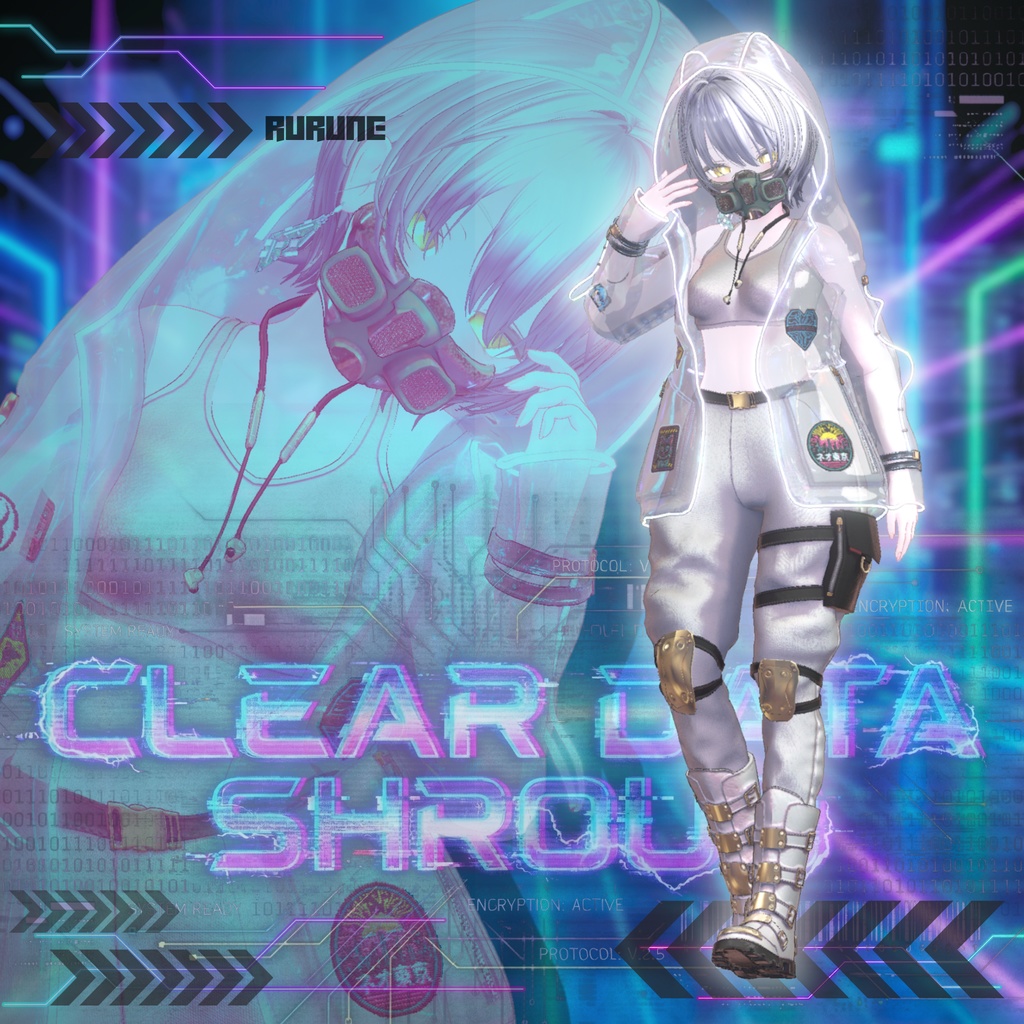
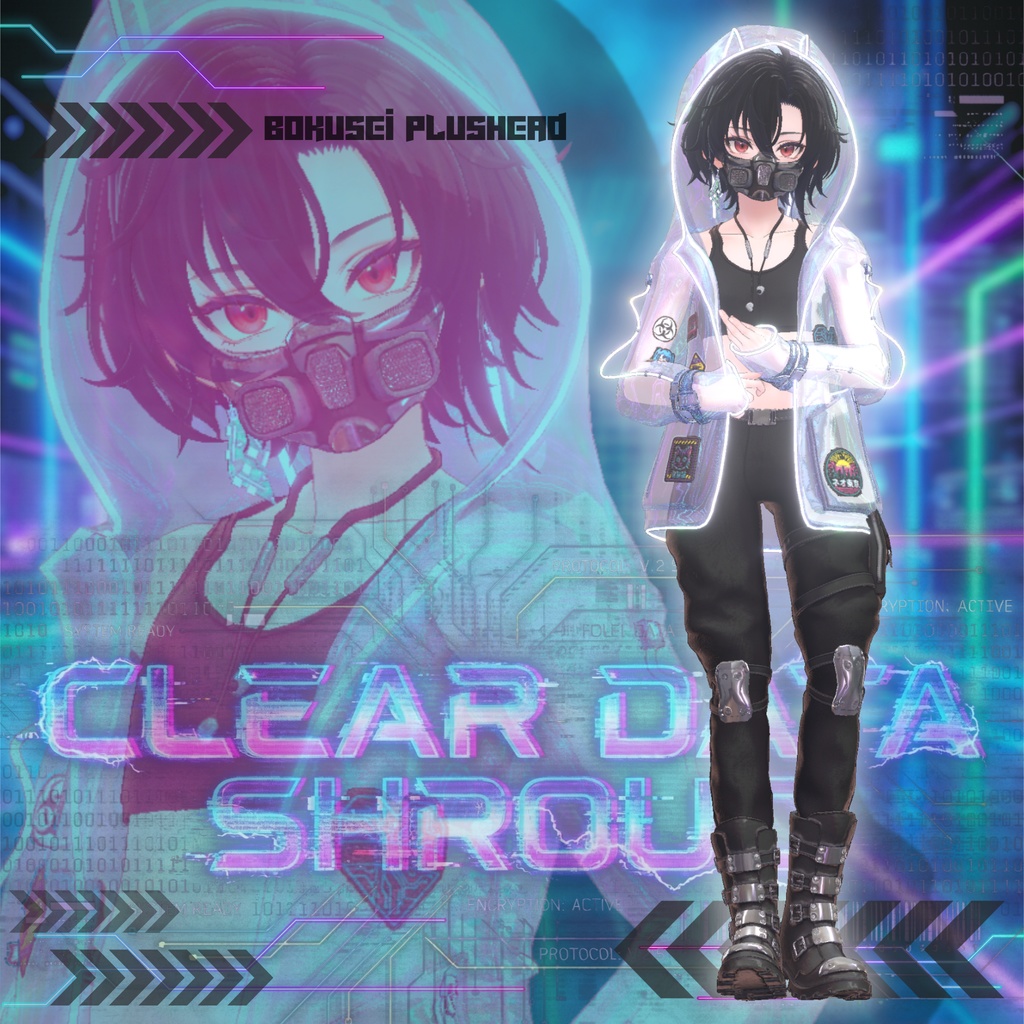
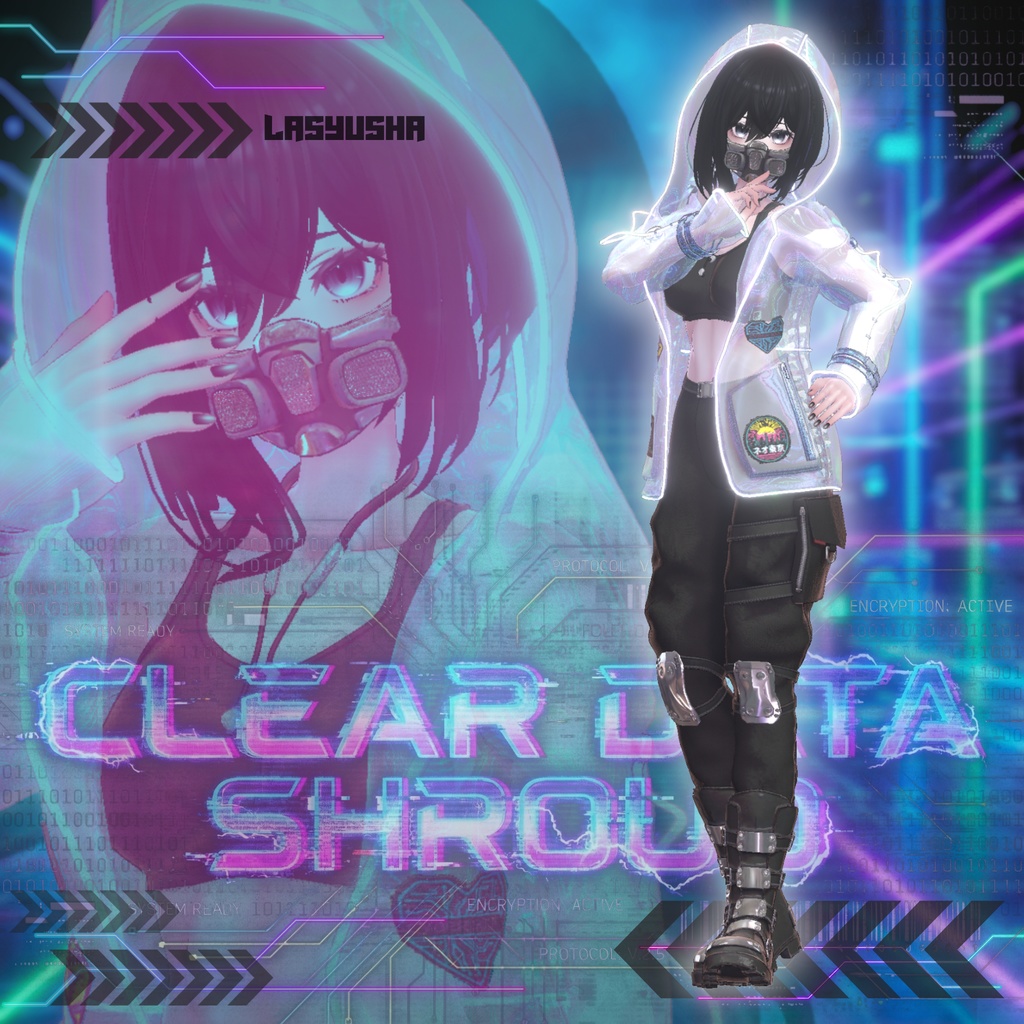


―――――――――――――――――――――――― ⚡️RELEASE SALE / 発売記念セール⚡️ 2025.12.19 - 2025.12.26 ―――――――――――――――――――――――― [ Full Pack ] 3,000 JPY ▶▶▶ 2,500 JPY [ Single Avatar ] 1,600 JPY ▶▶▶ 1,300 JPY ―――――――――――――――――――――――― [ ✦ 衣装展示ワールド ✦ ] ---クリア・データ・シュラウド 衣装展示--- 🔗 https://vrchat.com/home/world/wrld_dcf0df5b-2d1d-4cf8-863d-d696078e4d7c/info - 4色のカラーバリエーションが展示してあります(しなの用) - スポーン地点近くのスライダーでワールドの明るさを調整できます。 └ 暗い場所での光り方を確認できます。※ワールドにはBloomが設定されています。 - 右奥の白い□のオブシェクトを持って動かすことでサイバーパーティクルトレイルをお試しいただけます。
:: ✦ ✧ 内容物 ✧ ✦ ::
✦ ──────────────────────────────────── ✦ ---衣装--- ① MAYUNE_Clear Data Shroud_[アバター名].unitypackage 各アバターのPrefabとFBXが入ったもの ② MAYUNE_Clear Data Shroud_MAT.unitypackage マテリアルとテクスチャが入ったもの ---パーティクル--- ③ MAYUNE_cyber particle.unitypackage パーティクルシステムで製作したサイバー風パーティクルが入ったもの ※ 衣装とのリンクはないので単体で動作します。 ✦ ──────────────────────────────────── ✦ ①と②をUnityプロジェクト内にインポートした際のフォルダ構成 ※しなの用を例としています。 MAYU-NE JewelryBox └ Clear Data Shroud └ -MAT- └ 衣装のマテリアル ※1 └ -TEX- └衣装のテクスチャ ※2 └ -shinano- └ -FBX- └ -Prefab- └ カラー別4つのPrefab ③をUnityプロジェクト内にインポートした際のフォルダ構成 MAYU-NE JewelryBox └ Cyber Prticle └ -MAT- └ パーティクルのマテリアル └ -TEX- └ パーティクルのテクスチャ └ Cyber particle - Big size (World size) のPrefab └ Cyber particle - Small size (Human size) のPrefab ※3 ✦ ──────────────────────────────────── ✦ ※1 ---衣装マテリアルの内訳--- - メイン色4、ブーツ色4、ジャケット色4、金属色3、耳飾り1、ネオン光1、ワッペン1 ※2 ---衣装テクスチャ内訳--- - メインBase 2048×2048(色違いで4つあります) - メインMetallic 512×512 - メインAOMap 1024×1024 - メインNormalMap 2048×2048 - 耳飾り&ワッペンBase 2048×2048 - 耳飾り&ワッペンAOMap 1024×1024 - 耳飾り&ワッペンNormalMap 2048×2048 - 耳飾り&ワッペンOpacityMap 2048×2048 - マットキャップ類 512×512 ※3 基本的にアバターに付ける場合は「Small size (Human size)」のPrefabを使用してください。 追従させたいボーンの配下にPrefabを置いてご使用ください。 例)しなの の場合、指の「Index Distal.L」ボーンの配下に置くなど
:: ✦ ✧ ポリゴン数 ✧ ✦ ::
衣装の総三角ポリゴン数 △74,988 メッシュ毎のポリゴン内訳 - earphone △2,100 - earring △1,234 - gas-mask △2,560 - hiza-ate △4,912 - jacket △29,878 - leg poach △4,442 - pants △9,690 - tops △3,360 - wappen △256 ✦ ──────────────────────────────────── ✦ - jacket_hood-OFF △29,878 ※フードOFF用のウェイト塗りをしたメッシュです。 ※jacketとウェイト以外に違いはありません。
:: ✦ ✧ 共通シェイプキー ✧ ✦ ::
jacket ① hoodie-OFF ② hoodie-1(後頭部を広げる) ③ hoodie-2(横幅を広げる) ④ hoodie-3(頭頂部を上げる)
:: ✦ ✧ 胸シェイプキー対応 ✧ ✦ ::
下記のメッシュに設定されています。 - earphone - jacket - jacket_hood-OFF - tops - wappen しなの / shinano - Breasts_big ルミナ / lumina - Small_Breast - Big_Breast ルリエ / lurie - Body_BreastBig - Body_BreastSmall 愛莉 / airi - Breasts_Small ミルティナFC / milltinaFC - (No bra)Breasts_Small ルルネ / rurune - Breast_small__胸_小 - Breast_big(limit) 墨惺 / bokusei (plusHead) - なし ラシューシャ / lasyusha - Breast_big - Breast_small
:: ✦ ✧ PhysBone ✧ ✦ ::
下記のメッシュのボーンに設定されています。 設定は衣装Prefabのルート直下にある「PB」に集約してあります。 - earphone - earring - jacket - jacket_hood-OFF
:: ✦ ✧ ModularAvatar ✧ ✦ ::
・衣装Prefabのルート [MA Mesh Settings] ・Armatureボーン [MA Merge Armature] ・胸シェイプキーに追従するよう下記のメッシュに設定されています。 [MA Blendshape Sync] - earphone - jacket - jacket_hood-OFF - tops - wappen ・股周りのメッシュを削除するために下記にメッシュに設定されています。 [MA Shape Changer] - pants
:: ✦ ✧ 作業環境 ✧ ✦ ::
VCC(VRChat Creator Companion)を使用しています。 Unity version - 2022.3.22f1 VRChat SDK - 3.9.0 lilToon Shader - 2.3.2 ModularAvatar - 1.15.1 ※必ず作業環境を合わせてください。
:: ✦ ✧ 導入方法 ✧ ✦ ::
※アバター用Unityプロジェクトが既に作成済みであることを前提に記載しています。 ① lilToonシェーダーをインポートしてください。 🔗 https://lilxyzw.booth.pm/items/3087170 ② modular avatarををインポートしてください。 🔗 https://modular-avatar.nadena.dev/ja ③ 購入ページからダウンロードしたUnityPackageをインポートしてください。 - 衣装マテリアルのUnityPackageをインストール - 衣装FBX+PrefabのUnityPackageをインストール ④ ModularAvatar設定済みです。衣装をアバターに着せてください。 - UnityプロジェクトのAssets内に「MAYU-NE JewelryBox」というフォルダができます。 - 上記フォルダ内の衣装PrefabをHierarchyに居るアバターのルートにドラッグアンドドロップしてください。 ✦ ──────────────────────────────────── ✦ サイバー風パーティクルは任意でインポートしてください。 MAは設定されていませんので、追従したいアバターボーンの配下にPrefabを配置してください。
:: ✦ ✧ 便利ツール紹介 ✧ ✦ ::
足を床に合わせるツール 奈良阪配本地 【無料】FloorAdjuster(VRCで足が埋まる/足が浮くのを直すツール) 🔗 https://narazaka.booth.pm/items/5756378
:: ✦ ✧ 注意事項 ✧ ✦ ::
⚠️ 太ももにコライダーは設定されていますが、ジャケットの貫通は完全には防げません。ご留意ください。 ⚠️ フードの ON / OFF によって必ずメッシュを使い分けてください。ウェイトが異なります。 ⚠️ 正常に動作しなくなる場合があるのでSDKのバージョンは必ず合わせてください。 ⚠️ 一部左右対称にUVを重ねているメッシュがあります。テクスチャに柄を描くのには向いていません。 ⚠️ 本モデルはPC版VRChatでの利用を想定しています。Quest単体(Android版)での動作は保証しておりません。
:: ✦ ✧ 免責事項 ✧ ✦ ::
⚠️ 本データを使用して発生したいかなる損害・損失・その他不利益等には、製作者は一切の責任を負いません。 ⚠️ ダウンロード商品という性質上、購入後のキャンセル・返金対応は致しかねます。
:: ✦ ✧ 利用規約 ✧ ✦ ::
⚠️ 本モデルを購入される前に、必ずご確認ください。 1. 利用許諾範囲 ✦ 商用利用 - 個人の活動(Vtuber配信など)に限り許可します。 - 法人・企業としての利用は事前にメッセージよりお問い合わせください。 - 個人であっても大規模な制作物への利用についてはお問い合わせください。 ✦ VRChat等のVRSNSでの利用 - 許可します。(ご自身のアバターとして使用する場合のみ) ✦ 改変 - 許可します。(ご自身のアバターとして使用する場合のみ) ✦ R-18・R-18Gコンテンツへの利用 - 禁止します。 2. 禁止事項 ⚠️ 未購入者へのデータ譲渡・共有 ⚠️ 二次配布 ⚠️ 政治・宗教活動への利用 ⚠️ Publicアップロード(アバターペデスタルを含む) ⚠️ 自作発言 ⚠️ 当データの転売 ⚠️ 3Dモデルのパーツの流用 ⚠️ NFTの発行、AI学習への利用 ⚠️ 差別的・誹謗中傷・攻撃的な表現への利用 ✦ ──────────────────────────────────── ✦ 3. 利用時のクレジット表記 不要ですが、あると嬉しいです。 名前が間違っていなければ書き方は変わっても大丈夫です。 ■使用3Dモデル 衣装名:クリア・データ・シュラウド 製作者:-MAYU-( MAYU-NE JewelryBox ) 🔗 https://mayune.booth.pm/items/7753968 4. 推奨するハッシュタグ #MAYU_NE_JewelryBox 衣装を着用して、VRChatで撮ったお写真をぜひSNSに投稿してください!
:: ✦ ✧ お問い合わせについて ✧ ✦ ::
本モデルの不具合報告はBOOTHのメッセージよりご連絡ください。 ※ 5日以内に返信が無い場合は、お手数をおかけしますが再度ご連絡ください。 以下の内容についてはサポート対象外となりますのでご了承ください。 ・「もちふぃった~」等の着せ替えツール使用による不具合 - ツール使用時の変換エラーやメッシュ崩れについては、当ショップでは対応いたしかねます。 ・ UnityやBlenderの基本的な操作方法に関するご質問 ・ お客様ご自身による改変後の不具合
:: ✦ ✧ 対応アバター ✧ ✦ ::
ポンデロニウム研究所 オリジナル3Dモデル「しなの」 🔗 https://ponderogen.booth.pm/items/6106863 EXTENSION CLOTHING オリジナル3Dアバター『ルミナ - LUMINA』💎 🔗 https://extension.booth.pm/items/7502898 仮想VoidCat 【オリジナル3Dモデル】ルリエ -Lurie- 🔗 https://yueou.booth.pm/items/7427949 キュビクローゼット オリジナル3Dモデル「愛莉」Ver.1.01 🔗 https://kyubihome.booth.pm/items/6082686 DOLOS art オリジナル3Dモデル『ミルティナ』 🔗 https://dolosart.booth.pm/items/6538026 IKUSIA サメっ子オリジナル3Dモデル「rurune」-ルルネ- 🔗 https://paryi.booth.pm/items/5957830 ROKO SHOP 【オリジナル3Dモデル】墨惺 🔗 https://rokota.booth.pm/items/5727810 Keenoo 【オリジナル3Dモデル】Lasyusha〈ラシューシャ〉 🔗 https://keenooshop.booth.pm/items/4825073
:: ✦ ✧ クレジット ✧ ✦ ::
商品画像用にお借りしたアセットです。 とても素敵なショートヘアです。 耳に髪の毛がかけられるので、イヤリングを見せたいときにぴったりです。 muu(ムー) 【耳かけギミック】すっきりショートヘア 🔗 https://muu03.booth.pm/items/7300162
:: ✦ ✧ 更新履歴 ✧ ✦ ::
2025/12/16 商品ページ公開
────── EN ──────
■Contents ✦ ──────────────────────────────────── ✦ ---Costumes--- ① MAYUNE_Clear Data Shroud_[Avatar Name].unitypackage Contains each avatar's Prefab and FBX ② MAYUNE_Clear Data Shroud_MAT.unitypackage Contains materials and textures ---Particles--- ③ MAYUNE_cyber particle.unitypackage Contains cyber-style particles created with a particle system ※ Operates independently; not linked to the costume. ✦ ──────────────────────────────────── ✦ Folder structure when importing ① and ② into a Unity project ※ Using Shinano as an example. MAYU-NE JewelryBox └ Clear Data Shroud └ -MAT- └ Costume Materials ※1 └ -TEX- └ Costume Texture ※2 └ -shinano- └ -FBX- └ -Prefab- └ 4 Prefabs for different colors Folder structure when importing ③ into the Unity project MAYU-NE JewelryBox └ Cyber Particle └ -MAT- └ Particle Materials └ -TEX- └ Particle Textures └ Cyber particle - Big size (World size) Prefab └ Cyber particle - Small size (Human size) Prefab ※3 ✦ ──────────────────────────────────── ✦ ※1 ---Costume Material Breakdown--- - Main colors: 4, Boot colors: 4, Jacket colors: 4, Metallic colors: 3, Earrings: 1, Neon light: 1, Patch: 1 ※2 ---Costume Texture Breakdown--- - Main Base 2048×2048 (4 variations in color) - Main Metallic 512×512 - Main AOMap 1024×1024 - Main NormalMap 2048×2048 - Earrings & Patch Base: 2048×2048 - Earrings & Patch AOMap: 1024×1024 - Earrings & Patch NormalMap: 2048×2048 - Earrings & Patch OpacityMap: 2048×2048 - Matte Cap Types: 512×512 ※3 When attaching to an avatar, use the “Small size (Human size)” Prefab. Place the Prefab under the bone you want it to follow. Example: For Shinano, place it under the finger's “Index Distal.L” bone. ■Polygon Count Total Triangular Polygons for Costume: △74,988 Polygon Breakdown per Mesh - earphone △2,100 - earring △1,234 - gas-mask △2,560 - hiza-ate △4,912 - jacket △29,878 - leg poach △4,442 - pants △9,690 - tops △3,360 - wappen △256 ✦ ──────────────────────────────────── ✦ - jacket_hood-OFF △29,878 ※ This is a mesh with weight painting applied for the hood OFF state. ※ There are no differences other than the jacket and weight. ■ Common Shape Keys jacket ① hoodie-OFF ② hoodie-1 (Expands the back of the head) ③ hoodie-2 (Expands the width) ④ hoodie-3 (Lifts the top of the head) ■Chest Shape Key Compatibility Set on the following meshes: - earphone - jacket - jacket_hood-OFF - tops - wappen Shinano / shinano - Breasts_big Lumina / lumina - Small_Breast - Big_Breast Lurie / lurie - Body_BreastBig - Body_BreastSmall Airi / airi - Breasts_Small Milltina FC / milltinaFC - (No bra)Breasts_Small Rurune / rurune - Breast_small__Chest_Small - Breast_big(limit) Bokusei (plusHead) / bokusei (plusHead) - None Lasyusha / lasyusha - Breast_big - Breast_small ■PhysBone Set to the bones of the meshes listed below. Settings are consolidated in the “PB” folder directly under the costume Prefab root. - earphone - earring - jacket - jacket_hood-OFF ■ModularAvatar ・Costume Prefab Root [MA Mesh Settings] ・Armature Bones [MA Merge Armature] ・Set to follow the chest shape key on the following meshes. [MA Blendshape Sync] - earphone - jacket - jacket_hood-OFF - tops - wappen ・Set to the following meshes to remove crotch area meshes. [MA Shape Changer] - pants ■Work Environment Using VCC (VRChat Creator Companion). Unity version - 2022.3.22f1 VRChat SDK - 3.9.0 lilToon Shader - 2.3.2 ModularAvatar - 1.15.1 ※ Ensure your environment matches these versions. ■ Installation Method ※ This assumes an existing Unity project for your avatar is already set up. ① Import the lilToon shader. 🔗 https://lilxyzw.booth.pm/items/3087170 ② Import the modular avatar. 🔗 https://modular-avatar.nadena.dev/ja ③ Import the UnityPackage downloaded from the purchase page. - Install the UnityPackage for costume materials - Install the UnityPackage for costume FBX + Prefab ④ The modular avatar is pre-configured. Dress the avatar with costumes. - A folder named “MAYU-NE JewelryBox” will appear in your Unity project's Assets folder. - Drag and drop the costume Prefab from this folder onto the root of your avatar in the Hierarchy. ✦ ──────────────────────────────────── ✦ Import the cyber-style particles as desired. MA is not configured, so place the Prefab under the avatar bone you wish to follow. ■ Handy Tools Introduction Foot Floor Alignment Tool Nara-hama Distribution 【Free】FloorAdjuster (Tool to fix feet sinking/floating in VRC) 🔗 https://narazaka.booth.pm/items/5756378 ■Important Notes ⚠️ A collider is set on the thighs, but it cannot completely prevent the jacket from penetrating. Please be aware. ⚠️ Always use separate meshes for the hood ON/OFF states. Their weights differ. ⚠️ Ensure SDK versions match to prevent malfunction. ⚠️ Some meshes have symmetrically overlapped UVs. Not suitable for patterned textures. ⚠️ This model is designed for PC VRChat. Operation on standalone Quest (Android version). ■Disclaimer ⚠️ The creator assumes no responsibility whatsoever for any damage, loss, or other disadvantage arising from the use of this data. ⚠️ Due to the nature of downloadable products, we cannot accommodate cancellations or refunds after purchase. ■Terms of Use ⚠️ Please ensure you review these before purchasing this model. 1. Scope of License ✦ Commercial Use - Permitted only for personal activities (e.g., VTuber streaming). - For corporate/business use, please inquire via message beforehand. - Even for individuals, please inquire regarding use in large-scale productions. ✦ Use in VRChat and Other VRSNS - Permitted. (Only when used as your own avatar) ✦ Modification - Permitted. (Only when used as your own avatar) ✦ Use in R-18/R-18G Content - Prohibited. 2. Prohibited Uses ⚠️ Transferring or sharing data with non-purchasers ⚠️ Secondary distribution ⚠️ Use in political or religious activities ⚠️ Public uploads (Including the avatar pedestal) ⚠️ Claiming as your own creation ⚠️ Reselling this data ⚠️ Reusing parts of the 3D model ⚠️ Issuing NFTs or using for AI training ⚠️ Use in discriminatory, defamatory, or offensive expressions ✦ ──────────────────────────────────── ✦ 3. Credit Attribution When Using Not required, but appreciated. As long as the name is correct, variations in attribution format are acceptable. ・Used 3D Model Costume Name: Clear Data Shroud Creator: -MAYU- (MAYU-NE JewelryBox) 🔗 https://mayune.booth.pm/items/7753968 4. Recommended Hashtag #MAYU_NE_JewelryBox Please post photos taken in VRChat while wearing this costume on social media! ■ Regarding Inquiries Please report any issues with this model via BOOTH messages. ※ If you do not receive a reply within 5 days, we apologize for the inconvenience but please contact us again. Please note the following issues are not covered by support: ・ Issues caused by using dressing tools like “Mochifitta~” - We cannot assist with conversion errors or mesh distortion occurring during tool usage. ・ Questions regarding basic operations of Unity or Blender ・ Issues arising from modifications made by the customer themselves ■Supported Avatars Ponderonium Research Institute Original 3D Model “Shinano” 🔗 https://ponderogen.booth.pm/items/6106863 EXTENSION CLOTHING Original 3D Avatar ‘Lumina - LUMINA’💎 🔗 https://extension.booth.pm/items/7502898 Virtual VoidCat [Original 3D Model] Lurie -Lurie- 🔗 https://yueou.booth.pm/items/7427949 Cubic Closet Original 3D Model “Airi” Ver.1.01 🔗 https://kyubihome.booth.pm/items/6082686 DOLOS art Original 3D Model ‘Mirtina’ 🔗 https://dolosart.booth.pm/items/6538026 IKUSIA Original 3D Model “rurune” -Lurune- 🔗 https://paryi.booth.pm/items/5957830 ROKO SHOP 【Original 3D Model】Sokusei 🔗 https://rokota.booth.pm/items/5727810 Keenoo 【Original 3D Model】Lasyusha〈Lasyusha〉 🔗 https://keenooshop.booth.pm/items/4825073 ■Credits Assets borrowed for product images. A very lovely short hairstyle. Hair can be tucked behind the ears, making it perfect for showing off earrings. muu 【Ear-Tucking Feature】Sleek Short Hair 🔗 https://muu03.booth.pm/items/7300162 Translated with DeepL.com