

KatanaSystem - 二刀流システム
- Digital1,150 JPY
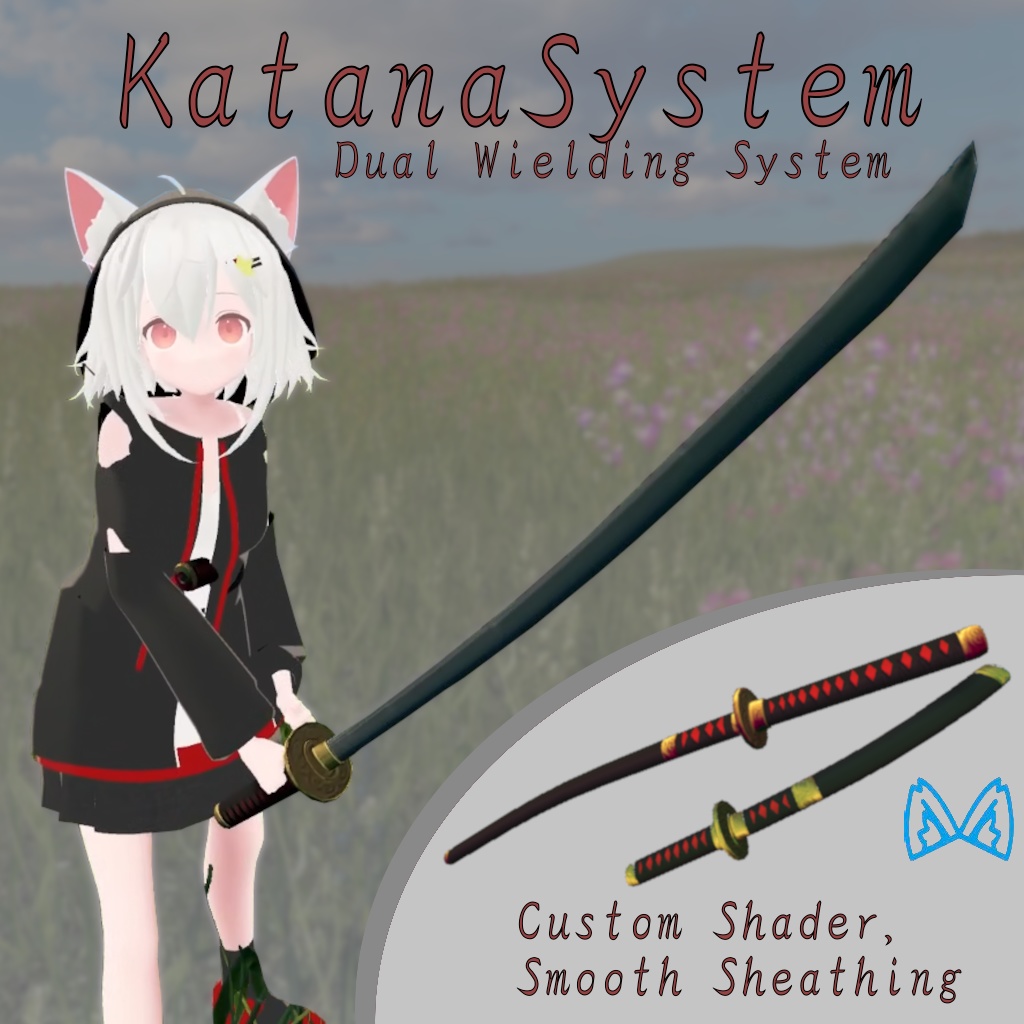
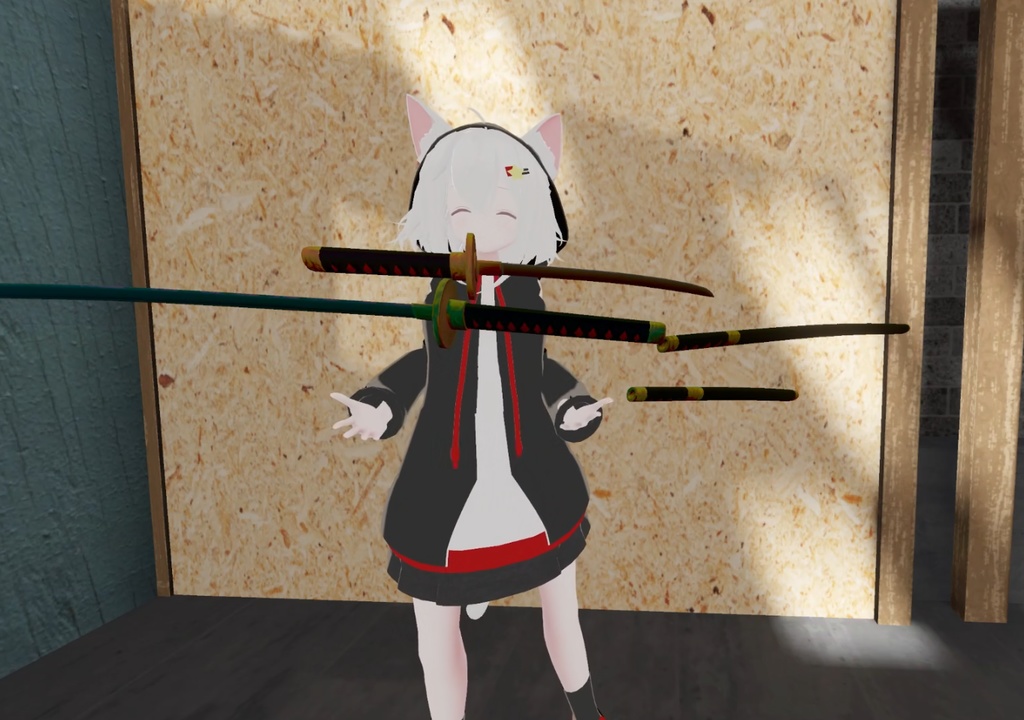
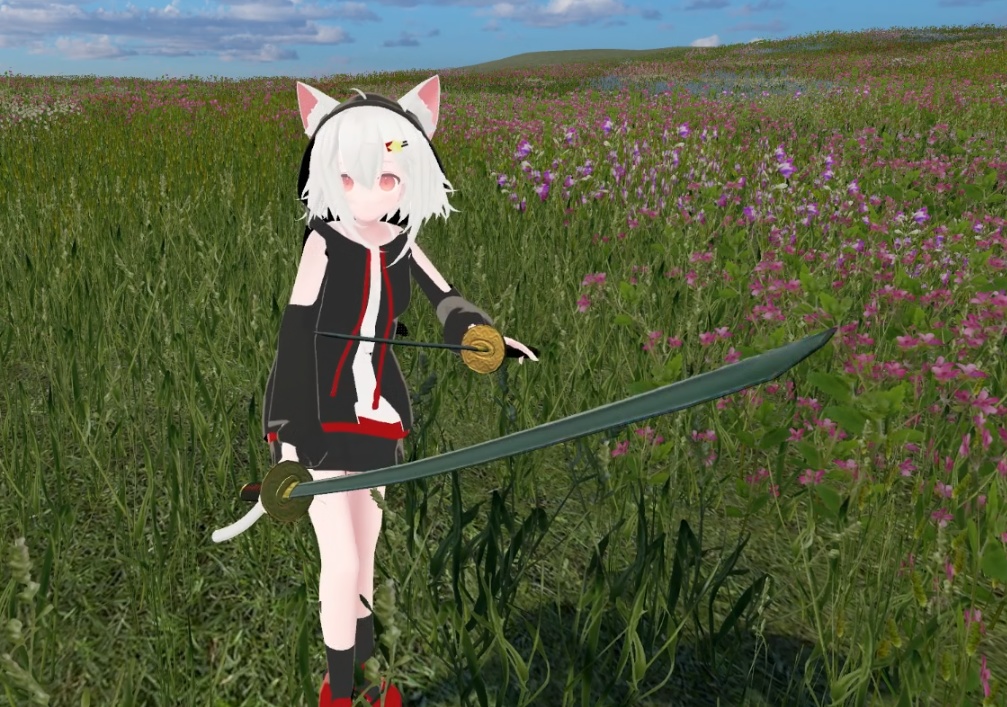


長刀と短刀からなる刀剣システムです。長刀は両手での保持が可能で、短刀は片手のみでの使用となります。両方の刀は左手または右手で保持可能で、ワールド内に配置、鞘への収刀/抜刀ができます。また、鞘自体も把持、ホルスターへの装着、ワールド内への配置、重力による落下が可能です。 両方の刀は反りを持ち、鞘を別の手で保持しながらでも滑らかな収刀・抜刀アニメーション(真っ直ぐな刀では比較的簡単ですが、反り刀では作成が難しいです)が動作します。 メニューには片方または両方の刀を非表示にする、音をオフにする、ワールドへの落下を無効にする、刀を鞘の中に再スポーンさせるなどのオプションがあります 刀に使用されているシェーダーはカスタマイズが容易で、ライトボリュームや他の人気シェーダーが動作する全てのワールドで動作します。さらに、シェーダーはディザリング透過を追加しており、いくつかのアニメーションを可能にし、調整またはオフにできる色収差も含まれています。このシェーダーはリアルタイムライティングのワールドでは影の受信、投影、光の反射を適切に行い、非リアルタイムライティングのワールドでは擬似的なライティング方向を用いたフォールバックが使用されます。
セットアップ
1. VRChat SDK - Avatars と Modular-avatar をインストール 2. KatanaSystem.unitypackage をインポート 3. プレファブをアバター内にドラッグ 4. TantoSayaHipPos の位置を調整 5. KatanaSayaHipPos の位置を調整 6. 右手での刀の位置を調整 7. 左手での刀の位置を調整 8. 微調整のために刀のプレビューを有効化(Parent Constraintのソース) 9. 刀を腰に戻すことを確認(Parent Constraintのソース) 10. 刀のサイズを変更するには、KatanaSystem プレファブをスケール 全てのセットアップ手順を視覚的に確認するには、チュートリアル動画をご覧ください
操作
- サムズアップ/握力(Fist)で刀や鞘(拵)を把持、または鞘を戻す - ロックンロールで刀を配置、または鞘を地面に落下 - 手を開き、刀先を鞘に向けて刀を収刀 - 収刀する際は手を開いていることを確認 - 両手に同時に刀を保持可能 - 持ち手を変更するには、一度刀を配置し、別の手で拾う - 鞘を落としてから一定時間後に腰に再出現 全ての操作を視覚的に確認するには、チュートリアル動画をご覧ください
情報
シェーダー: Suikaness/KatanaSystem 使用パラメータメモリ: 23 使用パッケージ: VRChat SDK - Avatars: 3.9.0 Modular-avatar: 1.14.3 https://modular-avatar.nadena.dev/docs/intro ジオメトリ: 長刀 - トライアングル数 1068 長刀 鞘 - トライアングル数 832 短刀 - トライアングル数 1056 短刀 鞘 - トライアングル数 896
利用規約
ご購入は、これらの規約に同意したことを意味します。 許可される行為: モデルを改変し、個人の非商用プロジェクト(配信や動画など)で使用すること。 禁止される行為: 再配布、転売、または別途ライセンスなしでの商業利用(広告、販売、NFTなど)。 商用利用: 作者(Suikaness)からの直接ライセンスが必要です。詳細はお問い合わせください。 規則: 有害または憎悪を煽るコンテンツの作成は禁止します。自己責任でご使用ください。作者はいかなる問題についても責任を負いません。
KatanaSystem - Dual Wielding System
A katana sword system with a long and short sword. The long sword allows holding it in two hands, while the shorter one only with one. Both swords can be held in either left or right hand, placed in the world, sheathed/unsheathed. Meanwhile the sayas can be grabbed, put into the holster, placed in the world or dropped with gravity in the world. Both swords are curved with smooth sheathing and unsheathing animation (which is tricky to create unlike with uncurved swords) that works while the sheath is held in the other hand. There are options in the menu to hide one or both swords, turn off sound, turn off world dropping and to respawn the swords in the sheaths The shader used on the swords allows for easy customization and works with light volumes and in all worlds that work with other popular shaders, additionally the shader adds in dithering transparency that allows for a few animations and chromatic aberration that can be tuned or turned off. The shader does receive, cast shadows and reflect the light properly in real time lighting worlds, while a fallback with fake lighting direction is used in non real time lighting worlds.
Set up
0. Install VRChat SDK - Avatars and Modular-avatar 1. Import KatanaSystem.unitypackage 2. Drag the prefab inside the avatar 3. Adjust the position of TantoSayaHipPos 4. Adjust the position of KatanaSayaHipPos 5. Adjust the position of the swords on the right hand 6. Adjust the position of the swords on the left hand 7. Enable preview of the swords (Parent Constraint's sources) for better fine tuning 8. Make sure to return the sword to the hip (Parent Constraint's sources) 9. To resize the swords, scale the KatanaSystem prefab For a visual walkthrough of all setup steps, please watch the tutorial video
Controls
- Thumbs up/Fist with pressure to grab the swords and sayas (sheaths) or to put back the saya - Rock n roll to place down the swords or to drop the sayas on the ground - Open hand and aim the tip at the saya (sheath) to sheathe the swords - To sheathe make sure to open your hand - You can hold a sword in each hand simultaneously - To switch hands, place a sword down and pick it up with the other hand - The sayas will reappear on the hip after some time after dropping them For a visual walkthrough of all the controls, please watch the tutorial video
Info
Shader: Suikaness/KatanaSystem Paramaters Memory used: 23 Packages used: VRChat SDK - Avatars: 3.9.0 Modular-avatar: 1.14.3 https://modular-avatar.nadena.dev/docs/intro Geometry: Katana -Triangles 1068 Katana Saya -Triangles 832 Tanto -Triangles 1056 Tanto Saya -Triangles 896
Terms of Use
Your purchase signifies agreement to these terms. You May: Modify and use the model for personal, non-commercial projects like streams and videos. You May Not: Redistribute, resell, or use it commercially (in ads, for sale, or in NFTs) without a separate license. Commercial Use: Requires a direct license from the author (Suikaness). Contact for details. Rules: Do not create harmful or hateful content. Use at your own risk. The author is not liable for any issues.