

MaterialManager
- Digital0 JPY
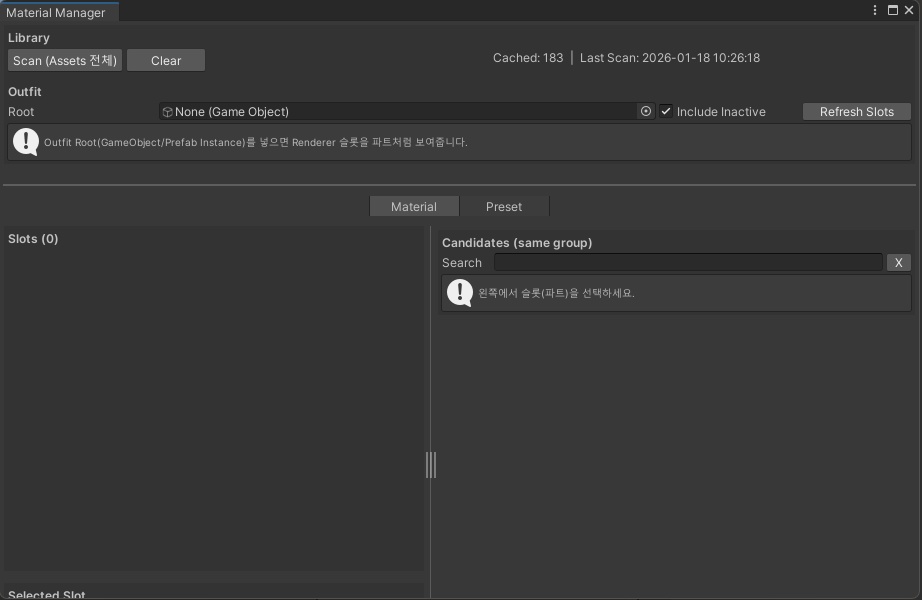

◉【에셋 설명】◆ Asset Description ◆ アセット説明 ◉ 의상 또는 오브젝트를 선택한 뒤, 원하는 메테리얼을 직접 변경하거나 프리셋 목록에서 프리셋의 Apply 버튼을 눌러 메테리얼 구성을 한 번에 적용할 수 있습니다. Select a clothing item or object, then either change materials individually or apply an entire material setup at once by clicking the Apply button next to a preset in the preset list. 衣装またはオブジェクトを選択した後、 メテリアルを個別に変更することも、 プリセット一覧からプリセットの Applyボタン を押して メテリアル構成を一括で適用することもできます。 ◉【주의사항 / Notes / 注意事項】◉ 메테리얼이 그룹별로 분류되어 있을수록 더 편리하게 사용할 수 있습니다. The tool works most conveniently when materials are organized into groups. メテリアルがグループごとに整理されていると、より快適に使用できます。 ◉【이용규약】◆ Terms of Use ◆ 利用規約 ◉ 개인 사용은 자유롭게 가능합니다. Personal use is freely permitted. 個人利用は自由に可能です。 수정은 가능합니다. Modification is allowed. 改変は可能です。 소스 파일 및 데이터의 재배포를 금지합니다. Redistribution of source files and data is prohibited. ソースファイルやデータの再配布を禁止します。 제3자(다른 사람)가 사용할 가능성이 있을 경우, 사용을 금지합니다. Use is prohibited if there is a possibility of third-party use. 第三者(他の人)が使用する可能性がある場合、使用を禁止します。 Update 2026 02 04 Ver 1.1 Selected Slot에 Current Material과 GroupKey가 안보이던 버그 해결 2026 02 05 Ver 1.2 Candidates 창 마지막 인덱스 메테리얼이 안보이던 현상 해결