

オーロラ ┃ AuroraShift
- Digital2,250 JPY
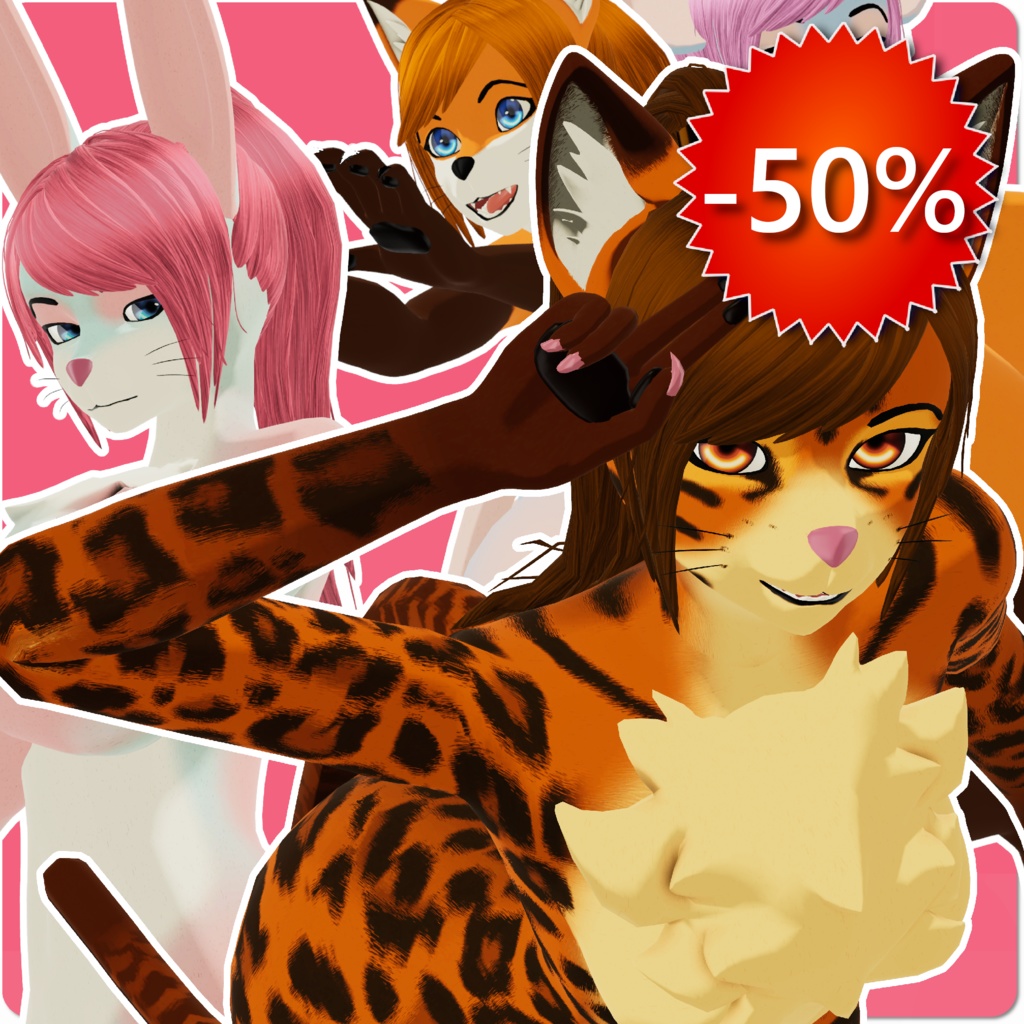
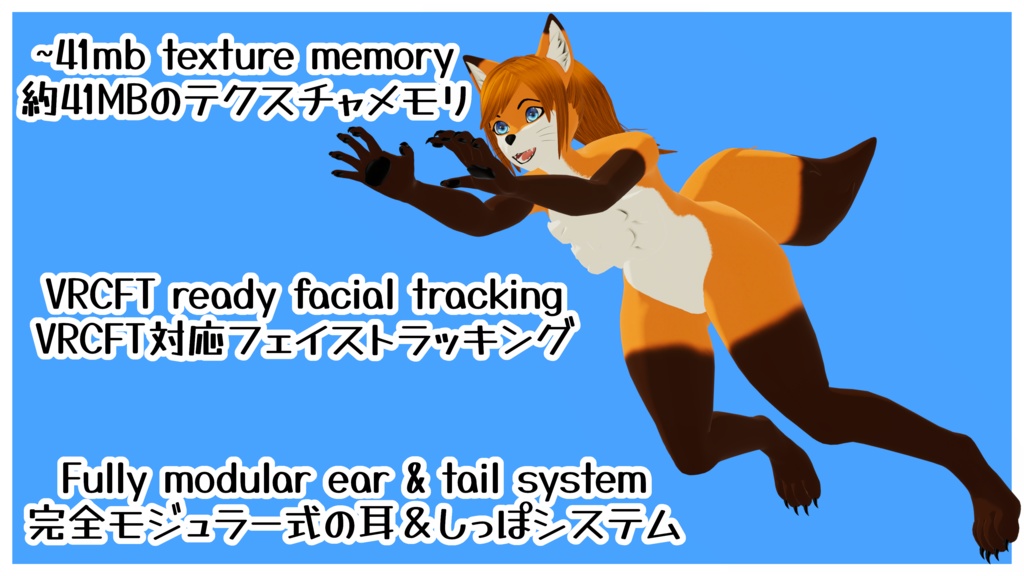
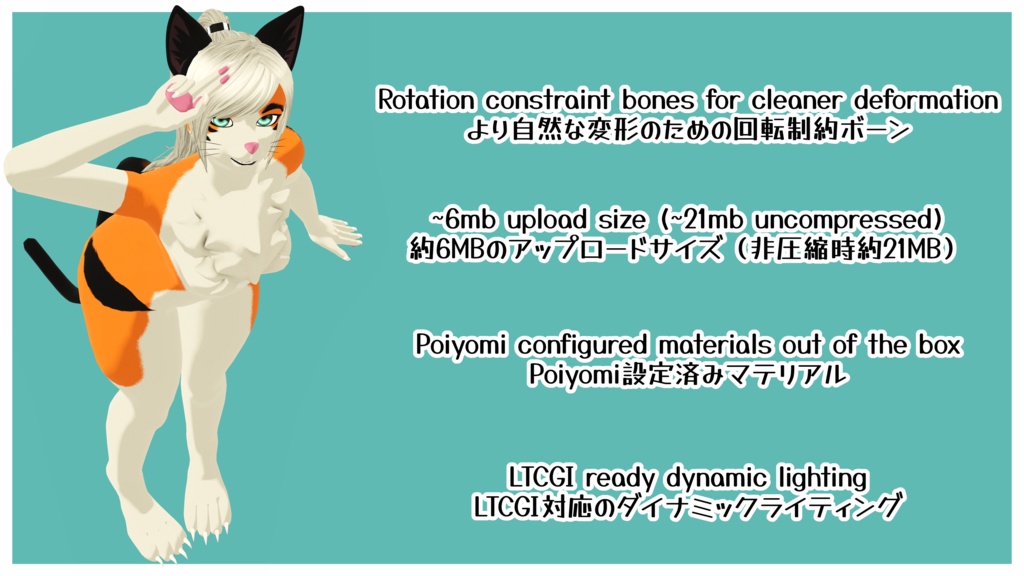
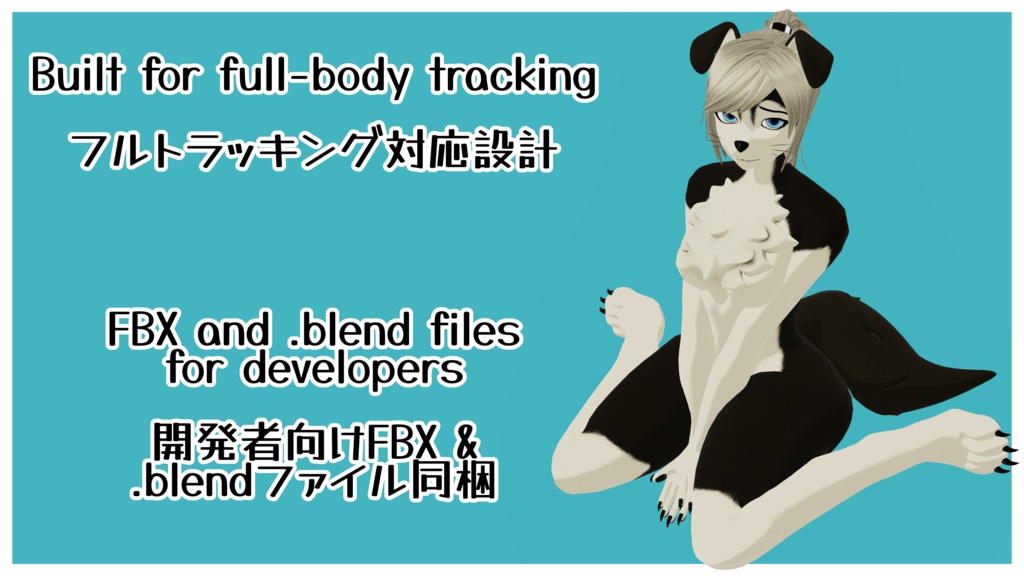
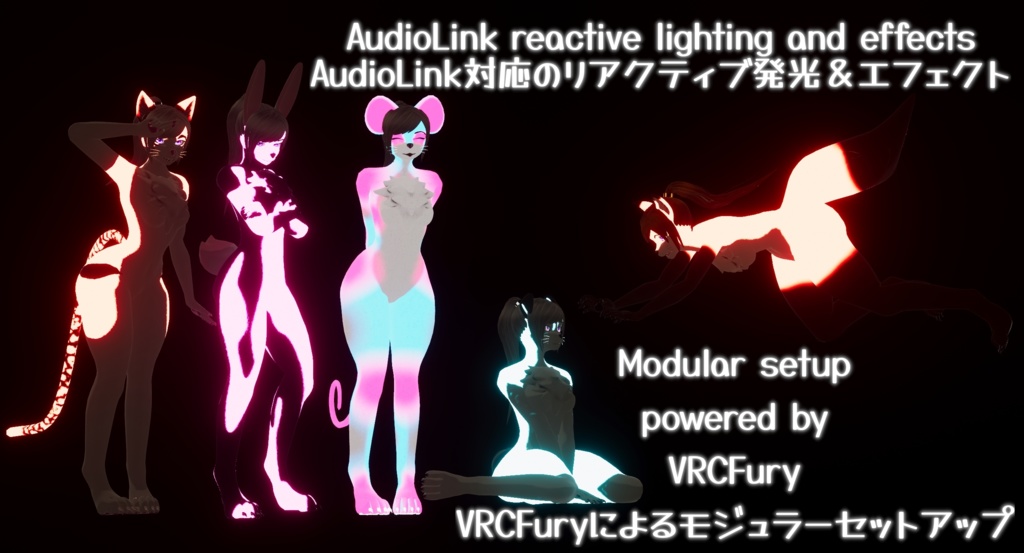
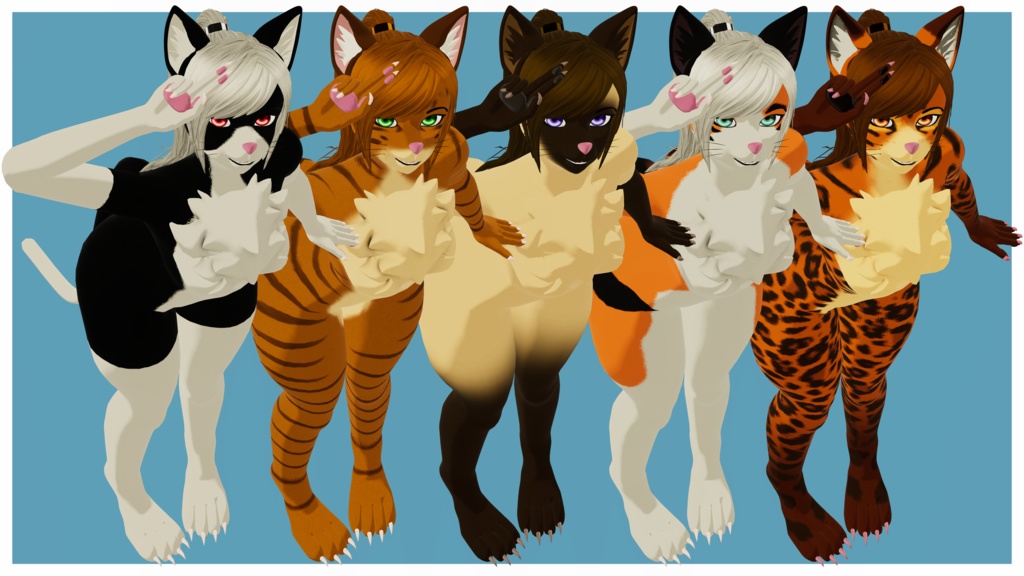
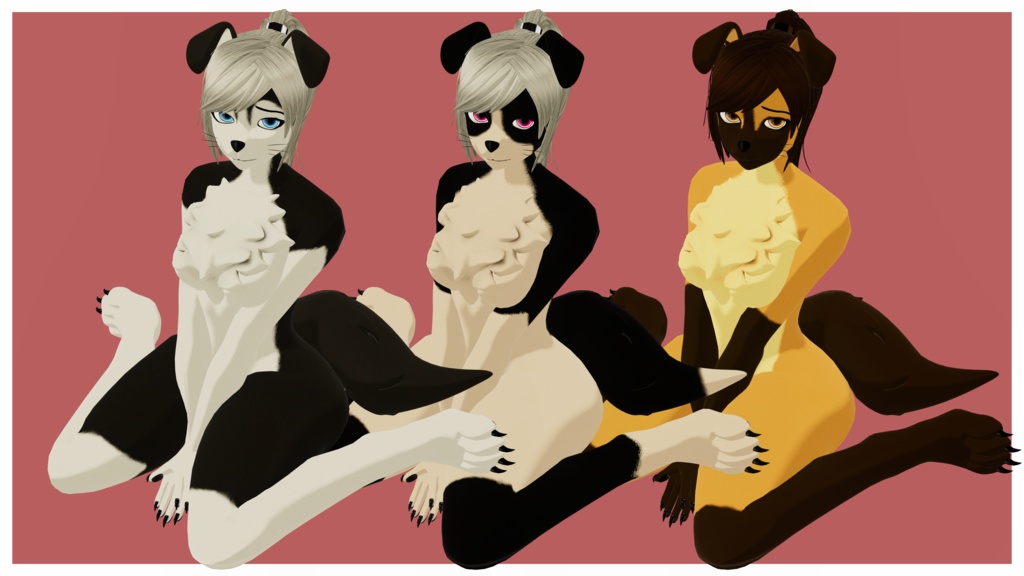
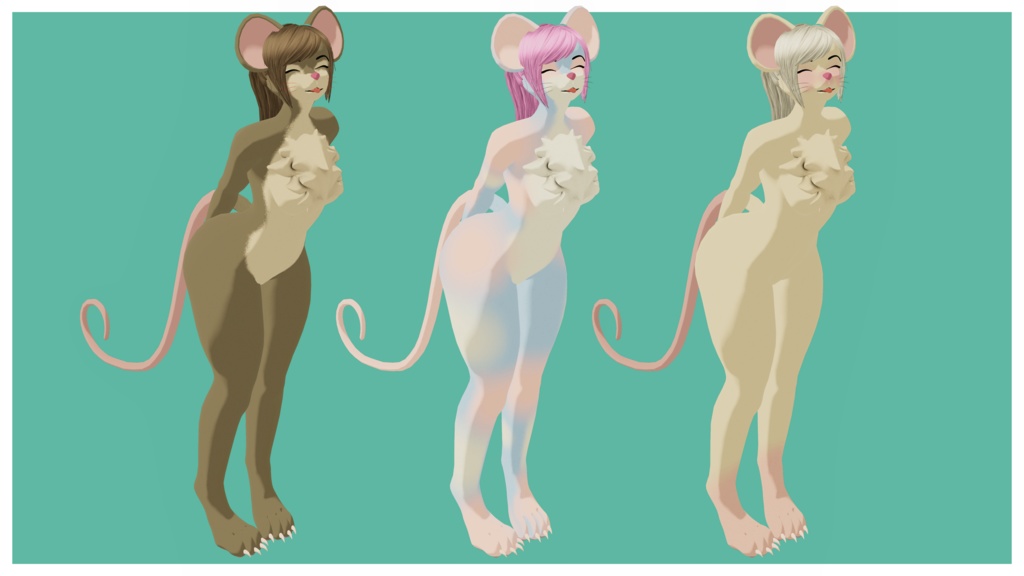
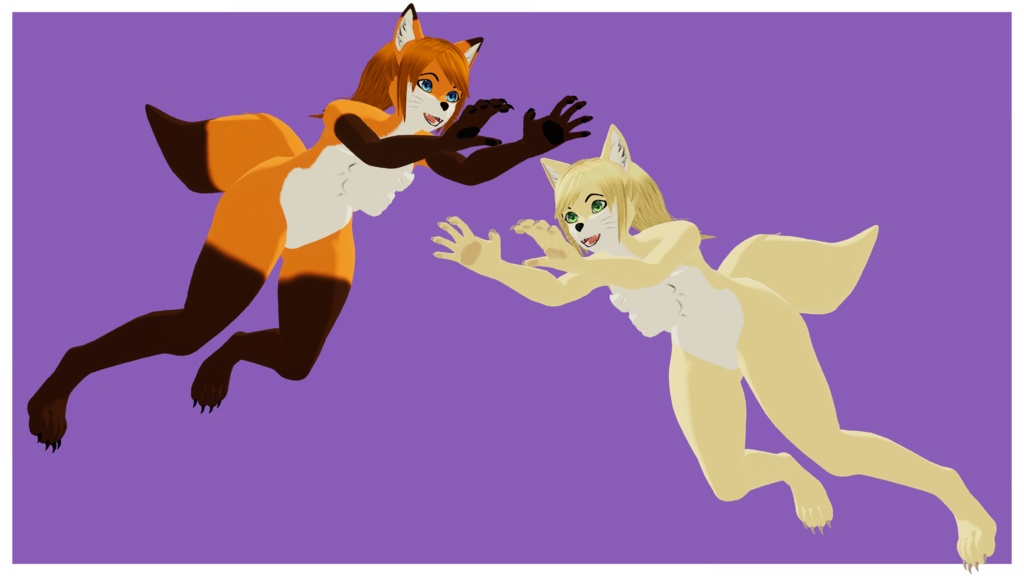
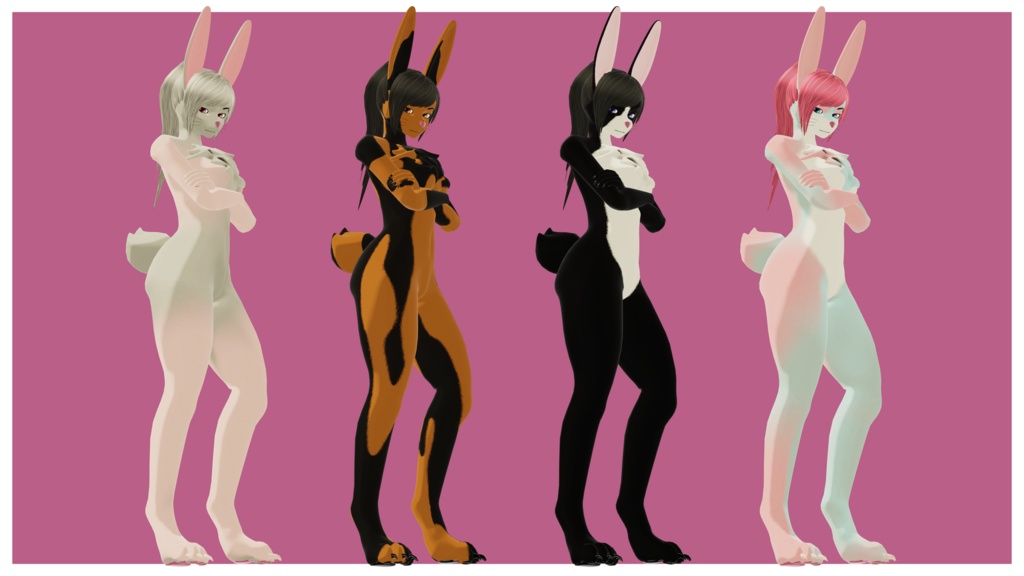
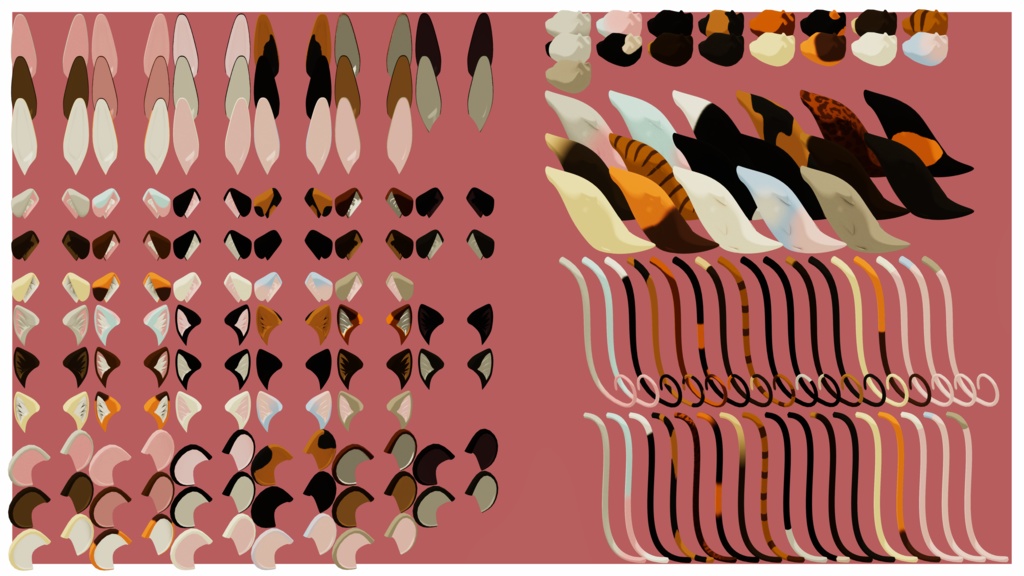
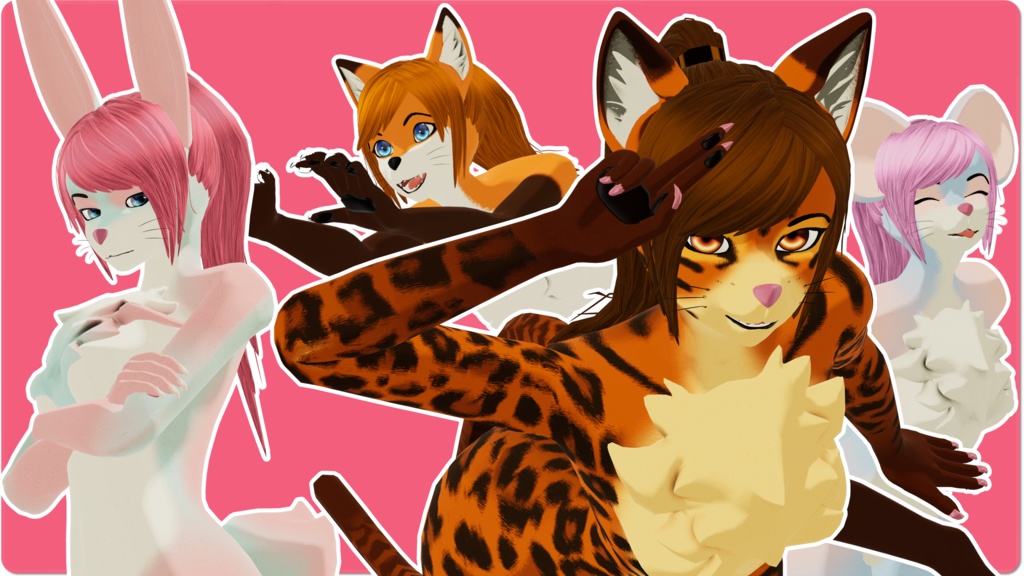
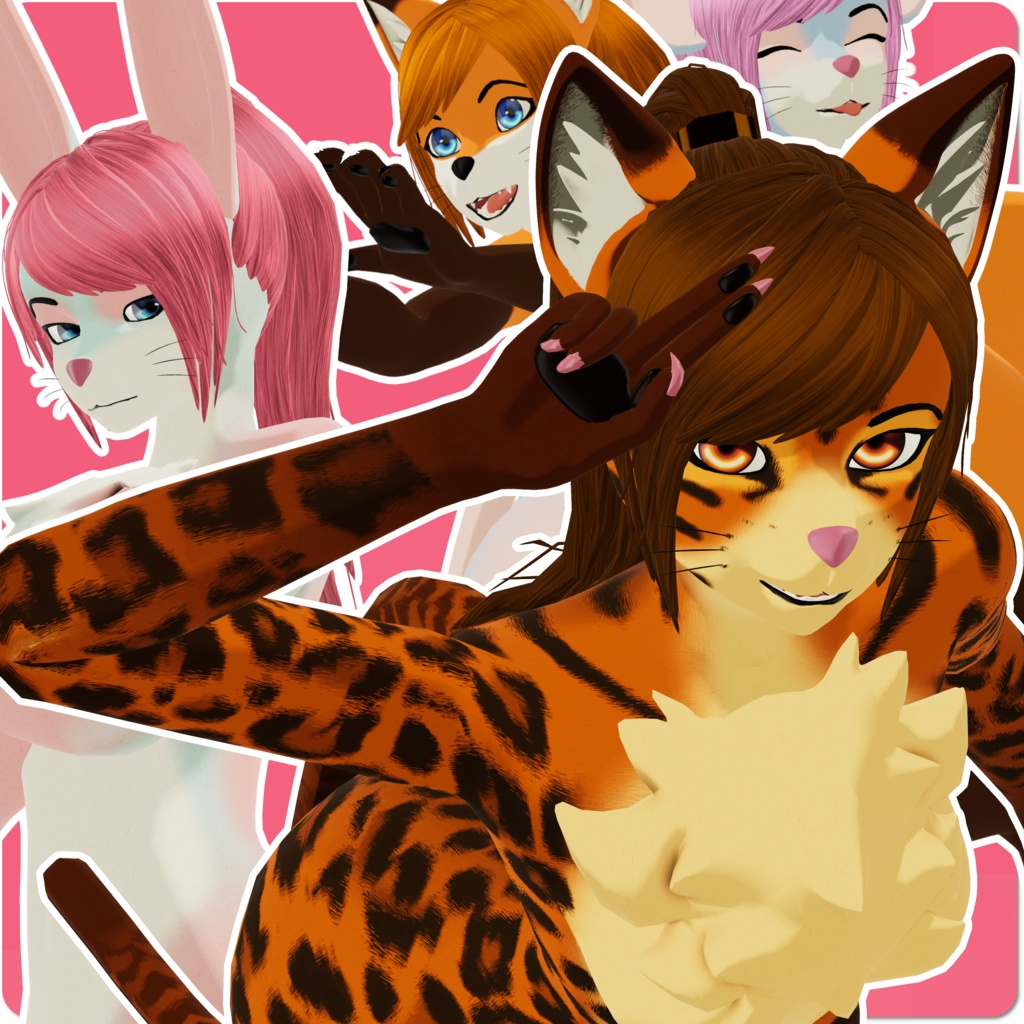


Aurora is a highly customizable anthro avatar base designed for VRChat creators who want freedom, flexibility, and expressive character design. Built with VRCFury, Aurora offers seamless modular customization, species‑swappable ears and tails, full AudioLink support, and an optional full facial tracking variant. Whether you’re creating a cat, dog, fox, bunny, mouse, or a hybrid of all five, Aurora gives you the tools to build your perfect look. オーロラは、自由度と柔軟性と表現力を求めるVRChatクリエイターのために設計された、高度にカスタマイズ可能なアンスロアバターベースです。VRCFuryを基盤とし、シームレスなモジュール式カスタマイズや種族を自由に入れ替えられる耳と尻尾、AudioLink対応、そしてオプションのフルフェイストラッキング版を備えています。猫や犬や狐やウサギやネズミ、またはそれらを組み合わせたハイブリッドなど、どのようなスタイルでも理想の姿を作り上げるためのツールがオーロラにはそろっています。
Aurora Backstory
Aurora’s story begins with movement. They are a traveler by nature, someone who rarely stays in one place for long. Their appearance shifts from time to time, sometimes in small ways and sometimes in bold ones, as if their form reflects whatever direction they choose to take next. Bright colors, soft tones, simple patterns or vivid markings all seem to suit them depending on the moment. They carry themselves with an easy confidence, comfortable in both quiet spaces and lively ones. Aurora adapts quickly, picking up new habits and styles as they go, which gives them a presence that feels alive and always changing. Some days they blend in, other days they stand out, but it always feels natural for them. Aurora does not dwell much on where they have been. They focus on where they are going, shaping their identity through the choices they make and the roles they take on. Their story is open, ready to shift in whatever direction the world leads them. ____________________________
オーロラのバックストーリー
オーロラの物語は、旅を続けるところから始まります。ひとつの場所にとどまることは少なく、気が向くままに進む道を選びます。姿かたちは時々変わり、控えめな変化の日もあれば、思い切った色や模様をまとっている日もあります。それは気分や環境に合わせて自然に形を変えているように見えます。 どこにいても、オーロラはその場に馴染むのが上手です。静かな場所でもにぎやかな場所でも、自分らしく振る舞い、新しい雰囲気やスタイルをすぐに取り入れます。そのため、出会うたびに少し違った印象を与えることがありますが、どれもオーロラらしいと感じられます。 過去について深く語ることはありません。オーロラはこれから進む道を大切にしており、自分が選ぶ姿や役割によって物語を形作っていきます。未来に向かって変化し続ける存在として、オーロラの旅はこれからも続いていきます。 ____________________________
Features
- Massive customization range オーロラ supports over one billion possible combinations through its modular parts and texture options. - Modular design The base supports a wide range of styles and shapes through simple modular parts. - Species flexible base Ears, tails, and other details can be swapped to create many different creature types. - VRCFury integration Setup is streamlined with automatic systems that keep the avatar easy to manage. - AudioLink support オーロラ reacts to music and sound with smooth and responsive visual effects. - Full face tracking option An optional version supports advanced facial expression tracking for more expressive performance. - Optimized for creators The base is designed to be easy to recolor, restyle, and expand with your own ideas. - Wide texture variety Multiple skin styles range from soft and natural to bright and bold. - Outfit ready structure The body is shaped and weighted to work smoothly with future outfit packs and custom clothing. ____________________________
特徴
- 膨大なカスタマイズ幅 オーロラはモジュールパーツとテクスチャの組み合わせにより、十億以上のバリエーションを作り出せます。 - モジュール式デザイン シンプルなパーツ構成で、幅広いスタイルや形状に対応できます。 - 多種族対応ベース 耳や尻尾などのパーツを切り替えて、さまざまなクリーチャータイプを作れます。 - VRCFury対応 自動化されたセットアップにより、管理や調整がスムーズになります。 - AudioLink対応 オーロラは音や音楽に反応し、滑らかなビジュアルエフェクトを見せます。 - フルフェイストラッキング対応版あり より豊かな表情表現が可能なオプションバージョンを用意しています。 - クリエイター向けの扱いやすさ リカラーやリスタイル、独自の拡張がしやすい構造になっています。 - 豊富なテクスチャバリエーション 柔らかく自然なものから鮮やかで大胆なものまで、多彩なスキンを収録しています。 - 衣装対応の構造 未来の衣装パックやカスタム衣装とスムーズに組み合わせられるように設計されています。 ____________________________
Included
- オーロラ base .blend file Contains the body, all ear types, and all tail types. - FBX models Includes the body, every ear type, and every tail type as separate FBX files. - Pre configured .unitypackage Includes all assets and systems ready to use in Unity. - 51 unique and customizable materials Covers the body, ears, tails, hair, eyes, and detail layers. - Texture sets Multiple styles prepared for recoloring and customization. - Prefabs Ready to use prefabs for the base avatar and modular parts. - Modular parts All ear and tail variations pre set up for swapping. - AudioLink setup Fully configured and ready to use. - LTCGI setup Preconfigured for dynamic lighting and reactive effects. - Facial tracking setup Includes a version prepared for full face tracking. - VRCFury setup Prebuilt toggles and systems included. ____________________________
同梱内容
- オーロラ base の .blend ファイル ボディ、全ての耳タイプ、全ての尻尾タイプを収録。 - FBX モデル ボディ、各耳タイプ、各尻尾タイプを個別の FBX として収録。 - 事前設定済み .unitypackage 必要なアセットとシステムがすべてセットアップ済み。 - 51 種類のカスタマイズ可能なマテリアル ボディ、耳、尻尾、髪、目、ディテール用マテリアルを収録。 - テクスチャセット リカラーや編集に適した複数のスタイルを収録。 - プレハブ ベースアバターとモジュラーパーツのプレハブを収録。 - モジュラーパーツ 全ての耳タイプと尻尾タイプが切り替え可能な状態で収録。 - AudioLink セットアップ 反応エフェクトがすぐ使える状態で構成済み。 - LTCGI セットアップ ダイナミックライティング対応の設定を収録。 - フェイストラッキング対応版 フルフェイストラッキング用のセットアップ済みモデルを収録。 - VRCFury セットアップ トグルや各種システムがあらかじめ構成済み。 ____________________________
Dependencies - 依存パッケージ
You will need the following before installing オーロラ: オーロラを使用するために、以下が必要です。 - VRChat Creator Companion https://vrchat.com/home/download - VRCFury https://vrcfury.com/ - VRCFT – Jerry’s Templates https://adjerry91.github.io/VRCFaceTracking-Templates/ - Poiyomi Shader https://poiyomi.booth.pm/items/4841309 ____________________________
Installation Instructions
1. Install VRChat Creator Companion Download and install VCC, which manages Unity versions and VRChat project setup. 2. Create a new Avatar Project In VCC, create a Unity Avatar Project using the newest Unity version recommended by VCC. 3. Add required packages to the project In the project’s VCC package list, add: - VRCFury - VRCFT – Jerry’s Templates - (Optional) Gesture Manager for testing animations and expressions. 4. Open the Unity project Launch the project through VCC so all packages load correctly. 5. Install Poiyomi Import the Poiyomi shader package into the Unity project. 6. Import the AuroraBase.unitypackage Double‑click the “Aurora Base” .unitypackage and import all included assets. 7. Select your avatar base prefab In Unity, navigate to: Assets > Aurora > Prefabs > Avatar Base Choose the base prefab you want to use and drag it into the scene. 8. Apply your materials Go to: Assets > Aurora > Skins Assign your preferred materials to the body, chosen ears, and chosen tail. 9. Log in to the VRChat SDK Open the VRChat SDK menu at the top of Unity and sign in with your VRChat account. 10. Build and upload Use the VRChat Control Panel to upload your avatar. ____________________________
インストール手順
1. VRChat Creator Companion をインストールする VCC をダウンロードしてインストールします。Unity 管理と VRChat プロジェクト作成に使用します。 2. 新しいアバタープロジェクトを作成する VCC で Unity Avatar Project を作成し、VCC が推奨する最新の Unity バージョンを使用します。 3. 必要なパッケージをプロジェクトに追加する プロジェクトの VCC パッケージ一覧から以下を追加します。 - VRCFury - VRCFT – Jerry’s Templates - (任意) Gesture Manager(アニメーション確認用) 4. Unity プロジェクトを開く VCC からプロジェクトを起動し、すべてのパッケージを読み込みます。 5. Poiyomi をインストールする Poiyomi Shader のパッケージを Unity にインポートします。 6. オーロラの .unitypackage をインポートする 「Aurora Base」.unitypackage をダブルクリックし、すべてのアセットをインポートします。 7. - アバターベースのプレハブを選択する Unity 内で以下へ移動します。 Assets > Aurora > Prefabs > Avatar Base 使用したいベースプレハブを選び、シーンにドラッグします。 8. マテリアルを適用する 以下へ移動します。 Assets > Aurora > Skins ボディ、選択した耳、選択した尻尾に好みのマテリアルを割り当てます。 9. VRChat SDK にログインする Unity 上部の VRChat SDK メニューからログインします。 10. ビルドしてアップロードする VRChat Control Panel を使用してアバターをアップロードします。 ____________________________
FAQ - よくある質問
FAQ https://docs.google.com/document/d/1m6IyGTMetI9HjrnZSj2_FJ47fcyZfe_V0dzxvh91lik/edit?usp=sharing よくある質問 https://docs.google.com/document/d/1PaCM7_wqVIUtKWLDOXrLUdfrWrMEI1GyqjDI2RrsMEI/edit?usp=sharing