
RBXPAINT - Robloxクラシック衣装ペイントツール
- Digital300 JPY
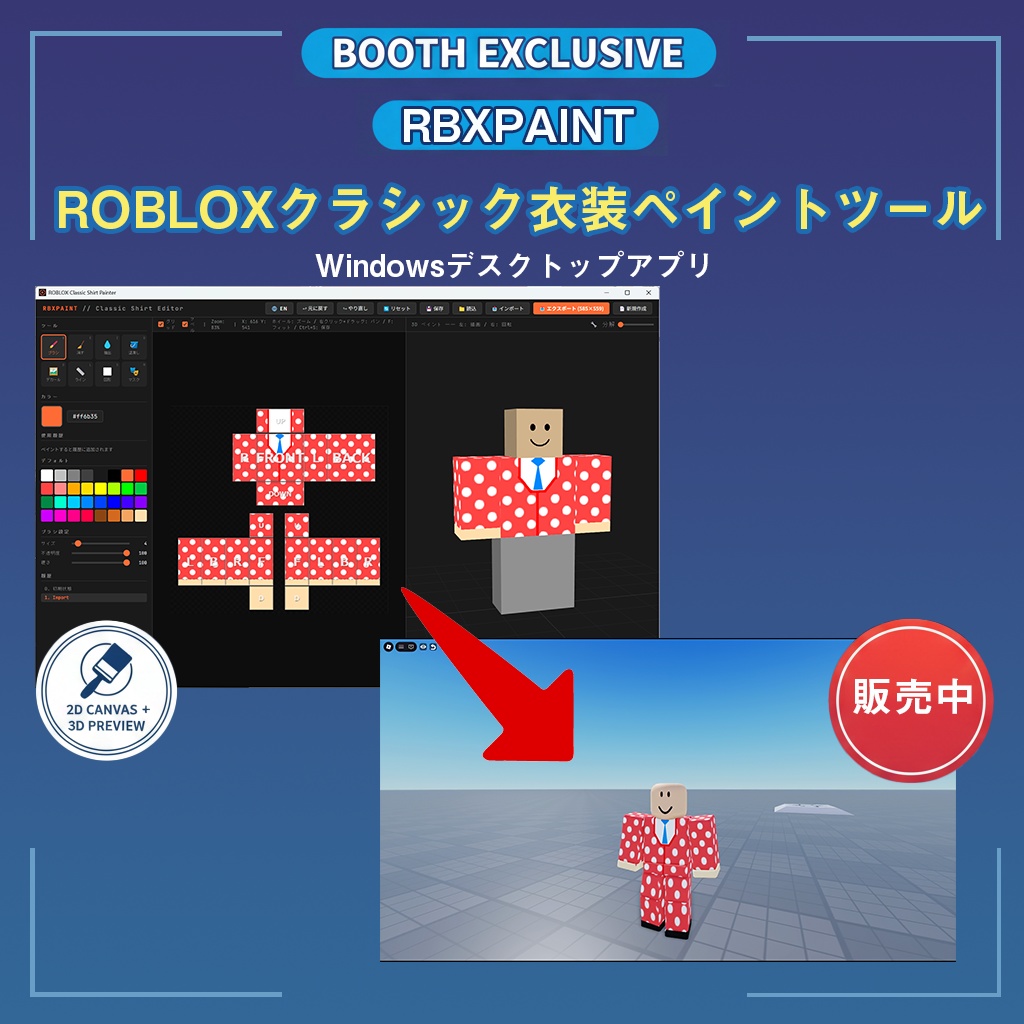
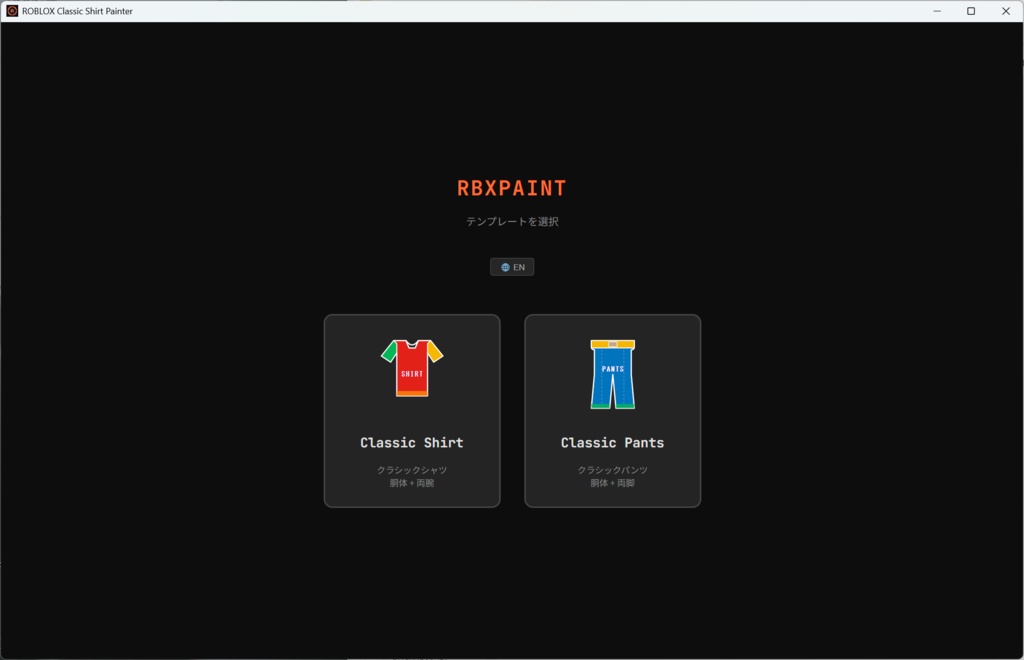
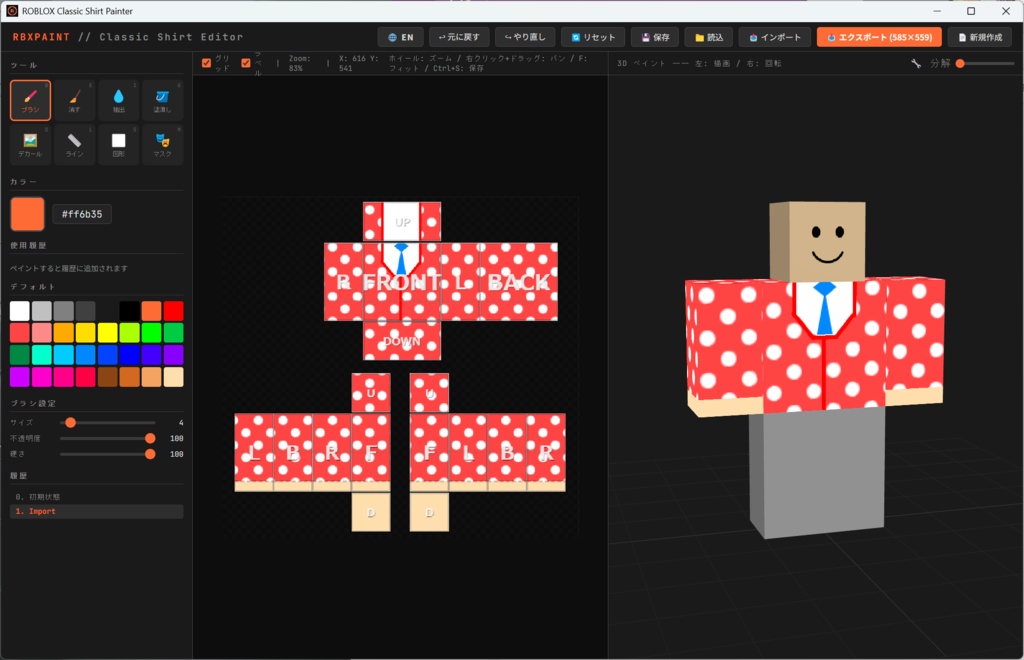
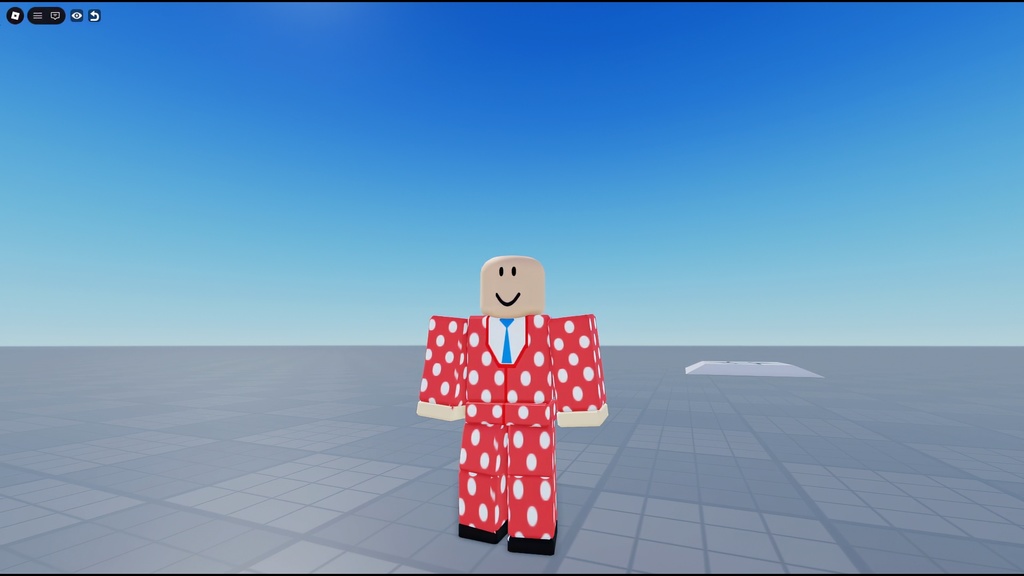


ブラウザからのアップロード手順 制作→作品→アバターアイテム→定番→定番のシャツ or 定番のズボン アセットをアップロード Robloxのクラシックシャツ・クラシックパンツのテンプレートに直接ペイントできるWindows向けデスクトップアプリです。2Dキャンバスとリアルタイム3Dプレビューを搭載しており、仕上がりを確認しながらデザインを作成できます。日本語・英語UIに対応。 A Windows desktop app for painting directly on Roblox Classic Shirt and Classic Pants templates. Features a dual-view layout with a 2D canvas and real-time 3D preview, so you can design while checking the final result. Supports both Japanese and English UI.
特徴 / Features
描画ツール ブラシ / 消しゴム / スポイト / バケツ塗り / デカール貼り付け / ライン / 図形(矩形・円) / 面マスク の8種類を搭載。ブラシはサイズ・不透明度・硬さを調整可能です。 リアルタイム3Dプレビュー エディタ右側に3Dアバターモデルを表示。描画内容がリアルタイムで反映されます。3Dモデル上に直接ペイントすることもでき、分解ビューでパーツごとに確認可能です。 UVパディング(自動シーム処理) エクスポート時にBFSダイレーションを自動適用。Robloxのテクスチャフィルタリングで発生する黒い継ぎ目アーティファクトを防止します。 ボディガイド表示 グリッドをONにすると、腰ライン・肘ライン・手首ラインなどの体の位置を示す破線ガイドが表示されます。衣服デザインの位置合わせに便利です。 プロジェクト保存・読み込み 作業中のデータを専用フォーマット(.rbxpaint)で保存・読み込みできます。マスク設定やカラー履歴も保持されます。 日本語 / 英語対応 UIは日本語と英語を切り替えて使用できます ----------------------------------------------------------- Drawing Tools 8 tools included: Brush, Eraser, Eyedropper, Bucket Fill, Decal, Line, Shape (rectangle/circle), and Face Mask. Brush supports adjustable size, opacity, and hardness. Real-time 3D Preview A 3D avatar model is displayed on the right side of the editor. Your painting is reflected in real time. You can also paint directly on the 3D model, and use the explode view to inspect individual parts. UV Padding (Automatic Seam Handling) BFS dilation is automatically applied on export to prevent black seam artifacts caused by Roblox's texture filtering. Body Guide Overlay Toggle the grid to display dashed guide lines indicating body landmarks such as the waist line, elbow, and wrist positions — useful for aligning clothing designs. Project Save & Load Save and load your work in a dedicated format (.rbxpaint). Mask settings and color history are preserved. Japanese / English UI Switch between Japanese and English interface at any time.
操作方法 / Controls
ホイール:ズーム 右クリック+ドラッグ:パン F:キャンバスをフィット Ctrl+S:プロジェクト保存 B / E / I / G / D / L / S / M:各ツール切り替え Ctrl+Z / Ctrl+Y:元に戻す / やり直し ----------------------------------------------------------- Scroll wheel: Zoom Right-click + drag: Pan F: Fit canvas to view Ctrl+S: Save project B / E / I / G / D / L / S / M: Tool shortcuts Ctrl+Z / Ctrl+Y: Undo / Redo
動作環境 / System Requirements
- OS:Windows 10 / 11(64bit) - メモリ / RAM:4GB以上推奨 / 4GB or more recommended - ディスプレイ / Display:1280×720以上推奨 / 1280×720 or higher recommended - インストール不要(ポータブルEXE)/ No installation required (portable EXE) ----------------------------------------------------------- 本ツールはRoblox公式製品ではありません。個人が制作した非公式ツールです。 This is NOT an official Roblox product. It is an unofficial tool made by an individual creator. - 「Roblox」はRoblox Corporationの商標です。 "Roblox" is a trademark of Roblox Corporation. - プロジェクトデータはアプリ内のLocalStorageに保存されます。データ削除を行うとプロジェクトが消去されるため、完成データは必ずPNGとして書き出して保管してください。 Project data is stored in the app's LocalStorage. Always export your finished work as PNG, as clearing app data will delete your projects. - 本ツールで作成したデザインの著作権はご購入者様に帰属します。商用・非商用問わずご自由にお使いください。 You own the copyright to any designs you create. Free to use for both commercial and personal purposes. - 二次配布・転売・リバースエンジニアリングはご遠慮ください。 Redistribution, resale, and reverse engineering are prohibited. - 本ツールの使用により生じた損害について、作者は一切の責任を負いません。 The author assumes no liability for any damages arising from the use of this tool.
アップデート履歴 / Changelog
v1.0.0(2026.02.15)初版リリース / Initial release v1.1.0(2026.05.28)半袖にした時ラインが入るのを修正 ...