

【VFM】VRChatフレンドの居場所を音声でお知らせするツール 自動更新機能付き
- 通常版Digital500 JPY
- 支援版(内容は同じです)Digital700 JPY
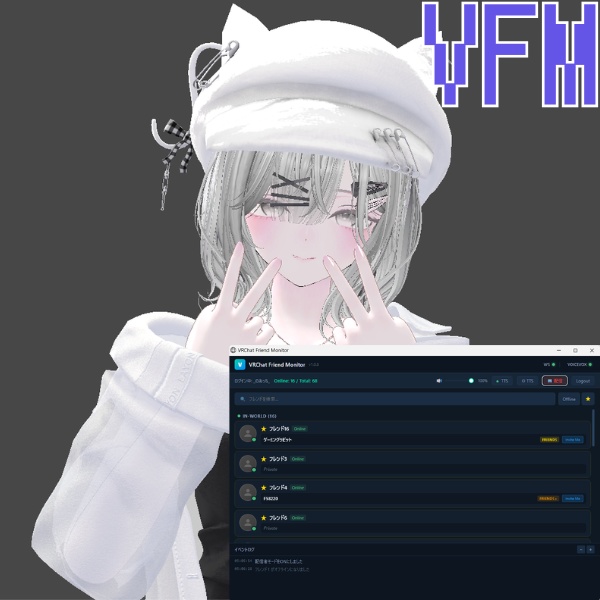
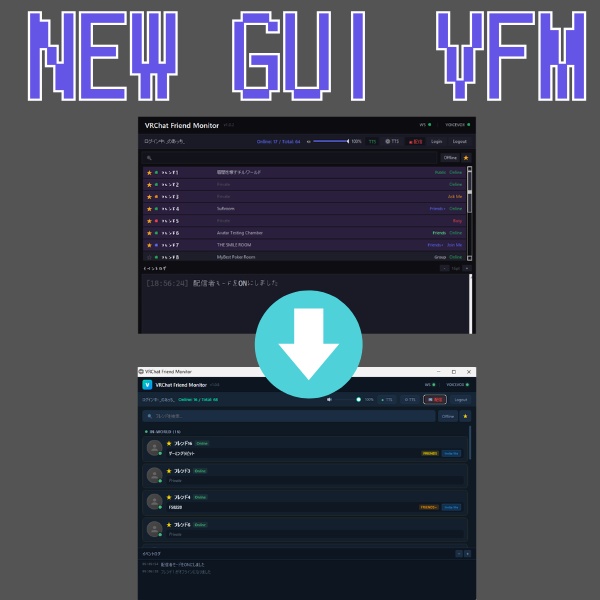


VRChat Friend Monitor – VFM 「仲のいいフレンドが今すぐ入れるワールドにいるか音声で知りたい」 そんな時にサッと確認できる、軽量&シンプルなデスクトップツールです。 起動してログインするだけで使えます。 主な機能 かんたんログイン ・公式 2 要素認証対応、次回からは自動ログイン フレンド一覧ビュー ・検索/フィルタ リアルタイム更新 ・フレンドのステータスを即時反映 参加チャンス読み上げ ・「お気に入り」に登録したフレンドが “参加可能” なインスタンスへ移動する。 ・「お気に入り」に登録したフレンドが “オンライン”になったら。 VOICEVOX で音声通知(ポップアップはありません) ・VOICEVOX のインストールは別途必要です ニックネーム機能 ・フレンドに好きな呼び名を付けられ、読み上げもニックネームで呼称 数字や英語が多い名前でもわかりやすくなります 配信モード ・自分のユーザー名やフレンドのユーザ名をワンクリックで隠して安全配信 インスタンスタイプ表示 ・Public/Friends+/Invite などをアイコンで色分け 動作環境 • Windows 10 / 11(64bit) 使い方は 3 ステップ ZIP を解凍 VOICEVOXをダウンロード→起動 https://voicevox.hiroshiba.jp/ 「VRChat Friend Monitor.exe」を起動 VRChat アカウントでログイン → 完了! 同梱物 • VRChat Friend Monitor 本体 ライセンス / License 個人利用:可 | 商用利用:不可 改変:不可 | 再配布・再販売:不可 The author is not responsible for any damages caused by using this tool. 使用素材・クレジット • 音声読み上げ:VOICEVOX「ナースロボタイプ T」 (Voice & character © VOICEVOX project) • サムネイルに登場する VRChat アバターは本ツールには含まれません。 お問い合わせ • X (旧 Twitter):@noatti_vrc • Discord:招待リンク → https://discord.gg/mtbQqkFdM2 • メール:maomaofj66@gmail.com VRChat Friend Monitor – VFM “Want to know by voice whether your close friends are in a world you can join right now?” This is a lightweight and simple desktop tool that lets you quickly check exactly that. Just launch it and log in — that’s all it takes. Main Features Easy Login ・Supports official two-factor authentication ・Automatic login from the next launch Friend List View ・Search / filter available Real-Time Updates ・Friend status is reflected instantly Join Opportunity Voice Alerts ・When a friend registered as a “Favorite” moves to a joinable instance ・When a friend registered as a “Favorite” comes online Voice notifications via VOICEVOX (no pop-up notifications) ・VOICEVOX must be installed separately Nickname Feature ・You can assign custom nicknames to friends, and voice notifications will use those names Makes names with lots of numbers or English letters easier to recognize Streaming Mode ・Hide your username and friends’ usernames with one click for safe streaming Instance Type Display ・Public / Friends+ / Invite, etc. are color-coded with icons System Requirements • Windows 10 / 11 (64-bit) How to Use (3 Steps) Extract the ZIP file Download and launch VOICEVOX https://voicevox.hiroshiba.jp/ Launch “VRChat Friend Monitor.exe” Log in with your VRChat account → Done! Included Files • VRChat Friend Monitor (main application) License Personal use: Allowed | Commercial use: Not allowed Modification: Not allowed | Redistribution / resale: Not allowed The author is not responsible for any damages caused by using this tool. Materials / Credits • Voice synthesis: VOICEVOX “Nurse Robot Type T” (Voice & character © VOICEVOX project) • The VRChat avatar shown in the thumbnail is not included in this tool. Contact • X (formerly Twitter): @noatti_vrc • Discord: Invite link → https://discord.gg/mtbQqkFdM2 • Email: maomaofj66@gmail.com