
LineArt二重線SVG→中心一本線SVG化|SVG L1 Dropper(Inkscape必須)
- Digital600 JPY
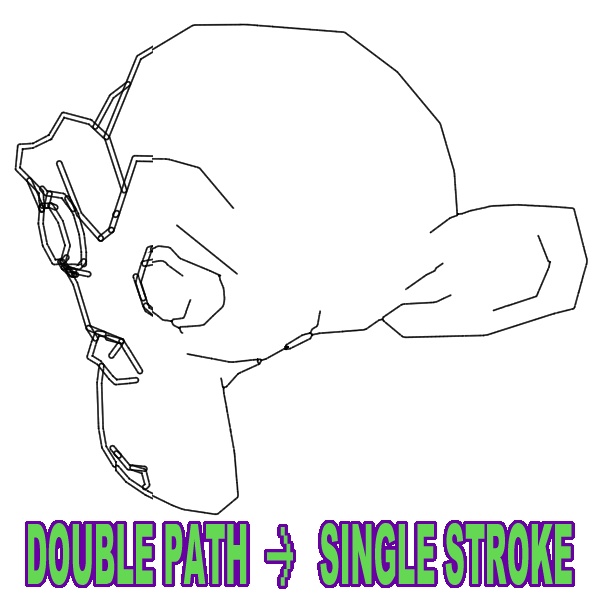
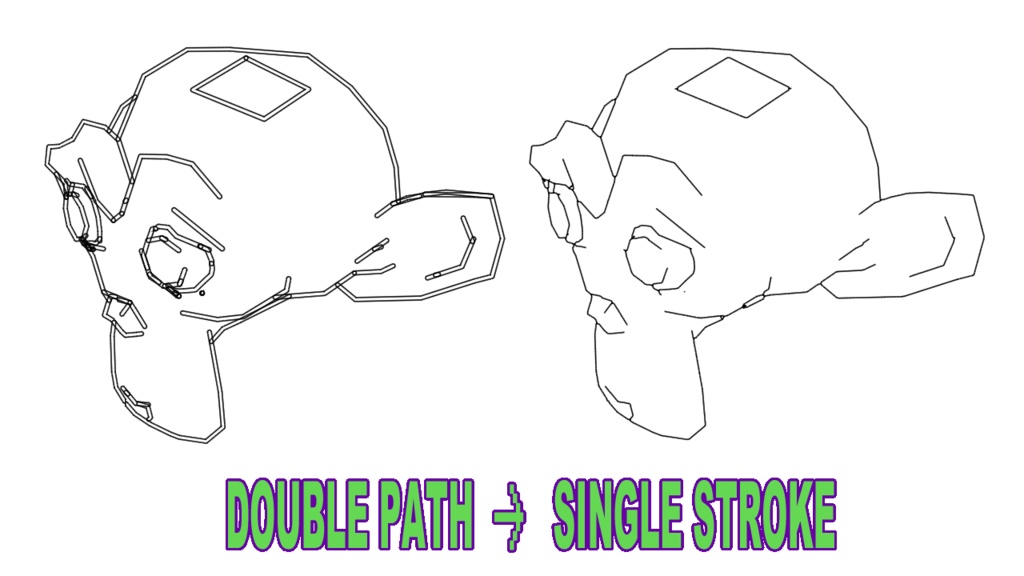
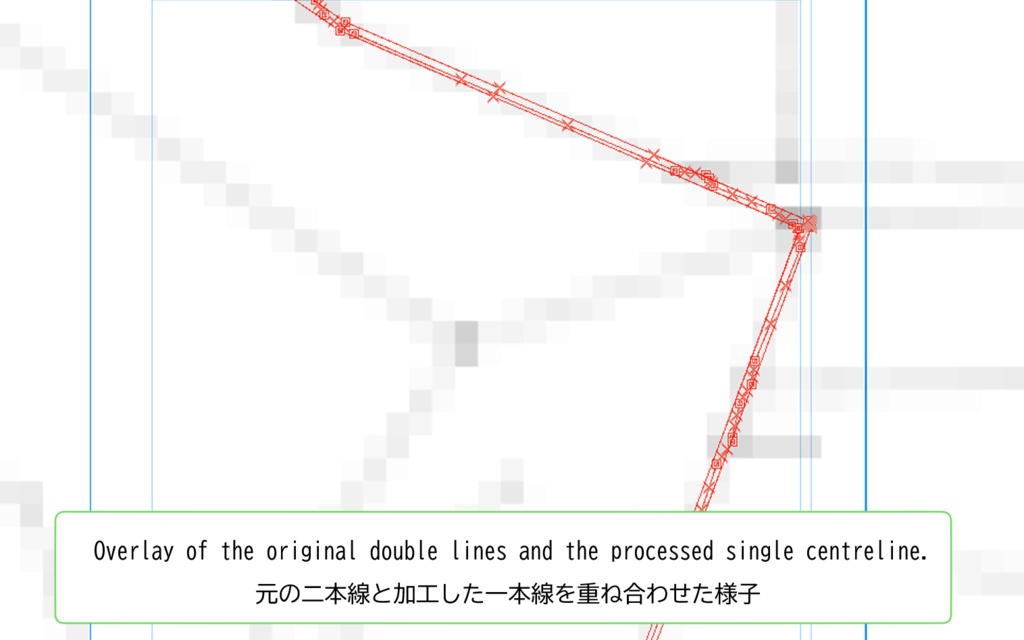
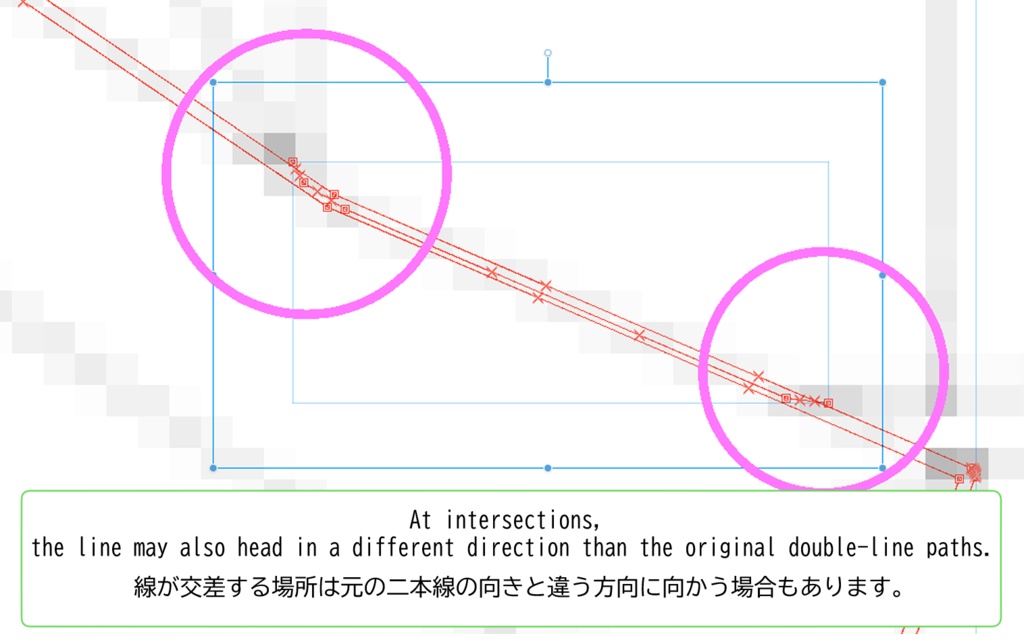
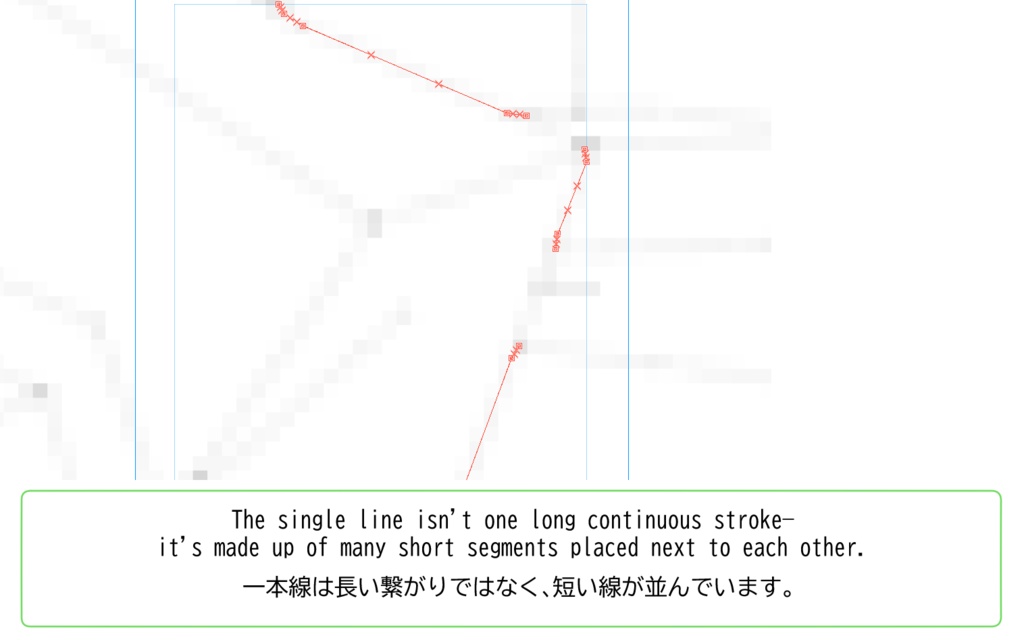


Both Japanese and English versions are included. / 日本語と英語の二種類を同梱してあります。 Blender の Line Art を Freestyle SVG Export でSVG出力すると、見た目は1本線でも内部は「塗りつぶしの輪郭」になり、2本のパスが並走しがちです。 SVG L1 Dropper は、その2本線の中央を拾って、1本の中心線SVGに変換します。 使い方: 左にSVGをドロップ → 右に結果が出る → クリックでプレビュー → 出力フォルダに保存。 ファイル名には自動で「_L1」を追加(すでにあれば追加しません)。 ・できること SVGを中心線(1本線)に変換して出力 ドラッグ&ドロップ対応(複数OK) 生成ファイル一覧&クリックで簡易プレビュー 出力名に _L1 を付与(元名にL1があれば追加しない) !注意 ! 一本線は長い繋がりではなく、短い線が並びます。 交差部分では、元の二本線と違う向きに進む場合があります。
必要なもの
Windows 11(動作確認) Inkscape(SVG→PNGのラスタライズに使用。先にインストールが必要) ※Inkscape本体は同梱しない !注意! 非公式ツール(Blender / Inkscape とは無関係) 元SVGの性質によって結果は変わる
ライセンス
本ソフトは PySide6/Qt、NumPy、Pillow、scikit-image 等のライブラリを利用しています。各ライブラリのライセンスは同梱の LICENSES.txt を参照してください。
返金について
本商品はデジタル商品です。原則として返金は行いません。 ただし、購入後に「起動しない」「必須要件(Windows / Inkscape)を満たしているのに動作しない」など明確な不具合が確認できる場合は、状況を確認のうえ個別に対応します。
English
SVG L1 Dropper — Centreline tool for Blender Line Art / Freestyle SVG Export Blender Line Art SVG exports often look like a single stroke, but internally they’re two parallel paths (a filled outline). SVG L1 Dropper converts that “double line” into a clean single centreline SVG. How it works: Drop SVGs on the left → results appear on the right → click to preview → saved to your output folder. Filenames automatically get “_L1” added (won’t duplicate if already present). Requirements Windows 11 (tested) Inkscape (must be installed separately; used for SVG→PNG rasterisation) Notes / Limitations Output is many short segments, not one continuous long stroke. At intersections, the direction may differ from the original double paths. Refunds Digital product: no refunds in general. If it won’t run despite meeting the requirements, contact me with details and I’ll help.