
(Blender) ペンオートスケーラー
- Digital0 JPY
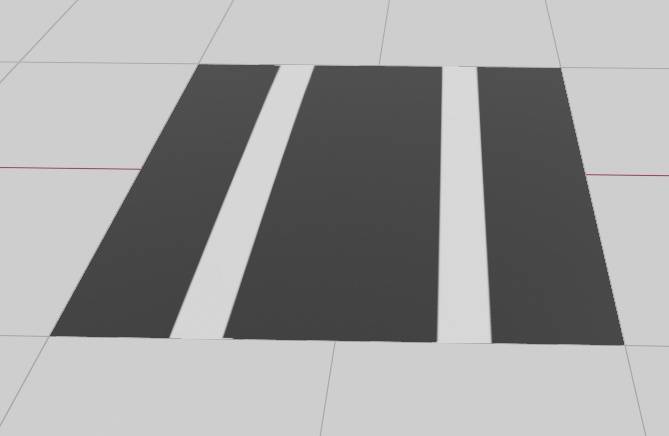
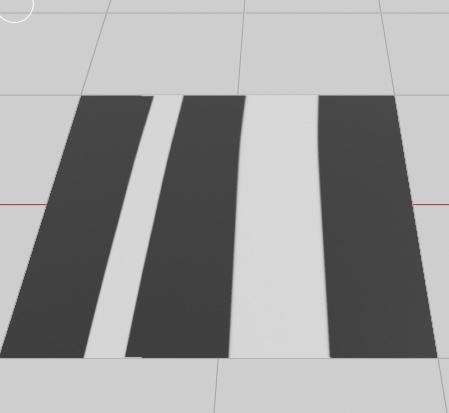


[JP] Pen Auto Scaler 視点(カメラ)の距離、またはオブジェクト表面までの距離に応じて、ブラシサイズを自動的に調整するBlenderアドオンです。 ズーム倍率が変わっても、画面上の見た目の太さを一定に保ちたい時に便利です。 主な機能 - 視点距離による自動スケーリング:ズームアウトで太く、ズームインで細く補正。 - レイキャストモード:マウスが指しているポリゴン表面までの実際の距離で精密に補正。 - シンプルな操作:サイドバーの「Tool」タブからワンクリックで開始・停止。 インストール方法 1. Blenderの「Edit > Preferences > Add-ons」を開きます。 2. 右上の「Install...」から、本アドオンのzipファイルを選択します。 3. リストに表示される「Pen Auto Scaler」のチェックボックスをオンにして有効化します。 使い方 1. テクスチャペイントモードで3Dビューポートの右側にあるサイドバー(Nキー)の「Tool」タブを開きます。 3. Pen Auto Scalerという名前のタブを開きます 4. 「開始」ボタンを押すと自動調整が始まります。 5. 「サイズ係数」を調整して、お好みの見た目の太さに設定してください。 6. 「表面検知を使用」をオンにすると、マウス位置の3Dモデル表面までの距離で計算します。 注意点・仕様 - Blenderの仕様上、ストローク中(描いている最中)にリアルタイムで太さを変えることはできません。描き始めの瞬間の距離でその線の太さが決まります。 - ブラシサイズは最小1pxで固定されます。 ライセンス このアドオンは GNU General Public License v3 (GPLv3) の下で公開されています。 詳細は同梱の LICENSE ファイルを参照してください。 免責事項 本アドオンの使用によって生じたいかなる損害についても、製作者は一切の責任を負いません。 自己責任での利用をお願いします。 =================== Created by Okaz =================== [EN] Pen Auto Scaler An add-on for Blender that automatically adjusts brush size based on the distance from the viewpoint (camera) or the object's surface. It is ideal for maintaining a consistent visual line weight on your screen, even when changing zoom levels. Key Features Distance-Based Scaling: Automatically compensates brush size—thicker when zooming out, thinner when zooming in. Raycast Mode: Uses the actual distance to the polygon surface under the mouse cursor for precise scaling. Simple Interface: One-click start/stop from the "Tool" tab in the Sidebar. Unified Radius Support: Works seamlessly with Blender's "Use Unified Radius" setting. Installation Open Blender and go to Edit > Preferences > Add-ons. Click Install... at the top right and select the add-on's zip file. Find "Pen Auto Scaler" in the list and check the box to enable it. How to Use Enter Texture Paint Mode. Open the Sidebar (N-key) on the right side of the 3D Viewport and select the Tool tab. Expand the Pen Auto Scaler panel. Click the Start button to begin automatic scaling. Adjust Pen Size (Factor) to set your preferred visual thickness. Enable Use Raycast if you want to calculate distance based on the 3D model surface at the mouse position. Technical Notes & Limitations Due to Blender's API limitations, brush size cannot be changed during a stroke. The thickness is determined at the moment you start drawing. The minimum brush size is clamped to 1px. License This add-on is released under the GNU General Public License v3 (GPLv3). Please refer to the included LICENSE file for details. Disclaimer The creator assumes no responsibility for any damages or issues caused by the use of this add-on. Use it at your own risk. =================== Created by Okaz ===================