
【Live2D】カスタムマイガール♡【VTS専用】
- Digital4,000 JPY
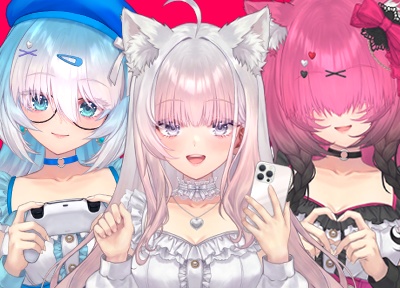
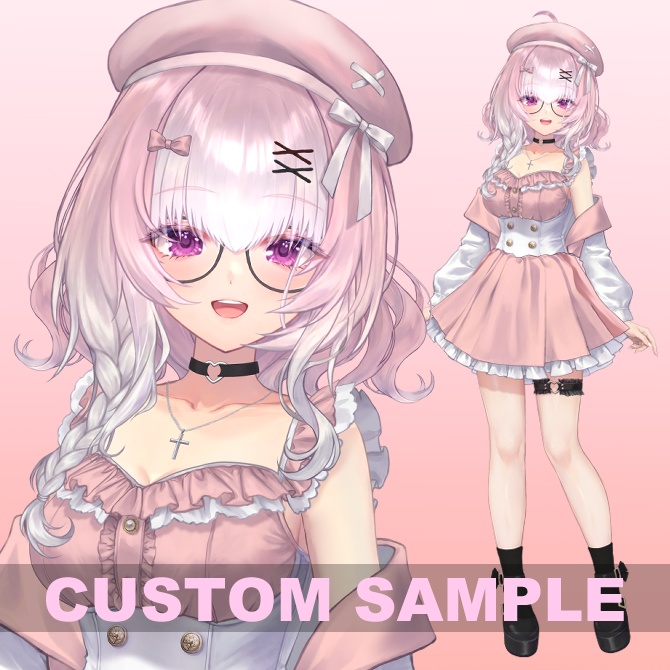
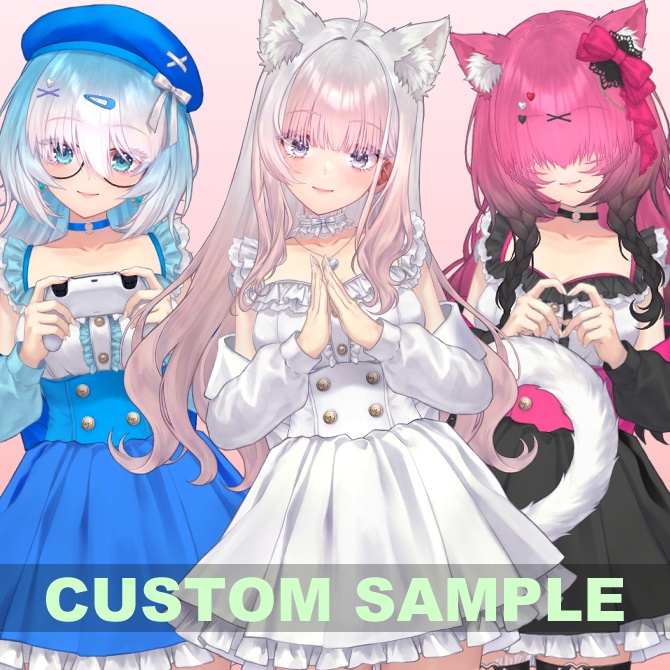
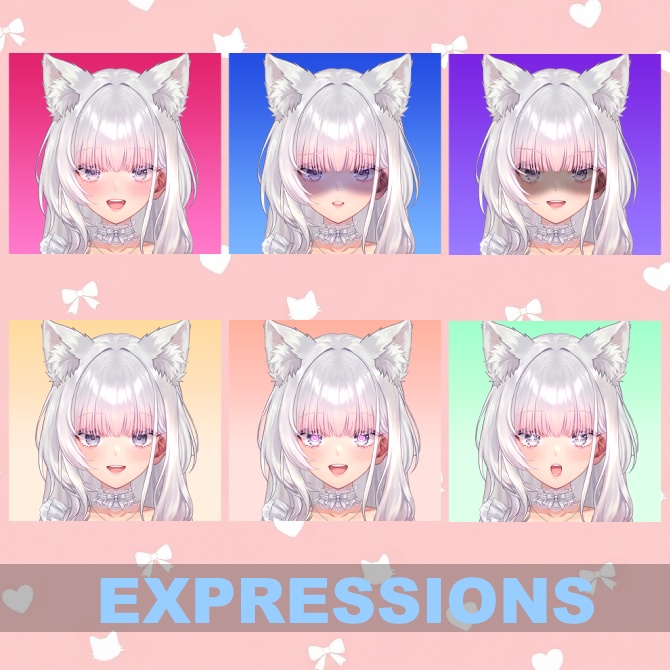
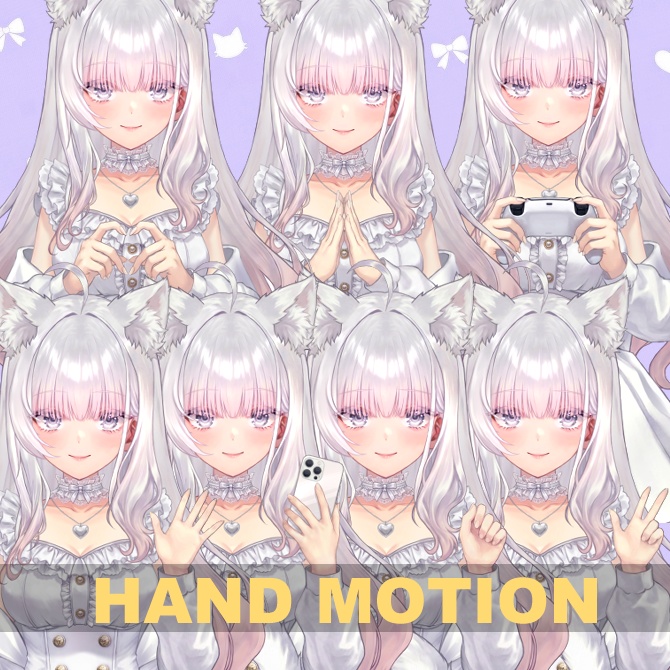


カスタマイズアバター カスタムマイガール Ver1.04 Ver1.04 各種バグ修正 ヘアピンサイズ変更追加 5月末までセール価格で4000円になってます。 ※本アバターは、VTubeStudioでの動作を前提に制作しております。 他ソフトでの動作は保証外となりますのでご注意ください。 【キャンパスサイズ】6144 x 4096 【データ内容】 textures --- テクスチャデータが入っているフォルダ expressions --- 表情設定ファイルフォルダ texture_00.png --- メインパーツテクスチャ texture_01.png --- メインパーツテクスチャ texture_02.png --- メインパーツテクスチャ texture_03.png --- メインパーツテクスチャ texture_04.png --- メインパーツテクスチャ texture_05.png --- メインパーツテクスチャ texture_06.png --- スマホカバー画像 Custom_my_girl.moc3 --- モデルデータ Custom_my_girl.model3.json --- モデル情報 Custom_my_girl.physics3.json --- 物理演算情報 Custom_my_girl.cdi3.json --- パラメーター情報 Custom_my_girl.vtube.json --- VTubeStudio設定ファイル ico_custommygirl.png --- VTubeStudio用アイコン画像ファイル texturesフォルダーの中にあるtexture_06.pngを自分で用意した画像で上書き することによって、オリジナルのスマホカバー画像に変更できます。 画像はpng形式のみでサイズは512x256でご用意ください。 ※各表情差分ショートカットキーのデフォルト設定 L-SHIFT+1 照れる L-SHIFT+2 青ざめ L-SHIFT+3 恐怖 L-SHIFT+4 ハイライトOFF L-SHIFT+5 ハート目 L-SHIFT+6 キラキラ目 L-SHIFT+ALT+0 カスタマイズしたアバターに変更 L-SHIFT+ALT+R 表情をリセット L-SHIFT+F1 左手を上げる L-SHIFT+F2 右手を上げる 以下ショートカットはそれぞれの手を挙げているときのみ可能です。 L-SHIFT+F3 左手を開く L-SHIFT+F4 右手を開く L-SHIFT+F5 左人差し指で指す L-SHIFT+F6 右人差し指で指す L-SHIFT+F7 左Wサイン L-SHIFT+F8 右Wサイン L-SHIFT+F9 指ハート(両手) L-SHIFT+F10 手を合わせる(両手) L-SHIFT+F11 スマートフォンを取り出す L-SHIFT+F12 コントローラーを取り出す トラッキングタイプで顔と手のトラッキングが有効な場合 ジェスチャーによる手の動きのショートカットを作動させることができます。 ■■■■■■ アバターカスタム方法 ■■■■■■ カスタムをするにはまず解凍したフォルダをVTubeStudioの Live2DModelsフォルダに入れ、その後VTubeStudioを起動します。 その後設定を開き、キーバインド&表情ファイル設定タブを開き 表情ファイルエディターを開きます。 その中のCustom.exp3.jsonを開きます。 出てきたウィンドウのカスタムしたい項目のスライダーを 動かしてパーツや色を変更することができます。 カスタムが完了したら右下の”保存する”ボタンを押してください。 ポップアップウィンドウが閉じましたら L-SHIFT(左側のSHIFTキー)+ALTキー+数字の0を一緒に押すと デフォルトのカスタマイズに変更されます。 再度押すとデフォルト状態に戻ります。 ■■■■■■■■■■■■■■■■■■■■ 【使用許可】 動画作品、VTuber活動等、ご自由にご利用ください。 【商用利用】 配信等で得た収益はご購入者様のものとします。 個人範囲の収益であれば二次創作活動を許可します。 グッズ販売などについては、カスタムしたアバター画像などをそのまま使用することはお断りしております。 グッズを制作される際はイラストレーターの方にカスタマイズしたアバター画像を元に新規イラストを制作 していただいた上でのグッズは問題ありません。 【注意事項】 著作権は譲渡いたしません。 VTubeStudioを使用し、予め2Dモデルがご自分の環境で正常に動くことをご確認ください。 当モデルを素体にしたモデル、または改良版を製作する可能性がございます。 こちらの編集ミス、動作不良については無償で修正対応いたしますが 返金、返品には対応いたしかねますのでご了承ください。 【禁止事項】 転載や再配布、ならびに自作発言は禁止します。 質問等ありましたら nizimaのメッセージ機能をご利用ください。 イラスト モデリング ミュウ #女の子 #オリジナル #VTubeStudio #VTuber ーーーーーーーーーーーーーーーーーーーーーーーーーーーーーーーーーーーーーー ### Customizable Avatar: Custom My Girl Ver 1.00 **Notice:** This avatar is designed specifically for use with **VTube Studio**. Operation in other software is not guaranteed. --- **【Canvas Size】** 6144 x 4096 **【Data Contents】** * **textures/** --- Folder containing texture data * **expressions/** --- Folder containing expression setting files * **texture_00.png - 05.png** --- Main part textures * **texture_06.png** --- Smartphone cover image * **Custom_my_girl.moc3** --- Model data * **Custom_my_girl.model3.json** --- Model information * **Custom_my_girl.physics3.json** --- Physics data * **Custom_my_girl.cdi3.json** --- Parameter information * **Custom_my_girl.vtube.json** --- VTube Studio setting file * **ico_custommygirl.png** --- Icon file for VTube Studio *Tip: You can change the smartphone cover to your own design by overwriting "texture_06.png" in the textures folder. Please provide a PNG file with a size of 512x256.* --- **【Shortcut Key Defaults】** * **L-SHIFT + 1** : Blush * **L-SHIFT + 2** : Pale/Shock * **L-SHIFT + 3** : Fear * **L-SHIFT + 4** : Highlights OFF * **L-SHIFT + 5** : Heart Eyes * **L-SHIFT + 6** : Sparkling Eyes * **L-SHIFT + ALT + 0** : Toggle Customized Avatar * **L-SHIFT + F1** : Raise Left Hand * **L-SHIFT + F2** : Raise Right Hand *(The following shortcuts are only available while the respective hand is raised)* * **L-SHIFT + F3 / F4** : Open Hand (Left / Right) * **L-SHIFT + F5 / F6** : Point Finger (Left / Right) * **L-SHIFT + F7 / F8** : W-Sign / Peace (Left / Right) * **L-SHIFT + F9** : Finger Hearts (Both hands) * **L-SHIFT + F10** : Hands Together * **L-SHIFT + F11** : Smartphone * **L-SHIFT + F12** : Controller * **L-SHIFT + ALT + R** : Toggle Reset *If face and hand tracking are enabled, you can also trigger these movements via hand gestures.* --- **■■■ How to Customize Your Avatar ■■■** 1. Move the unzipped folder into the **"Live2DModels"** folder of VTube Studio and launch the application. 2. Open the **Settings** menu and go to the **"Keybind Settings"** (Expression File) tab. 3. Open the **"Expression File Editor"**. 4. Open the file named **"Custom.exp3.json"**. 5. Adjust the sliders for each item to change parts and colors as you like. 6. Once customization is complete, click the **"Save"** button in the bottom right. 7. After the window closes, press **L-SHIFT + ALT + 0** to apply your custom settings. Press it again to return to the default state. --- **【Terms of Use / License】** * **General Use:** Feel free to use this avatar for video works, VTuber activities, etc. * **Commercial Use:** You may keep all revenue earned through streaming and activities. Secondary creative activities are permitted within the scope of personal use. * **Merchandise:** Using customized avatar screenshots "as is" for merchandise is prohibited. When creating goods, please have an illustrator create a new illustration based on your customized avatar design. **【Important Notes】** * Copyright is not transferred to the purchaser. * Please confirm that the 2D model works correctly in your environment using VTube Studio. * The creator may produce derivative models or improved versions based on this base model in the future. * Technical errors or malfunctions will be fixed free of charge. However, please note that no refunds or returns are accepted. **【Prohibited Actions】** * Redistribution, reselling, or claiming the work as your own is strictly prohibited. If you have any questions, please contact me via the **nizima** message function. **Illustration & Modeling:** Mew (ミュウ) ---