

オリジナル3Dモデル「Sasha」- VRChat PC/Quest対応
- Digital1,000 JPY
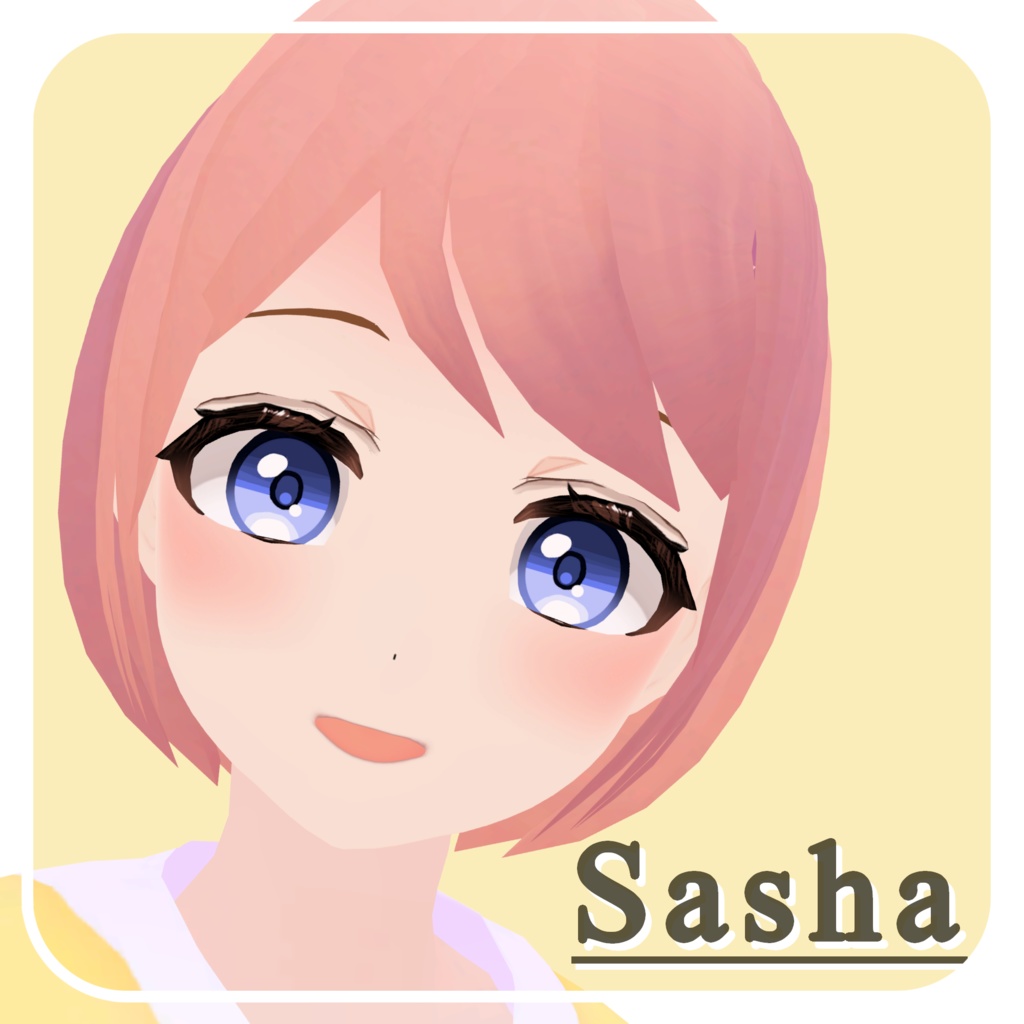
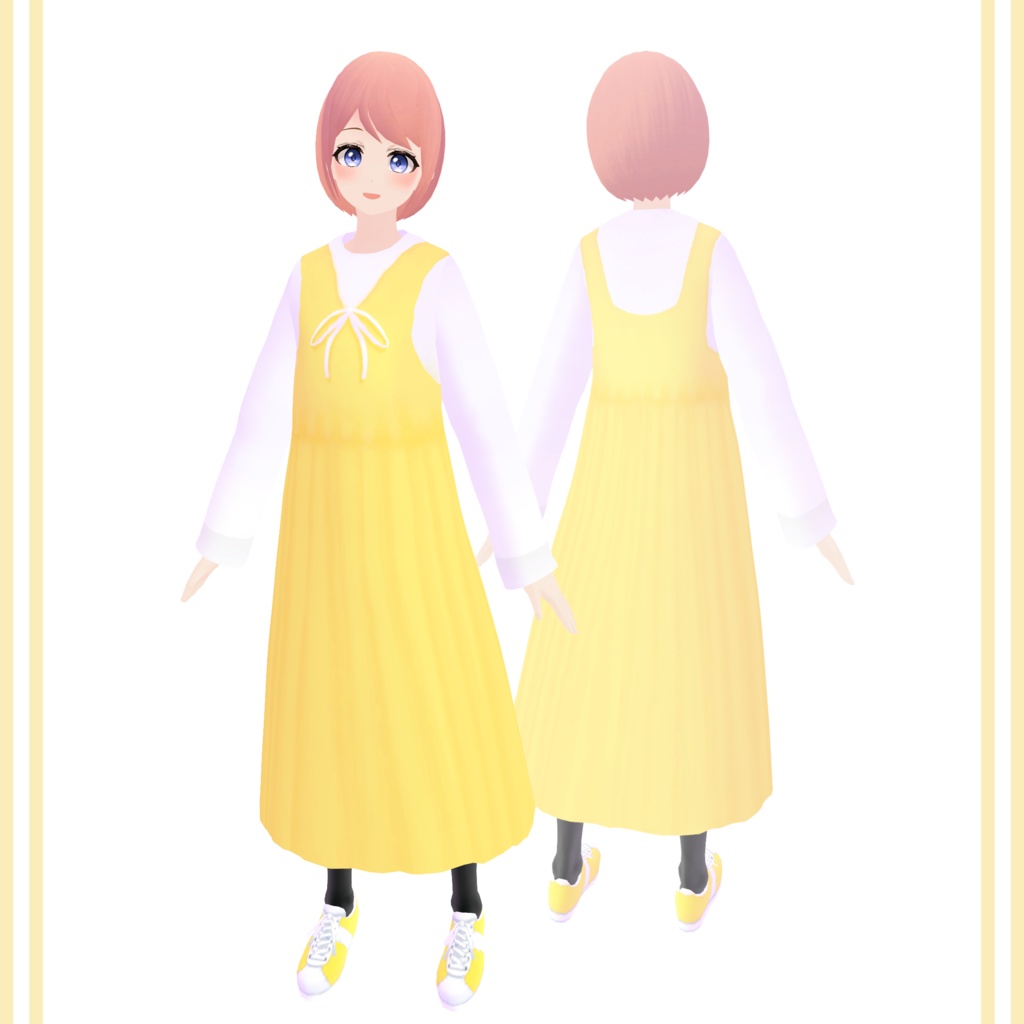
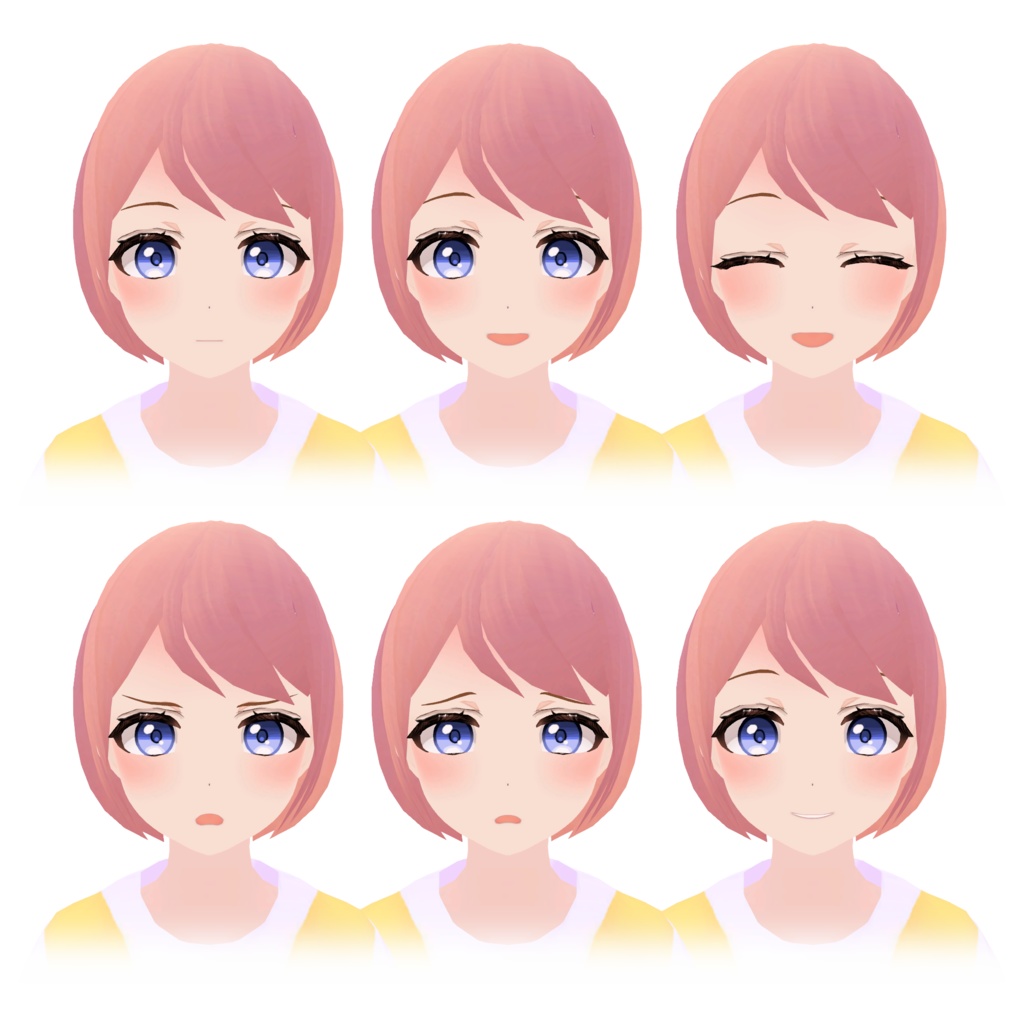
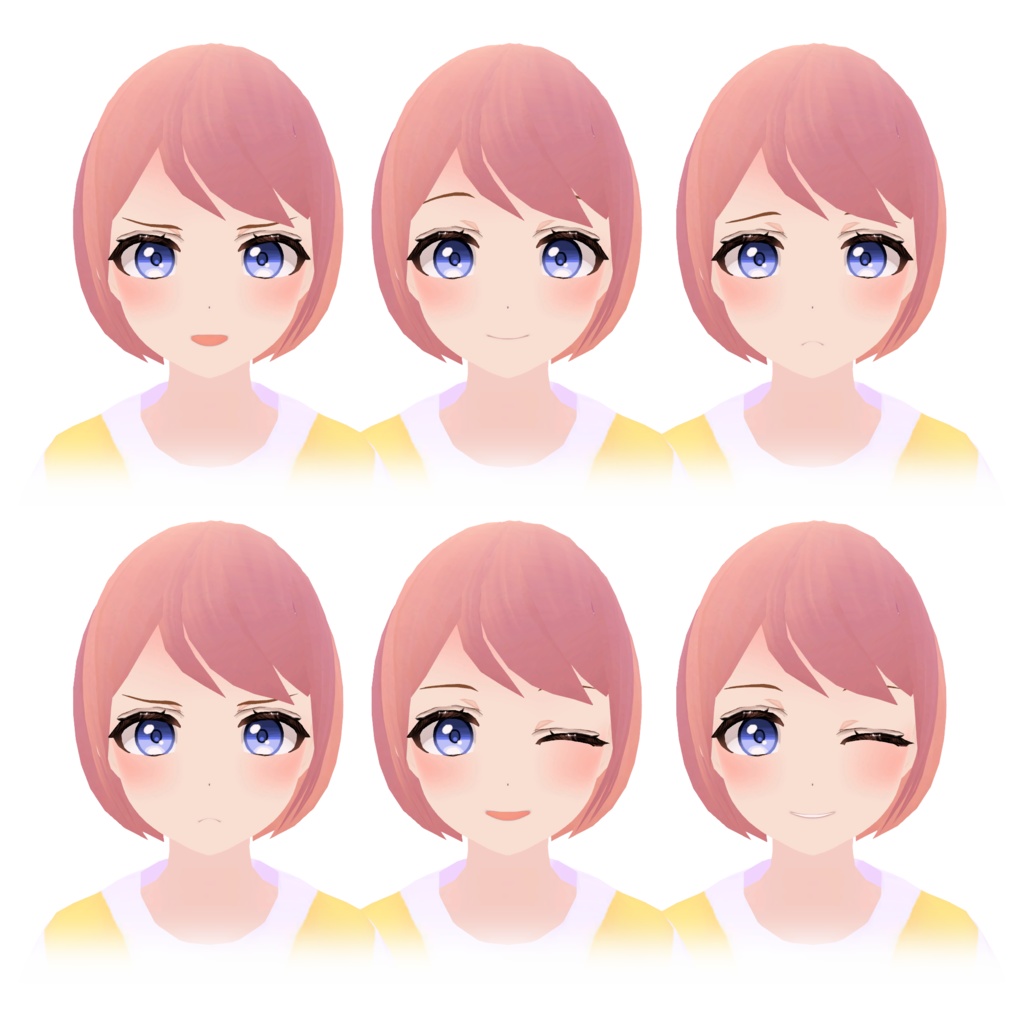
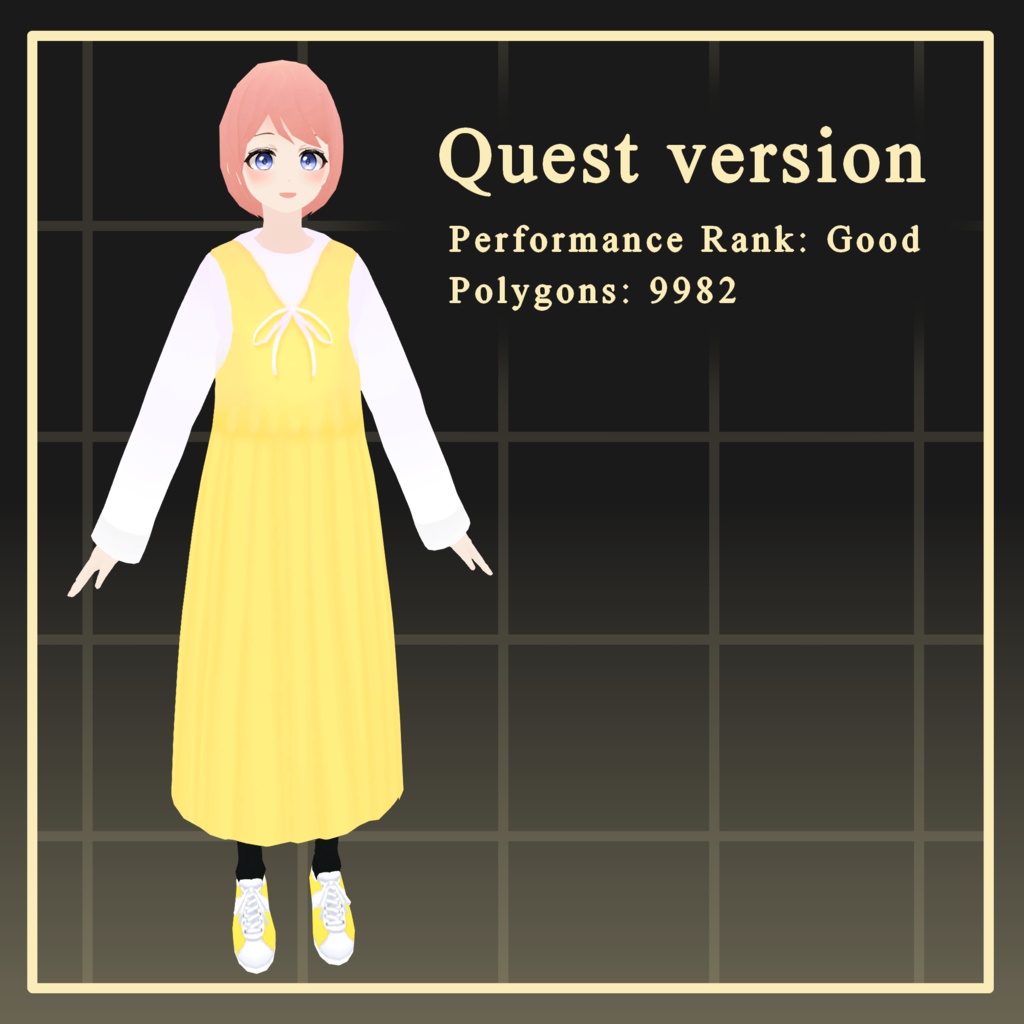


For the English version of this description, scroll down! 自然が大好きな可愛い女の子「サーシャ (Sasha)」です。 VRChat対応 3Dモデル(PC & Mobile/Quest両対応) 本モデルは主にVRChatでの利用を想定しています。 今回、初めてVRChatアバターを販売することになりました! VRoid Studioでベースを作成し、その後Blenderで調整を加えて仕上げています。 全プラットフォームで Good Performance Rank を維持できるよう最適化された「Ready-to-Use(すぐに使える)」モデルです。PC版とMobile版の2種類を同梱しています。
▼ 試着アバターはこちら ▼
ご購入の前に、まずはサンプル(試着版)をお試しいただくことをお勧めします。 • PC版: https://vrchat.com/home/avatar/avtr_f0237849-a630-4486-b61c-f2dea9c4ab85 • Mobile / Quest / Android版 (PCでも動作します): https://vrchat.com/home/avatar/avtr_60af2f7b-7161-4ba7-b5bb-14554604529f フルトラッキング(全身トラッキング)での動作確認は行っておりません。事前にデモ用モデルでの確認をお願いいたします。もしフルトラッキングが正常に動作しない場合は、修正いたしますのでBoothのメッセージ等でご連絡ください。 ※日本語は私の母国語ではないため、翻訳に不自然な点があるかもしれませんが、ご容赦いただけますと幸いです。
🦋 PC Version モデル情報 🦋
• 総ポリゴン数:21,506 • マテリアル数:8 • 使用シェーダー:Poiyomi • Performance Rank:Good • SDK 3.0 対応 • LipSync 対応 • PhysBone 設定済み • 設定済み表情:12種 • 表情用 Blend Shape:57種 • Expressions Menu 設定済み
🦋 Mobile Version モデル情報 🦋
• 総ポリゴン数:9,982 • マテリアル数:1 • 使用シェーダー:Toon Standard • Performance Rank:Good • SDK 3.0 対応 • LipSync 対応 • 設定済み表情:12種 • 表情用 Blend Shape:57種 • Expressions Menu 設定済み
🦋 注意事項 🦋
• ほとんどのテクスチャは私自身による手描きです(まつげ、靴、および隠れている一部の箇所にはVRoid Studioのデフォルトテクスチャを使用しています)。 • 本モデルはBlenderで手動の修正を加えているため、VRoid内では再現できません。そのため、.vroidデータおよび .vrm ソースファイルの提供は一切行っておりません。これらは商品に含まれず、個別にお送りすることもできませんので、あらかじめご了承ください。 • PC版• Quest版の両方で Good Performance Rank を確保するため、衣服の下の素体メッシュ(体)は削除されています。 • 衣装とカスタマイズについて:衣装の着脱には対応していません。完成品としての販売であり、素体メッシュが削除されているため「着せ替え」には向いていないことをご了承ください。 • ロングスカートのデザイン上、激しい動き(ランニングやダンスなど)や極端な足のポーズをとる際に、多少の貫通(クリッピング)が発生する場合があります。
🦋 内容物 🦋
Unitypackage(VRChat PC & Mobile設定済み) パッケージ内にはサムネイル画像と2つのフォルダ(PC用、Mobile用)が含まれています。MobileフォルダはQuest、Android、iOSに対応したバージョンです。FBXファイルはそれぞれのフォルダ内に同梱されています。
🦋 導入要件 🦋
• VRChat SDK - Base (3.9.0 使用) • VRChat SDK - Avatars (3.9.0 使用) • Poiyomi Toon Shader (9.2.79 使用 / PC版用) ※これらは動作確認時のバージョンです。
🦋 利用規約 🦋
【許可事項】 • VRChat内での個人利用 • モデルの改変 【禁止事項】 • モデルデータの再配布(改変の有無を問わず禁止) • 自作発言(作者を偽る行為) • Public アバターとしてのアップロード(必ず Private でアップロードしてください) • R18に相当する性的表現(過度な露出、性的挑発行為、着衣状態であっても性的な要素を強調する表現など)は固く禁止します。 デジタルデータ商品のため、返品• 返金には対応いたしかねます。
🦋 導入• セットアップ方法 🦋
新しいUnityプロジェクト (2022.3.22f1) で以下の手順を行ってください: 1. VRChat Creator Companion (VCC) を使用して、Unity 2022のアバタープロジェクトを作成します。 2. Poiyomi Shader をインポートします。 3. プロジェクトを開いた状態で、本アバターの Unitypackage をインポートします (Assets > Import Package > Custom Package)。 4. パッケージ内のPCまたはMobileフォルダにある「Scene」ファイルを開くか、Prefab をヒエラルキーにドラッグします。 5. VRChat Control Panel からアップロードしてください。 ※注:Quest版をアップロードする際は、Unityの Build Target を「Android」に設定してください。 PC版とQuest版を同一のアバターとして紐付けるには、アップロード済みの Blueprint ID をもう一方の Pipeline Manager にコピーしてからアップロードしてください。 ご不明な点がございましたら、BOOTHのメッセージ機能よりお問い合わせください。
--KO--
자연을 사랑하는 귀여운 소녀 「사샤 (Sasha)」입니다. VRChat 대응 3D 모델 (PC & Mobile/Quest 양쪽 대응) 본 모델은 주로 VRChat에서의 사용을 상정하고 제작되었습니다. 이번에 처음으로 VRChat 아바타를 판매하게 되었습니다! VRoid Studio에서 베이스를 만든 후, Blender를 통해 세부 조정 및 수정을 거쳐 완성했습니다. 모든 플랫폼에서 Good Performance Rank를 유지할 수 있도록 최적화된 「Ready-to-Use(바로 사용 가능)」 모델입니다. PC 버전과 Mobile 버전 두 가지가 포함되어 있습니다.
▼ 시착용 아바타는 여기서 확인하실 수 있습니다 ▼
구매하시기 전에 아바타를 먼저 체험해 보시는 것을 권장합니다. • PC 버전: https://vrchat.com/home/avatar/avtr_f0237849-a630-4486-b61c-f2dea9c4ab85 • Mobile / Quest / Android 버전 (PC에서도 작동합니다): https://vrchat.com/home/avatar/avtr_60af2f7b-7161-4ba7-b5bb-14554604529f 풀트래킹(전신 트래킹) 작동 확인은 하지 않았습니다. 구매 전에 미리 데모 모델로 확인해 주시기 바랍니다. 만약 풀트래킹이 정상적으로 작동하지 않을 경우, 수정해 드릴 테니 Booth 메시지 등으로 연락해 주세요. ※ 한국어는 저의 모국어가 아니기 때문에 번역이 다소 부자연스러울 수 있는 점 양해 부탁드립니다.
🦋 PC Version 모델 정보 🦋
• 총 폴리곤 수: 21,506 • 마테리얼 수: 8 • 사용 셰이더: Poiyomi • Performance Rank: Good • SDK 3.0 대응 • LipSync 대응 • PhysBone 설정 완료 • 설정 완료된 표정: 12종 • 표정용 Blend Shape: 57종 • Expressions Menu 설정 완료
🦋 Mobile Version 모델 정보 🦋
• 총 폴리곤 수: 9,982 • 마테리얼 수: 1 • 사용 셰이더: Toon Standard • Performance Rank: Good • SDK 3.0 대응 • LipSync 대응 • 설정 완료된 표정: 12종 • 표정용 Blend Shape: 57종 • Expressions Menu 설정 완료
🦋 주의사항 🦋
• 대부분의 텍스처는 제가 직접 그린 오리지널 텍스처입니다 (속눈썹, 신발 및 보이지 않는 일부 부분에는 VRoid Studio의 기본 텍스처가 사용되었습니다). • 본 모델은 Blender에서 수동 수정을 거쳤기 때문에 VRoid 내에서 재현할 수 없습니다. 따라서 .vroid 데이터 및 .vrm 소스 파일은 일절 제공하지 않습니다. 이 파일들은 상품에 포함되지 않으며 개별적으로 보내드릴 수 없음을 미리 양해 부탁드립니다. • PC와 Quest 양쪽에서 Good Performance Rank를 확보하기 위해 옷 아래의 소체 메쉬(몸)는 삭제되었습니다. • 의상 및 커스터마이징 관련: 의상 탈착은 지원하지 않습니다. 완성품으로 판매되는 모델이며, 소체 메쉬가 삭제되어 있기 때문에 다른 의상으로 갈아입히기에는 적합하지 않습니다. • 롱스커트 디자인 특성상 격한 움직임(달리기, 춤 등)이나 극단적인 다리 포즈 시 약간의 뚫림(클리핑) 현상이 발생할 수 있습니다.
🦋 내용물 🦋
Unitypackage (VRChat PC & Mobile 설정 완료) 패키지 안에는 썸네일 이미지와 두 개의 폴더(PC용, Mobile용)가 포함되어 있습니다. Mobile 폴더는 Quest, Android, iOS 대응 버전입니다. FBX 파일은 각 폴더 안에 포함되어 있습니다.
🦋 도입 요건 🦋
• VRChat SDK - Base (3.9.0 사용) • VRChat SDK - Avatars (3.9.0 사용) • Poiyomi Toon Shader (9.2.79 사용 / PC 버전용) ※ 위 버전들은 제작 시 사용된 버전입니다.
🦋 이용약관 🦋
【허가 사항】 • VRChat 내에서의 개인 이용 • 모델 수정 및 개변 【금지 사항】 • 모델 데이터의 재배포 (수정 여부와 상관없이 금지) • 자작 발언 (제작자를 사칭하는 행위) • Public 아바타로 업로드 (반드시 Private으로 업로드해 주세요) • R18에 해당하는 성적 표현 (과도한 노출, 성적 도발 행위, 옷을 입은 상태라도 성적인 요소를 강조하는 표현 등)은 엄격히 금지합니다. 디지털 데이터 상품의 특성상 환불 및 반품은 불가능합니다.
🦋 도입 및 셋업 방법 🦋
새로운 Unity 프로젝트 (2022.3.22f1)에서 다음 단계를 진행해 주세요: 1. VRChat Creator Companion (VCC)을 사용하여 Unity 2022 아바타 프로젝트를 생성합니다. 2. Poiyomi Shader를 임포트합니다. 3. 프로젝트가 열린 상태에서 본 아바타의 Unitypackage를 임포트합니다 (Assets > Import Package > Custom Package). 4. 패키지 내 PC 또는 Mobile 폴더에 있는 「Scene」 파일을 열거나 Prefab을 Hierarchy로 드래그합니다. 5. VRChat Control Panel을 통해 업로드합니다. ※참고: Quest 버전을 업로드할 때는 Unity의 Build Target을 「Android」로 설정해 주세요. PC 버전과 Quest 버전을 동일한 아바타로 연결하려면, 먼저 업로드한 쪽의 Blueprint ID를 복사하여 다른 쪽의 Pipeline Manager에 붙여넣은 후 업로드해 주세요. 문의 사항이 있으시면 Booth 메시지 기능을 통해 연락 부탁드립니다.
--EN--
Sasha is a cute girl who loves nature. Ready-to-Use 3D Model for VRChat (PC & Quest) This model is primarily intended for use in VRChat. This is my first time selling a VRChat avatar! This avatar was initially created on VRoid Studio and then modified on Blender. This avatar is a "Ready-to-Use" model optimized for Good Performance Rank on all platforms. It consists of two versions: the PC version and a Mobile version. I suggest that you try the avatar before you purchase. • You can try the PC version of this avatar here: https://vrchat.com/home/avatar/avtr_f0237849-a630-4486-b61c-f2dea9c4ab85 • You can try the Mobile/Quest/Android version of this avatar here (it works on PC too): https://vrchat.com/home/avatar/avtr_60af2f7b-7161-4ba7-b5bb-14554604529f I have not tested this model for fullbody tracking. Please try the demos. If fullbody tracking does not work the way it should, contact me via Booth so I can fix it.
🦋 PC Version Model Information 🦋
• Total Polygon Count: 21506 • Number of Materials: 8 • Shader used: Poiyomi • Performance Rank: Good • SDK 3.0 compatible • Lip-sync compatible • PhysBone configured • Preset expressions: 12 • Blend Shapes for expressions: 57 • Expressions Menu configured
🦋 Mobile Version Model Information 🦋
• Total Polygon Count: 9982 • Number of Materials: 1 • Shader used: Toon Standard • Performance Rank: Good • SDK 3.0 compatible • Lip-sync compatible • Preset expressions: 12 • Blend Shapes for expressions: 57 • Expressions Menu configured
🦋 Important Notes 🦋
• Most textures are original and hand-painted by me (except for eyelashes and shoes and some areas that are mostly hidden, which use VRoid Studio default textures). • The model has undergone manual modifications in Blender that cannot be replicated in VRoid. For this reason, .vroid or .vrm source files are strictly NOT provided. Please understand that these files are not part of the product and will not be sent privately. • To ensure Good Performance Rank on both PC and Quest, this avatar does NOT include a full body mesh under the clothes. • Clothing & Customization: Please note that clothing is NOT removable. The model is sold as a finished product and is not intended for "dress-up" customization due to that and the deleted underlying mesh. • Due to the long skirt design, minor clipping may occur during high-intensity movements (such as running or dancing) or extreme leg poses.
🦋 Contents 🦋
Unitypackage (Pre-configured for VRChat PC & Quest) The package contains the thumbnail and two folders. One is the PC folder and the other folder is the Mobile folder. The Mobile folder should be the version compatible with Quest, Android and iOS. The FBX files are provided in those folders.
🦋 Requirements 🦋
• VRChat SDK - Base (3.9.0 used) • VRChat SDK - Avatars (3.9.0 used) • Poiyomi Toon Shader (9.2.79 used) (for PC version) Those are the versions I used, different versions are probably also supported, you could try different versions too.
🦋 Terms of Use 🦋
[OK] • Personal use in VRChat • Modification [Prohibited] • Redistribution of the model (modified or original) • Claiming authorship (stating you created the model) • Uploading as a Public avatar (must be Private) • Any sexual expression equivalent to R18 (e.g., excessive nudity, sexually provocative acts, or emphasizing sexual elements even when clothed) is strictly prohibited. As this is a digital download, no refunds or returns will be accepted.
🦋 How to Install / Setup 🦋
Please follow these steps in a new Unity project (2022.3.22f1): 1. Create a Unity 2022 Avatar project through the VRChat Creator Companion. 2. Import the Poiyomi Shader through the VRChat Creator Companion (I imported it through the VRChat Creator Companion) or import it on Unity. 3. With the project opened import this Avatar Unitypackage (Assets > Import Package > Custom Package) 4. Open the "Scene" file included in the package's PC or Mobile folder or drag the prefab into your hierarchy. 5. Upload via the VRChat Control Panel. Note: For the Quest version, ensure your build target is set to "Android" in Unity. The materials are already optimized to use VRChat mobile shaders for the Quest build. For players to see the Quest avatar when they're on Quest and the PC version when they're on PC, copy the Blueprint ID from the Pipeline Manager component from whichever one you uploaded to the other one before you upload the other one, so that they have the same Blueprint ID when uploaded. Please contact me via Booth for any questions.