
【PhotoShop Script】Layer Export _レイヤー書き出しスクリプト
- Digital0 JPY
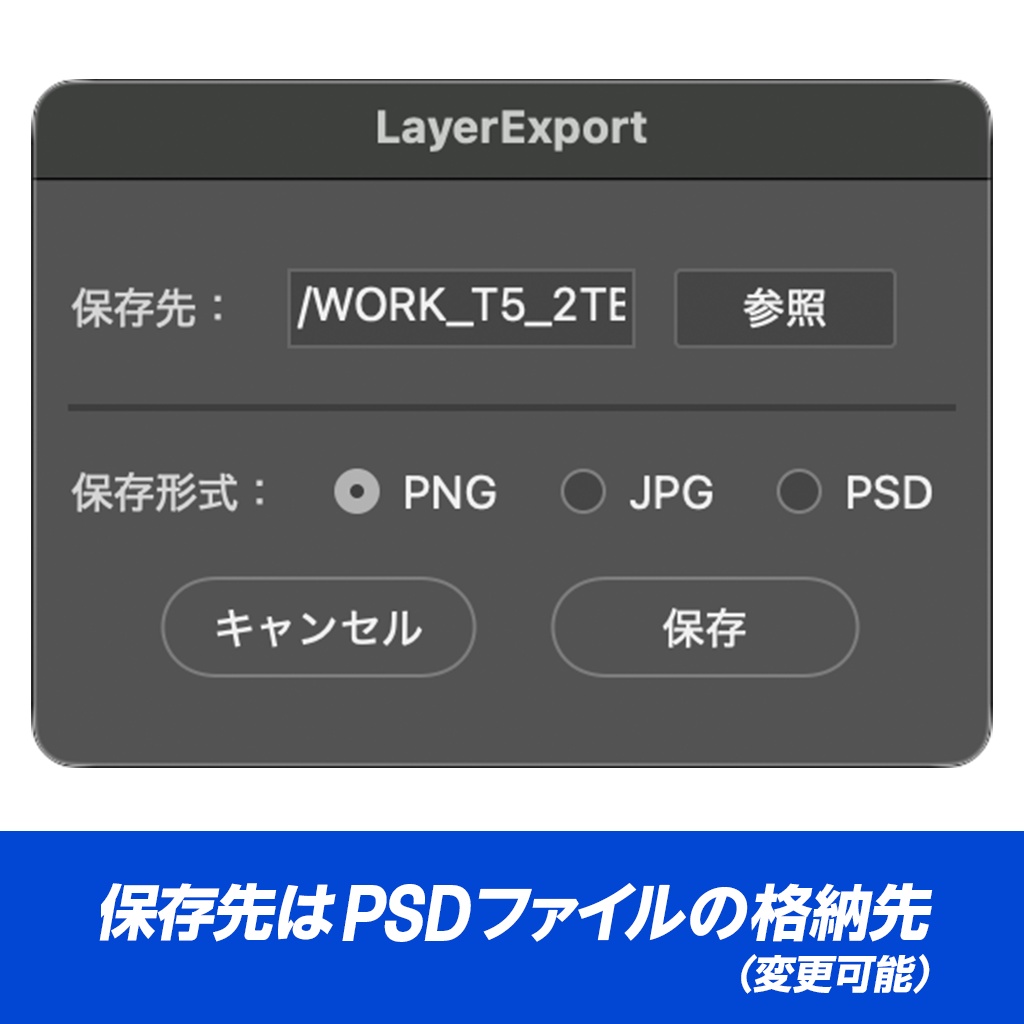


選択したレイヤーをまとめて書き出す Photoshop スクリプトです。 --- ・主な機能 選択レイヤーの一括書き出し レイヤーパネルで選択した複数レイヤーを、それぞれ独立したファイルとして書き出します。 PNG / JPG / PSD のいずれかをラジオボタンで切り替え可能。 ファイル名 = レイヤー名 出力ファイル名はレイヤー名そのまま。 --- ・動作環境 mac M1 MAX (OS Tahoe 26.1) - Adobe Photoshop 2026, 2025 で検証済 --- ・注意事項 - レイヤー名にファイル名として使えない文字(\ / : \* ? " < > |)が含まれているとエラーになります - 同名レイヤーを複数選択した場合、出力ファイルは後勝ちで上書きされます 利用規約 ・使用する場合は自己責任でお願いいたします ・法律に反する行為への使用は禁止いたします ・データの再販売、再配布する事は禁止いたします ・正しく動作しない、データが破損したなど損害が発生した場合も対応しておりません ・インボイス非対応になります ーーーーーー This is a Photoshop script that batch-exports selected layers from a document. (English description below.) Key Features: Batch Export of Selected Layers — Each layer selected in the Layers panel is exported as an independent file. Choose between PNG, JPG, or PSD via a radio button in the dialog. Filename = Layer Name — Output filenames match each layer's name exactly, so the naming stays consistent whether you run this script or export manually. Fast PSD via New Document — For PSD output, a blank document is generated and only the target layer is duplicated into it, keeping processing fast even on heavy multi-layer PSDs. The source file is never modified. System Requirements: Verified on Mac M1 MAX (OS Tahoe 26.1) - Adobe Photoshop 2026, 2025. Notes: Backing up your PSD before execution is recommended. Layer names containing characters invalid for filenames (\ / : * ? " < > |) will cause an error. If multiple selected layers share the same name, the resulting files will overwrite each other. ---