

ALCOMD3 - VRChat向け無料プロジェクト管理ツール【VCC代替】
- 無料版Digital0 JPY
- 支援版(同一)Digital200 JPY
- 支援版 Plus (同一)Digital600 JPY


VRChat のプロジェクト・パッケージ・バックアップをひとつのアプリで管理。無料・オープンソースの VCC 代替ツール、ALCOMD3 v3.4.0。日本語 / English / 繁體中文
# 日本語
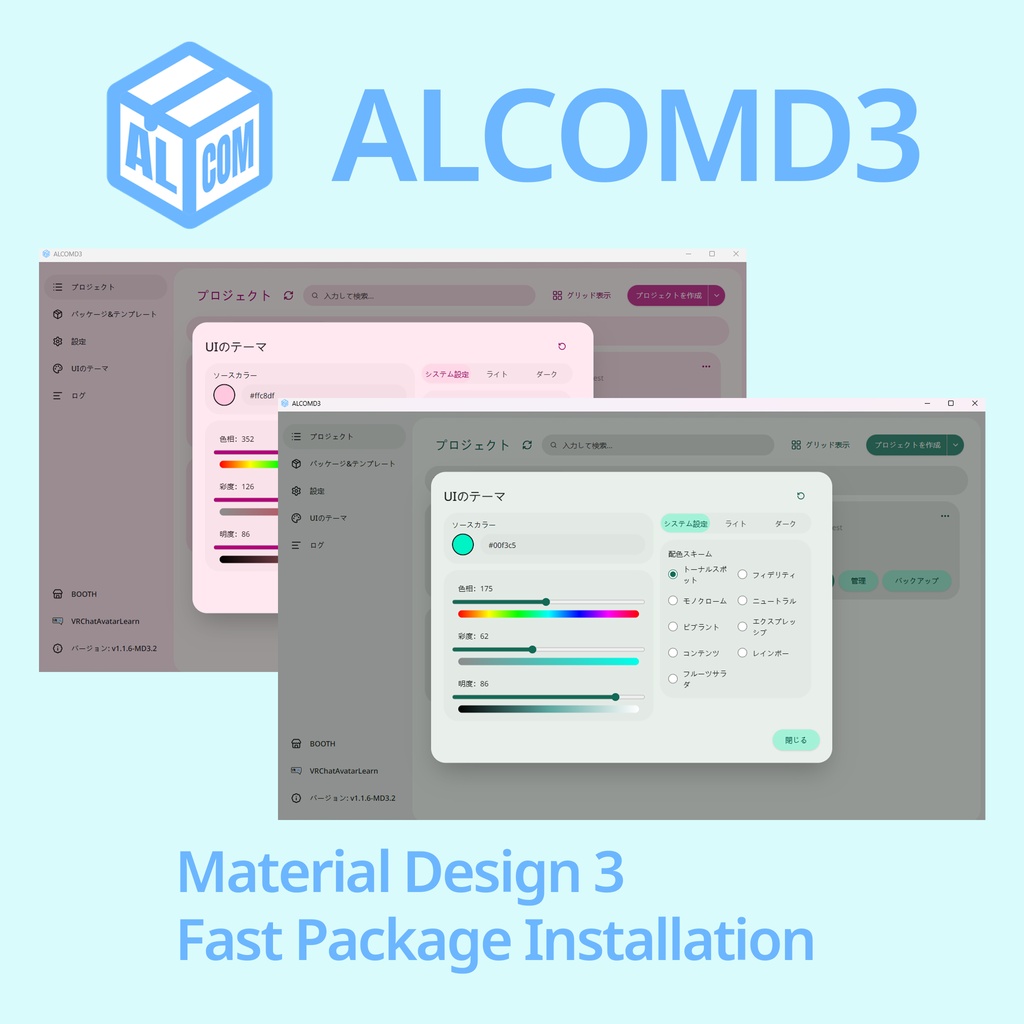
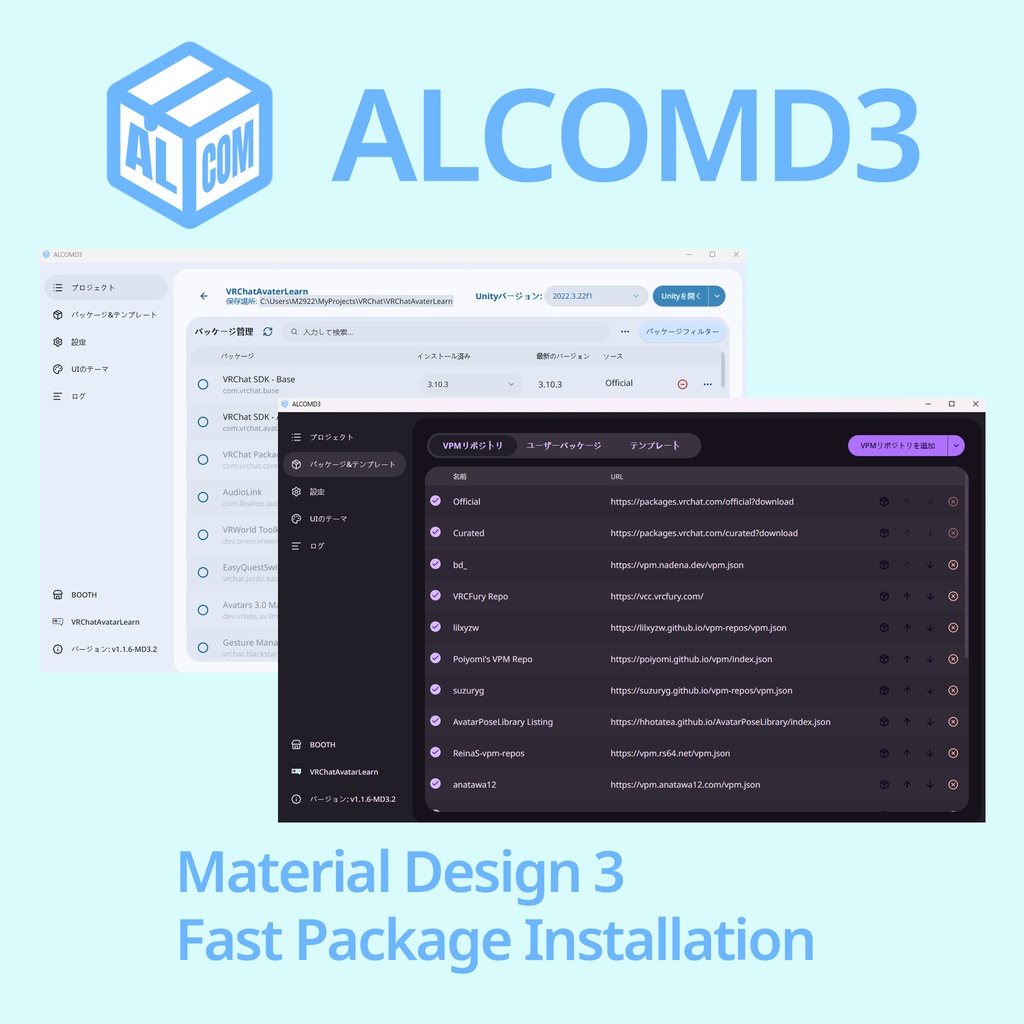
ALCOMD3 は、VRChat のアバター・ワールド制作で使う Unity プロジェクトをまとめて管理できる、無料のオープンソースアプリです。VRChat Creator Companion(VCC)の代替ツールとして、プロジェクトの作成からパッケージ管理、バックアップまでをひとつの画面から行えます。 現在の安定版は v3.4.0 です。 無料版・支援版・支援版 Plus のファイルと機能は同じです。支援版は開発を応援したい方向けで、無料版でもすべての機能を利用できます。 ■ できること ・プロジェクト管理:既存のプロジェクトを追加したり、テンプレートから新しく作成したりできます。コピー、バックアップ、バックアップからの復元にも対応しています。 ・パッケージ管理:VRChat SDK や VPM 対応ツールのインストール、更新、削除、再インストールをまとめて操作できます。 ・リポジトリ管理:配布元ごとのパッケージを確認でき、リポジトリにわかりやすい表示名を付けられます。VCC 対応の追加リンク(vcc://)も利用できます。 ・Unity の起動:プロジェクトを開き、起動中の状態を確認できます。すでに開いている場合は、その Unity ウィンドウへ移動できます。 ・わかりやすい進捗表示:パッケージ操作やプロジェクトのコピー、バックアップなどの進み具合を確認できます。対応する操作ではキャンセルや失敗時の再試行も可能です。 ・自分好みの見た目:Material Design 3 風のインターフェースで、ライト/ダークテーマやテーマカラーを選べます。日本語・英語・中国語などの表示に対応しています。 ■ 必要な方だけ使える連携機能 ・AI クライアント連携(MCP):対応する AI クライアントを自分で接続すると、プロジェクトやパッケージの確認、バックアップなど一部の操作を依頼できます。初期状態では無効です。利用には対応クライアントの用意と設定が必要で、接続中は ALCOMD3 を起動しておきます。 ・Discord 連携:Unity での作業状況を Discord に表示できます。プロジェクト名、Unity のバージョン、開いているエディター数など、共有する項目を選んでプレビューできます。Discord への共有は初期状態ではオフです。 ■ ダウンロード・使い始め方 この BOOTH ページでは Windows x64 版 v3.4.0 を配布しています。ダウンロードした ZIP を展開し、中のインストーラーを実行してください。起動後は、既存の Unity プロジェクトを追加するか、新しいプロジェクトを作成して使い始められます。 対応プラットフォーム: ・Windows 10 / 11(x64) ・macOS(Apple Silicon/M1 以降。Intel Mac 非対応) ・Linux(x86_64。AppImage/DEB) macOS・Linux 版や今後の最新版は公式サイトからダウンロードできます。 https://alcomd.vrclearn.com/ ■ このアプリについて ALCOMD3 は ALCOM / vrc-get を起源とし、現在は独立したプロジェクトとして開発しています。ALCOM の公式版ではなく、VRChat または VCC の公式製品でもありません。 v3.4.0 の主なコードのライセンスは AGPL-3.0-only です。依存ライブラリやフォント、アイコンなどの第三者リソースには、それぞれのライセンスが適用されます。詳細はアプリ内の Licenses ページをご確認ください。 更新履歴・ソースコード: https://github.com/ALCOMD/ALCOMD/releases 不具合報告・ご要望: https://github.com/ALCOMD/ALCOMD/issues
# English
ALCOMD3 is a free, open-source desktop app for managing the Unity projects you use to create VRChat avatars and worlds. As an alternative to VRChat Creator Companion (VCC), it brings project creation, package management, and backups together in one place. The current stable version is v3.4.0. The free, Support, and Support Plus editions contain the same files and features. Support editions are an optional way to support development; the free edition includes all features. ■ What you can do ・Manage projects: add existing projects, create new ones from templates, make copies, back up your work, and restore from backups. ・Manage packages: install, update, remove, or reinstall the VRChat SDK and VPM-compatible tools. ・Organize repositories: browse packages by source, give repositories your own display names, and use familiar VCC-compatible repository links (vcc://). ・Open Unity: launch a project and see its launch status, or return to its Unity window if it is already open. ・Follow progress: see how package operations, project copies, and backups are progressing, with cancellation and retry available for supported operations. ・Make it yours: choose light or dark mode and your own theme color in a Material Design 3-style interface. Japanese, English, Chinese, and other interface languages are available. ■ Optional integrations ・AI clients (MCP): connect a compatible AI client to help check projects and packages or carry out supported tasks such as backups. This is disabled by default. You need to provide and configure a compatible client, and keep ALCOMD3 running while connected. ・Discord: show your Unity activity on Discord. Choose and preview details such as your project name, Unity version, and number of open editors. Sharing to Discord is off by default. ■ Download and get started This BOOTH page provides v3.4.0 for Windows x64. Extract the downloaded ZIP and run the installer inside. Then add an existing Unity project or create a new one to get started. Available platforms: ・Windows 10 / 11 (x64) ・macOS on Apple Silicon (M1 or later; Intel Macs are not supported) ・Linux x86_64 (AppImage / DEB) Visit the official website for macOS and Linux downloads and future releases: https://alcomd.vrclearn.com/ ■ About this app ALCOMD3 originated from ALCOM / vrc-get and is now maintained as an independent project. It is not an official version of ALCOM or an official product of VRChat or VCC. The main code in v3.4.0 is licensed under AGPL-3.0-only. Dependencies, fonts, icons, and other third-party resources retain their respective licenses. See the in-app Licenses page for details. Release notes and source code: https://github.com/ALCOMD/ALCOMD/releases Bug reports and suggestions: https://github.com/ALCOMD/ALCOMD/issues
# 中文
ALCOMD3 是一款免費、開源的桌面應用程式,讓你集中管理製作 VRChat 虛擬形象與世界時使用的 Unity 專案。作為 VRChat Creator Companion(VCC)的替代工具,從建立專案、管理套件到備份,都能在同一個介面中完成。 目前穩定版本為 v3.4.0。 免費版、支援版與支援版 Plus 的檔案和功能完全相同。支援版是提供給想支持開發的使用者,免費版也能使用所有功能。 ■ 可以做什麼 ・管理專案:加入現有專案、從範本建立新專案,並進行複製、備份及從備份還原。 ・管理套件:集中安裝、更新、移除或重新安裝 VRChat SDK 與支援 VPM 的工具。 ・整理儲存庫:查看各個來源提供的套件,為儲存庫設定容易辨識的顯示名稱,也能使用熟悉的 VCC 儲存庫加入連結(vcc://)。 ・啟動 Unity:開啟專案並查看啟動狀態;專案已開啟時,可以切換回對應的 Unity 視窗。 ・掌握操作進度:查看套件操作、專案複製與備份等工作的進度;支援的操作可取消,失敗時也能重試。 ・自訂外觀:Material Design 3 風格介面,支援淺色、深色與自訂主題色,並提供日語、英語、中文等介面語言。 ■ 按需要啟用的連動功能 ・AI 用戶端連動(MCP):自行連接相容的 AI 用戶端後,可以請它協助查看專案與套件,或執行備份等支援的操作。此功能預設關閉,需要另行準備及設定相容用戶端,連接期間須保持 ALCOMD3 執行。 ・Discord 連動:在 Discord 顯示你的 Unity 工作狀態。可選擇並預覽要分享的專案名稱、Unity 版本及已開啟的編輯器數量等資訊。對 Discord 的狀態分享預設關閉。 ■ 下載與開始使用 本 BOOTH 頁面提供 Windows x64 版 v3.4.0。下載 ZIP 後,先解壓縮,再執行裡面的安裝程式。啟動後加入現有的 Unity 專案,或建立新專案,即可開始使用。 支援平台: ・Windows 10 / 11(x64) ・macOS(Apple Silicon/M1 或更新機型,不支援 Intel Mac) ・Linux(x86_64,提供 AppImage/DEB) macOS、Linux 版本及後續最新版本可至官方網站下載: https://alcomd.vrclearn.com/ ■ 關於本應用程式 ALCOMD3 起源於 ALCOM / vrc-get,目前作為獨立專案開發。它不是 ALCOM 官方版本,也不是 VRChat 或 VCC 的官方產品。 v3.4.0 的主要程式碼採用 AGPL-3.0-only 授權。依賴函式庫、字型、圖示及其他第三方資源各自適用其原有授權,詳情可在應用程式內的 Licenses 頁面查看。 更新紀錄與原始碼: https://github.com/ALCOMD/ALCOMD/releases 問題回報與功能建議: https://github.com/ALCOMD/ALCOMD/issues