

緑ポーション/Potion Bottle - Green
- Digital200 JPY
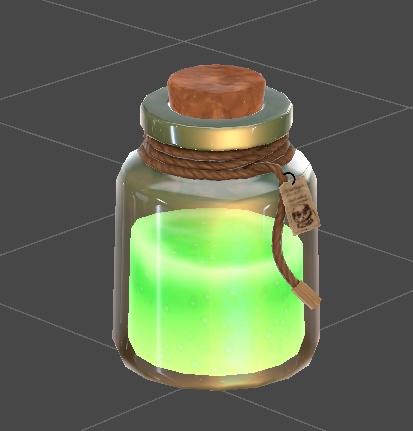

【収録内容】 ポーション瓶(緑) ・ポリゴン数1876 ・テクスチャ3枚(1024×1024) ・マテリアル2個 【導入手順】 1. lilToon_x.x.x.unitypackage を先にインポート 2. potionPack.unitypackage をインポート 3. Prefabsフォルダ内のPrefabをシーンに配置 ※ lilToonを先にインポートしないとマテリアルが ピンク(Missing)になります。 【必要なシェーダー】 lilToon(同梱のunitypackageを使用してください) 配布元:https://booth.pm/ja/items/3087170 【利用規約】 ・改変:不可 ・再配布:不可 ・商用利用:不可 ・クレジット表記:任意 ============================================ Potion Bottle - Green v1.0 ============================================ [Contents] Potion Bottle (Green) ・Polygon count: 1,876 ・Textures: 3 (1024x1024) ・Materials: 2 [Setup Instructions] 1. Import lilToon_x.x.x.unitypackage first 2. Import potionPack.unitypackage 3. Place the Prefab from the Prefabs folder into your scene ※ If lilToon is not imported first, materials will appear pink (Missing shader). [Required Shader] lilToon (included unitypackage) Download: https://booth.pm/ja/items/3087170 [Terms of Use] ・Modification: Not allowed ・Redistribution: Not allowed ・Commercial use: Not allowed ・Credit: Optional [Contact] Feel free to leave a comment on the BOOTH page. ============================================