
【VRChatアバターでモーションキャプチャ】FBFC(FaceBodyFingerCap) 発売記念1週間ぐらい980円
- 製品版(発売記念)Digital980 JPY
- 動作確認用サンプルDigital0 JPY
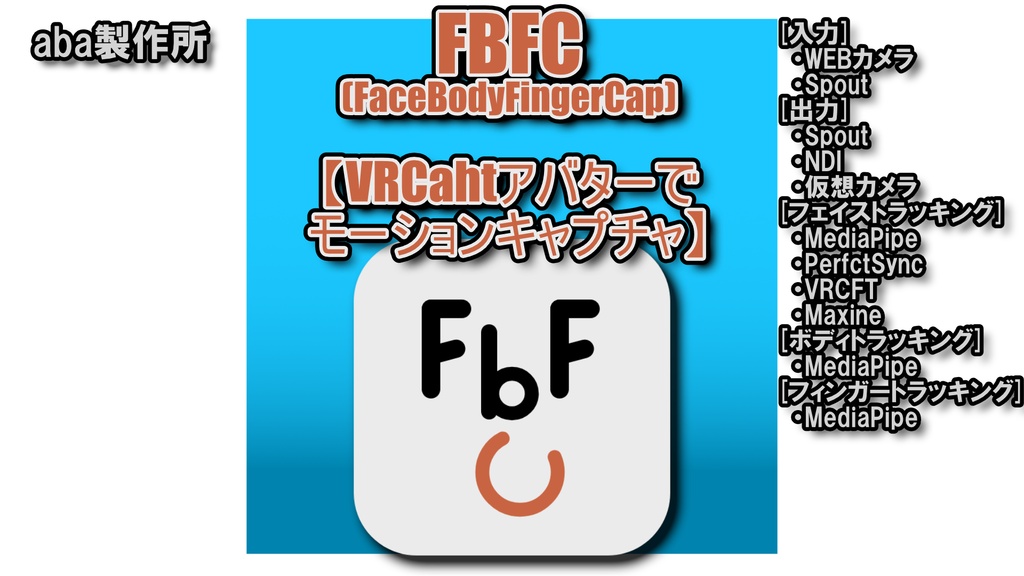
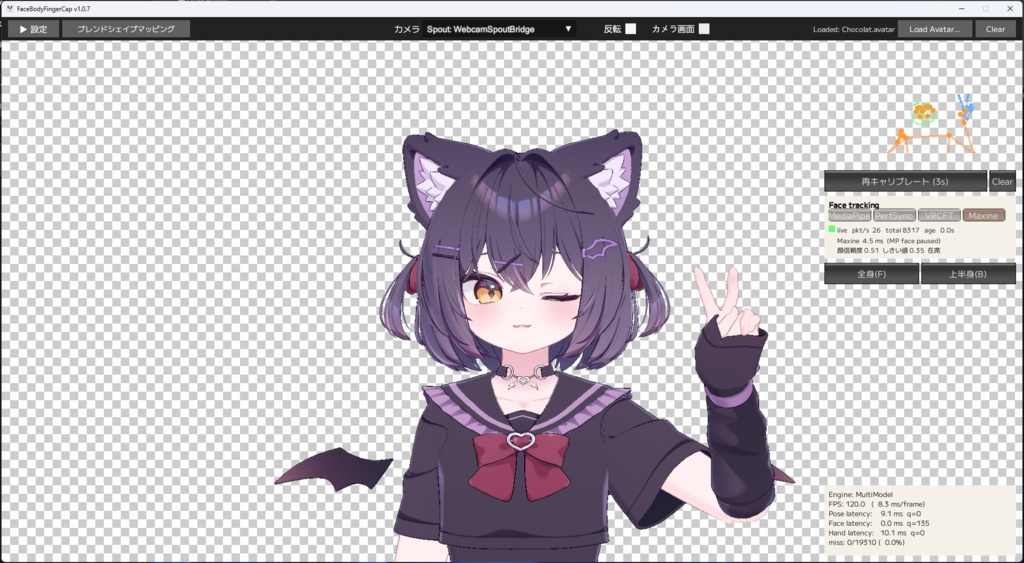
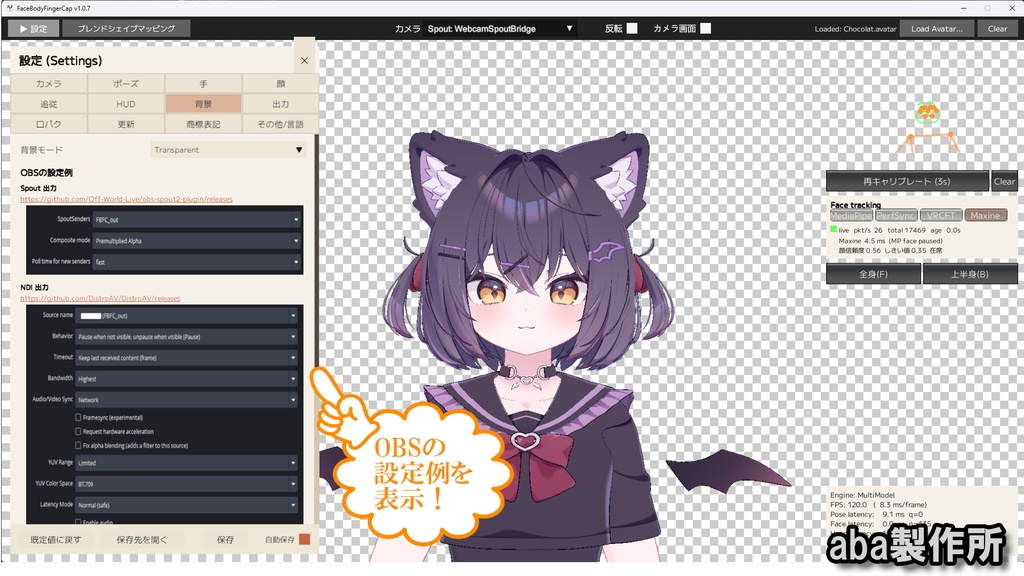
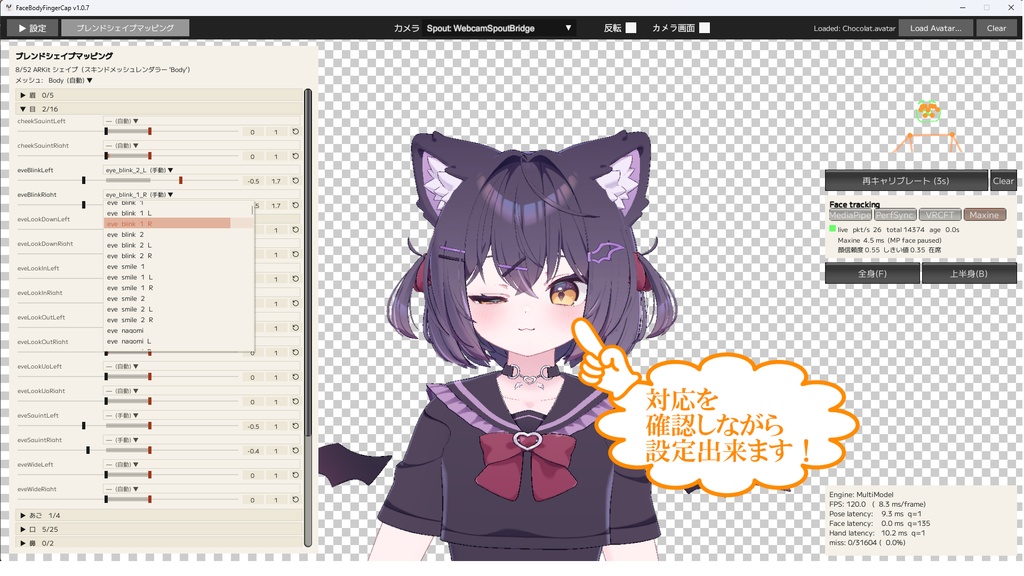


●概要 Web カメラ/Spout の映像から「顔・体(上半身)・指」をリアルタイムにトラッキングし、VRChat 用の 3D アバターを動かして、NDI/仮想カメラ/Spout で画面を出力し、OBSなどで配信できるWindows アプリです。 顔のトラッキングはMediaPipe、PerfectSync、VRCFT、Maxine(RTX GPU使用)から選べます。 動作確認用のサンプルを用意しています。 機能制限はもうけていませんが、SAMPLEロゴが画面上に表示されます。 また、サンプルはアップデート機能が働きません。 製品版購入後は上書きインストールして頂ければSAMPLEロゴは消えます。 スクリーンショットのアバター(ショコラ -Chocolat- ©あまとうさぎ 様)は同梱されません。 ------------------------------------------------- Overview A Windows app that tracks your face, body(upper body), and fingers in real time from a webcam or Spout video feed and drives a 3D VRChat avatar. The output can be sent via NDI, a virtual camera, or Spout for streaming with OBS and other software. Face tracking source can be selected from MediaPipe, PerfectSync, VRCFT, or Maxine (requires an NVIDIA RTX GPU). A sample version is available so you can try it out. There are no feature restrictions, but a "SAMPLE" logo is shown on screen. The sample version also does not support auto-update. After purchasing the full version, simply install it over the sample and the "SAMPLE" logo will disappear. The avatar shown in the screenshots (ショコラ -Chocolat- ©あまとうさぎ) is not included.
ご利用にあたっての注意・免責(重要)/ Important: Terms of Use & Disclaimer
・本アプリは VRChat 公式のソフトウェアではありません。 ・利用規約をご覧の上、同意いただける場合のみご利用ください。 ・すべてのアバターの正確な表示を保証するものではありません。 ・揺れ物シミュレーションは自前のソルバーで処理しており、オリジナルのPhysBonesの挙動とは異なります。 ・ご自身に権利のないアセット(自分で購入していない有料アセット、不正共有 サイトからダウンロードしたアセット、リッピングアセット等)での使用はなさらないでください。 ・VRChat 固有の機能は動作しません。(FX パラメータを使用した切り替えなど) ------------------------------------------------- ・This app is not official VRChat software. ・Please review the Terms of Use and use this app only if you agree to them. ・Accurate display of every avatar is not guaranteed. ・Physics (jiggle) simulation is handled by our own custom solver, so its behavior differs from the original PhysBones. ・Do not use assets you do not hold the rights to (paid assets you have not purchased yourself, assets downloaded from unauthorized sharing sites, ripped assets, etc.). ・VRChat-specific features do not work (such as toggles that use FX parameters).
動作環境 / System Requirements
- OS: Windows 10 / 11(64-bit) - GPU: DirectX 11 対応の GPU - 高精度顔トラッキング「Maxine」を使う場合: NVIDIA GeForce RTX 20 シリーズ以降 ※ 非対応環境では自動的に MediaPipe 顔トラッキングで動作します(Maxine 任意) ------------------------------------------------- - OS: Windows 10 / 11 (64-bit) - GPU: A DirectX 11-compatible GPU - To use the high-precision "Maxine" face tracking: NVIDIA GeForce RTX 20 series or later * On unsupported hardware, the app automatically falls back to MediaPipe face tracking (Maxine is optional).
インストール / Installation
1. FaceBodyFingerCap-Setup-<バージョン>.exe を実行 2. (任意・RTX 環境のみ)Maxine を使う場合は FaceBodyFingerCap-Maxine-Setup-<バージョン>.exe を追加で実行 ※ 本体を先にインストールしてください ------------------------------------------------- 1. Run FaceBodyFingerCap-Setup-<version>.exe 2. (Optional, RTX hardware only) To use Maxine, additionally run FaceBodyFingerCap-Maxine-Setup-<version>.exe * Install the main app first.
映像出力について(重要)/ About Video Output (Important)
- NDI/Spout/仮想カメラの出力は「映像のみ」で、音声は含まれません。 - 音声は Discord/Zoom 等の通話アプリでマイクを直接ご利用ください (本アプリがマイクを使うのは口パク解析のためだけで、音声は出力しません)。 ------------------------------------------------- - NDI / Spout / virtual camera output is video only and does not include audio. - For audio, use your microphone directly in your call app such as Discord or Zoom (this app only uses the microphone to analyze lip movement; it does not output audio).
アップデート履歴 / Update History
2026/7/10 V1.0.7 初版/Initial release 2026/7/15 V1.0.8 自動まばたき/指の待機連動/Maxine離席判定改善/設定スクロール改善 ------------------------------------------------- Auto blink / finger idle follow / Maxine away detection / settings scroll 2026/7/22 V1.0.9 手首回転修正/追跡信頼度設定/Maxine顔隠れ改善 ------------------------------------------------- Wrist spin fix / tracking confidence settings / Maxine occlusion
仮想カメラについて / About the Virtual Camera
- 仮想カメラの「登録/解除」には管理者権限(UAC 昇格)が必要です。 ボタン押下時に昇格ダイアログが出ます。登録後は Zoom 等でカメラとして選べます。 ------------------------------------------------- - Registering / unregistering the virtual camera requires administrator rights (UAC elevation). A UAC prompt appears when you press the button. Once registered, the camera can be selected in Zoom and other apps.
アバターの読み込み / Loading an Avatar
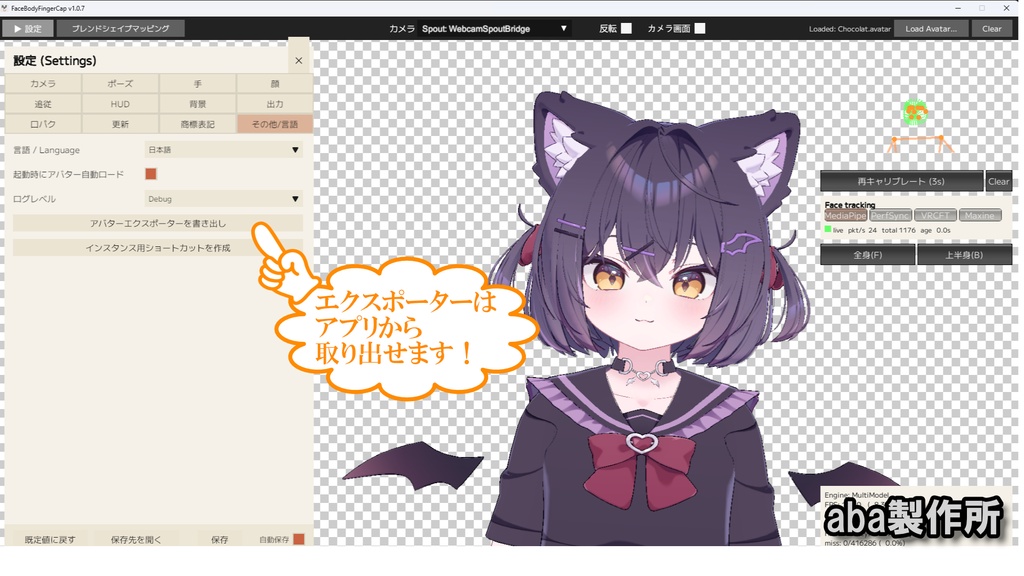
- 読み込めるのは「パスワード保護された .avatar」のみです(保護なしの通常 .avatar は 読み込めません)。 - アバターは付属の「AvatarExporter.unitypackage」で書き出します。 [AvatarExporter.unitypackageの取り出し方法] - アプリ内「その他」タブから unitypackage を取り出せます。 [アバター書き出し方法] - アバターのプロジェクトにAvatarExporterをインポートして、アバターのルートで右クリック、メニューを出して[FBFC Avatar Exporter]>[Export Avatar Assetbundle]を選択、パスワードを設定してエクスポート。 ------------------------------------------------- - Only password-protected .avatar files can be loaded (regular unprotected .avatar files cannot be loaded). - Avatars are exported with the bundled "AvatarExporter.unitypackage". [How to get AvatarExporter.unitypackage] - You can extract the unitypackage from the "Misc" tab in the app. [How to export an avatar] - Import AvatarExporter into your avatar's Unity project, right-click the avatar's root in the Hierarchy, choose [FBFC Avatar Exporter] > [Export Avatar Assetbundle], set a password, and export.
操作説明 / How to Use
マウス左ドラッグ 回転 マウス右ドラッグ 平行移動 マウスホイール ズーム Fキー 全身を映す Bキー 上半身を映す Hキー HUDオン/オフ Cキー キャリブレーション ------------------------------------------------- Left mouse drag Rotate Right mouse drag Pan Mouse wheel Zoom F key Show full body B key Show upper body H key Toggle HUD on/off C key Calibration
