
【FiveM】自訂工地廣告牌\カスタマイズ工事看板\Custom Construction Billboards
- Shipping Date (Approx): 2026-07-14Ships within 2 daysOut of StockPhysical (direct)4,000 JPY
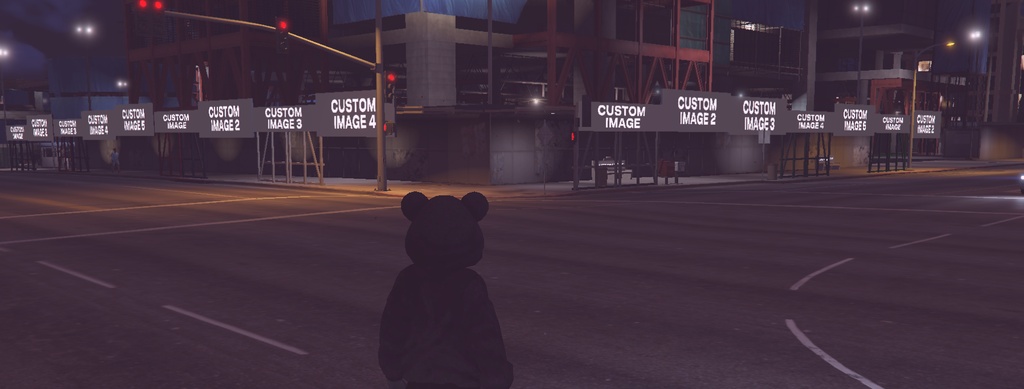
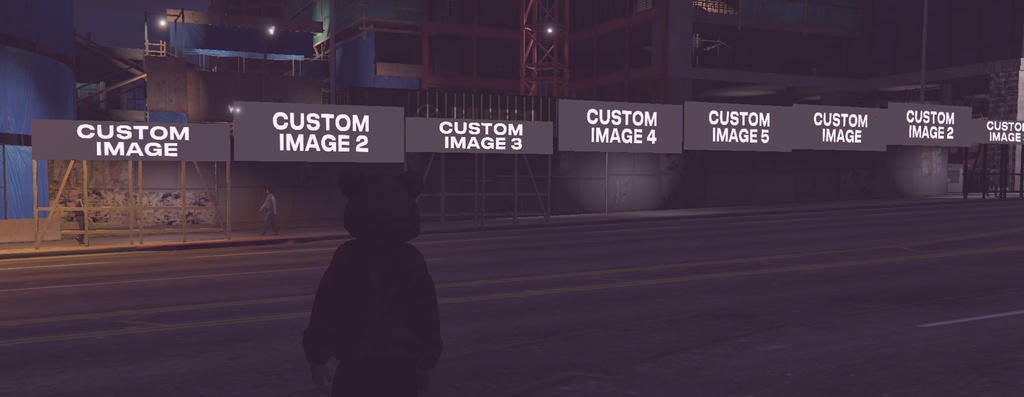
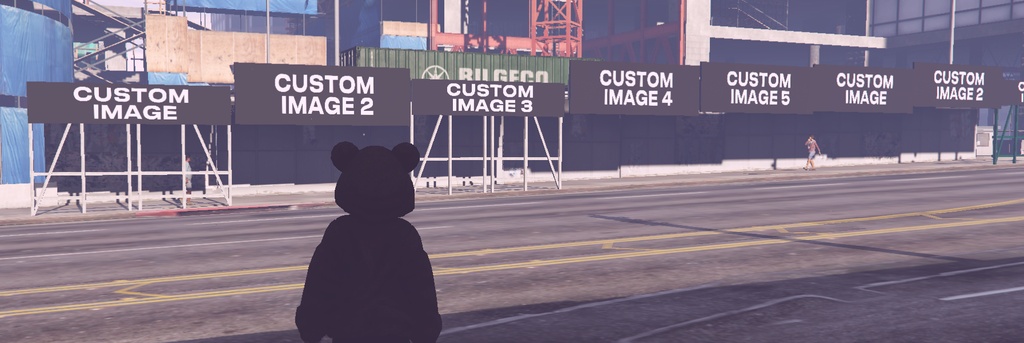


打造專屬於你的城市宣傳。 支援自訂工地廣告牌內容,低伺服器資源消耗,並具備夜間發光效果,兼顧美觀與效能。 街にあなただけの広告を。 工事看板の内容を自由にカスタマイズでき、軽量設計と夜間発光エフェクトを搭載しています。 Create your own city advertisements. Customize construction billboards with ease, featuring low server resource usage and illuminated nighttime effects.
FiveM 插件安裝教學
安裝步驟 1. 將下載的插件解壓縮。 2. 將資源資料夾放入伺服器的 `resources` 目錄(可依需求自行分類)。 3. 在 `server.` 或 `resources.` 加入: ensure 資源名稱 4. 重新啟動伺服器,或於主控台輸入: refresh ensure 資源名稱 5. 若插件包含設定檔,請依照 `config.lua` 或說明文件完成相關設定。 --- インストール手順 1. ダウンロードしたファイルを解凍します。 2. リソースフォルダをサーバーの `resources` フォルダへ配置します。 3. `server.` または `resources.` に以下を追加します。 ensure ResourceName 4. サーバーを再起動するか、コンソールで以下を実行します。 refresh ensure ResourceName 5. 設定ファイルが含まれている場合は、`config.lua` または付属の説明書に従って設定してください。 --- Installation 1. Extract the downloaded resource. 2. Place the resource folder into your server's `resources` directory. 3. Add the following line to your `server.` or `resources.`: ensure ResourceName 4. Restart your server or run: refresh ensure ResourceName 5. If the resource includes a configuration file, complete the required settings in `config.lua` or follow the included documentation.