

Avatar Asset Cleaner
- Digital0 JPY
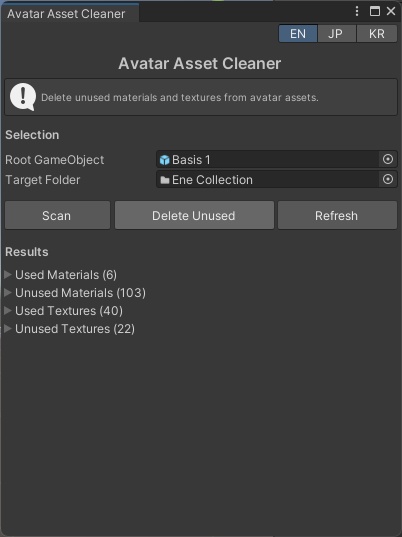
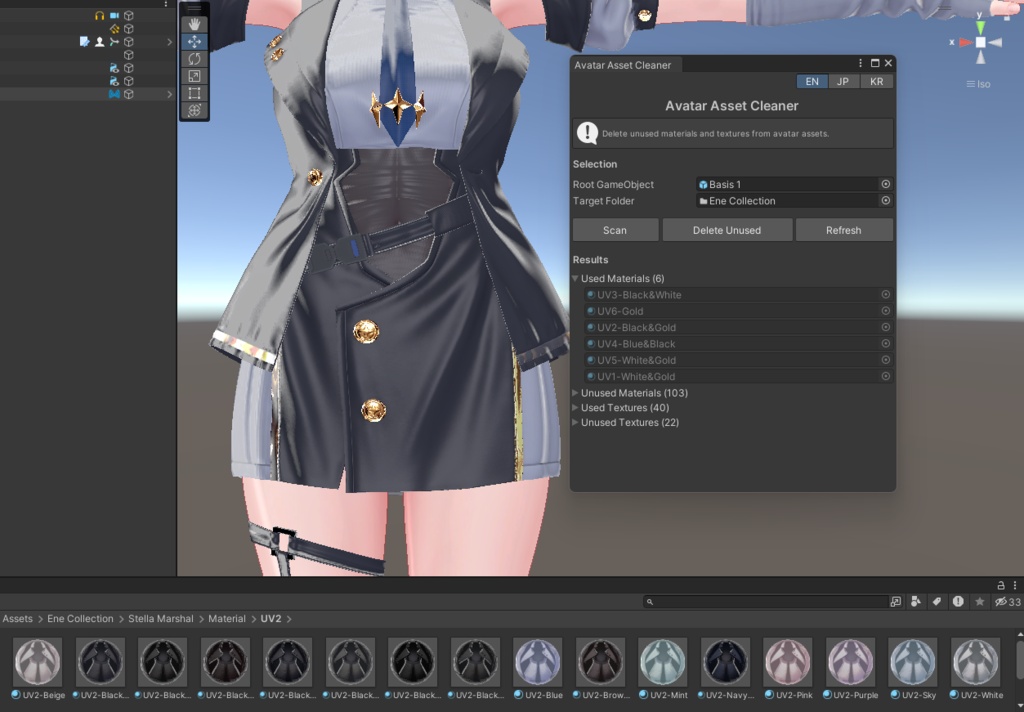
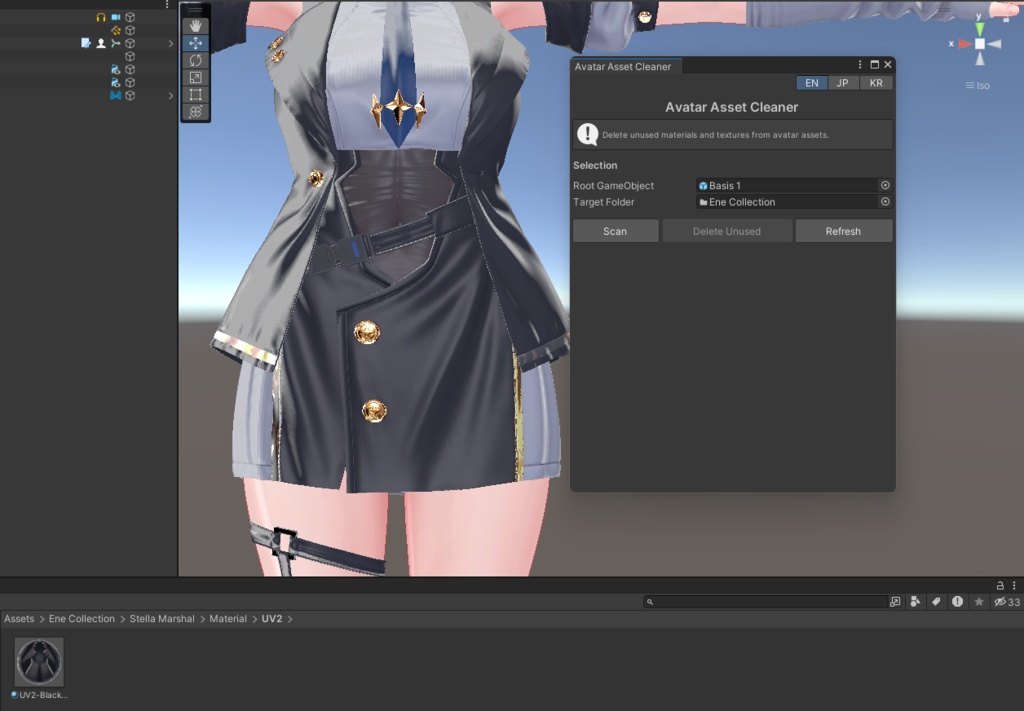


The text you pasted is for your **Booth Folder Covers** tool, while the safety section I wrote is for **Avatar Asset Cleaner**. They describe different products, so they shouldn't be combined. If you're looking for the **Avatar Asset Cleaner** version with the new explanation integrated, here's a polished README in the same style: --- # 日本語 Unityプロジェクト内の未使用マテリアルとテクスチャを、安全かつ簡単に整理できるUnity Editor拡張ツールです。 選択したアバターとアセットフォルダを解析し、使用されていないファイルのみを検出・削除します。 VRChatアバターを編集していると、不要なマテリアルやテクスチャが大量に残ることがあります。 このツールを使用すると、アバターで実際に使用されているアセットだけを判定し、不要なファイルを整理できます。 ## 主な機能 * 未使用マテリアルを検出・削除 * 未使用テクスチャを検出・削除 * Dry Run(削除前プレビュー)対応 * スキャン結果を一覧表示 * スキャン中の進行状況表示 * 日本語 / English / 한국어 UI対応 * Unity Editor専用DLLとして提供 ## スキャン対象 ### アバター側 * すべてのRenderer * SkinnedMeshRenderer * MeshRenderer * ParticleSystemRenderer * その他Renderer派生コンポーネント Rendererに割り当てられているMaterialを取得し、ShaderUtilを使用して参照されているTexture2Dを解析します。 ### フォルダ側 選択したフォルダ内のみを対象とします。 * Material (.mat) * Texture2D (.png .jpg .tga .psd .bmp .tif .exr など) ## 削除対象 以下のみ削除されます。 * アバターで使用されていないMaterial * 使用中Materialから参照されていないTexture2D ## 削除されないもの * FBXに埋め込まれたMaterial・Texture * 選択フォルダ外のアセット * 選択したRoot GameObject外で使用されているアセット * .fbx .blend .objなどのモデルファイル ## 制限事項 以下の参照は検出できません。 * MonoBehaviourの[SerializeField] Material / Texture2D * AnimationClipからMaterialを直接参照している場合 * 他のアバターやGameObjectから使用されているMaterial これらは未使用と判定される可能性があります。 ## 使い方 1. Unityプロジェクトへパッケージをインポートします。 2. **Tools → Avatar Asset Cleaner** を開きます。 3. Root GameObjectを選択します。 4. Assetsフォルダを選択します。 5. **Scan** をクリックします。 6. 結果を確認します。 7. **Delete Unused** をクリックすると未使用アセットが削除されます。 ## 注意事項 * Dry Runは初期状態で有効です。最初はDry Runで確認してください。 * 削除はUnityのUndoでは元に戻せません。 * 作業前にプロジェクトを保存してください。 * 複数アバターで共有しているMaterialは削除される場合があります。 * 削除後はConsoleでMissing Materialなどの警告がないか確認してください。 * Unity Editor専用ツールです。 * VRChat公式ツールではありません。 --- # English A Unity Editor extension that safely finds and removes unused Materials and Textures from your avatar project. Select an avatar and an asset folder, then scan for assets that are actually used. Everything else can be safely cleaned up. ## Features * Find unused Materials * Find unused Texture2D assets * Dry Run mode (preview before deleting) * Scan result list * Progress bar while scanning * Japanese / English / Korean UI * Distributed as a Unity Editor-only DLL ## What the tool scans ### Selected Avatar Every Renderer, including: * SkinnedMeshRenderer * MeshRenderer * ParticleSystemRenderer * Any Renderer-derived component The tool collects every assigned Material and uses Unity's ShaderUtil to detect every referenced Texture2D. ### Selected Folder Only assets inside the selected folder are scanned. * Material (.mat) * Texture2D (.png .jpg .tga .psd .bmp .tif .exr etc.) ## What gets deleted Only the following are removed: * Materials not used by the selected avatar * Texture2D assets not referenced by any used Material ## What is never touched * Materials or textures embedded inside FBX files * Assets outside the selected folder * Assets outside the selected Root GameObject hierarchy * Model files (.fbx, .blend, .obj, etc.) ## Limitations The following references cannot be detected: * Materials or textures stored in MonoBehaviour fields * AnimationClips that reference Material assets directly * Materials used by other avatars or GameObjects These assets may appear unused and could be deleted. ## How to Use 1. Import the package. 2. Open **Tools → Avatar Asset Cleaner**. 3. Select the avatar Root GameObject. 4. Select the Assets folder. 5. Click **Scan**. 6. Review the results. 7. Click **Delete Unused**. ## Notes * Dry Run is enabled by default. * Deleted assets cannot be restored using Unity Undo. * Save your project before deleting anything. * Shared Materials used by other avatars may also be deleted. * Check the Console for missing material warnings after cleanup. * Unity Editor only. * Not an official VRChat tool. --- # 한국어 Unity 프로젝트에서 사용되지 않는 머티리얼과 텍스처를 안전하게 찾아 삭제하는 Unity Editor 확장 도구입니다. 선택한 아바타와 에셋 폴더를 분석하여 실제로 사용되지 않는 파일만 정리할 수 있습니다. ## 주요 기능 * 사용되지 않는 머티리얼 삭제 * 사용되지 않는 Texture2D 삭제 * Dry Run(미리보기) 지원 * 스캔 결과 목록 표시 * 진행률 표시 * 한국어 / English / 日本語 UI 지원 * Unity Editor 전용 DLL ## 스캔 대상 ### 선택한 아바타 모든 Renderer * SkinnedMeshRenderer * MeshRenderer * ParticleSystemRenderer * 기타 Renderer 컴포넌트 Renderer에 할당된 모든 Material을 분석하고 ShaderUtil을 사용하여 참조 중인 Texture2D를 찾습니다. ### 선택한 폴더 선택한 폴더 내부만 검사합니다. * Material (.mat) * Texture2D (.png .jpg .tga .psd .bmp .tif .exr 등) ## 삭제 대상 다음 항목만 삭제됩니다. * 선택한 아바타에서 사용되지 않는 Material * 사용 중인 Material이 참조하지 않는 Texture2D ## 삭제되지 않는 항목 * FBX 내부에 포함된 Material 및 Texture * 선택한 폴더 밖의 에셋 * 선택한 Root GameObject 밖에서 사용되는 에셋 * .fbx .blend .obj 등의 모델 파일 ## 제한 사항 다음 참조는 감지되지 않습니다. * MonoBehaviour의 Material 또는 Texture2D 필드 * Material을 직접 참조하는 AnimationClip * 다른 아바타나 GameObject에서 사용하는 Material 이러한 에셋은 사용되지 않는 것으로 판단될 수 있습니다. ## 사용 방법 1. 패키지를 Unity 프로젝트에 임포트합니다. 2. **Tools → Avatar Asset Cleaner**를 엽니다. 3. Root GameObject를 선택합니다. 4. Assets 폴더를 선택합니다. 5. **Scan**을 클릭합니다. 6. 결과를 확인합니다. 7. **Delete Unused**를 클릭합니다. ## 주의사항 * Dry Run은 기본적으로 활성화되어 있습니다. * 삭제는 Unity Undo로 복구할 수 없습니다. * 삭제 전 프로젝트를 저장하세요. * 여러 아바타가 공유하는 Material도 삭제될 수 있습니다. * 삭제 후 Console에서 오류가 없는지 확인하세요. * Unity Editor 전용입니다. * VRChat 공식 도구가 아닙니다.