
Blendshape Buddy
- Digital1,200 JPY
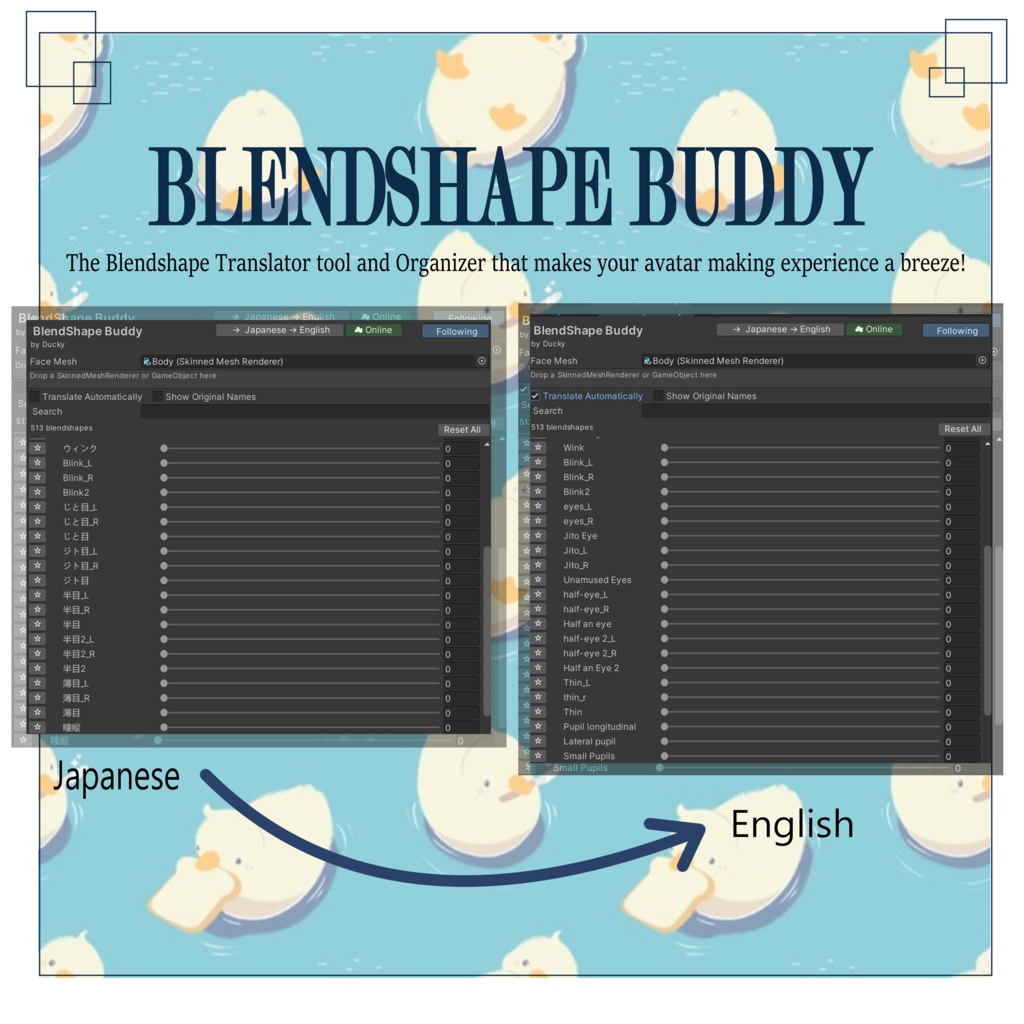
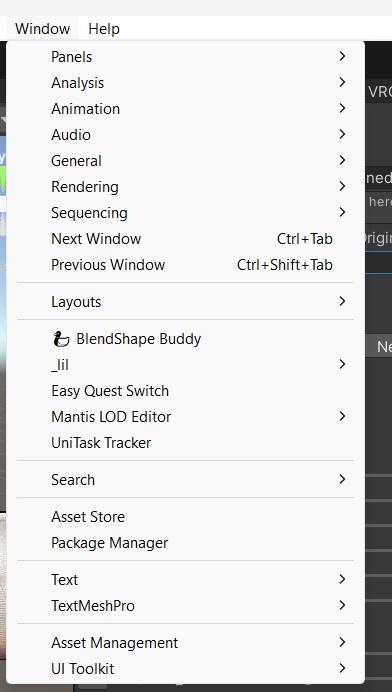


BlendShape Buddy — Japanese to English BlendShape Translator for Unity Tired of scrolling through hundreds of Japanese blendshape names trying to figure out which one controls the expression you need? BlendShape Buddy by Ducky makes working with Japanese avatar blendshapes faster, easier, and way more organized—all directly inside Unity! Your translated controls stay synced with the avatar's original blendshapes, so adjusting a slider in BlendShape Buddy immediately adjusts the real blendshape too. 🇯🇵 Japanese → English Translation — Automatically translates Japanese blendshape names into easy-to-understand English. Online Translation — If BlendShape Buddy doesn't recognize a Japanese word, online translation can help translate names that aren't included in the built-in dictionary. Synced Blendshape Sliders — Move a slider in BlendShape Buddy and the original blendshape moves with it automatically. Easy Mesh Switching — Quickly switch between different Skinned Mesh Renderers without having to redo extra setup every time. Organized & Collapsible Sections — Blendshapes are sorted into categories that can be collapsed, so you don't have to endlessly scroll through one giant list. Favorites — Save the blendshapes you use the most so they're always easy to find. Recents — Quickly access and control blendshapes you've recently used. Search — Find the blendshape you need without manually searching through hundreds of names. Snapshots — Save blendshape combinations so you can quickly return to expressions or setups you've created. Show Original Names — Easily check the original blendshape name whenever you need it. Automatic Translation — Translations appear directly inside the BlendShape Buddy window while you work. Whether you're editing VRChat avatars, working with Japanese character models, or just tired of guessing what every blendshape does, BlendShape Buddy helps make your workflow faster and easier while keeping everything organized in one convenient window! ✨ BlendShape Buddy — Unity向け 日本語→英語 ブレンドシェイプ翻訳ツール 何百個もある日本語のブレンドシェイプ名をスクロールしながら、「どれが使いたい表情なの?」と探すのに疲れていませんか? BlendShape Buddy by Ducky を使えば、日本語のブレンドシェイプをより簡単に、素早く、そして整理された状態でUnity内から操作できます! BlendShape Buddyのスライダーは元のアバターのブレンドシェイプと同期しているため、BlendShape Buddy側でスライダーを動かすと、実際のブレンドシェイプにもすぐに反映されます。 🇯🇵 日本語 → 英語翻訳 — 日本語のブレンドシェイプ名を、分かりやすい英語に自動翻訳します。 オンライン翻訳 — 内蔵辞書にない日本語の名前は、オンライン翻訳を利用して英語への翻訳をサポートします。 同期ブレンドシェイプスライダー — BlendShape Buddyのスライダーを動かすと、元のブレンドシェイプも自動的に連動します。 簡単なメッシュ切り替え — 余計な設定を毎回やり直すことなく、異なるSkinned Mesh Rendererを簡単に切り替えられます。 整理された折りたたみ可能なカテゴリー — ブレンドシェイプがカテゴリーごとに整理され、不要なセクションは折りたためるので、長いリストを延々とスクロールする必要がありません。 お気に入り — よく使うブレンドシェイプを保存して、すぐにアクセスできます。 最近使用した項目 — 最近使ったブレンドシェイプに素早くアクセスして、そのまま操作できます。 検索 — 何百個もの名前を手作業で探さなくても、必要なブレンドシェイプを簡単に見つけられます。 スナップショット — ブレンドシェイプの組み合わせを保存し、作成した表情や設定をすぐに呼び戻せます。 元の名前を表示 — 必要なときに、元のブレンドシェイプ名を簡単に確認できます。 自動翻訳 — 作業中にBlendShape Buddyウィンドウ内で翻訳結果を直接確認できます。 VRChatアバターの編集、日本語のキャラクターモデルの作業、または大量のブレンドシェイプ名を一つずつ確認する手間を減らしたい方に、BlendShape Buddyは作業をより速く、簡単にし、すべてを一つの便利なウィンドウで整理できるツールです!