
まろんちゃんとマルマル表情アニメーション7種セット
- Digital100 JPY
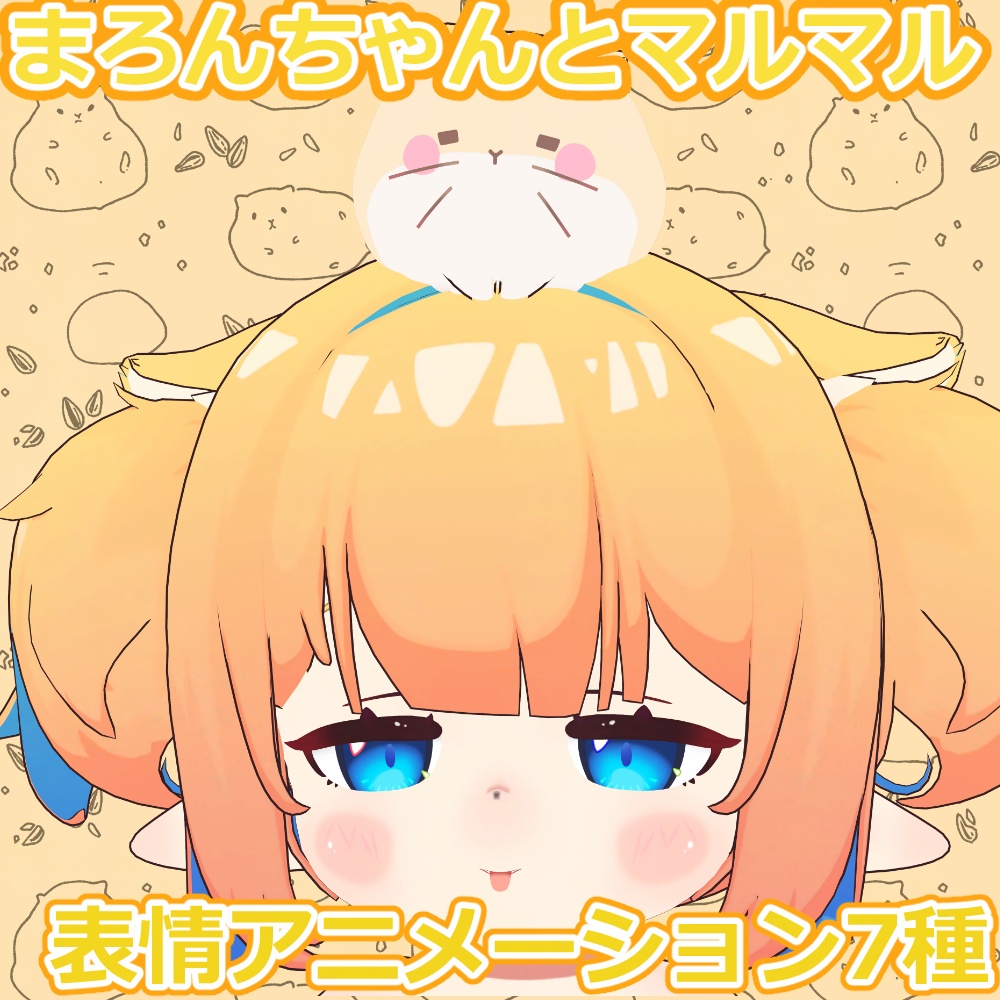
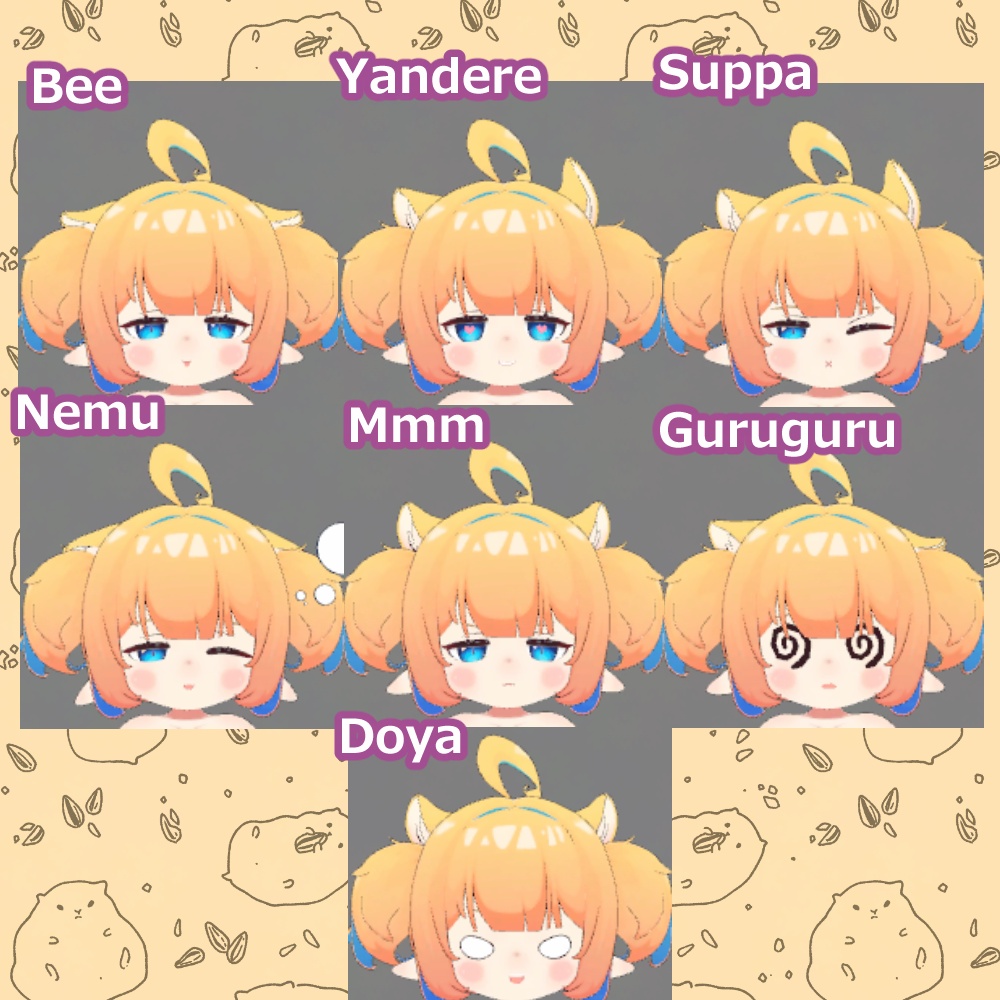


まろんちゃんとマルマルの追加表情Animファイルセットです。 デフォルトで使用しても違和感のない、7種類の表情が入っています。 写真撮影などにご活用ください。 アバター本体は含まれておりません。 以下のURLから別途ご購入ください。 りみてっどからーず様 まろんちゃんとマルマル https://frolyflow.booth.pm/items/8592006 FaceEmoで使用することを想定しています。 FaceEmo https://suzuryg.github.io/face-emo/ja/ 当商品は まろんちゃんとマルマル 事前対応 FaceEmo1.7.0 を使用して作成しました。
内容物(Product)
・表情アニメーション7種類(anim) ・表情アイコン7種類(png) (デフォルトの表情メニューに組み込む方向け) - 7 facial animations (anim) - 7 facial expression icons (png) (For those who want to incorporate them into the default facial expression menu)
利用規約(Team Of Use)
以下のページに記載されております。 ご確認よろしくお願いします。 https://hiahiapark.booth.pm/items/7519807 Please check the terms of use at the following URL. https://hiahiapark.booth.pm/items/7519807 请在以下网址查看使用条款。 https://hiahiapark.booth.pm/items/7519807
導入方法(FaceEmo)
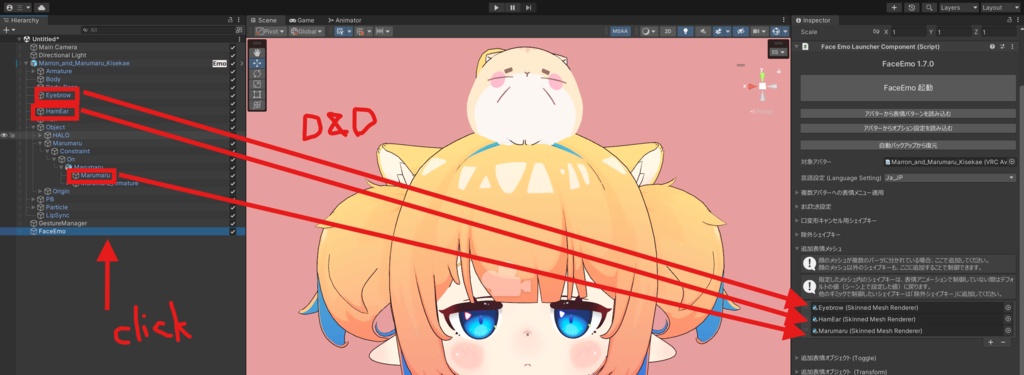
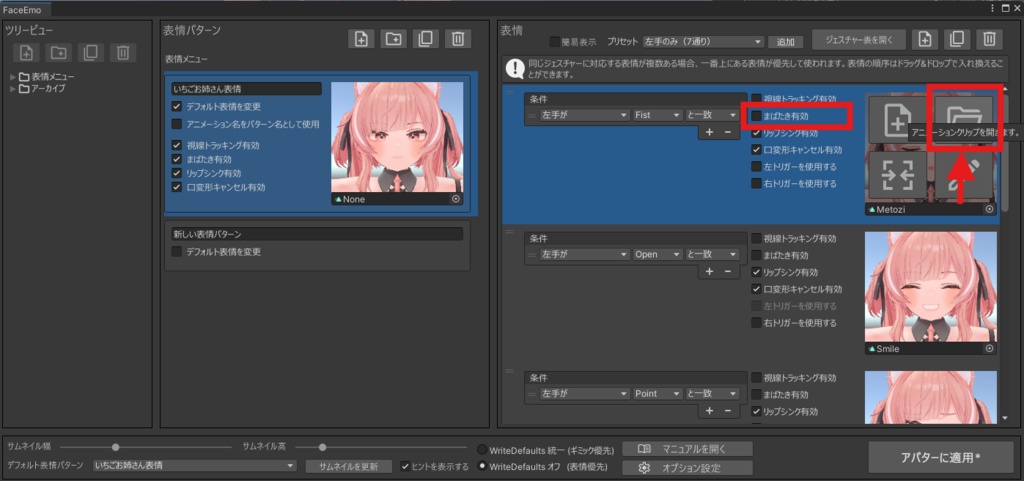
①公式マニュアルを参考にしてFaceEmoを導入する https://suzuryg.github.io/face-emo/ja/docs/tutorials/ ⓶本商品をインポートする ③FaceEmoを開く ④追加表情メッシュに「HamEar」「Eyebrow」「Marumaru」をドラッグアンドドロップする ⑤フォルダアイコンから表情を導入する ⑥まばたきとリップシンク機能はOFFにすることをオススメします。 ① Install FaceEmo by referring to the official manual: https://suzuryg.github.io/face-emo/ja/docs/tutorials/ ② Import this product. ③ Open FaceEmo. ④ Drag and drop "HamEar," "Eyebrow," and "Marumaru" into the additional expression meshes. ⑤ Import the expressions using the folder icon. ⑥ It is recommended to turn off the blinking and lip-sync functions.
注意(Attension)
・UnityとVRChatのデスクトップモードのみ動作確認しております ・Unityの基本的な操作に関するお問い合わせにはお答えできません。 ・VRChatを想定した3Dモデル用表情アニメーションファイルです ・著作権は放棄しておりません ・当アセットを使用した際に発生したトラブルや損失に対して、一切の責任を負いません - Only Unity and VRChat desktop modes have been confirmed to work. ・We cannot answer questions about the basic operation of Unity. ・This is a Face Emote for 3D models intended for VRChat. ・Copyright is not waived. ・We are not responsible for any trouble or loss that occurs when using this Asset.
クレジット(Credit)
表情アイコン作成ツール ひつぶの倉庫様 【VRChat】表情アイコンジェネレーター https://booth.pm/ja/items/4386112
更新履歴
2026/07/24 商品公開
