

スティラ -Stilla- FaceTrackingAddon | フェイストラッキングアドオン
- Digital1,400 JPY
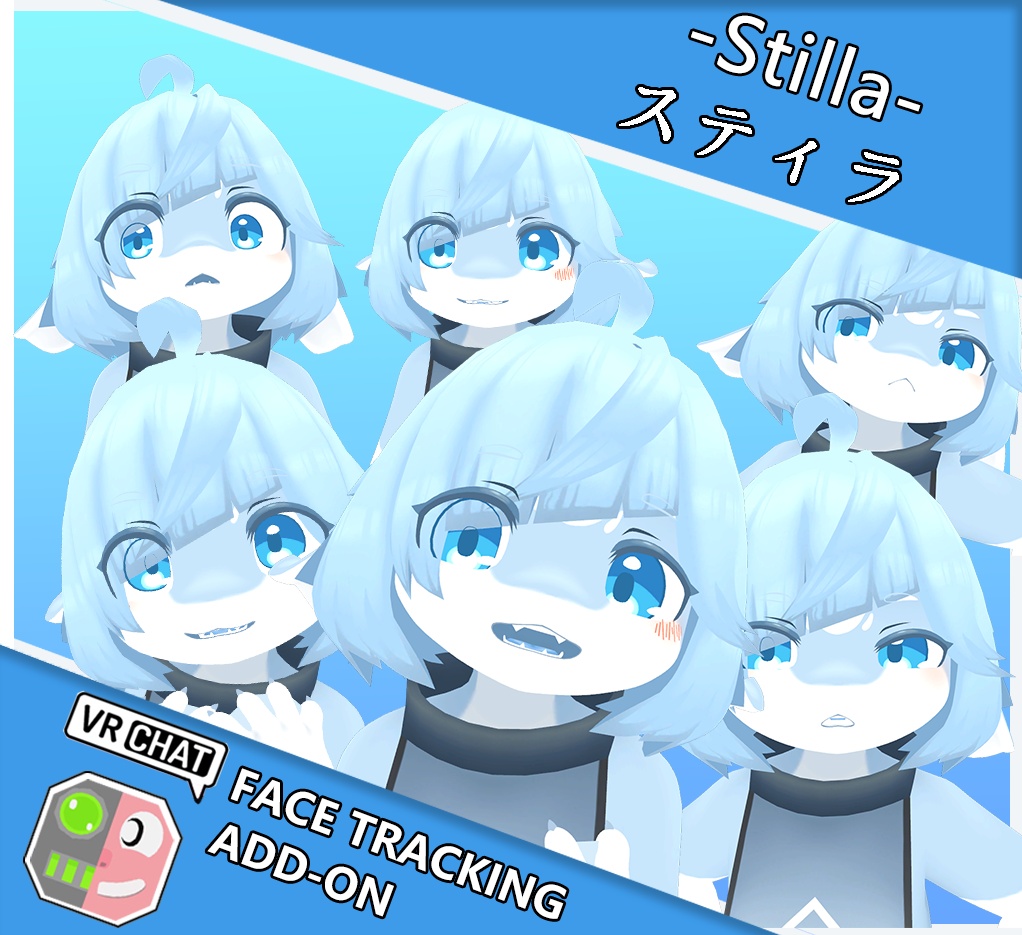

[日本語] ※ご注意 本商品はアバター本体を含みません。こちらはアバター用の拡張アドオンのみとなります。 アバター本体はこちらからご用意ください。 [English] ※ Note This product does NOT include the original avatar. This is an expansion addon for the avatar only. Please obtain the original avatar from the following link. [中文] ※请注意 本商品不包含模型本体。本商品仅为模型的扩展插件。 请自行从以下链接获取模型本体。 アバター本体 / 模型本体 / Avatar本体:スティラ -Stilla- 3Dアバター v1.0 https://kemonano.booth.pm/items/8673985 Sample Avatar: https://vrchat.com/home/avatar/avtr_155af655-74c0-43a4-bc6d-101e049396bf
🇯🇵 日本語 / Japanese 🎯 概要 これは汎用VRCFTフェイストラッキングアドオンです。Quest Pro、Pico 4 Pro、HTC VIVE XR Eliteなどのデバイスに対応しています(これらに限定されません)。 「Unified Expressions」規格に対応し、目、眉、顎、唇、舌をカバー! 専用スクリプトを使用することで、すでに修正済みの完成アバターに直接インストール可能。プレハブを使って最初から作り直す必要はありません。 スイッチは全自動化されており、顔トラッキング対応のHMDを使用すると自動的に顔トラッキングが有効になり、ジェスチャー表情が無効になります。また、MMDダンスワールドで踊る際には、自動的に顔トラッキングが無効になり、ジェスチャー表情も無効になります(一部のワールドでは無効化されない場合があります)。 🛠 動作環境 VRChat Avatar SDK 3.0 VRCFT v5.0 ModularAvatar: https://modular-avatar.nadena.dev/ja VRCFury: https://vrcfury.com 📝 使い方 前提条件:VRCFury と ModularAvatar がプロジェクトにインストールされていることを確認してください。 インポート:この UnityPackage ファイルを Unity にインポートします。 FBX パッチ メニューから Tools → MoeWhite19 → FaceTracking Patcher を開きます。 「PatchFBX」ボタンをクリックしてモデルをパッチします。 注意:モデルのバージョンとフェイストラッキングがサポートするモデルのバージョンが異なる場合、Patcher は使用できません。ただし、BlendShare を使用したインストールが可能です(提供されている場合)。 ※ パッチボタンや各スイッチの表示は、エディタの言語設定に応じて 日本語・English・中文・한국어 に自動で切り替わります。 フェイストラッキングインストール パッチ完了後、「Select your Avatar」にシーン内のアバターが自動的に選択されます。目的のアバターが選択されているか確認してください。 「Install」ボタンをクリックしてインストールします。 ※ 一部のモデルでは複数の ProfileAsset が提供されている場合があります。必要に応じて選択してください。 BlendShare を使用する場合(オプション) ※ このファイルは常に提供されるとは限りません。存在する場合のみ使用してください。 BlendShare.unitypackage をインポートした後、別のウィンドウ Tools → MoeWhite19 → FaceTracking Installer(BlendShare) を開いてインストールします。 BlendShare がプロジェクトにインストールされていない場合、このメニューを開くことはできません。 🇺🇸 English / English 🎯 Overview This is a universal VRCFT facial tracking addon. It supports but is not limited to devices such as Quest Pro, Pico 4 Pro, HTC VIVE XR Elite, etc. Compatible with the "Unified Expressions" standard, covering eyes, eyebrows, jaw, lips, and tongue! Using a dedicated script, it can be installed directly onto already modified, finished avatars—no need to start from scratch with prefabs. Fully automated switching: When using a headset with facial tracking capability, facial tracking will be automatically enabled and gesture expressions will be disabled. It will also automatically disable facial tracking and gesture expressions when dancing in MMD dance worlds (may not work in some worlds). 🛠 Requirements VRChat Avatar SDK 3.0 VRCFT v5.0 ModularAvatar: https://modular-avatar.nadena.dev VRCFury: https://vrcfury.com 📝 How to Use Prerequisites: Ensure that VRCFury and ModularAvatar are installed in your project. Import Package: Import this UnityPackage file into Unity. Patch FBX Open the menu: Tools → MoeWhite19 → FaceTracking Patcher Click the "PatchFBX" button to patch the model. Note: If your model version differs from the version supported by the face tracking system, Patcher cannot be used. However, you may optionally install using BlendShare (if provided). ※ The Patch button and all option labels automatically switch between Japanese, English, Chinese, and Korean based on your editor language. Install Face Tracking After patching, your avatar in the scene will be auto-selected in "Select your Avatar". Please verify it is the correct avatar. Click the "Install" button to install. Note: Some models may provide multiple ProfileAssets; choose according to your needs. Using BlendShare (Optional) ※ This file is not always provided. Only use it if it exists in your package. After importing the BlendShare.unitypackage, open the separate window Tools → MoeWhite19 → FaceTracking Installer(BlendShare) to install. If BlendShare is not installed in your project, this menu cannot be opened. Feel free to contact us if you encounter any issues.
🙌 Credit
VRCFaceTracking https://github.com/benaclejames/VRCFaceTracking Adjerry91 https://github.com/Adjerry91 OSCmooth https://github.com/regzo2/OSCmooth
☕ 利用規約 / Terms of Use / 使用条款 ☕
VN3ライセンス( https://www.vn3.org/ )を採用しています。 規約の内容は下記参照してください JP / 日本語 https://drive.google.com/file/d/1wdUisN5cBuYv43nDIcOUkuAgbCxqAdmh/view?usp=sharing KO / 한국어 https://drive.google.com/file/d/1oAwaOVJgoUtEz13-lQoQvUFHY_8HEFO3/view?usp=sharing CN / 中文 https://drive.google.com/file/d/16As0UcwdRQi6cLAb0dg8_cmyZL9qXBrN/view?usp=sharing EN / English https://drive.google.com/file/d/1efka6u9EwhziUbr_Yt5-7eBaJtaMr3Th/view?usp=sharing
🔧 Update Notes
🇯🇵 日本語 (Japanese) 2026.08.17 — v1.91-1.0 ・初回リリース 2026.08.25 — v1.93-1.0 ・Patcher プログラムを更新し、依存していた hdiff アプリケーションを削除 ・欠落していたフェイストラッキングテンプレートを復元 🇬🇧 English 2026.08.17 — v1.91-1.0 ・Initial release 2026.08.25 — v1.93-1.0 ・Updated Patcher program and removed the dependent hdiff application ・Restored missing facial tracking templates