
【Premiere Pro/Win版】整列パネル/AlignPanel
- 整列パネル_日本語Digital1,000 JPY
- Align Panel_EnglishDigital1,000 JPY
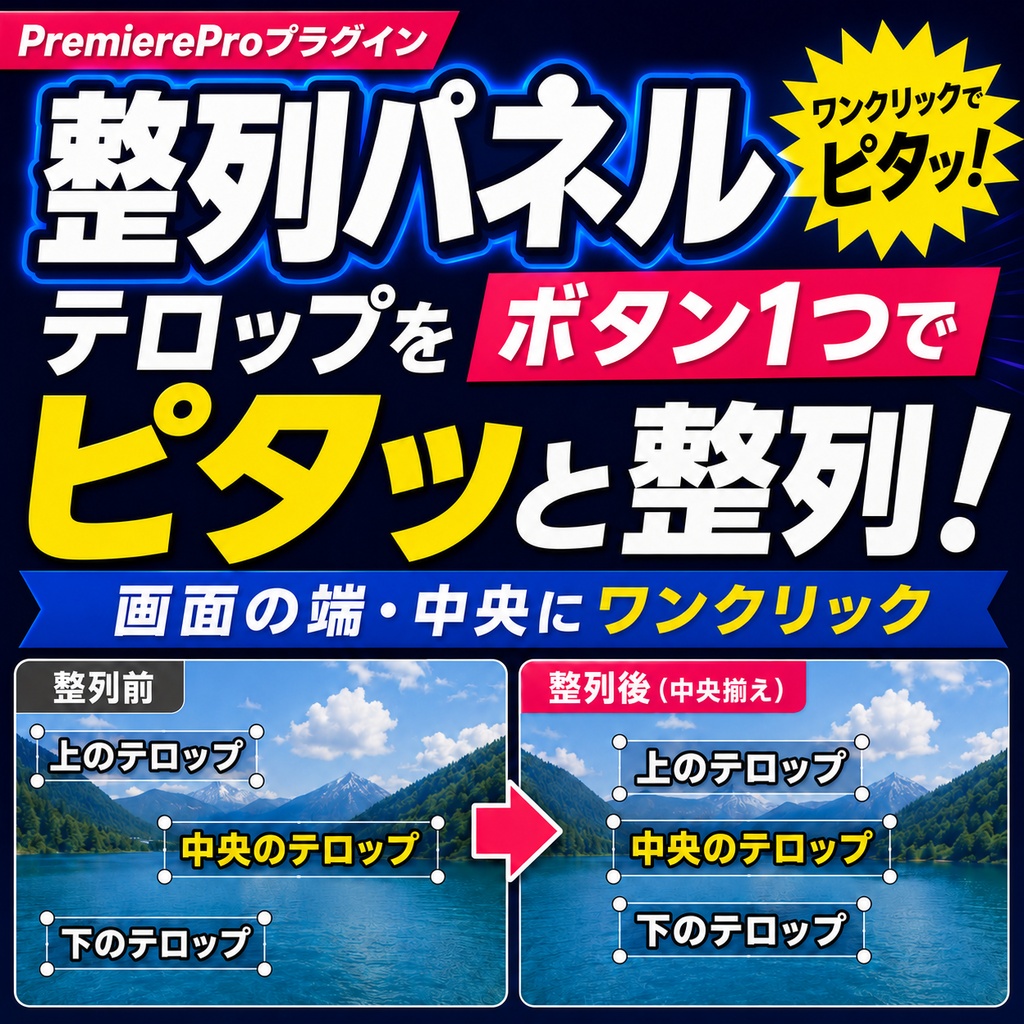
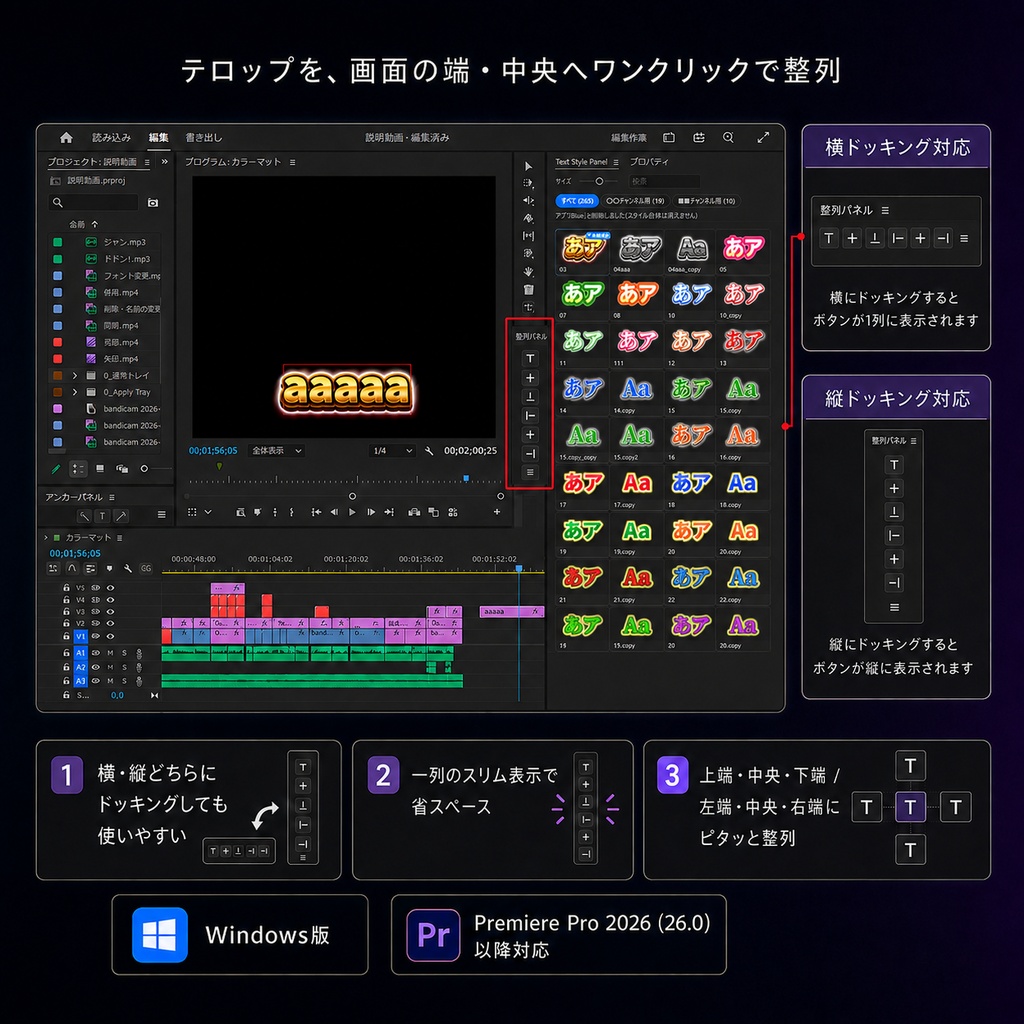


今までプロパティの下にあった整列ボタンをプラグイン化! 毎回プロパティを開くことなく整列できるようにしました。 ドッキング可能で縦・横好きに配置できます。
■ 対応環境
・Windows ・Adobe Premiere Pro 2026(26.0)以降
■ 制限事項
・回転を設定したテキストは対象外 ・モーション/ベクトルモーションの位置は対象外(テキスト専用)
■ インストール/アンインストール
・zipを展開 → 「インストール.vbs」 をダブルクリック ・アンインストールは 「アンインストール.vbs」 で完結 ・最新版への入れ替えは、最新版の 「アンインストール.vbs」 で削除した後にそのまま最新版の「インストール.vbs」 を行うことで入れ替えとなります。
■ サポート・利用規約
・不具合時は「ログ」書き出し+操作内容を添えてご連絡ください ・こちらの商品は利用者1名につき1つ購入が必要です ・再配布・転売・貸与・共有は禁止 ・改変および改変物の配布は禁止 ・解析(リバースエンジニアリング等)禁止 ・他製品への流用禁止 ・購入者本人の利用に限り、台数制限なし ・商用利用可(本製品を使って作成した動画の用途に制限なし)
■ 免責事項
・販売時点の Premiere Pro 2026(v26.x)で動作確認済み ・Adobeの仕様変更により動作しなくなる可能性あり ・対応は可能な範囲で行いますが、全バージョンでの動作保証はできません ・動作不可となった場合でも返金・補償はできません
アップデート履歴
2026.8.21 正式リリース 2026.9.17 v1.2.2 ・改行の入ったテキスト対応 ・ボタンを続けて押した時に「フォントが見つかりません」と出て止まることがなくなりました。 2026.10.07 v1.2.3 ・クリップの「ベクトルモーション」や「モーション」で位置やスケールを変えているテロップを整列すると、ずれた位置に配置される不具合を修正しました。 (例:縦動画で「垂直中央」を押すと、一番下に配置されてしまう)
AlignPanel — English Description
The align buttons that used to sit under Properties are now a plugin! Align your text without opening the Properties panel every time. Dockable — place it vertically or horizontally, wherever you like. ■ Requirements - Windows - Adobe Premiere Pro 2026 (26.0) or later ■ Limitations - Rotated text is not supported - Motion / Vector Motion position is not affected (text layers only) ■ Install / Uninstall - Extract the zip, then double-click "Install.vbs" - To uninstall, just run "Uninstall.vbs" ■ Support & Terms of Use - When reporting an issue, please export the "Log" and describe what you did - One purchase is required per user - Redistribution, resale, lending, and sharing are prohibited - Modification, and distribution of modified versions, are prohibited - Analysis (reverse engineering, etc.) is prohibited - Reuse in other products is prohibited - No limit on the number of machines, as long as it is the purchaser's own use - Commercial use allowed (no restrictions on the videos you create with it) ■ Disclaimer - Verified on Premiere Pro 2026 (v26.x) as of the release date - Adobe specification changes may stop the plugin from working - We will keep up where we can, but operation on all versions is not guaranteed - No refunds or compensation if it stops working