

【VRChat/MA対応】帯電オーラ ─ 体を這う電気と足元の火花【PC/Quest】
- Digital300 JPY
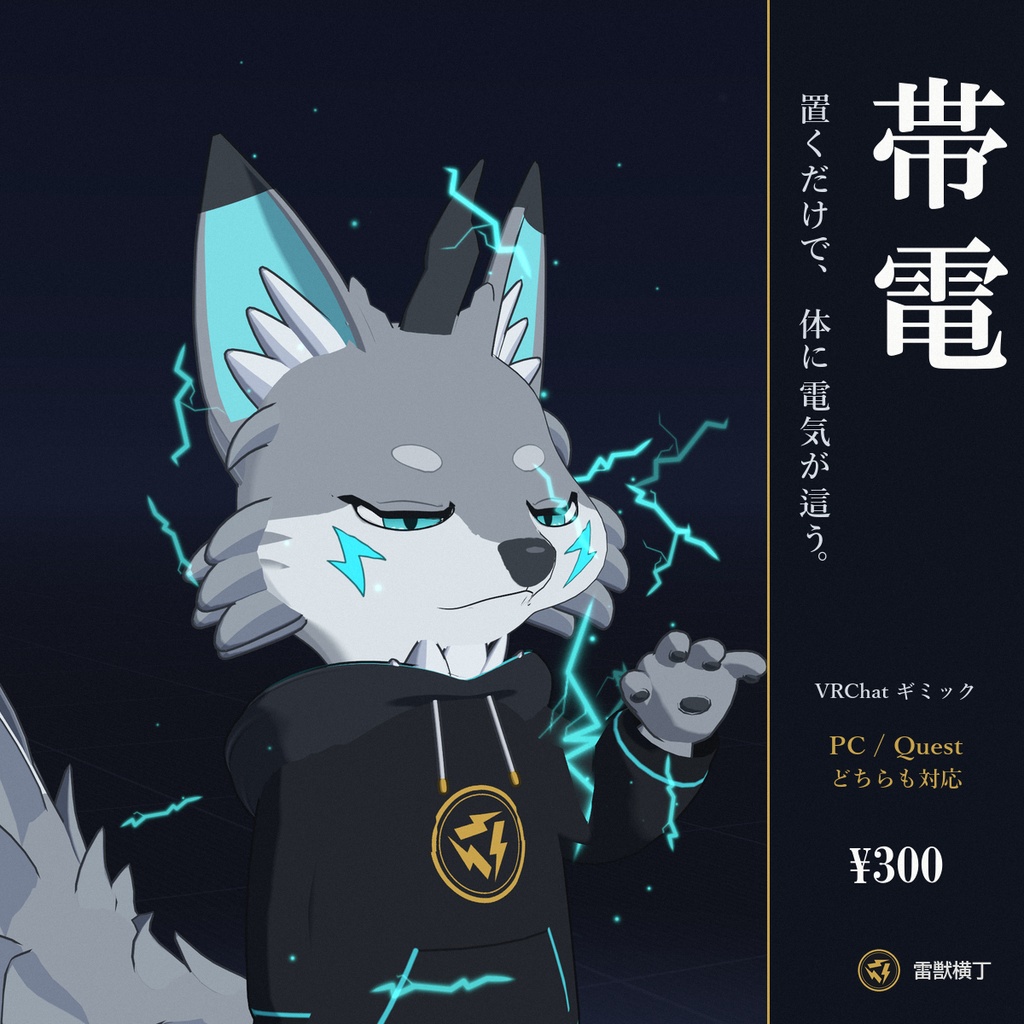
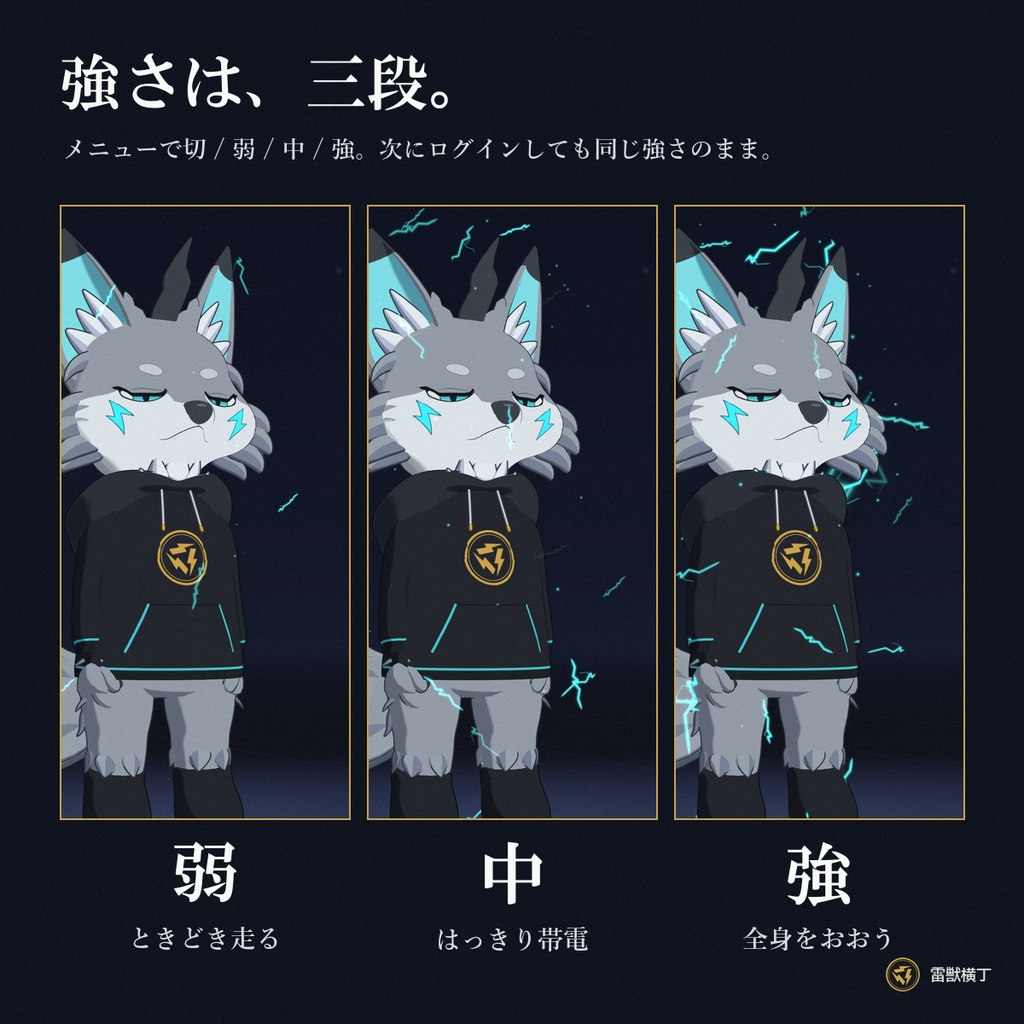
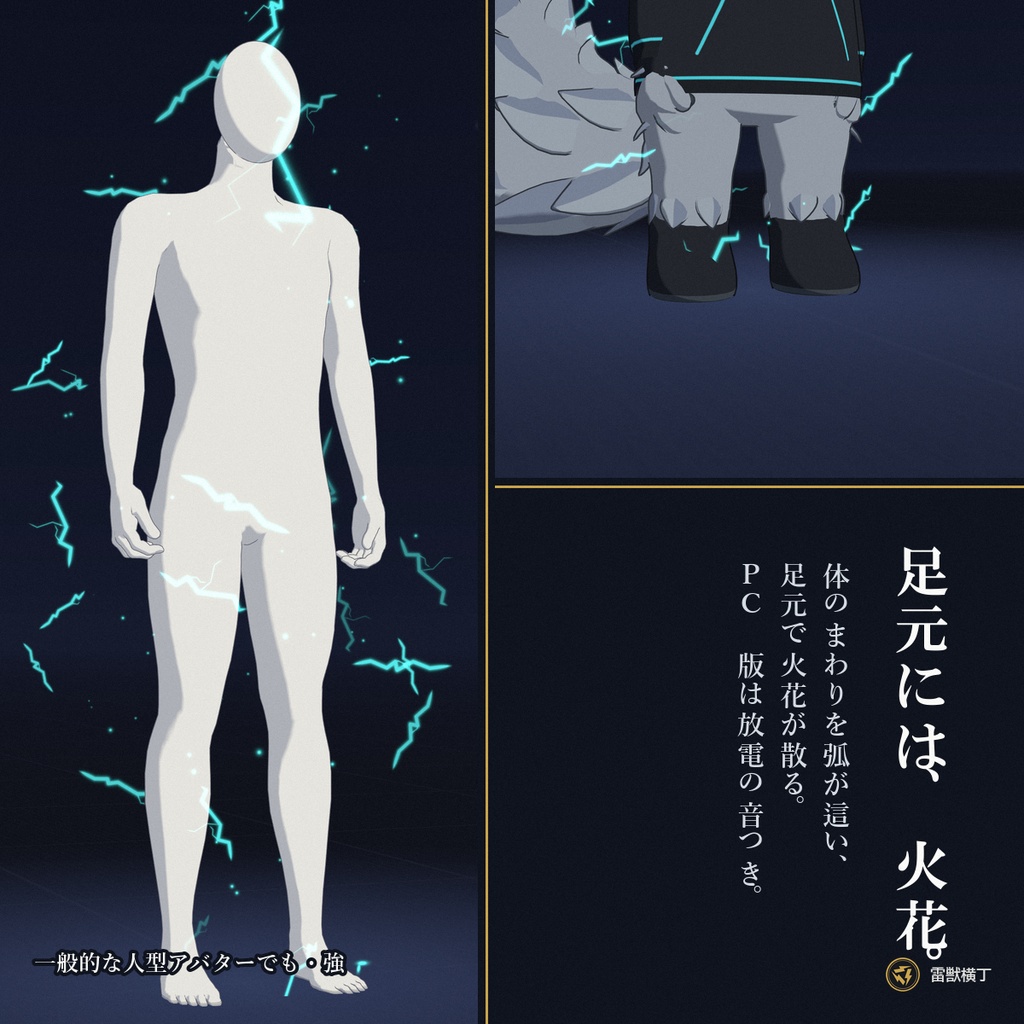
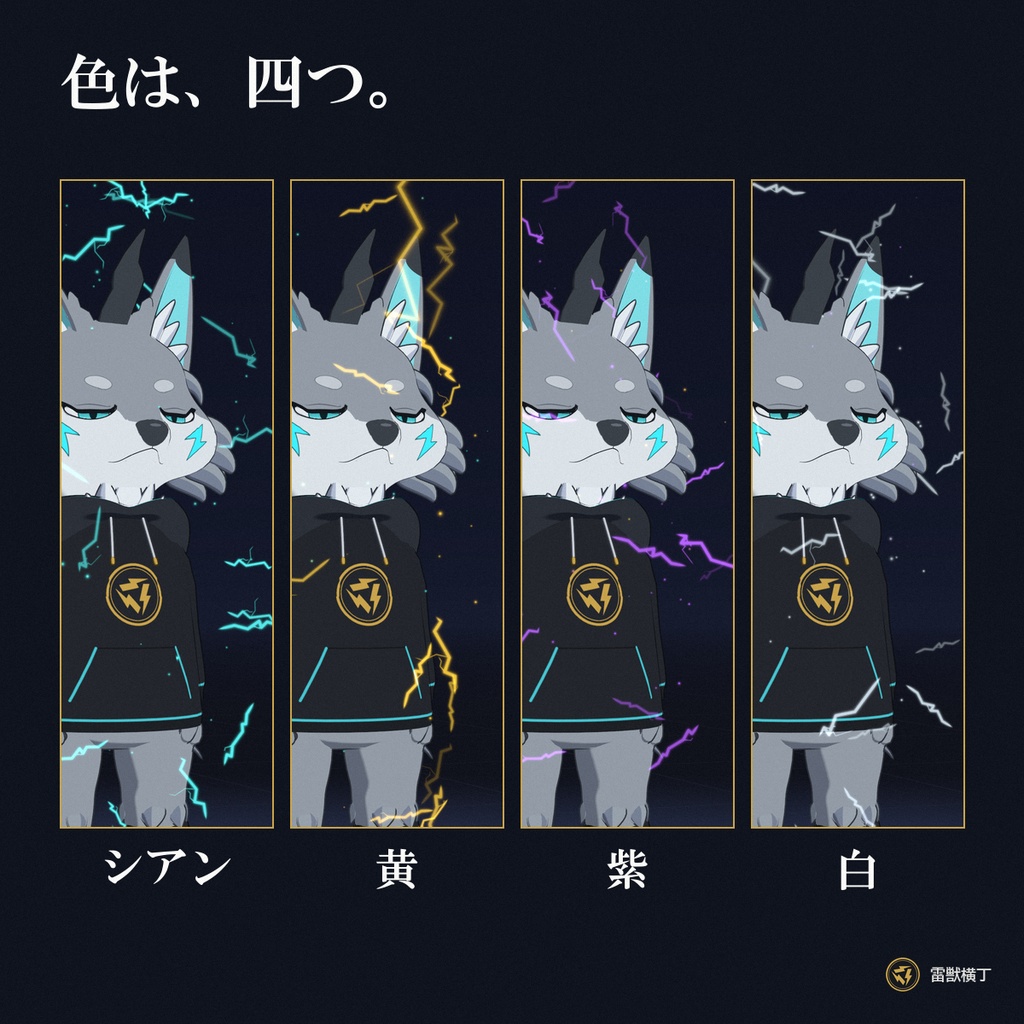
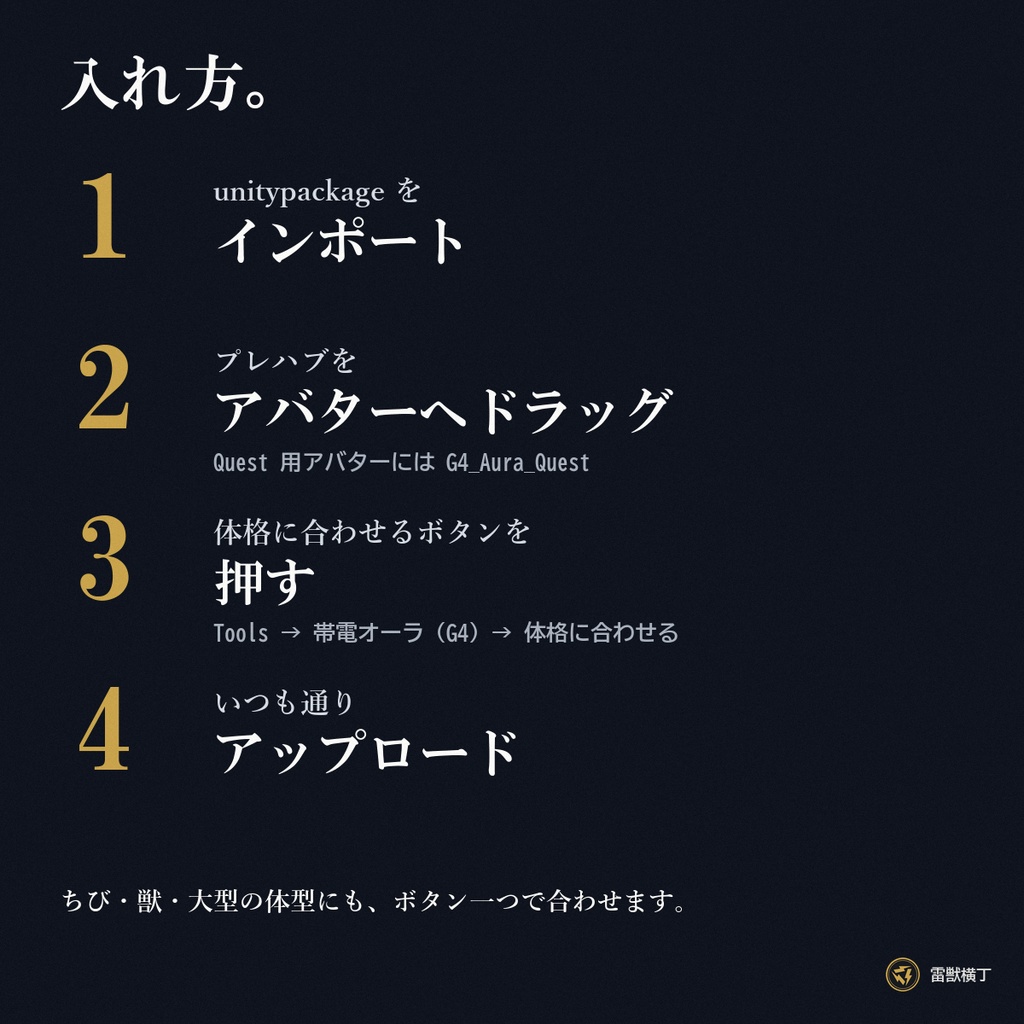
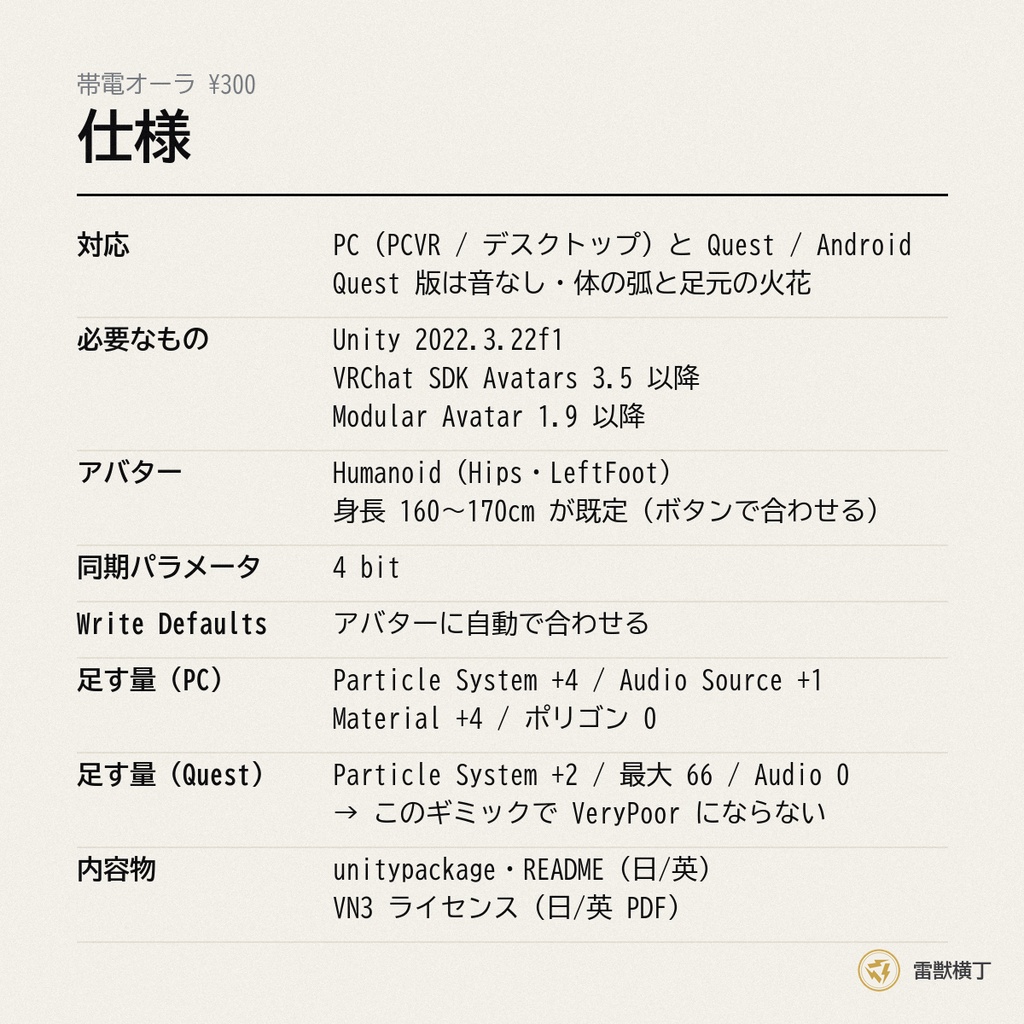
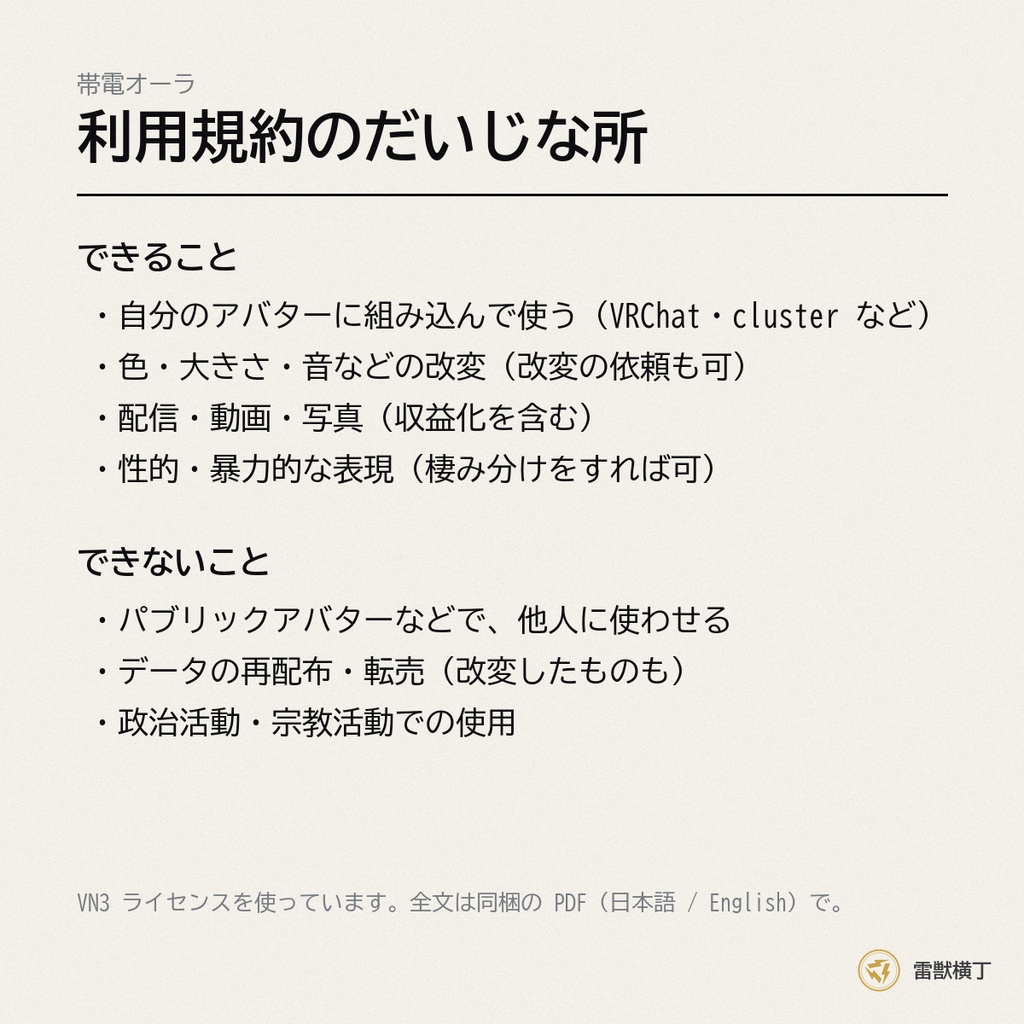


置くだけで、体が帯電。 体のまわりを細い電気の弧がときどき這い、足元に小さな火花が散ります。 強さ3段 × 色4色。Quest 版も入っています。 Modular Avatar で、アバターに置くだけ。 ▼動いている様子(アバター「雷獣ぱちる」の紹介動画。帯電オーラは 17 秒あたりから) https://youtu.be/fIQkCcnBf9w?t=17 ━━━━━━━━━━━━━━━━━━━━ 【できること】 ・体のまわりを電気の弧が這い、足元に火花 ・強さ3段:弱(ときどき弧が走る。常用向け)/ 中(はっきり帯電)/ 強(全身を弧が覆い、ときどき大きな弧が滑り落ちる) ・色は4色:シアン / 黄 / 紫 / 白 ・強さと色は保存されます(次のログインでも同じ) ・PC 版は放電音つき(強さごとに別の音) ━━━━━━━━━━━━━━━━━━━━ 【使い方】 ・Expression メニュー →「帯電オーラ」→ 切 / 弱 / 中 / 強、色 ・初期状態は「切」です(入れただけでは何も出ません) ━━━━━━━━━━━━━━━━━━━━ 【導入方法】(約1分) 1. unitypackage をインポート 2. Prefabs の「G4_Aura_PC」(Quest 用アバターには「G4_Aura_Quest」)を、アバターのいちばん上(VRC Avatar Descriptor が付いている所)へドラッグ&ドロップ 3. メニューの[Tools]→[帯電オーラ (G4)]→[選んだオーラを体格に合わせる]を押す(身長と腰の高さを測って大きさを自動で合わせます) 4. そのままアップロード 骨の指定・メニューの編集・パラメータの登録は要りません。 ━━━━━━━━━━━━━━━━━━━━ 【Quest 版について】 VRChat の既定の設定では、VeryPoor のアバターは相手に表示されません。 パーティクルを使うエフェクトは Quest では VeryPoor になりやすいのですが、この商品の Quest 版はそこを避けています。 ・Particle System 2個 / 最大パーティクル 66 / Audio Source 0 → このギミックが原因で VeryPoor になりません(Poor 止まり) ・その代わり Quest 版には効果音がありません(Android は音源1個でも VeryPoor になるため) ・Quest 版は「体の弧」と「足元の火花」の2つ。舞い上がる粒と大きな弧は PC 版だけです ※アバター本体がすでに VeryPoor の場合は、入れても外しても VeryPoor のままです ━━━━━━━━━━━━━━━━━━━━ 【仕様】 ・同期パラメータ:4 bit(「切/弱/中/強」×「4色」をこれ以上減らせない最小の bit で) ・Write Defaults:アバターに自動で合わせます ・音量(PC 版):常に鳴る音なので、強 −30/中 −33/弱 −36 LUFS と、シリーズの単発の音(約 −19 LUFS)より小さくしています(変え方は README。Play Audio の Volume で決まります) ・既定値:身長160〜170cmの一般的な人型アバター向け(体格に合わせるボタンで、ちび・獣系・大型にも合わせられます) ・このギミックが足す量(PC):Particle System +4(Good)/ 最大パーティクル 約140 / Audio Source +1(Excellent)/ Material +4 / ポリゴン 0 ・このギミックが足す量(Quest):Particle System +2 / 最大パーティクル 66 / Audio Source 0 / Material +2 ━━━━━━━━━━━━━━━━━━━━ 【対応環境】 ・PC(PCVR / デスクトップ)と Quest / Android ・必要なもの:Unity 2022.3.22f1 / VRChat SDK Avatars 3.5 以降 / Modular Avatar 1.9 以降 ・Humanoid のアバター(Hips と LeftFoot の骨を使います) ━━━━━━━━━━━━━━━━━━━━ 【内容物】 ・G4_Aura_v1.0.4.unitypackage(PC 用プレハブ、Quest 用プレハブ、体格に合わせるエディタ拡張、アニメーター、マテリアル、テクスチャ、効果音3本) ・README(日本語 / English) ・利用規約(VN3ライセンス 日本語 / English PDF) ━━━━━━━━━━━━━━━━━━━━ 【同時発売:アバター「雷獣ぱちる」と、ほかの雷ギミック】 写真のモデルは、同じ日に発売したオリジナルアバター「雷獣ぱちる」です。 ・雷獣ぱちる 通常版 ¥2,500/ギミック4種付き版 ¥3,500 付き版は、この帯電オーラを含む4種をぱちるに組み込み済み。単品で揃えるより ¥1,000 お得です。 https://raiju-yokocho.booth.pm/items/8932769 ・ほかの雷ギミック: バチッとタッチ ¥100 https://raiju-yokocho.booth.pm/items/8935254/雷鼓(らいこ)¥800 https://raiju-yokocho.booth.pm/items/8935288/雷撃スキル ¥800 https://raiju-yokocho.booth.pm/items/8935299 ※ぱちるに入れるときは、メニューの[Tools]→[帯電オーラ (G4)]→[選んだオーラを体格に合わせる]を押してください。 ━━━━━━━━━━━━━━━━━━━━ 【利用規約】 VN3ライセンスを採用しています。購入前に同梱の PDF をご確認ください。 要点:ご自身のアバターへの組み込み・改変・アップロードは自由/パブリックアバターなどで他人に使わせること、データの再配布・転売は禁止。 ━━━━━━━━━━━━━━━━━━━━ 【制作について】 ・エフェクト・テクスチャ・効果音・Unity の設定は、AI(Claude)が書いたスクリプトで作り、作者が確認して仕上げています。 ・素材サイトの素材や、画像生成 AI・音声生成 AI で作った画像・音は含みません。 ━━━━━━━━━━━━━━━━━━━━ 【更新履歴】 2026/10/04 v1.0.4 公開(シリーズ4作で音量をそろえた版です) ━━━━━━━━━━━━━━━━━━━━ 【お問い合わせ】 BOOTH のメッセージ、または X(@jypw8q)まで。 ━━━━━━━━━━━━━━━━━━━━ ━━━━━━━━━━━━━━━━━━━━ [English] CHARGED AURA – Crawling electricity for VRChat Thin arcs of electricity crawl over your body and small sparks flicker at your feet. 3 strengths x 4 colors. Quest version included. Just drop it onto your avatar with Modular Avatar. Price: ¥300 [Features] - Arcs crawling around the body, sparks at your feet - Strength: low (occasional arcs, everyday use) / mid (clearly charged) / high (covered in arcs, big arcs sliding down) - 4 colors: cyan / yellow / violet / white (saved between sessions) - PC version has a looping electric hum (different per strength) [Setup – about 1 minute] 1. Import the unitypackage 2. Drag "G4_Aura_PC" (or "G4_Aura_Quest" for Quest avatars) onto your avatar root 3. Menu: Tools > 帯電オーラ (G4) > Fit aura to avatar (measures height and hip height automatically) 4. Upload [Quest version] By default VRChat hides VeryPoor avatars. This Quest version is designed not to push your avatar to VeryPoor: 2 particle systems / max 66 particles / 0 audio sources → Poor at worst (from this gimmick). It therefore has no sound, and only the body arcs and foot sparks. If your avatar is already VeryPoor, it stays VeryPoor. [Platform] - PC (PCVR / Desktop) and Quest / Android - Requires Unity 2022.3.22f1 / VRChat SDK Avatars 3.5+ / Modular Avatar 1.9+ / a Humanoid avatar [Also out: avatar "Raiju Pachiru" and more lightning gimmicks] The model in the photos is our original avatar "Raiju Pachiru", released the same day. Standard ¥2,500 / Gimmick Edition ¥3,500 (all 4 gimmicks pre-fitted to Pachiru, ¥1,000 less than buying separately). https://raiju-yokocho.booth.pm/items/8932769 Other gimmicks: BATCHI TOUCH ¥100 https://raiju-yokocho.booth.pm/items/8935254 / RAIKO ¥800 https://raiju-yokocho.booth.pm/items/8935288 / RAIGEKI ¥800 https://raiju-yokocho.booth.pm/items/8935299 For Pachiru, press Tools > 帯電オーラ (G4) > Fit aura to avatar. [Terms] VN3 License. Use and modify freely on your own avatars. Letting others use it (e.g. public avatars), redistribution and resale of the data are prohibited. [Credits / AI use] AI-assisted. Effects, textures, sounds and Unity setup were built with scripts written by an AI coding assistant (Claude), directed and checked by the creator. No third-party assets and no AI-generated images or audio. [More] Specs, contents and update history: see the Japanese text above and the English README in the download.