

VRChat用 水面シェーダー集|昼・夕暮れ・月夜と雨【PCワールド向け】 | Water & Sky Shaders
- Digital1,980 JPY
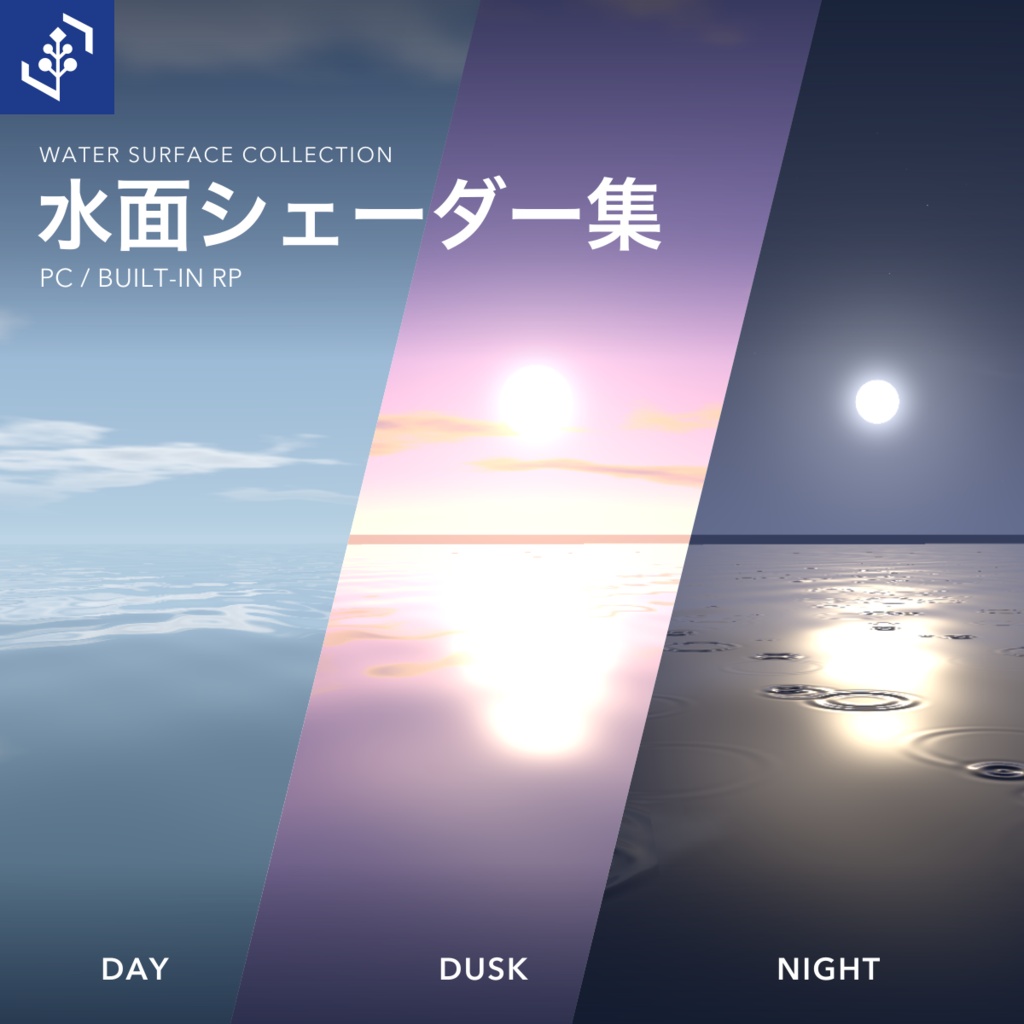
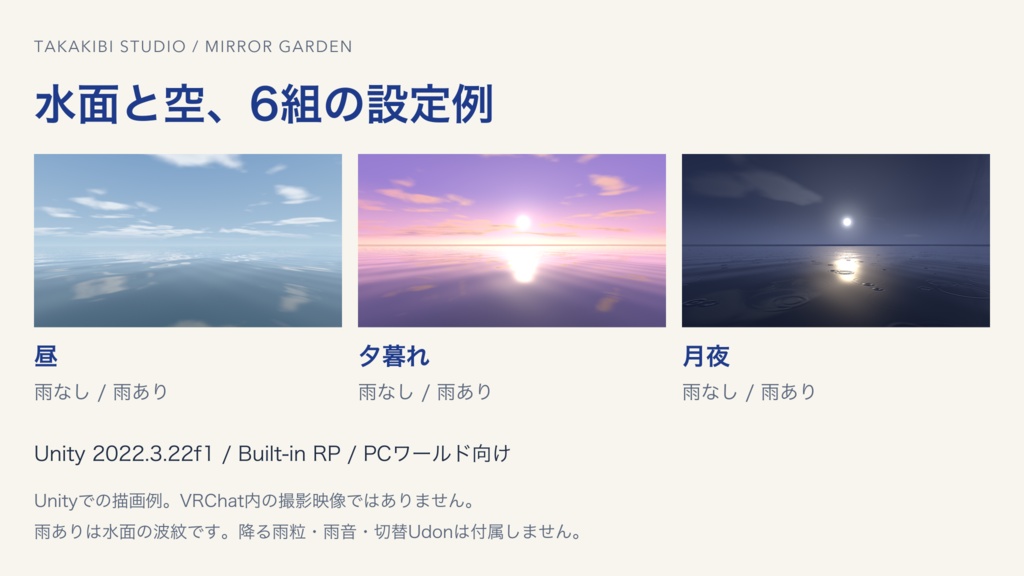
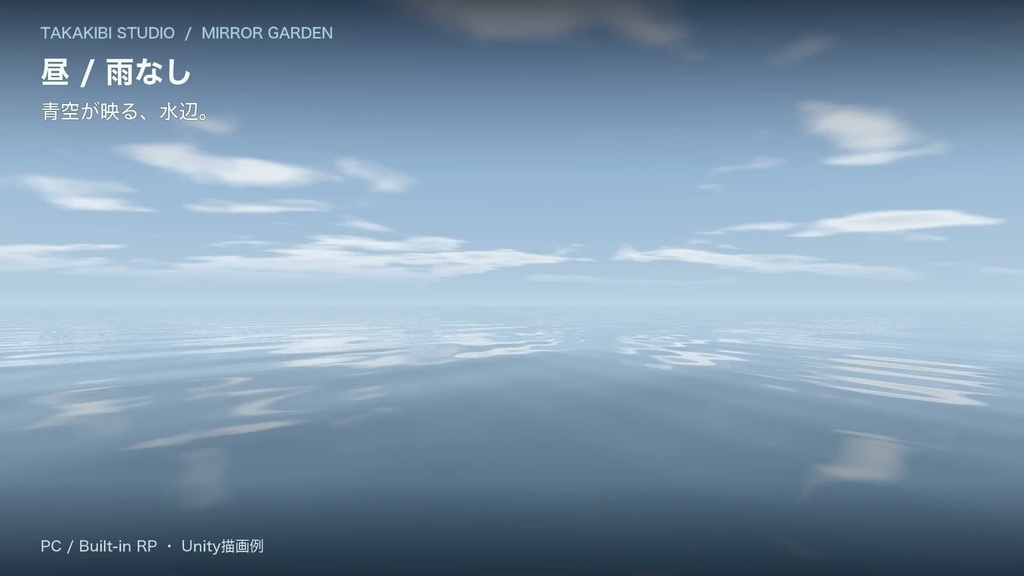
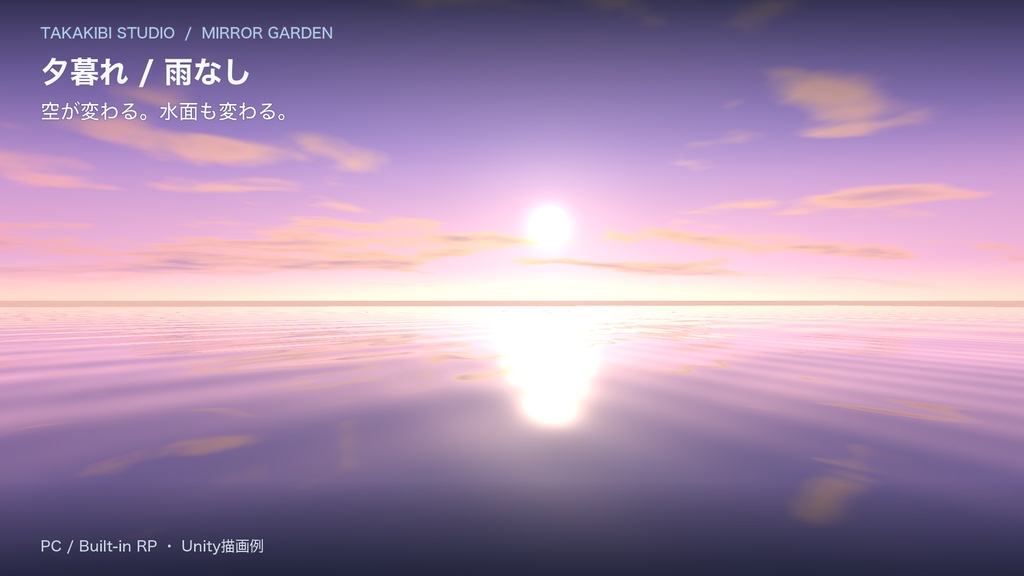
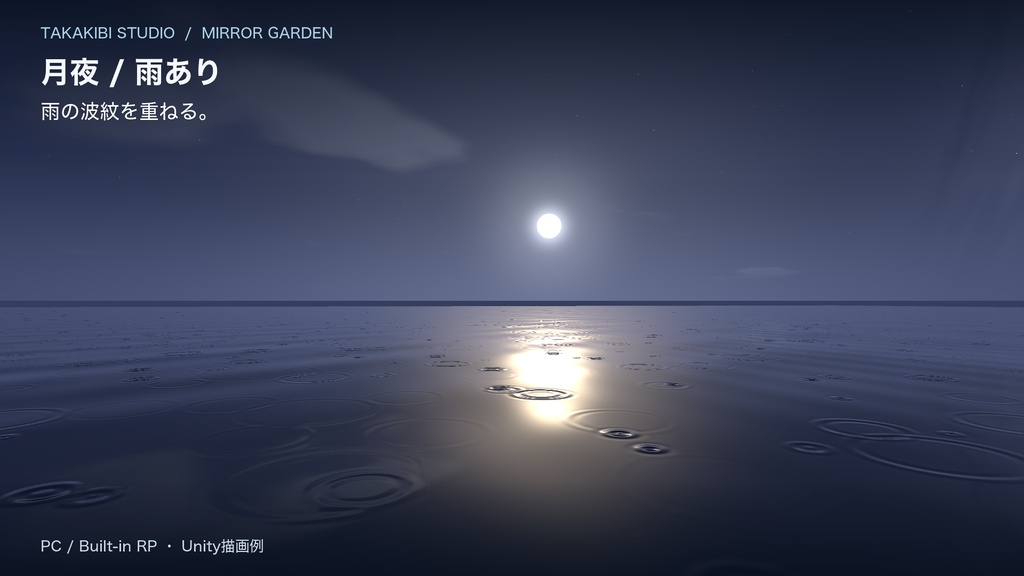


昼・夕暮れ・月夜に雨なし/ありを組み合わせた水面・空マテリアル6組を収録。水辺のVRChatワールドを作る人に向けたUnity Built-in RP用のシェーダー素材集です。 購入前にPC版VRChatの無料サンプルワールドで6状態を試せます。ワールドのリンクは下の「VRChatサンプルワールド」、入り方は「入場手順」をご覧ください。 https://vrchat.com/home/world/wrld_ae5f9a1a-2d6c-4444-965d-d7078f577ce4/info 鏡のような水面、雨の波紋、昼の青空、夕暮れ、月と星が浮かぶ夜空。色、透け具合、波の強さ、雨の波紋、雲や月を調整できます。紹介動画は雨の月夜から始まり、昼と夕暮れの違いも見られます。 表示画像・紹介動画はUnityの描画例です。VRChat内の撮影映像ではありません。 紹介動画(約34秒) https://www.youtube.com/watch?v=322HVhL5CEY
VRChatサンプルワールド
PC版・無料で見学 https://vrchat.com/home/world/wrld_ae5f9a1a-2d6c-4444-965d-d7078f577ce4/info リスポーン地点の左側のパネルで、昼・夕暮れ・夜と雨なし/ありの6状態を切り替えられます。切り替えは操作した人だけに反映されます。環境音あり。 ワールドは直接リンクで案内しているため、VRChat内の検索には表示されません。
入場手順
1. Windows版VRChatを起動してください。 2. VRChatにログインしたブラウザから、上のサンプルワールドのリンクを開いてください。 3. Launch横の設定でInviteとJPを選び、Create Instanceで部屋を作成します。 4. 開いたページのInvite Meを押してください。 5. VRChat内の通知からJoinしてください。
同梱するもの
・シェーダー18本 ・昼・夕暮れ・月夜×雨なし/ありの水面・空マテリアル6組 ・昼の空ドーム用マテリアル2点 ・各エフェクトの見本マテリアル ・配置例のPrefab、固定月夜の見本シーン ・導入手順、利用規約 水底の光の揺らぎ、水の球、滝、水のカーテン、月の門、泡、波紋なども組み合わせて使えます。
導入手順
1. VRChat用プロジェクトにunitypackageをインポートします。 2. 見本シーンを開くか、見本マテリアルをオブジェクトに割り当てて使います。 3. 昼はDaytime/Presetsの水面と空を対にして設定してください。
動作環境・確認状況
対象環境 Unity 2022.3.22f1 / Built-in RP / Windows PCワールド URP・HDRP・Android・Quest単体・iOSは対象外です。
購入前の注意点
水面の反射 水面の反射には空の描画と見本形状の反転表示を使っています。アバターや任意の配置物を映すリアルタイム反射には対応していません。 雨の表現 雨ありマテリアルは水面の波紋を加える設定例です。降る雨粒や雨音、昼夜・雨の切替Udon、プレイヤーの歩行を検出するUdonは付属しません。 同梱しないもの 展示用ワールド全体、岩・島・水球モデル、音声、ワールド用スクリプトは含みません。サンプルワールドの6状態を切り替えるUdonも含みません。 簡易の配置例と見本形状、水球の表現に使うシェーダーは含みます。
利用条件
使用できる範囲 購入者は素材を改変し、自分のVRChatワールド、動画、ゲーム、商用作品に使用できます。クレジット表記は不要です。 禁止事項 素材ファイルの再配布、第三者への譲渡、素材そのものの再販売はできません。 共同制作・受託制作 共同制作で素材ファイルを共有する場合は各制作者が購入し、受託制作で素材ファイルを納品する場合は納品先も購入してください。 詳細は同梱のLICENSE_JA.txtを参照してください。
制作・お問い合わせ
制作にAIを利用しています。 お問い合わせフォーム https://forms.gle/1D6am64azk1L13MK7 購入前のご質問・導入のご相談・不具合のご報告は、上のフォームからお願いします。商品名・バージョン、利用環境、発生した状況をまとめてお送りいただけます。 フォームを利用できない場合は、BOOTHのショップメッセージをご利用ください。
更新履歴
2026-10-12 v0.2.0 昼の水面・空シェーダー3本と6組の時間帯・雨設定例を収録。
English
Water & Sky Shaders for VRChat PC Worlds A shader asset pack for waterside VRChat worlds using Unity's Built-in Render Pipeline. Includes six water-and-sky material pairs: daytime, dusk and moonlit night, each with and without rain ripples. Try all six settings in the free PC VRChat sample world before buying: https://vrchat.com/home/world/wrld_ae5f9a1a-2d6c-4444-965d-d7078f577ce4/info Create mirror-like water, rain ripples, blue daytime skies, dusk, and moonlit skies with stars. Adjust the water color, transparency, wave strength, rain ripples, clouds and moon. The preview video starts with a rainy moonlit setting and also shows daytime and dusk. The product images and preview video show Unity rendering examples, rather than footage recorded inside VRChat. Preview video (about 34 seconds): https://www.youtube.com/watch?v=322HVhL5CEY Sample world Free to visit in PC VRChat. The panel to the left of the respawn point switches between daytime, dusk and night, each with or without rain ripples. Changes apply only to the person using the panel. The sample world has ambient audio. It is accessible through the direct link above and does not appear in VRChat's world search. How to visit 1. Start the Windows version of VRChat. 2. Open the sample-world link in a browser signed into VRChat. 3. In the settings next to Launch, select Invite and JP, then select Create Instance. 4. On the page that opens, select Invite Me. 5. In VRChat, select Join from the invitation notification. Included - 18 shaders - Six water-and-sky material pairs: daytime / dusk / moonlit night, with and without rain ripples - Two daytime sky-dome materials - Example materials for individual effects - An example-layout prefab and a fixed moonlit example scene - Setup instructions and terms of use The pack also includes shader effects for underwater caustics, water spheres, waterfalls, water curtains, a moon gate, bubbles and ripples. Setup 1. Import the unitypackage into your VRChat world project. 2. Open the example scene or assign example materials to objects. 3. For daytime, use the matching water and sky materials in Daytime/Presets. Japanese and English setup instructions are included in the download. Requirements Unity 2022.3.22f1 / Built-in Render Pipeline / Windows PC worlds. URP, HDRP, Android, standalone Quest and iOS are outside the supported scope. Before buying Reflections: The water uses rendered sky effects and vertically mirrored example geometry. It does not provide real-time reflections of avatars or arbitrary objects placed in your world. Rain: The rain materials add ripples on the water surface. Falling raindrops, rain audio, Udon for switching time of day or rain, and Udon for detecting player footsteps are not included. Not included: The full exhibition world, its rock/island/water-sphere models, audio and world scripts. The Udon that switches the sample world between six settings is not included. A simple example layout, example geometry and the shader used for the water-sphere effect are included. Terms of use You may modify the assets and use them in your own VRChat worlds, videos, games and commercial works. Attribution is not required. Redistributing the asset files, transferring them to a third party, or reselling the assets themselves is not allowed. For collaborative projects that share the asset files, each creator must purchase the product. For commissioned work that delivers the asset files, the client must also purchase it. See the included LICENSE_JA.txt and its English translation, LICENSE_EN.txt, for the full terms. Production and support AI is used in production. Contact form: https://forms.gle/1D6am64azk1L13MK7 Use the form for questions before purchase, setup questions or bug reports. Please include the product name and version, your environment, and what happened. If you cannot use the form, contact the shop through BOOTH messages. Version history 2026-10-12 v0.2.0: Added three daytime water/sky shaders and six time-of-day/rain material pairs.