
【顔の動きで動く縦型配信背景】電車の窓から流れる街|夕方・夜|Live2Dアイテム+MP4+PNG|Train Window – Head-Tracking Vertical Background for VTube Studio
- 夕方 / SunsetDigital700 JPY
- 夜 / NightDigital700 JPY
- 2種セット / BothDigital1,100 JPY
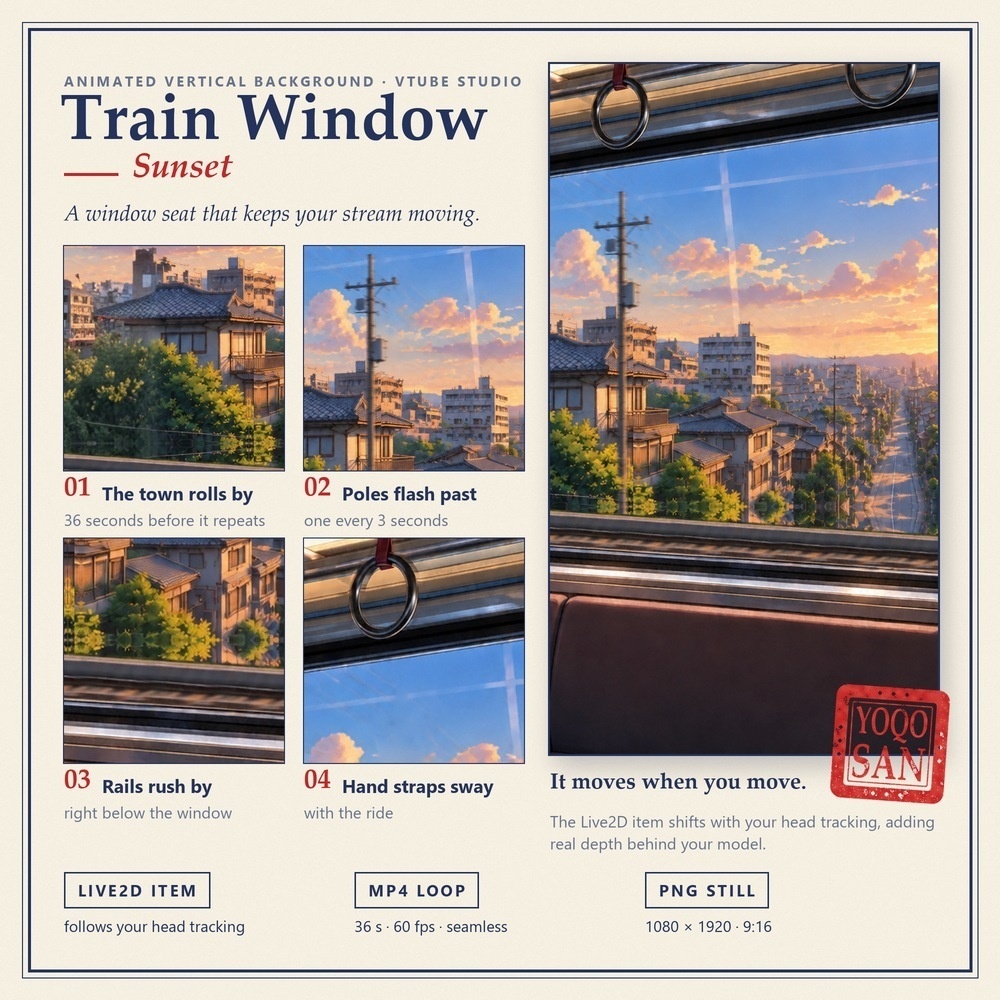
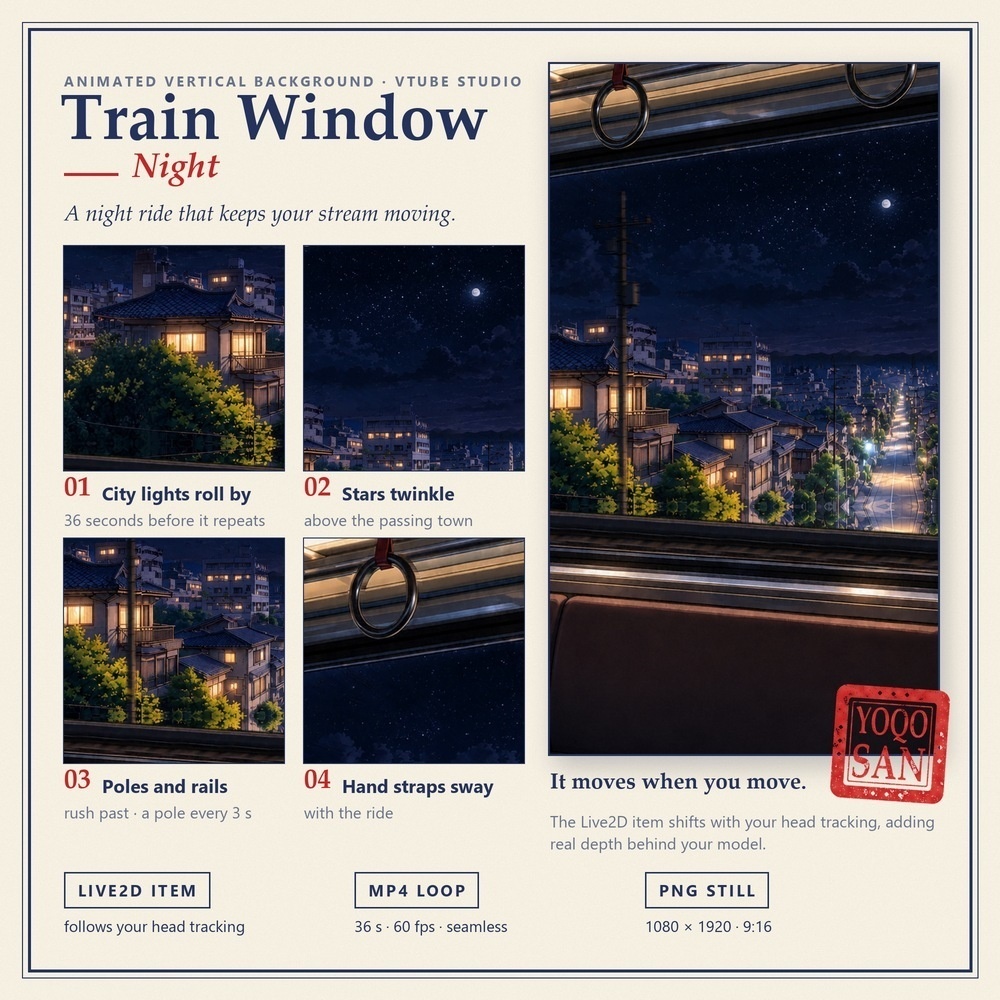
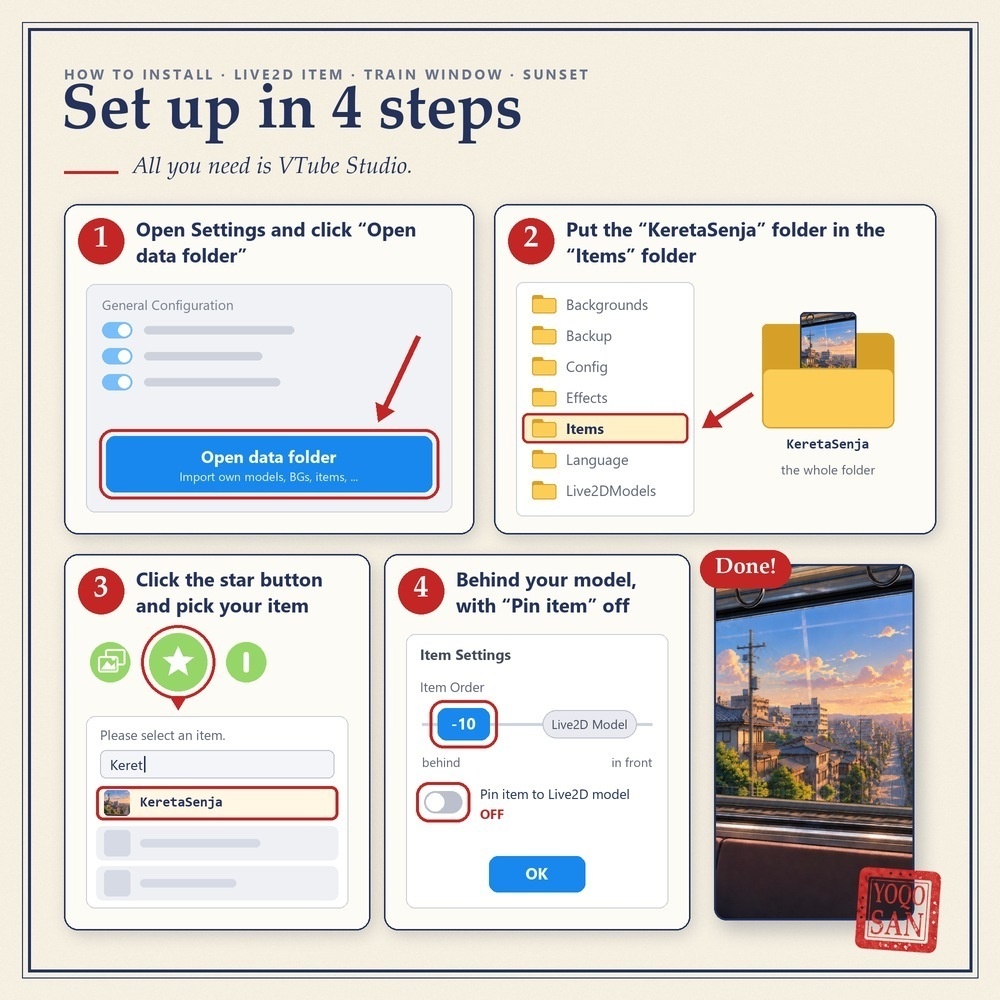


顔を動かすと、電車の窓の景色も動きます。 VTube Studioのトラッキングに合わせて車内と窓の外がスライドするので、モデルのうしろに奥行きが生まれます。 ■ この背景でできること ・顔を左右・上下に動かすと、景色が最大で画面幅の約8%スライドします(フレームの位置はそのまま) ・窓の外では街がずっと流れています。36秒でひとまわりするアニメーションつき ・夕方・夜の2種類。配信の時間帯や雰囲気に合わせて切り替えられます ・アイテムを使わない日は、同梱のMP4/PNGを「背景を変更」でそのまま使えます ■ 動くもの 【夕方】流れる街並み/3秒に1本通りすぎる電柱/窓のすぐ下を流れる線路/ゆれるつり革 【夜】流れる街の明かり/またたく星/3秒に1本通りすぎる電柱/窓のすぐ下を流れる線路/ゆれるつり革 ■ セット内容(1種類につき) ・Live2Dアイテム:VTube Studio用/縦型(9:16)/テクスチャ2048×2048・1枚/36秒ループのアニメーションつき ・MP4動画:1080×1920(9:16)/60fps/36秒/シームレスループ ・PNG画像:1080×1920(同じ景色の静止画) ※Live2Dモデル(キャラクター)は含まれません。 ■ 使い方(Live2Dアイテム・4ステップ) 1. VTube Studioの設定で「データフォルダを開く」をクリック 2. アイテムのフォルダ(夕方:KeretaSenja/夜:KeretaMalam)を「Items」フォルダに入れる 3. メニューの★ボタンを押し、「アイテムを選択してください。」の一覧から選ぶ 4. 「アイテム設定」で「ソート順」をLive2Dモデルより後ろ(例:-10)にし、「Live2Dモデルに付ける」をオフにしてOK あとは画面に合わせて大きさと位置を調整してください。 ■ 動画だけの版(MP4+PNG・¥500)はこちら https://yoqosan.booth.pm/items/8983252 ■ ご利用について ・ご自身の配信・動画でご利用いただけます(収益化している配信もOK) ・再配布・転売・共有・譲渡は禁止です(購入者ご本人のみ使用可) 紹介動画のモデル:兎姫(ユキノア様) ―――――――――――――――――――― A train window background that moves when you move. The carriage and the view outside slide with your face tracking in VTube Studio, adding depth behind your model. ■ What you can do with it - Move your face left, right, up or down: the scene slides with you, up to about 8% of the frame width. The frame itself stays put. - The town keeps rolling past the window. A 36-second animation loop is built in. - 2 times of day. Switch between Sunset and Night to match your stream. - On days you skip the item, use the included MP4 / PNG with "Change Background". ■ What moves Sunset: the town rolling by / a pole every 3 seconds / rails rushing right below the window / swaying hand straps Night: city lights rolling by / twinkling stars / a pole every 3 seconds / rails rushing right below the window / swaying hand straps ■ What you get (per version) - Live2D item for VTube Studio: vertical (9:16) / one 2048 × 2048 texture / 36 s animation loop built in - MP4 video: 1080 × 1920 (9:16) / 60 fps / 36 s / seamless loop - PNG image: 1080 × 1920 (the same scene, without motion) * No Live2D model (character) is included. ■ Setup in 4 steps (Live2D item) 1. In VTube Studio settings, click "Open data folder". 2. Put the item folder (Sunset: KeretaSenja / Night: KeretaMalam) in the "Items" folder. 3. Click the star button in the menu and pick it from the "Please select an item." list. 4. In "Item Settings", set "Item Order" behind the Live2D model (for example -10), turn off "Pin item to Live2D model", then click OK. Then scale and move it to fill your screen. ■ Video-only version (MP4 + PNG, ¥500) https://yoqosan.booth.pm/items/8983252 ■ Terms of use - Use it in your own streams and videos, including monetized ones. - No redistribution, resale, sharing or transfer. For use by the purchaser only. Model in the demo video: Usagi-hime by Yukinoa