
PolyMusubi ― 8音ポリフォニック・シンセ VST3(Windows/無料)
- Digital0 JPY
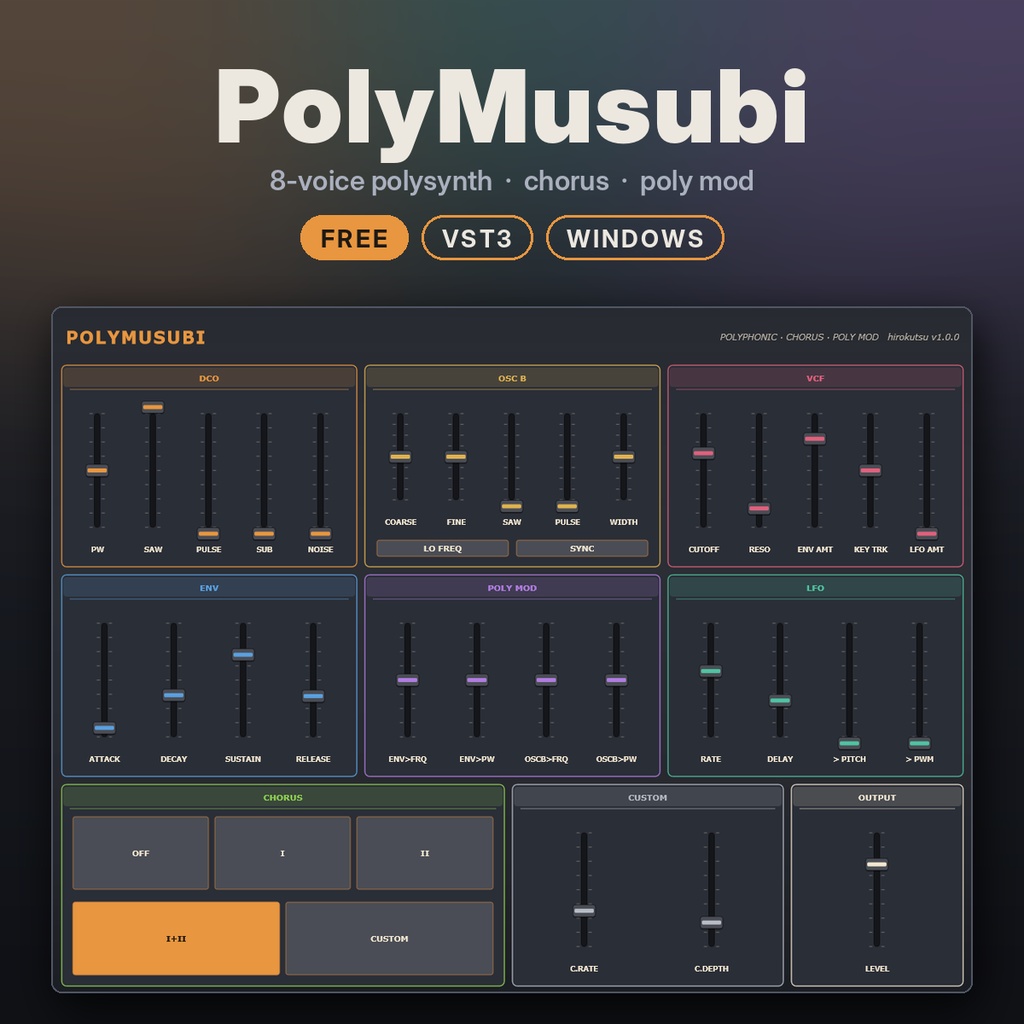
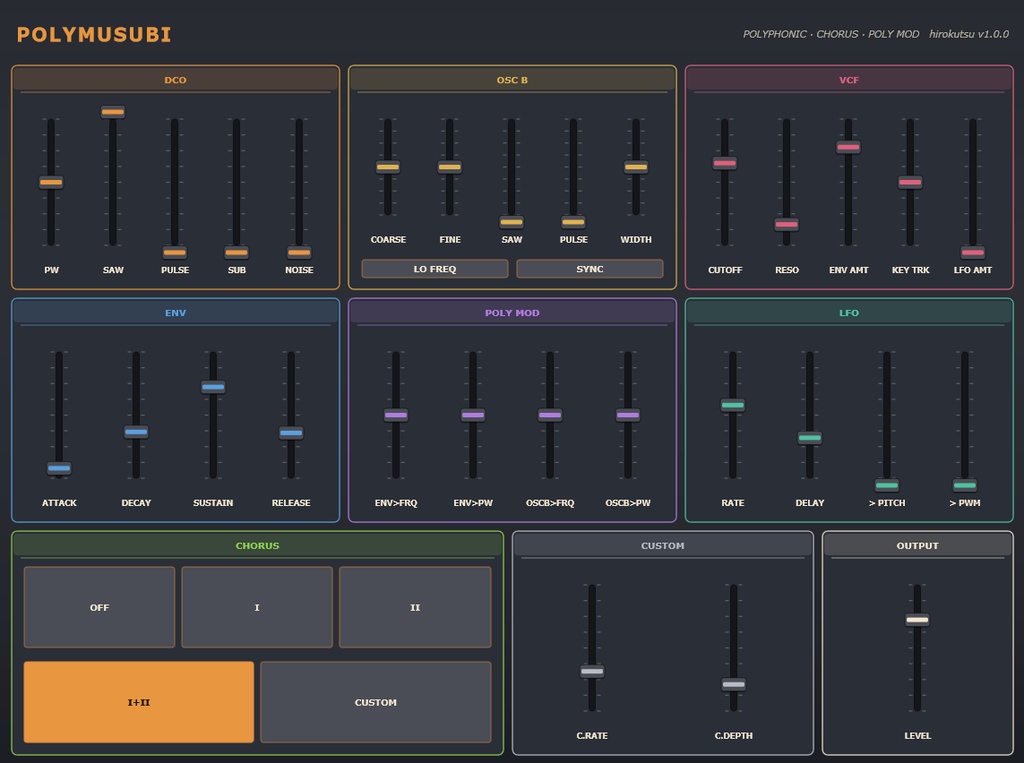


80年代のポリシンセの、コーラスでにじむように広がる温かいパッド。 そこに、2つ目のオシレーターで音を揺らす「ポリモジュレーション」を結びつけた、8音ポリフォニックのシンセです。 無料でお使いいただけます。気に入っていただけたら、BOOSTで応援していただけるとうれしいです。 ―――――――――――――――― ■ 特長 ―――――――――――――――― ・8音ポリフォニック ・DCO:ノコギリ波・パルス波(PWM)・サブオシレーター・ノイズを自由にミックス ・OSC B:2つ目のオシレーター。チューニング、低周波モード(LO FREQ)、ハードシンク(SYNC) ・POLY MOD:エンベロープとOSC Bで、メインのオシレーターの音程とパルス幅を揺らします。金属的な音や、うねるリードに ・VCF:24dB/oct のレゾナント・ローパスフィルター ・LFO:ディレイ付き。ビブラート、PWM、フィルターに ・CHORUS:OFF / I / II / I+II に加えて、速さと深さを自由に決められる CUSTOM ・すべてのつまみはDAWからオートメーション可能 ―――――――――――――――― ■ 動作環境 ―――――――――――――――― ・Windows 10/11(64bit) ・VST3対応のDAW(Ableton Live、Reason で動作確認。ReasonでVST3を使うには 12.5 以降が必要です) ・Macには対応していません ―――――――――――――――― ■ 内容 ―――――――――――――――― ・PolyMusubi.vst3 … プラグイン本体 ・PolyMusubi.exe … DAWなしで鳴らせる単体版 ・INSTALL_ja.txt … インストール方法と使い方 ・README_en.txt … 英語版 ―――――――――――――――― ■ インストール ―――――――――――――――― 1. zipを展開します 2. PolyMusubi.vst3 を C:\Program Files\Common Files\VST3\ にコピーします 3. DAWでプラグインを再スキャンし、「hirokutsu」→「PolyMusubi」を読み込みます ―――――――――――――――― ■ ご利用について ―――――――――――――――― ・個人・商用を問わず、作品づくりに自由にお使いいただけます ・このプラグインで作った音や曲の権利は、作ったあなたのものです ・プラグイン自体の再配布・販売はご遠慮ください ・ご使用は自己責任でお願いします 不具合やご感想は、ショップのメッセージからお気軽にどうぞ。 ※ このプラグインは、hirokutsu が AIアシスタント(Anthropic社の Claude)の協力を得て開発しました。 hirokutsu VST is a registered trademark of Steinberg Media Technologies GmbH. ―――――――――――――――― ■ English ―――――――――――――――― PolyMusubi is an 8-voice polysynth: the warm, chorus-soaked pads of an 80s polysynth, tied together with poly modulation from a second oscillator. Free to use. If you enjoy it, a BOOST tip is warmly appreciated. FEATURES ・8-voice polyphony ・DCO: mix saw, pulse (PWM), sub-oscillator and noise freely ・OSC B: second oscillator with its own tuning, LO FREQ mode and hard SYNC ・POLY MOD: the envelope and OSC B modulate the main oscillator's pitch and pulse width, for metallic tones and moving leads ・VCF: 24 dB/oct resonant lowpass ・LFO with delay, to vibrato, PWM and filter ・CHORUS: OFF / I / II / I+II, plus a CUSTOM mode with free rate and depth ・Every control can be automated from your DAW REQUIREMENTS ・Windows 10/11 (64-bit) ・A VST3 host (tested with Ableton Live and Reason; Reason needs 12.5+ for VST3) ・macOS is not supported INSTALL Copy PolyMusubi.vst3 to C:\Program Files\Common Files\VST3\ and rescan plugins in your DAW. TERMS ・Free for personal and commercial music production ・Everything you make with it is yours ・Please do not redistribute or sell the plugin itself ・Use at your own risk Developed by hirokutsu in collaboration with the AI assistant Claude (Anthropic). hirokutsu