
LATTICE / LATTICE FX ―Additive & Spectral Synth―
- Digital0 JPY
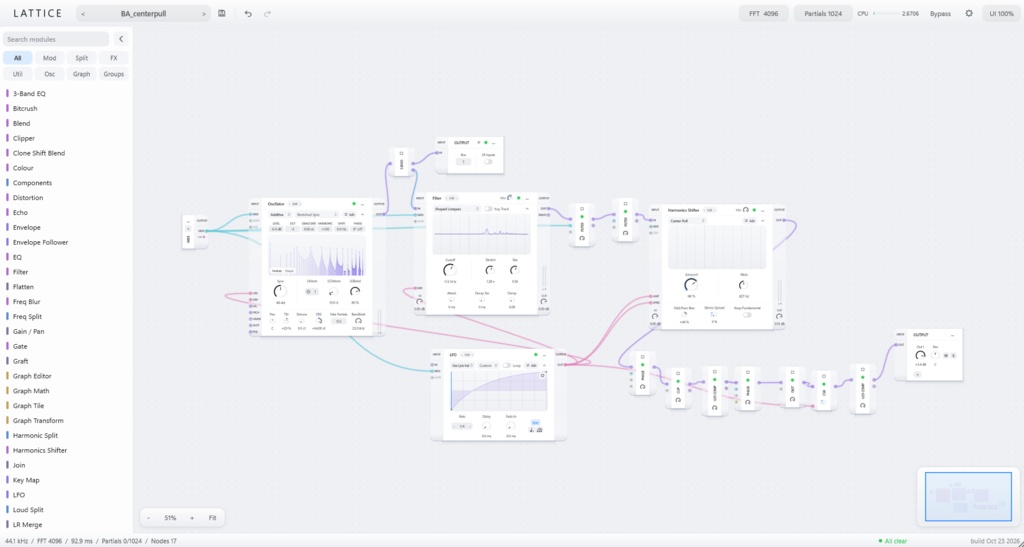
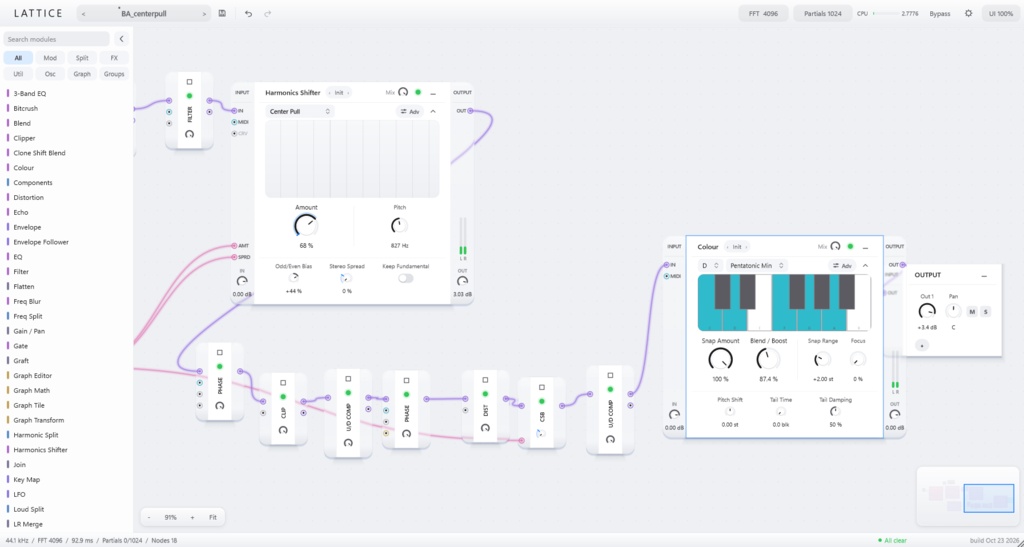
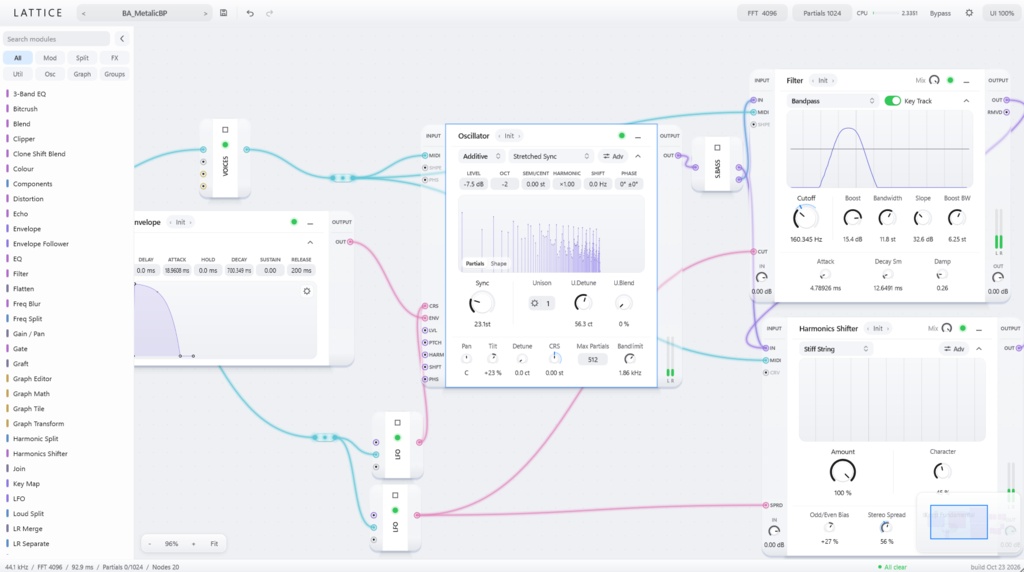
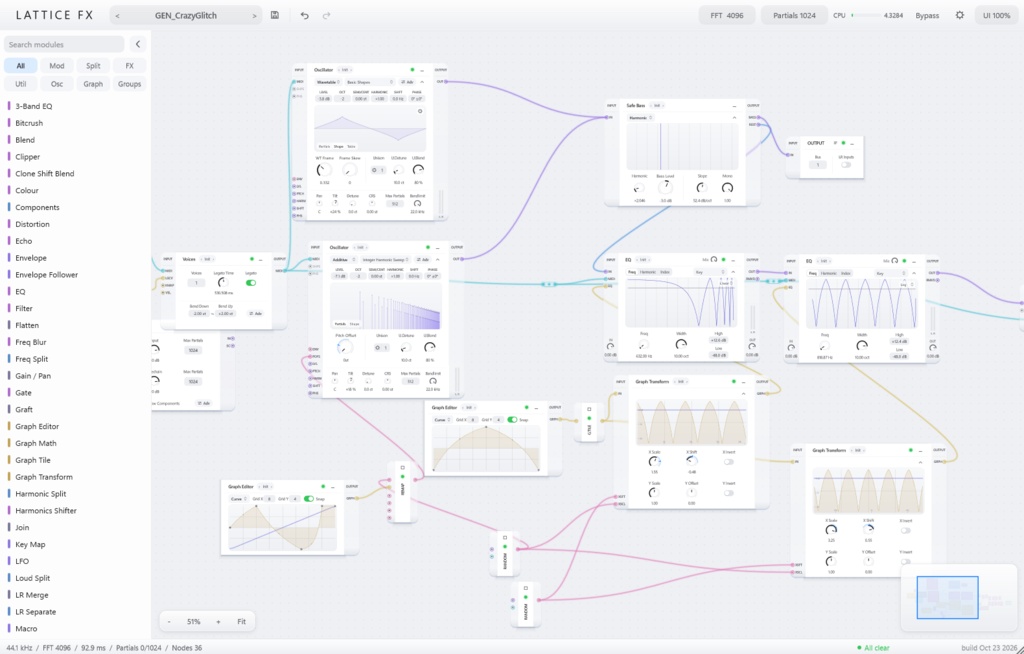
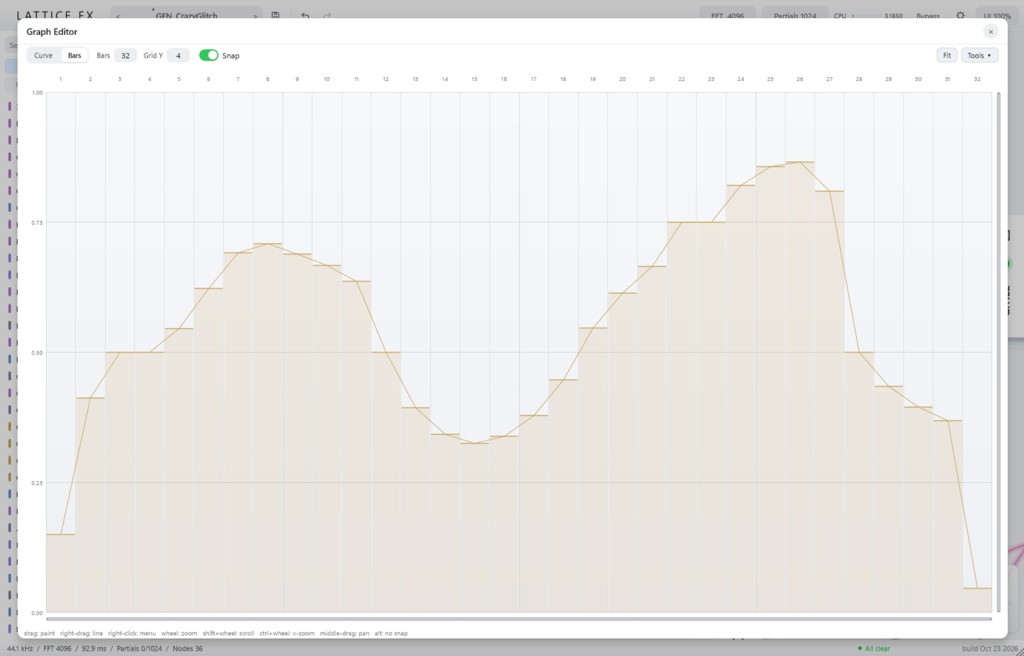


LATTICE / LATTICE FX <↓ English below ↓> ■はじめに---β版の不具合報告について 不具合を見つけた場合は、BOOTHの「ショップへのお問い合わせ」から、使用環境(OS・DAW・本製品のバージョン)、不具合の内容、再現手順をお知らせください。 不具合の確認・修正に役立つ報告をいただいた方には、お礼として製品版の公開後に、BOOTHのギフト機能で製品版を無償提供します。対象の方には、このメッセージ上で個別にご案内します。 【音をパーシャル / スペクトルのまま組み立てる、加算合成ノードグラフ・シンセサイザー/FX】 LATTICEは、周波数・振幅・位相を持つサイン波「パーシャル」を単位に音を組み立てる、加算合成エンジンを搭載したノードグラフ式シンセサイザーです。LATTICE FXは同じエンジンを、ステレオ入力とサイドチェインを備えたエフェクトとして使えます。どちらもWindows向けのVST3プラグインです。 【音の情報を、最後までパーシャル / スペクトルで運ぶ】 ノードグラフ内では、音はパーシャルと、パーシャルにならなかった成分の「スペクトルビン」として流れます。モジュールはこの状態のまま音を加工するため、エフェクトを重ねてもほとんど劣化せず、クリアで鋭い加算合成音を保てます。 【定番FXもスペクトルFXも、パーシャル / スペクトルのまま】 フィルター、ディレイ、リバーブ、コンプレッサー、EQ、ディストーションといった基本FXを収録。どれもパーシャル / スペクトルの状態で音を加工します。倍音配列を引き伸ばしてからFMをかけるような、一般的な加算合成シンセサイザーでは難しかった変態的なルーティングも自由自在です。 【ノードグラフの自由度と、迷わないUI】 ノードグラフは自由度が高い反面、とっつきにくいものです。LATTICEは、大きなつまみを動かすだけで音が変わり、その変化が画面ですぐに見えるように設計しています。機能を細かく分けすぎず、モジュールごとに役割をまとめることで、複雑さを抑えています。 【ウェーブテーブル解析とResynthesize】 手持ちのウェーブテーブルを解析し、LATTICEのオシレーターで鳴らせます。出力はパーシャルです。加算合成ならではのFXをそのままかけられます。変態的なエフェクトを掛けた音をResynthesizeすれば、自分だけのウェーブテーブル作りにも使えます。 【Graph Editorで、曲線がそのまま音になる】 Graph Editorで描いた曲線は、EQに渡せばそのままEQカーブに、オシレーターに渡せば波形になります。Graph Tile / Transform / Mathで形を変えられ、音作りの幅が広がります。 【スペクトル系FXも一通り】 Vocoder(ボコーダー)、Colour(入力音を指定の音階にスナップ)、Phase Shifter(Disperser 3種類など)、Harmonics Shifter(harmonic stretchなど倍音配列を直接操作)、Freq Blur(パーシャルを周波数方向に滲ませる)などを収録。基本FXだけでは出せない音の動きも作れます。 【LATTICEとLATTICE FX】 LATTICEはMIDIノートで発音するインストゥルメント。LATTICE FXはステレオ入力とサイドチェインを持つエフェクトです。どちらも最大8つのステレオ出力バスを備えます。 ■ LATTICE ・種類: インストゥルメント ・音の入力: MIDIノート ・MIDI入力: あり ・出力バス: 最大8(ステレオ) ■ LATTICE FX ・種類: エフェクト ・音の入力: ステレオ入力 + サイドチェイン ・MIDI入力: あり(オシレーターの変調に使用可) ・出力バス: 最大8(ステレオ) 【商品情報】 ・製品名: LATTICE / LATTICE FX ・開発: Ohajiki ・フォーマット: **VST3(64-bit)のみ** ・対応OS: Windows 10 / 11(64-bit) ・対応ホスト: VST3対応DAW(Windows 64-bit) ・バージョン: 0.1.0(β) ・FFTサイズ: 1024 / 2048 / 4096 / 8192 ・プリセット: 全体プリセット / モジュールプリセット ・取り込み: WAV / AIFF / FLAC(ウェーブテーブル/音声) ・書き出し: WAV(Resynthesize) 本製品はβ版です。仕様は予告なく変更される場合があります。8出力バスとサイドチェインは、ホスト側で有効にしてください。 製品版で追加修正予定の機能は以下です。 - パーシャル / スペクトルを由来のmidiノートごとに束として持たせる。 - グラフにwarp, 周波数変調を掛けるGraph Warpモジュール追加。 - Samplerを追加。オーディオを解析し、パーシャルとして出力。 - ほかGUI描画、DSPコードの最適化。 <English> # LATTICE / LATTICE FX Build sound in the spectral domain. An additive node-graph synthesizer and FX plugin. LATTICE is an additive node-graph synthesizer that builds sound from sine-wave partials, each with its own frequency, amplitude and phase. LATTICE FX uses the same engine as an effect, with stereo input and a sidechain. Both are VST3 plugins for Windows. ## Every detail stays in partials and spectral bins Inside the node graph, audio travels as partials, with the remaining components carried as spectral bins. Modules process audio in this state, so stacking multiple effects causes very little degradation and preserves the clear, sharp character of additive synthesis. ## Classic FX and spectral FX, all in partials LATTICE includes the bread-and-butter effects—filter, delay, reverb, compressor, EQ and distortion—along with Vocoder, Colour, Phase Shifter, Sideband, Harmonics Shifter, Freq Blur and more. Every module works in the partial/spectral domain. Stretch a harmonic series and then apply FM: unconventional routing that is hard to achieve in a typical additive synth. ## A free-form node graph that doesn't overwhelm Node graphs are powerful, but they can be intimidating. LATTICE is designed so that a few large knobs make an audible change, and the change is visible on screen right away. Rather than splitting every function into a separate module, each module has a focused role, which keeps the graph manageable. ## Wavetable analysis and Resynthesize Load your own wavetables, analyze them, and play them through LATTICE's oscillator. Because the output is made of partials, you can apply LATTICE's additive-specific FX directly. You can also resynthesize heavily processed audio into wavetables of your own. ## Graph Editor: draw a curve, hear it as sound Draw a curve in the Graph Editor and send it to the spectral EQ, where it becomes the EQ curve. Send it to the oscillator and it becomes a waveform. Graph Tile, Transform and Math let you reshape the curve, opening up more sound-design options. ## A full set of spectral FX Vocoder, Colour (snaps incoming partials to a selected scale), Phase Shifter (all-pass filter, three Disperse modes), Sideband, Harmonics Shifter, Freq Blur and more. These spectral effects create movement that basic FX can't. ## LATTICE and LATTICE FX LATTICE is an instrument played from MIDI notes. LATTICE FX is an effect with stereo input and a sidechain. Both offer up to eight stereo output buses. **LATTICE** - Type: Instrument - Audio input: MIDI notes - MIDI input: Yes - Output buses: Up to 8 (stereo) **LATTICE FX** - Type: Effect - Audio input: Stereo input + sidechain - MIDI input: Yes (can drive the oscillator) - Output buses: Up to 8 (stereo) ## Product information - Product: LATTICE / LATTICE FX - Developer: Ohajiki - Format: VST3 (64-bit) / Standalone - OS: Windows 10 / 11 (64-bit) - Host: VST3-compatible DAW (Windows 64-bit) - Version: 0.1.0 (beta) - FFT sizes: 1024 / 2048 / 4096 / 8192 - Presets: Global presets / per-module presets - Import: WAV / AIFF / FLAC (wavetables/audio) - Export: WAV (Resynthesize) This is a beta release; specifications are subject to change. To use the eight output buses and the sidechain, enable them in your host.
動作確認
**Windows only!!!** **VST3 only!!!** FLstudio2025, Cakewalk Sonarでのみ動作確認済み
アップデート履歴
[2026/10/20]Beta ver0.1.0
Module Catalog
Effect(24) Bitcrush / Freq Blur / Clone Shift Blend / Up-Down Compressor / Blend / Colour / Distortion / Clipper / EQ / Gate / Harmonics Shifter / 3-Band EQ / Filter / Pitch Shift / Phase Shifter / Mask / Sideband / Post Envelope / Echo / Reverb / Swap / Vocoder / Wave Warp / Wavetable Filter Osc(2) Noise Oscillator / Oscillator Split(9) Freq Split / Components / Safe Bass / Phase Split / Harmonic Split / Loud Split / Transient Split / LR Separate / MS Split Utility(25) Slew / Mix / Math / MIDI In / MIDI / Resynthesize / OUTPUT / Time Delay / Mod LR Separate / Mod LR Merge / Flatten / Graft / Join / Gain・Pan / LR Merge / Relay(Audio・Control・MIDI・Graph)/ Macro / Remap / Voice Modulation(6) Envelope Follower / Key Map / Random / Wavetable LFO / LFO / Envelope
【重要】コード署名について
本β版のインストーラーには、コード署名を付けていません。そのため、ダウンロード時や実行時に、WindowsのSmartScreenによる警告や「発行元不明」の表示が出る場合があります。また、お使いのセキュリティ設定によっては、実行できない場合があります。 ウイルス対策ソフトが脅威を検出した場合は、実行を中止し、検出名・対象ファイル名・使用しているセキュリティソフトをお知らせください。 2026年10月24日にMicrosoft Defenderでスキャンし、脅威が検出されなかったことを確認しています。ただし、安全性を保証するものではありません。ご不安な方は、インストールをお控えください。
[Important] Code Signing Notice
The installer for this beta version is not digitally signed. As a result, Windows SmartScreen may display a warning when you download or run it, and Windows may identify the publisher as “Unknown publisher.” Depending on your security settings, the installer may also be blocked from running. If your antivirus software detects a threat, stop running the installer and contact us with the detection name, the affected file name, and the name of your security software. The release files were scanned with Microsoft Defender on October 24, 2026, and no threats were detected. However, this does not guarantee their safety. If you have any concerns, please refrain from installing this beta.