

【BF30%OFF・12/1まで】スピンオーブ / Spin Orb ~手のひらで回る、投げて戻る鉄球~【VRChatギミック】
- 通常版|回す・投げる・チャージDigital350 JPY
- 応援版(お菓子代こみ)|内容は500円版と同じDigital800 JPY
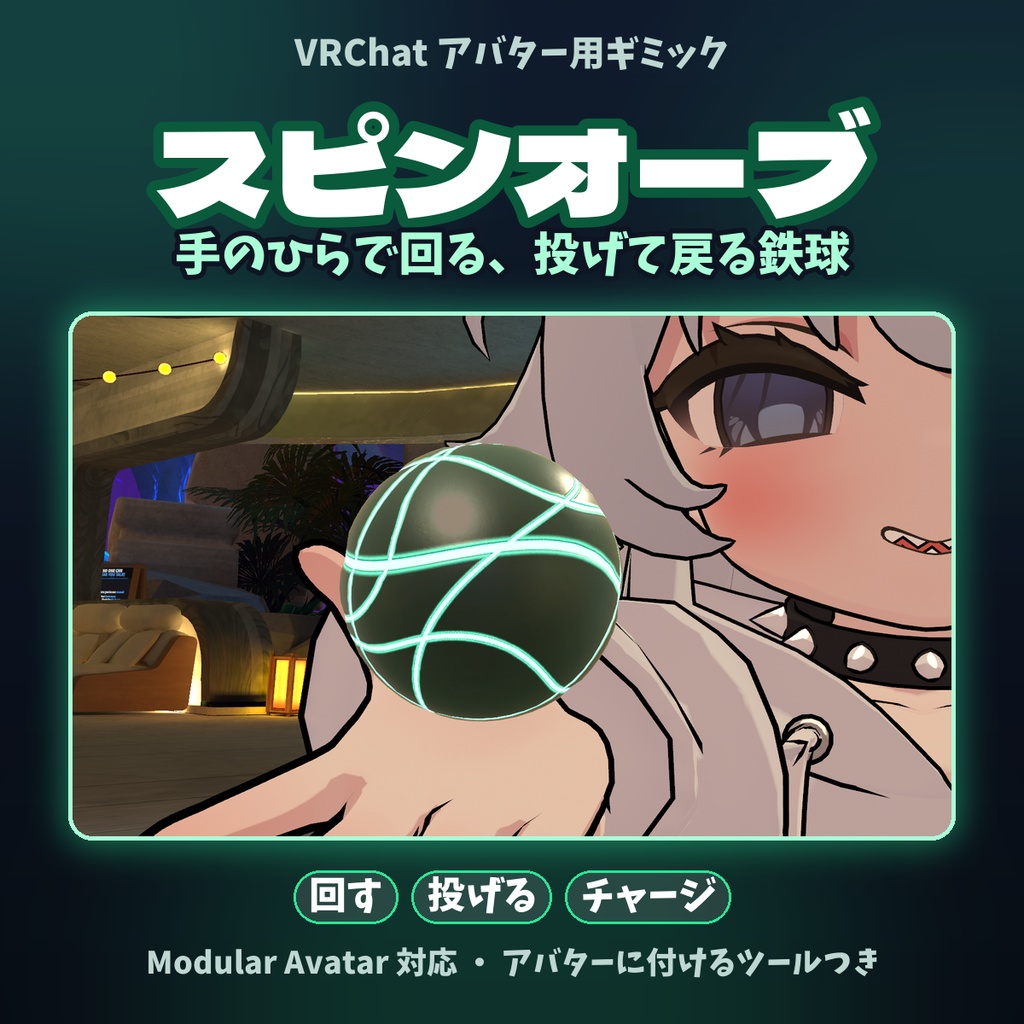
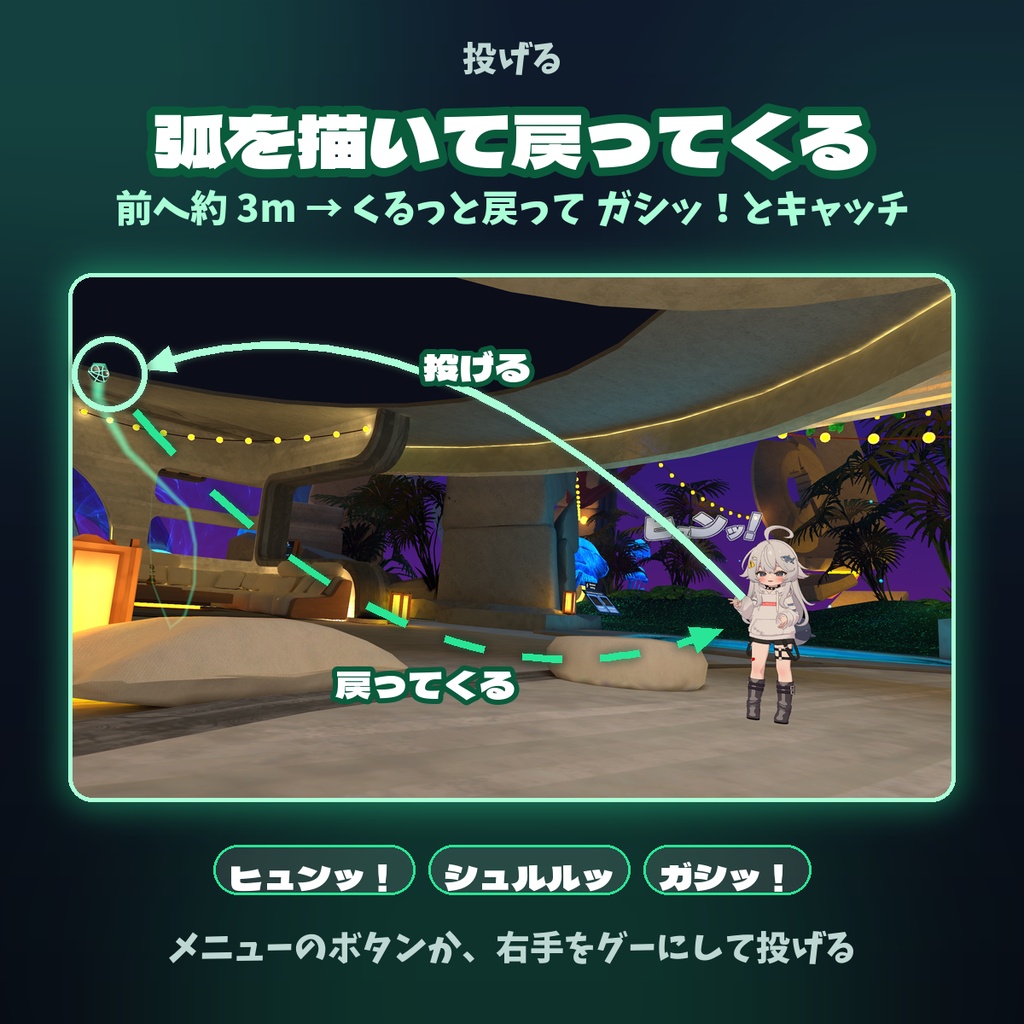
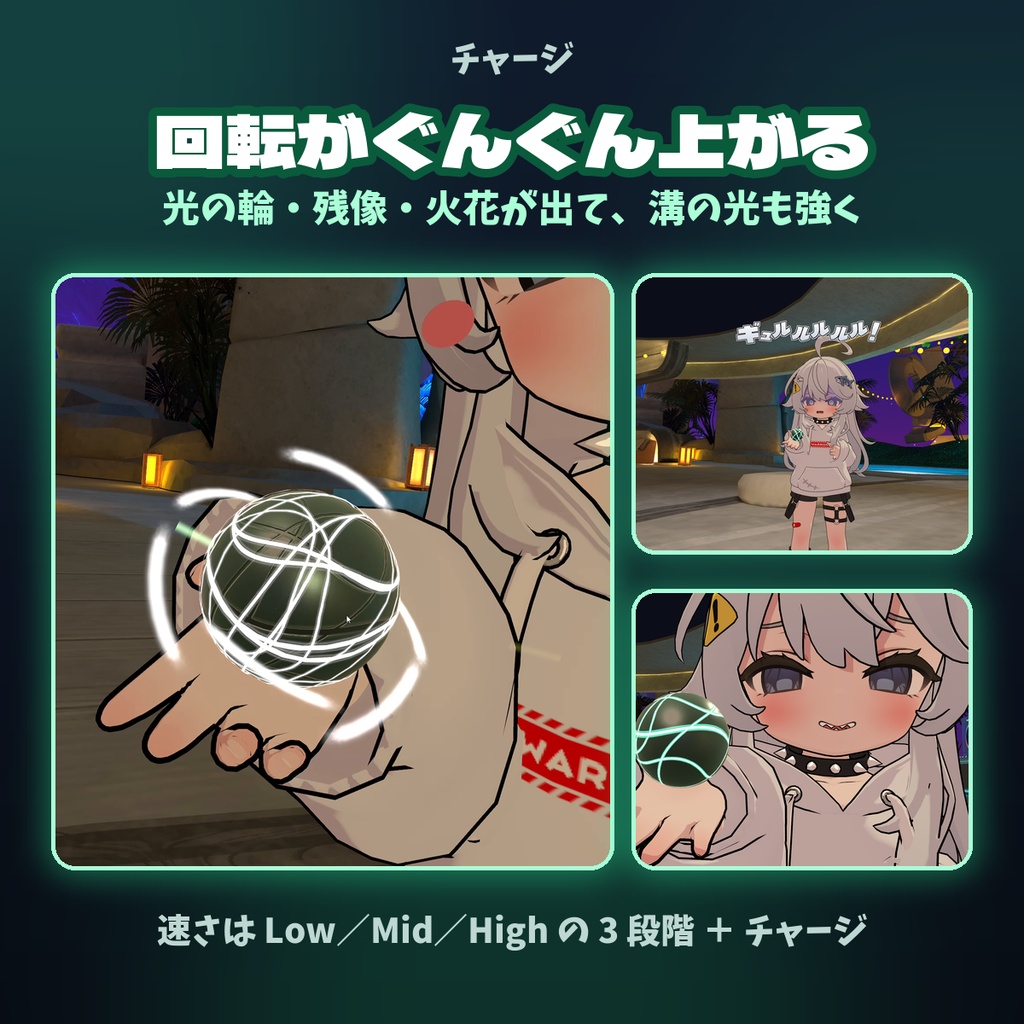
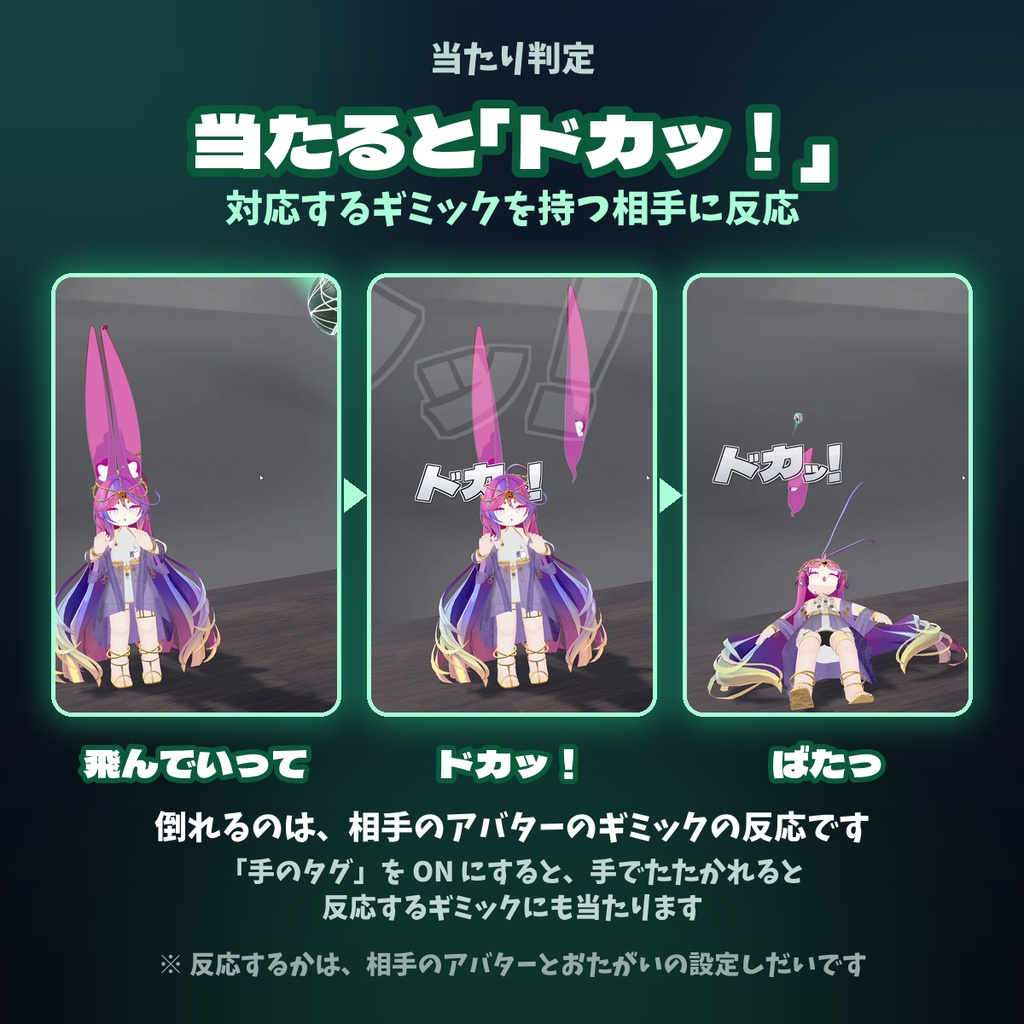
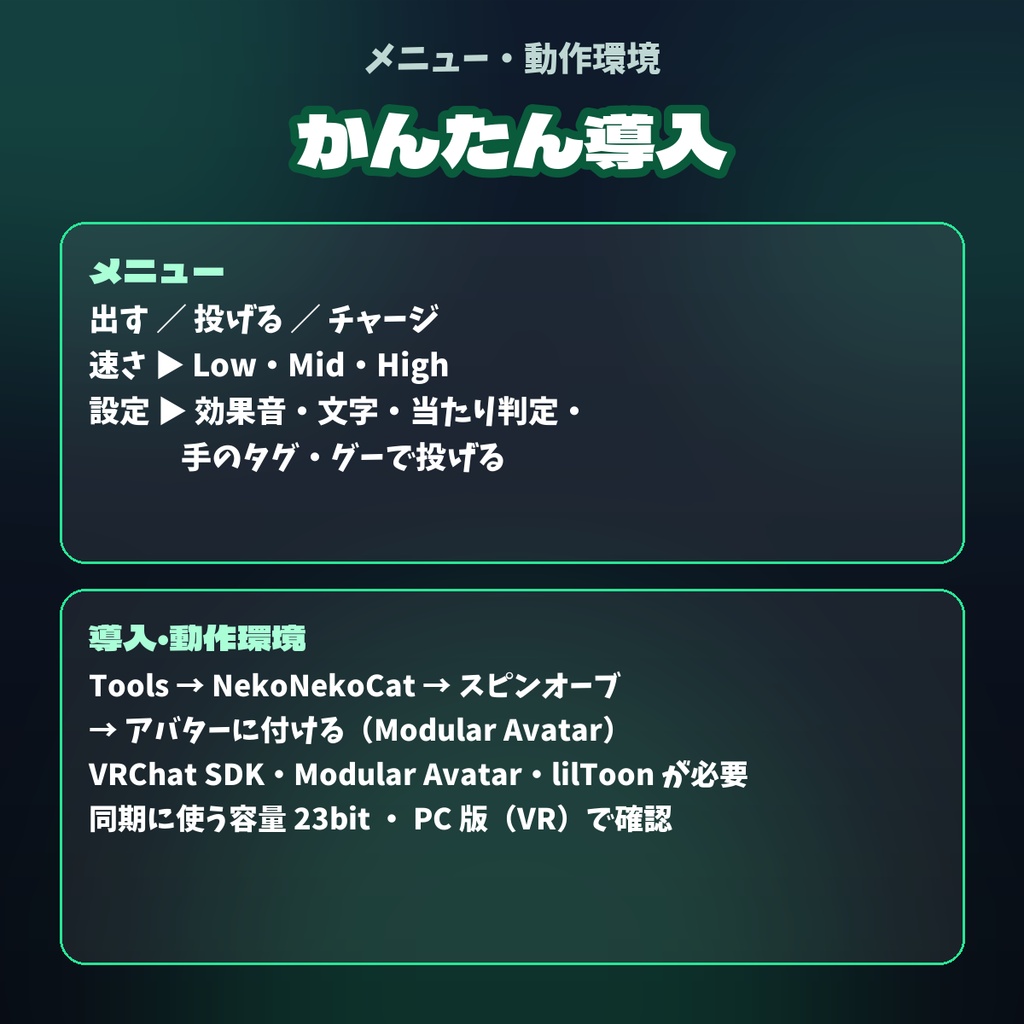


手のひらの上で、溝が光る鉄球をギュルルルル!と高速回転。 投げると前へヒュンッ!と飛んで、弧を描いてシュルルッと戻り、ガシッ!とキャッチ。 チャージで回転がぐんぐん上がり、光の輪・残像・火花が出ます。 ■ 通常版と応援版 ・通常版(500円)と応援版(800円)の中身は同じです ・応援版は「お菓子代こみ」の応援用です。気に入ってもらえたら、おやつを差し入れするつもりで選んでもらえるとうれしいです🍪 ■ できること ・🟢 出す:右の手のひらの上に、溝が光る鉄球が「ガキンッ」と出て回り始めます ・🌀 回転の速さ:Low/Mid/High(1 秒に 2・5・10 回転) ・🎯 投げる:前へ約 3m 飛んで、外側へ弧を描き、手元に戻って自動でキャッチ(約 2.5 秒)。飛んでいる間は光の軌跡つき ※ 手元を基準に決まった道すじで飛ぶので、投げたあとに手を動かすと、飛んでいる鉄球もいっしょに動きます ・✊ グーで投げる:鉄球を出しているとき、メニューを開かなくても右手をグーにするだけで投げられます(設定で OFF にもできます) グーのままでは続けて投げません。いちど手を開くと、また投げられます。グーで表情が変わるアバターでは、投げるときに表情も変わります ・⚡ チャージ:回転が 1 秒に 18 回転まで上がり、光の輪・残像・火花が出て、溝の光も強くなります。そのまま投げられます ・🔊 効果音:回る音・出す/投げる/キャッチの音(オリジナルの合成音) ・💬 効果音の文字:「ギュルルルル!」「ヒュンッ!」「シュルルッ」「ガシッ!」がマンガのように出ます。投げた鉄球がほかの人の頭に当たると「ドカッ!」(この文字はスピンオーブが出すもので、相手のアバターが倒れるなどの反応は、相手のギミックしだいです) ・💥 当たり判定:投げた鉄球が飛んでいる間だけ、攻撃のコンタクトタグ(Projectile・Weapon・DamageBlunt など)が付きます。 これらのタグに反応するギミックを持つアバターに当たると、相手の側のギミックが反応します ・✋ 手のタグ(設定・最初は OFF):「手」のタグも付けて、手でたたかれると反応するギミックにも当たるようにできます ・👀 出す・投げる・チャージ・速さは、ほかの人にも同期します 効果音・文字・当たり判定は、メニューの「設定」でそれぞれ ON/OFF できます。 ■ かんたん導入 1. VRChat SDK・Modular Avatar・lilToon が入った Unity のプロジェクト(Humanoid のアバター)を用意する(Modular Avatar の入れ方は公式の導入ページへ:https://modular-avatar.nadena.dev/docs/intro) 2. ダウンロードした ZIP を展開し、中の unitypackage を Unity にドラッグして入れる(Import) 3. Unity の Hierarchy で、アバターのいちばん上のオブジェクト(VRC Avatar Descriptor が付いているもの)を選ぶ 4. 上のメニュー「Tools → NekoNekoCat → スピンオーブ → アバターに付ける」を押す 5. VRChat SDK の Build & Test で動きを確かめてから、アップロード 鉄球の位置・大きさは、アバターの手に合わせて自動で調整されます(アバターによっては、少し合わせ直しが必要なことがあります)。投げる向きは「NNC_SpinOrb → Hand → Offset → Orb → Aim」で変えられます。 ■ メニュー ・出す(ON/OFF) ・投げる(ボタン) ・チャージ(ON/OFF) ・速さ ▶ 回転 Low/Mid/High ・設定 ▶ 効果音/文字/当たり判定/手のタグ/グーで投げる ■ 動作環境 ・動作確認済み:Windows PC 版 VRChat(VR) 確かめた機能:出す・回す・投げる・チャージ・グーで投げる・効果音と文字・攻撃のタグに反応するアバターへの当たり・「ドカッ!」・手のタグ ・デスクトップモード・フルトラッキング・Quest 単体・スマホ版は未確認です ・必要なパッケージ:VRChat SDK - Avatars/Modular Avatar/lilToon ・確認した環境:Unity 2022.3.22f1/VRChat SDK Avatars 3.10.3/Modular Avatar 1.17.1/lilToon 2.3.2 ・Humanoid のアバター(右手と右手の指の骨があるもの)向けです ・同期パラメーター:23bit ・ポリゴン:鉄球 2,700(チャージ・高速回転の残像とリングは、出ているときだけ +1,920) ・Contact Sender 2・Contact Receiver 1(どれも投げて飛んでいる間だけ ON)/PhysBone なし ・投げる動きは手元を基準にしているので、投げたあとに手を動かすと、飛んでいる鉄球もいっしょに動きます ・相手のギミックが反応するかどうかは、相手のアバターと、おたがいの VRChat の設定(アバターの相互作用)しだいです ■ 同梱物 ・NNC_SpinOrb_v1.0.0.unitypackage(鉄球・効果音・文字・導入ツール・メニュー・説明書) ・はじめにお読みください.txt ・利用規約(VN3ライセンス PDF) ※商品画像のアバター・衣装・ワールドは付属しません。 ■ 利用規約 ・VN3ライセンス に基づいてご利用いただけます。 ・データの性質上、購入後の返金はお受けしておりません。 ━━━━━━━━━━━━━━━━━━━━ ■ English ━━━━━━━━━━━━━━━━━━━━ Spin Orb – a glowing steel orb that spins on your palm, flies out, and comes back to your hand. A VRChat avatar gimmick (Modular Avatar). ■ Editions - Standard (500 JPY) and Support (800 JPY) have the same contents. The Support edition is just a way to say thanks 🍪 ■ Features - Spawn: the orb appears on your right palm and starts spinning - Spin speed: Low / Mid / High (2 / 5 / 10 turns per second) - Throw: flies about 3 m, curves, and comes back for an automatic catch * The path is based on your hand, so if you move your hand after throwing, the flying orb moves with it - Fist to throw: while the orb is out, make a fist with your right hand to throw (can be turned OFF). Open your hand once to throw again - Charge: the spin goes up to 18 turns per second with a light ring, afterimages and sparks. You can throw while charging - Sound effects: spinning, spawn, throw and catch (original synthesized sounds) - Comic sound-effect text: Japanese manga-style sound words appear (ON/OFF) - Hit detection: only while flying, the orb carries common "attack" contact tags (Projectile, Weapon, DamageBlunt, etc.). Avatars with gimmicks that react to these tags will react when hit - Hand tag (OFF by default): also adds a "hand" tag, so it can hit gimmicks that react to being slapped - Spawn, throw, charge and speed are synced to other players Sound effects, text and hit detection can each be turned ON/OFF in the Settings menu. ■ Setup 1. Prepare a Unity project with VRChat SDK (Avatars), Modular Avatar and lilToon, and a Humanoid avatar (Modular Avatar: https://modular-avatar.nadena.dev/docs/intro) 2. Unzip the download and drag the unitypackage into Unity (Import) 3. In the Hierarchy, select the top object of your avatar (the one with the VRC Avatar Descriptor) 4. From the top menu, click "Tools → NekoNekoCat → スピンオーブ → アバターに付ける" (= Add to avatar) 5. Check it with Build & Test in the VRChat SDK, then upload The orb's position and size are fitted to your avatar's hand automatically (some avatars may need a small adjustment). The throw direction can be changed with "NNC_SpinOrb → Hand → Offset → Orb → Aim". ■ Requirements - Tested on: Windows PC VRChat (VR) - Not tested: Desktop mode, full-body tracking, Quest standalone, mobile - Required: VRChat SDK - Avatars / Modular Avatar / lilToon - Tested with: Unity 2022.3.22f1 / VRChat SDK Avatars 3.10.3 / Modular Avatar 1.17.1 / lilToon 2.3.2 - For Humanoid avatars (with right hand and right finger bones) - Synced parameters: 23 bits - Polygons: orb 2,700 (+1,920 for the charge / high-speed afterimages and rings, only while shown) - Contact Sender 2 / Contact Receiver 1 (only ON while flying) / no PhysBones - Whether other avatars react depends on their gimmicks and both players' VRChat settings (avatar interactions) ■ Included - NNC_SpinOrb_v1.0.0.unitypackage - Readme (Japanese) and license (VN3 License PDF) * The avatar, outfit and world in the product images are not included. * The included documents are in Japanese. If you have questions, feel free to contact us in English. ■ Terms of use - Use is subject to the VN3 License. - Due to the nature of digital data, refunds are not available after purchase. ねこねこきゃっと工房(X:@EshopBaseneco)
利用規約
VN3ライセンスに基づいてご利用いただけます。利用規約の PDF(日本語・英語・中国語・韓国語)は、ダウンロードした ZIP の License フォルダに入っています。 ・生成AI・機械学習の学習用データとしての利用は禁止します。 ・未改変での再配布は禁止します。 ・データの性質上、購入後の返金はお受けしておりません。
更新履歴
2026/10/29 v1.0.0 公開