
LoRAデータセット健診【無料版あり】学習前の画像・キャプションを一括チェック
- 無料版Digital0 JPY
- 製品版Digital2,980 JPY
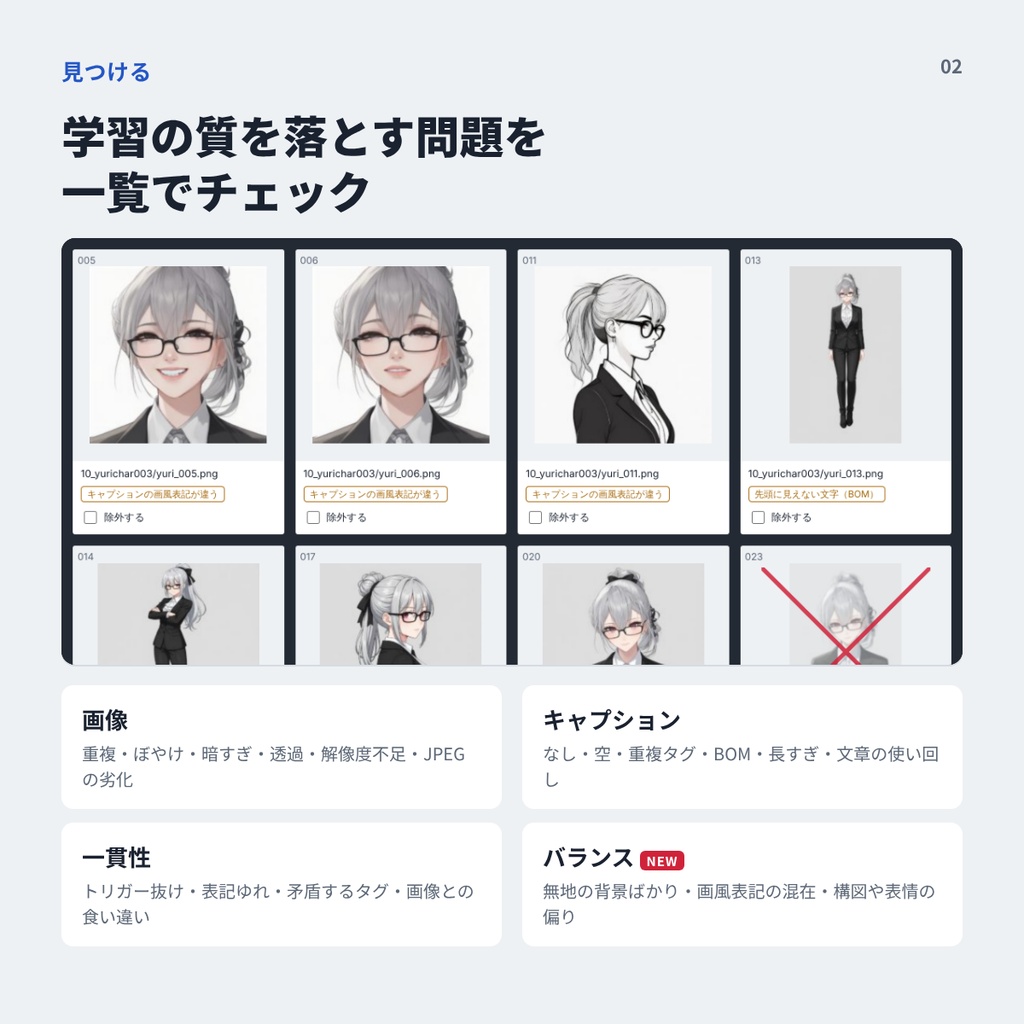
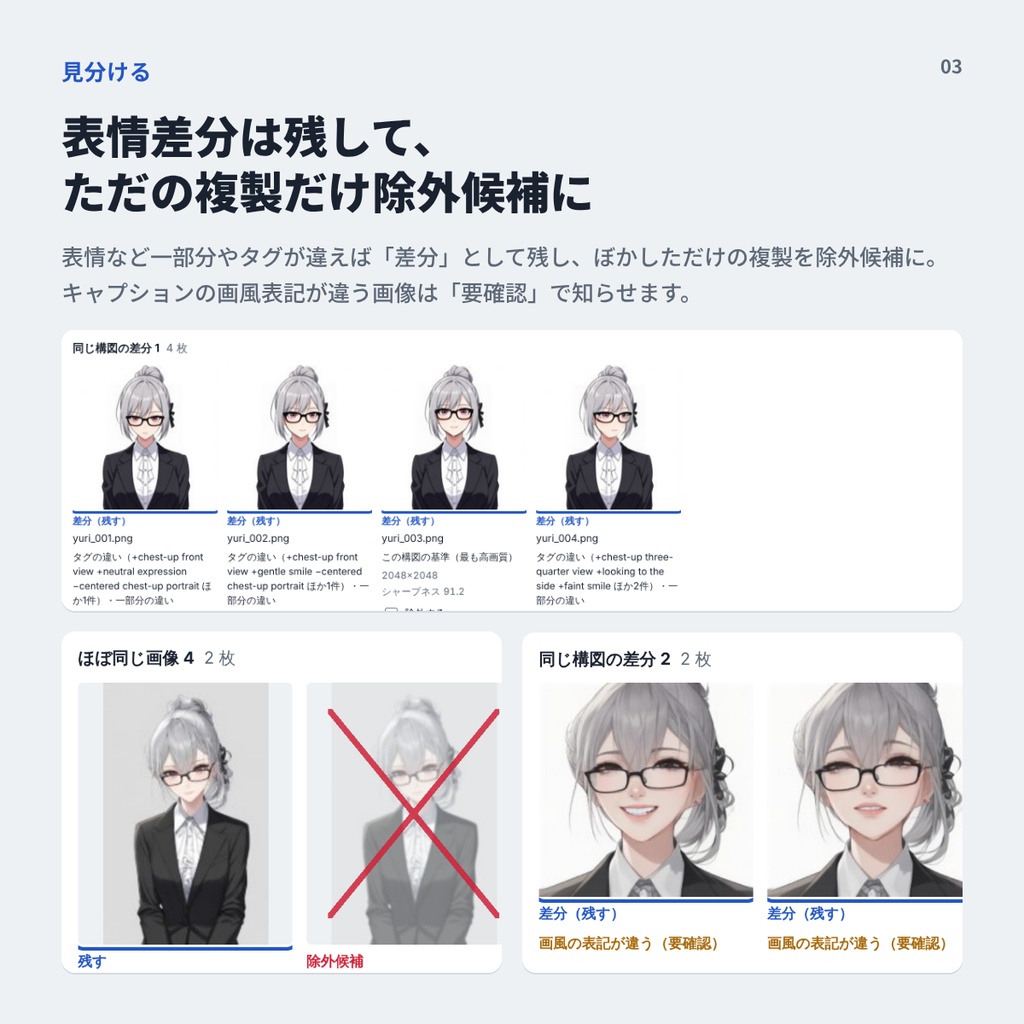
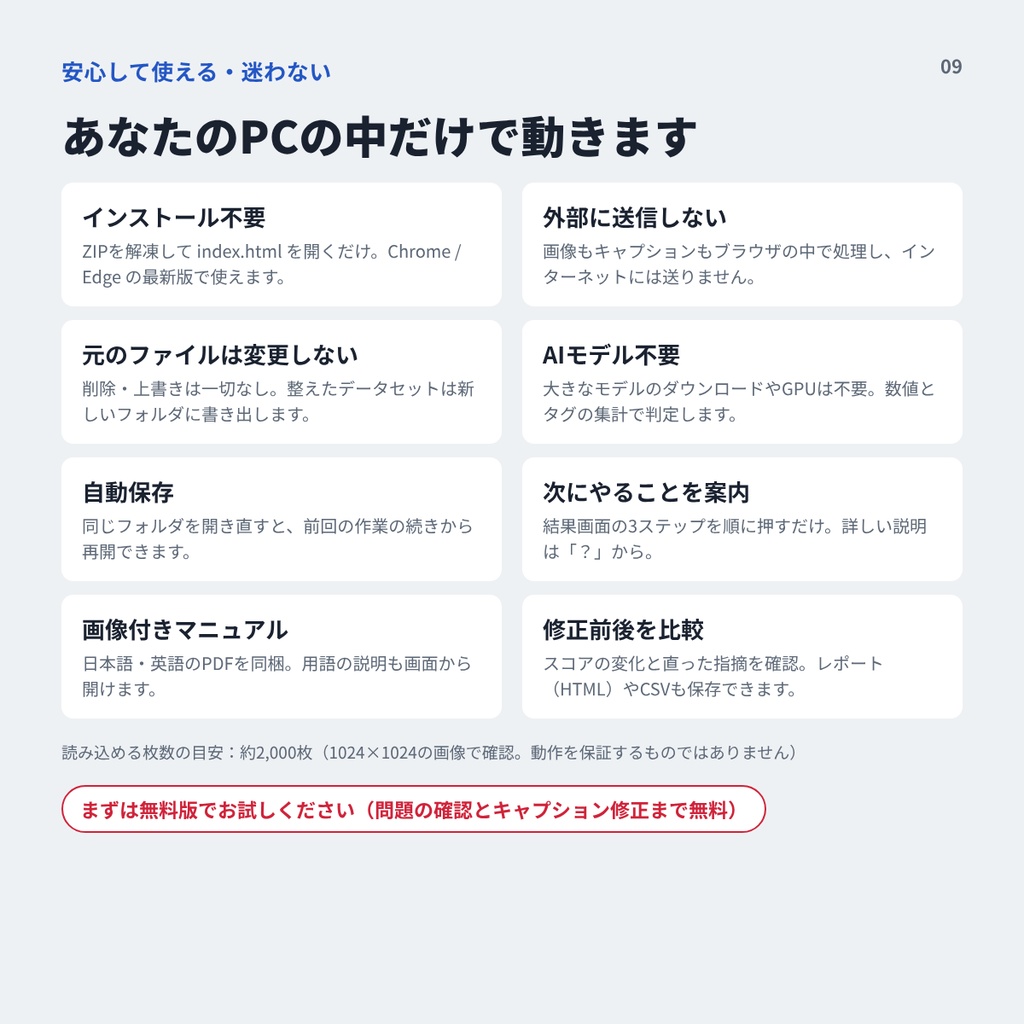
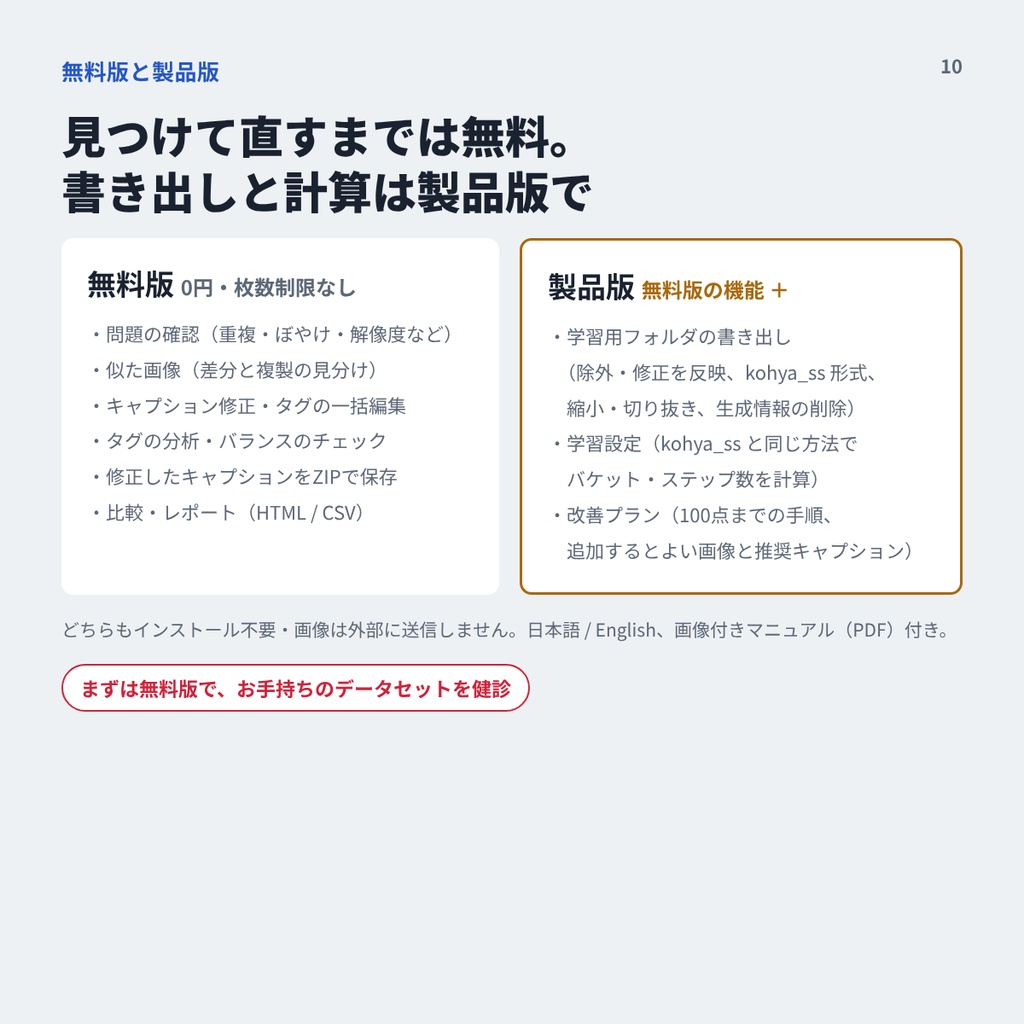
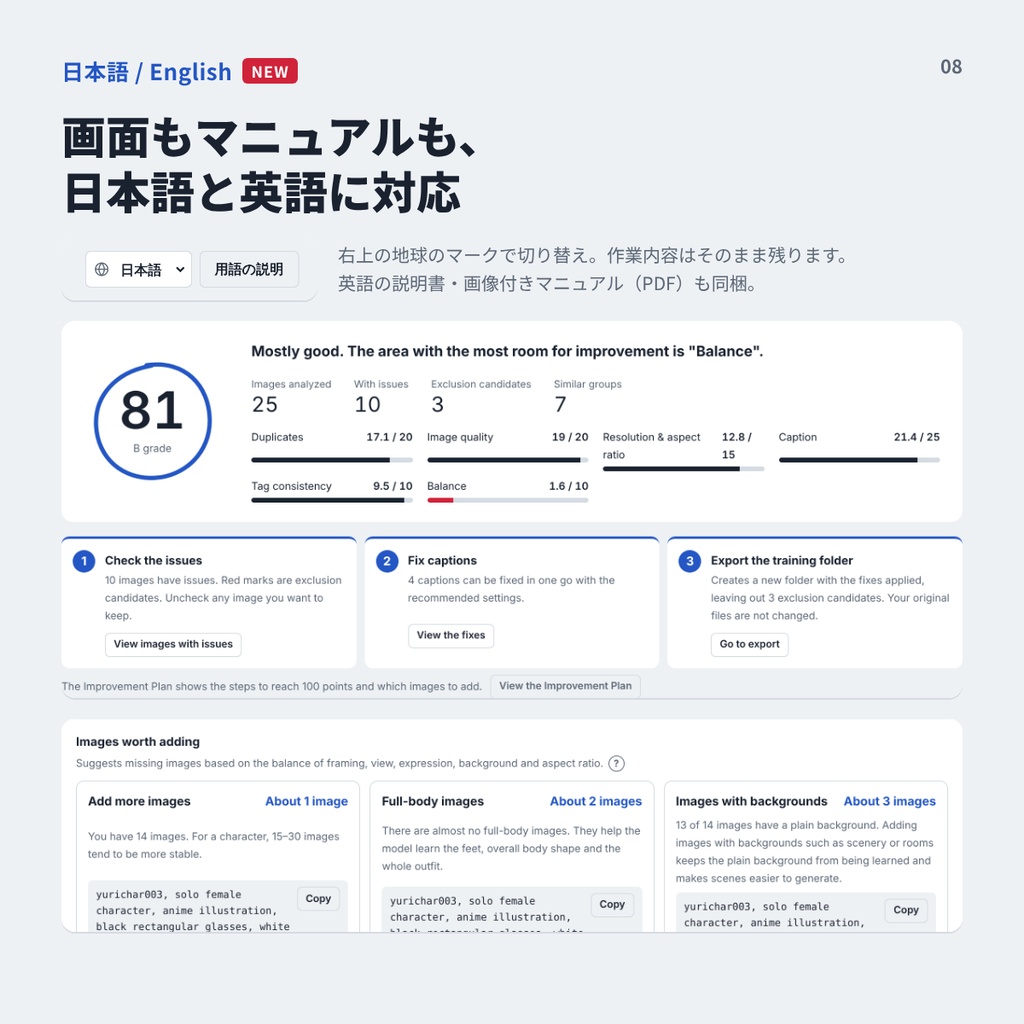
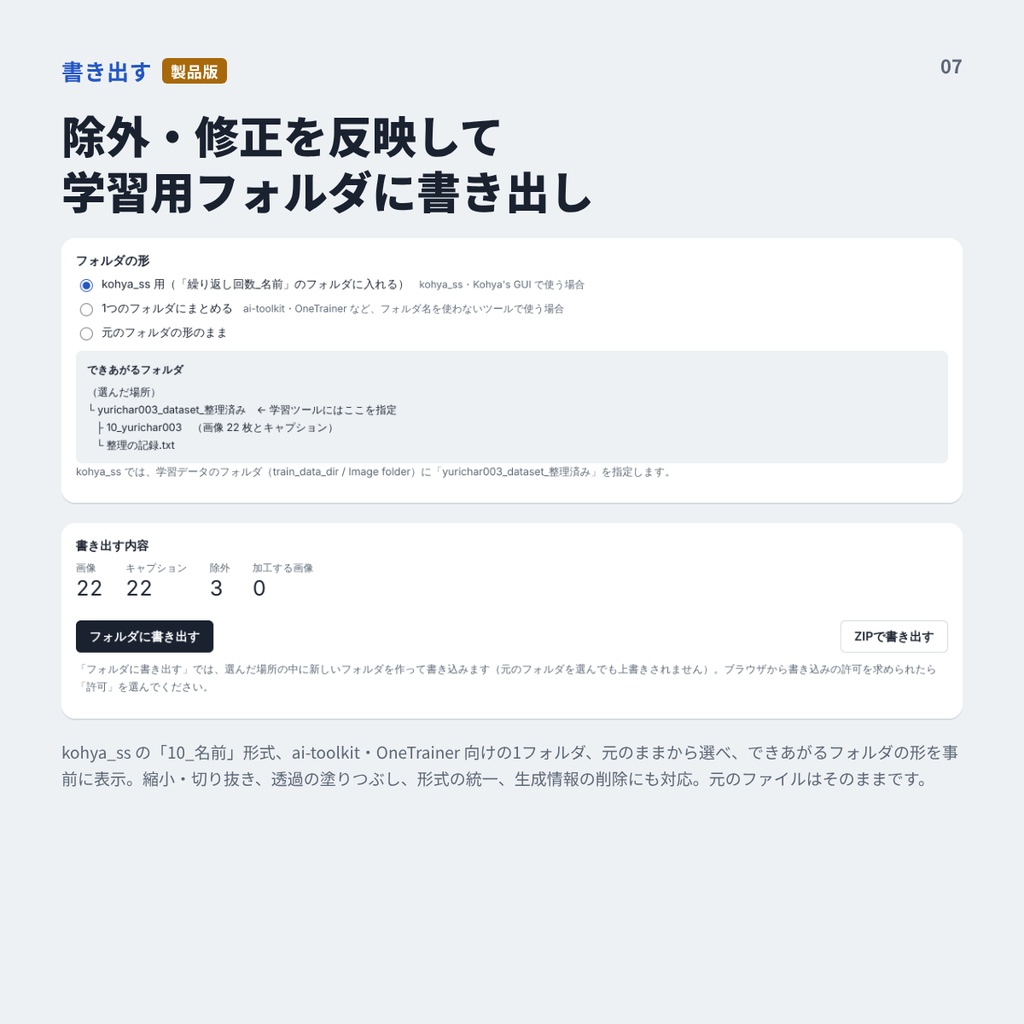
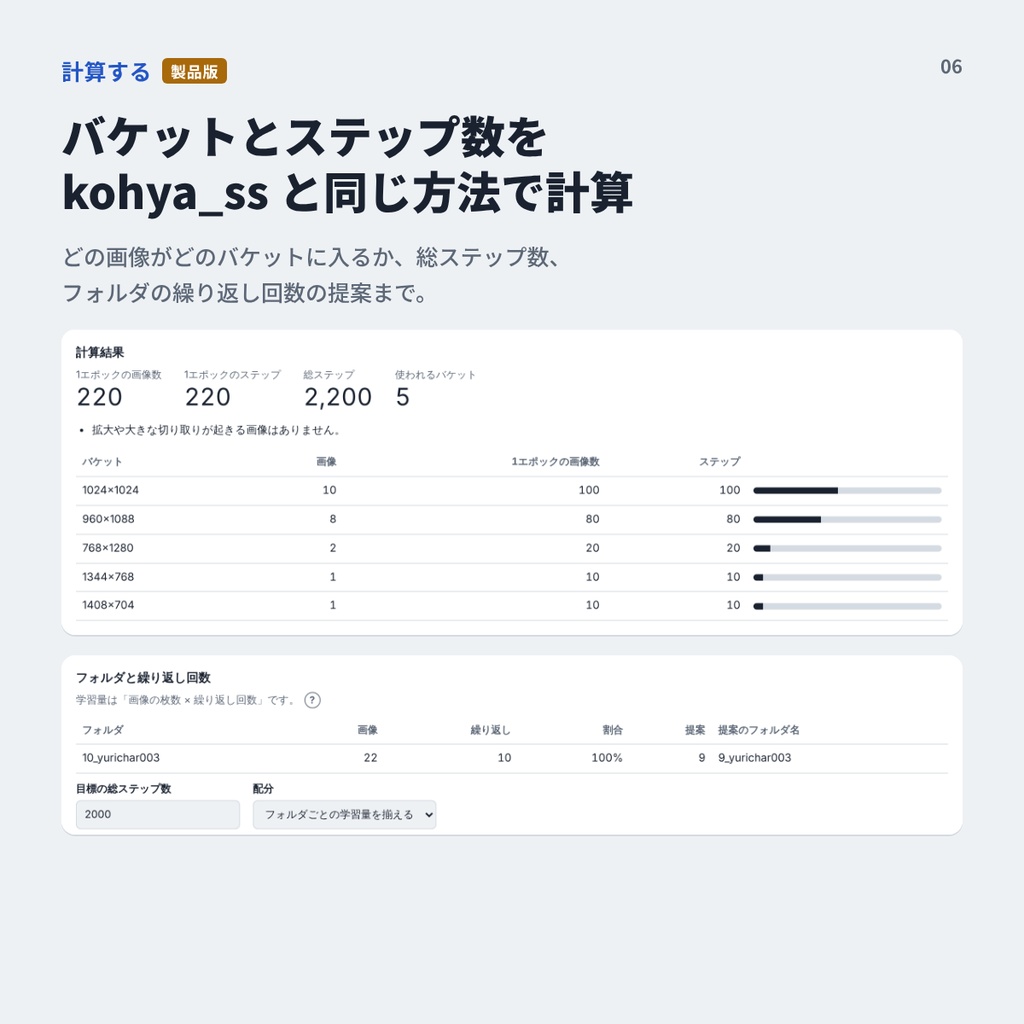
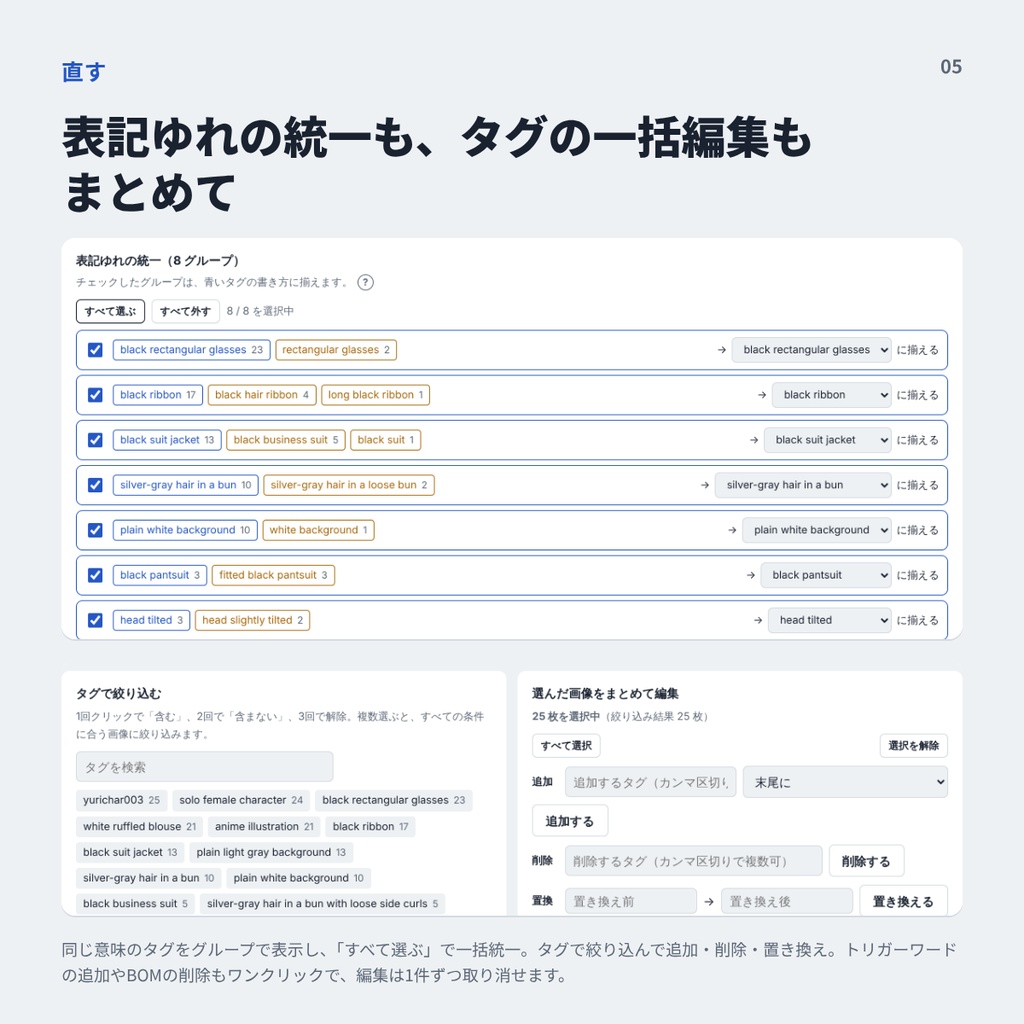
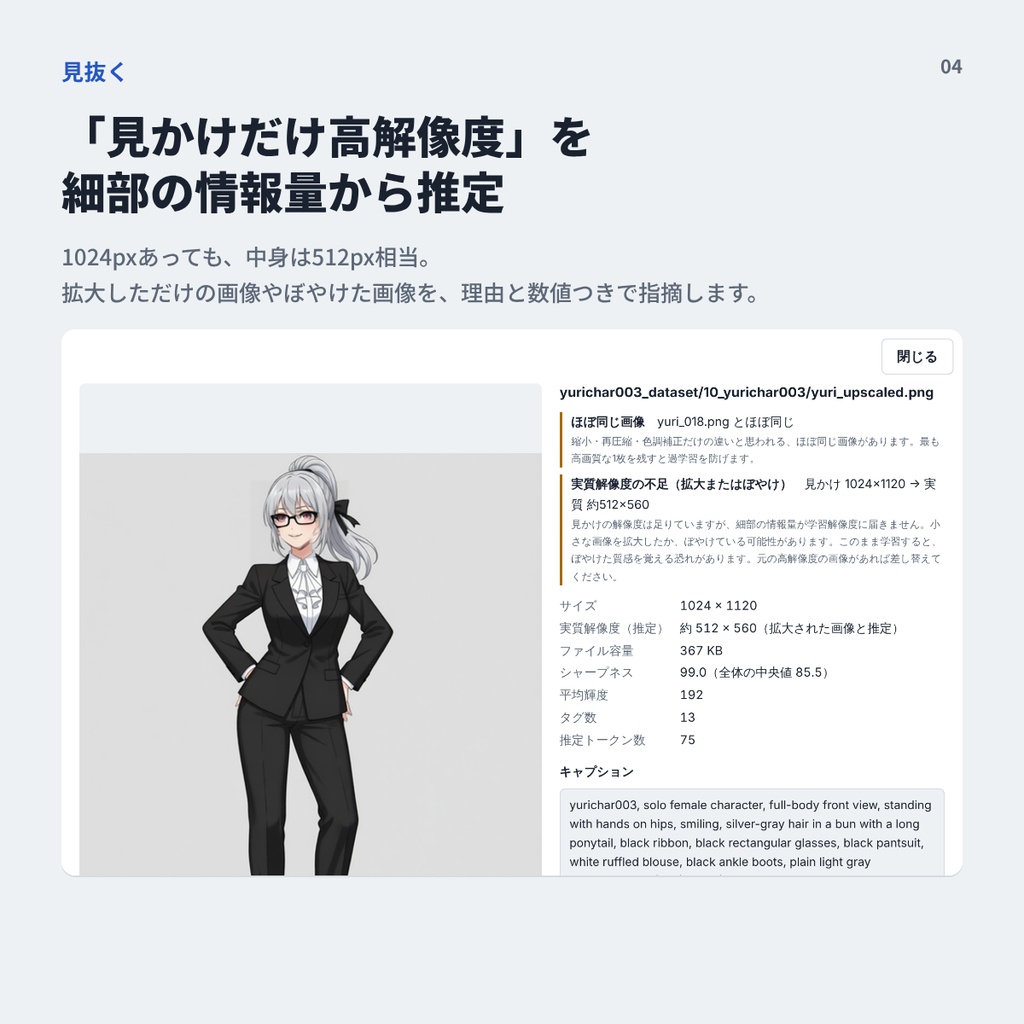
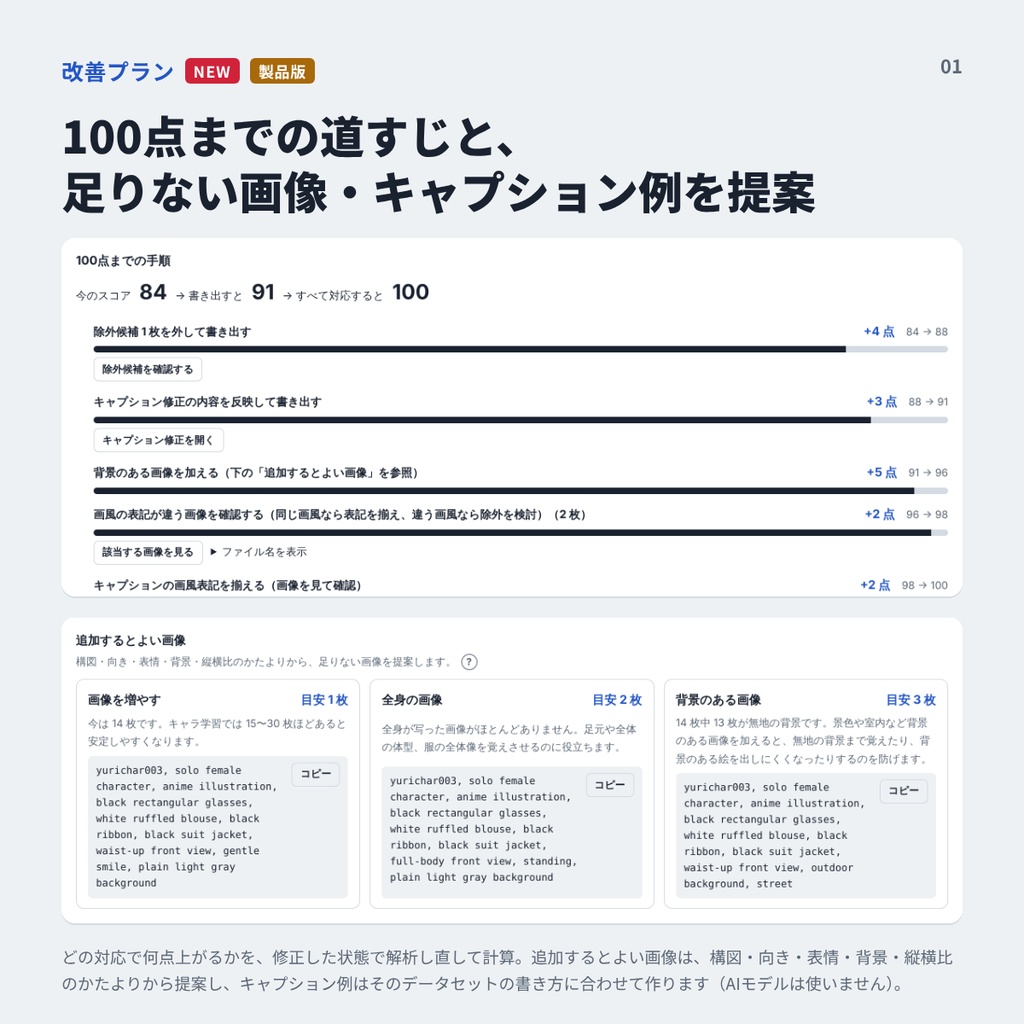
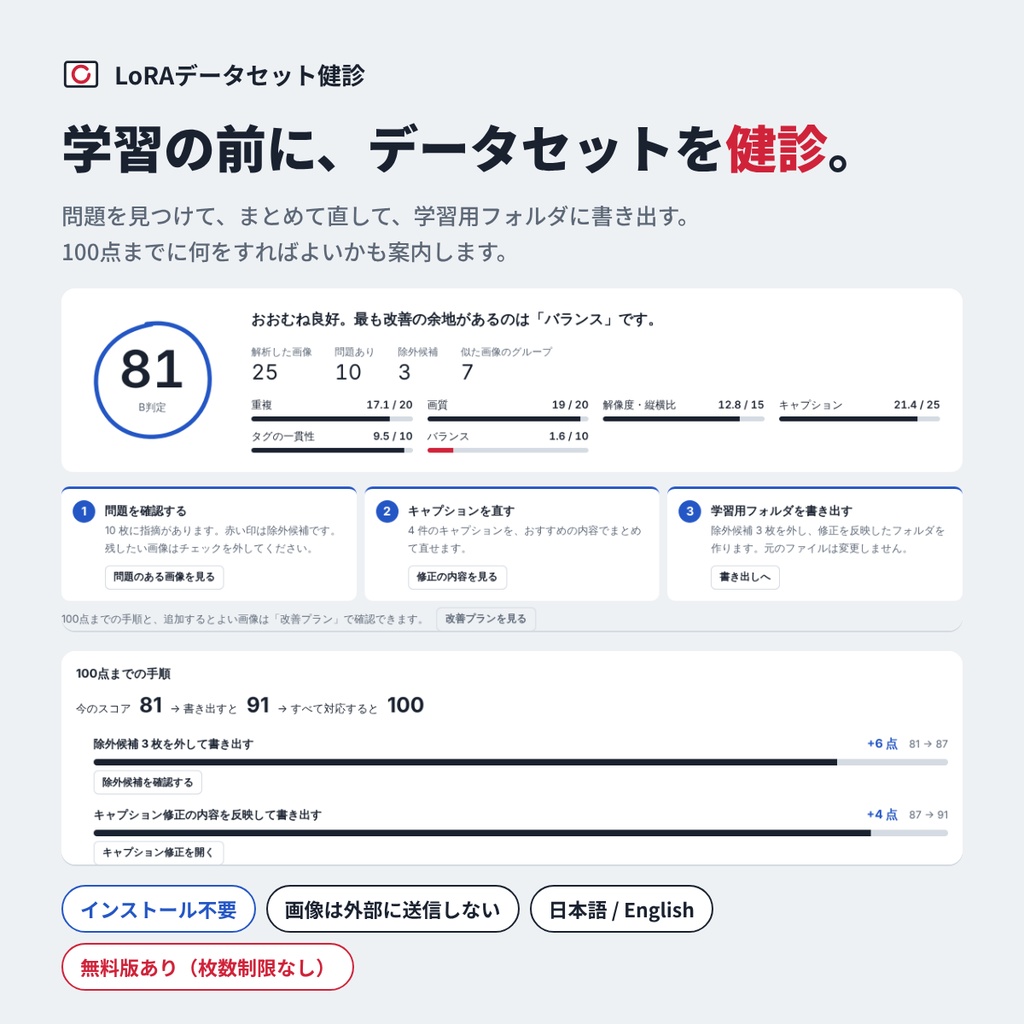


学習を回す前に、データセットの「健診」を。 LoRAデータセット健診は、学習用の画像フォルダを読み込んで、学習の質を落とす問題を見つけるツールです。キャプションの修正から、学習用フォルダの書き出しまでをまとめて行えます。 結果は総合スコア(100点満点)と、重複・画質・解像度・キャプション・タグの一貫性・バランスの項目別スコアで表示されます。「①問題を確認する → ②キャプションを直す → ③書き出す」の順にボタンを押していくだけで、学習用のフォルダができあがります。 【安心して使える設計】 ・インストール不要。ZIPを解凍して index.html を開くだけで、ブラウザで動きます ・画像やキャプションは外部に送信されません。すべてお使いのPCの中で処理します ・元のファイルを書き換えたり削除したりすることはありません ・作業内容は自動保存され、同じフォルダを開き直せば続きから作業できます 【無料版でできること】※枚数の制限はありません ・問題のある画像の確認(除外候補の表示、指摘の理由と数値の確認) ・似た画像の検出(表情違いなどの「差分」は残し、縮小・再圧縮・ぼかしただけの「ほぼ同じ画像」だけを除外候補にします) ・キャプション修正(トリガーワードの追加・先頭への移動、重複タグやBOMの削除、表記ゆれの統一) ・タグ編集(絞り込み、まとめて追加・削除・置き換え、履歴からの取り消し) ・タグの分析、修正前後の比較、レポート(HTML / CSV)の保存 ・修正したキャプションのZIP保存 【製品版で追加される機能】 ・学習用フォルダの書き出し(kohya_ss用/1つのフォルダにまとめる/元のまま、から選択) ・学習設定:バッチサイズとエポック数から、kohya_ssと同じ計算方法で総ステップ数とバケットを表示。目標ステップ数から繰り返し回数も提案します ・改善プラン:100点までの手順と上がる点数、足りない構図・向き・表情・背景の画像と推奨キャプションを提案します まずは無料版で、ご自身のデータセットの点数を確かめてみてください。 【対応ツール】 kohya_ss(Kohya’s GUI)、ai-toolkit、OneTrainer など 【動作環境】 ・Google Chrome / Microsoft Edge の最新版(Windows 10 / 11 など) ・Firefox・Safari は動作未確認です ・読み込み枚数の目安は約2,000枚です(1024×1024の画像で確認)。PCの性能や画像サイズによっては、これより少ない枚数でも時間がかかる場合があります ・表示言語:日本語 / English 【ご注意】 ・AIモデルは使用していません。そのため画風の判定は、キャプションに書かれた画風の言葉(anime illustration など)をもとに行います ・スコアは本ツールの判定基準によるもので、学習結果の向上を保証するものではありません ・判定は数値による機械的なものです。最終的な判断はご自身で行ってください ・製品版ファイルの再配布・転売はご遠慮ください ・不具合やご要望はBOOTHのメッセージまでお寄せください
動作環境
Google Chrome / Microsoft Edge の最新版(Windows 10 / 11 など) ※Firefox・Safari は動作未確認です インストール不要(ZIPを解凍して index.html を開くだけ) 読み込み枚数の目安:約2,000枚(1024×1024の画像で確認)
アップデート履歴
[2026-10-29: v1.9.0] BOOTHにて公開 [2026-10-29: v1.9.1] 軽微な修正
English
Check your dataset before you train. LoRA Dataset Checker scans your LoRA training folder, finds the problems that hurt training quality, and helps you fix captions and export a clean training folder. You get an overall score (out of 100) plus scores for duplicates, image quality, resolution, captions, tag consistency, and balance. Just follow the three steps: Review issues → Fix captions → Export. [Safe by design] - No installation. Unzip and open index.html in your browser - Your images and captions never leave your PC - Original files are never modified or deleted - Progress is saved automatically [Free version] No image limit - Problem detection with reasons and values - Similar image detection (keeps useful variations, flags near-duplicates) - Caption fixing: trigger words, duplicate tags, BOM removal, tag normalization - Tag editing, tag analysis, before/after comparison, HTML/CSV reports - Save fixed captions as a ZIP [Full version adds] - Export a ready-to-train folder (kohya_ss format or a single folder for ai-toolkit / OneTrainer) - Training settings: bucket and total step calculation using the same method as kohya_ss - Improvement plan: step-by-step guide to 100 points, with suggested images and captions to add Try the free version first to see how it works with your dataset. [Requirements] - Latest Google Chrome or Microsoft Edge (Windows 10 / 11, etc.) - Firefox and Safari are not tested - Recommended up to about 2,000 images (tested with 1024x1024) - UI and manual available in English and Japanese [Notes] - No AI models are used. Art style is judged from style words in your captions - Scores are based on this tool's criteria and do not guarantee better training results - Please do not redistribute or resell the full version