
Cube Ani Pack1
- Digital500 JPY
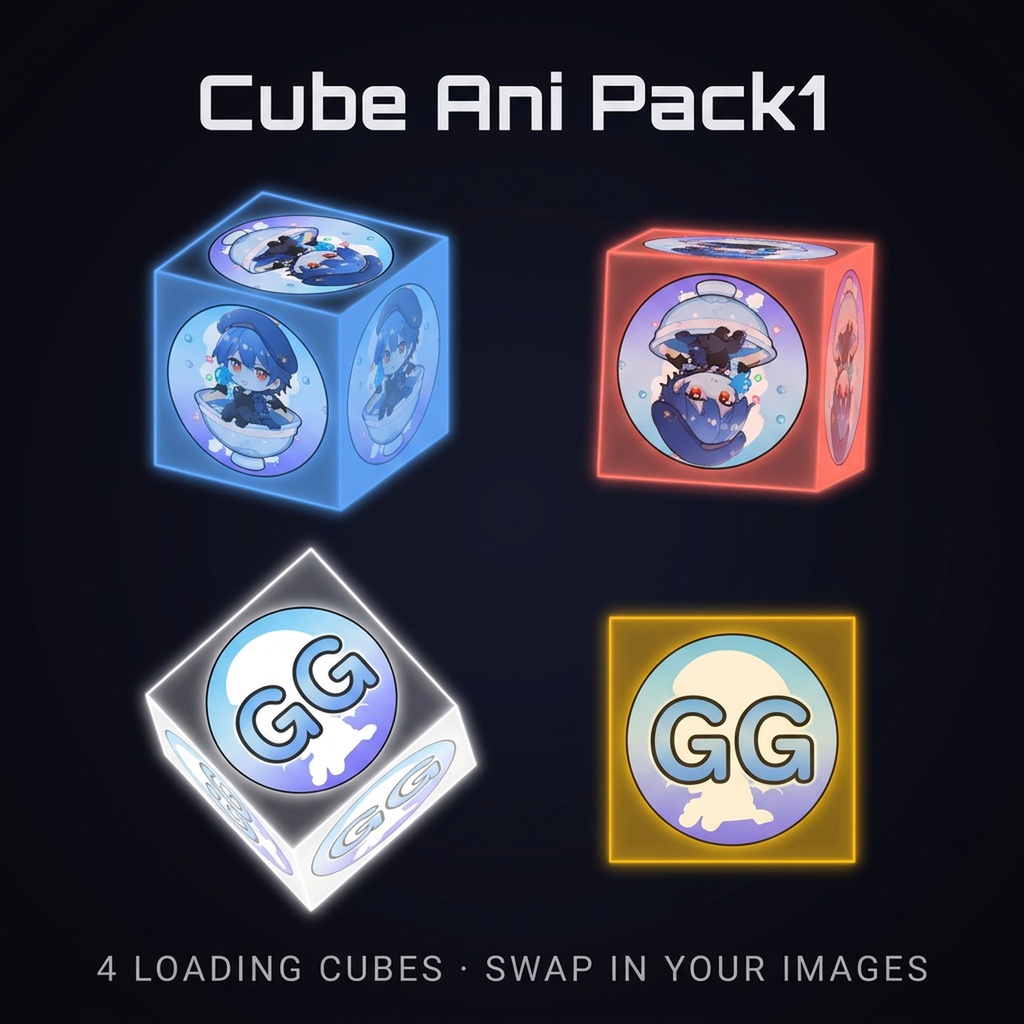
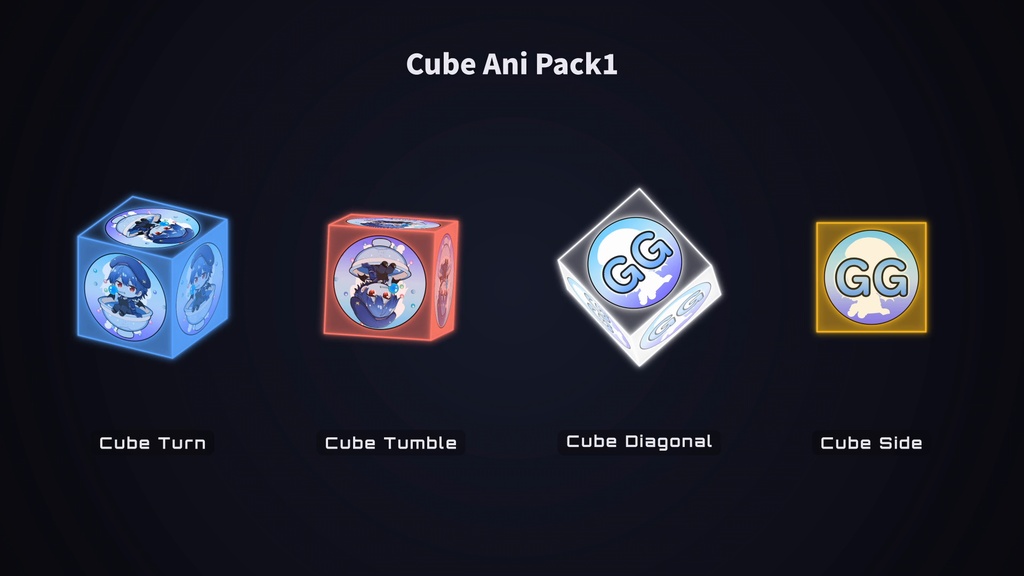
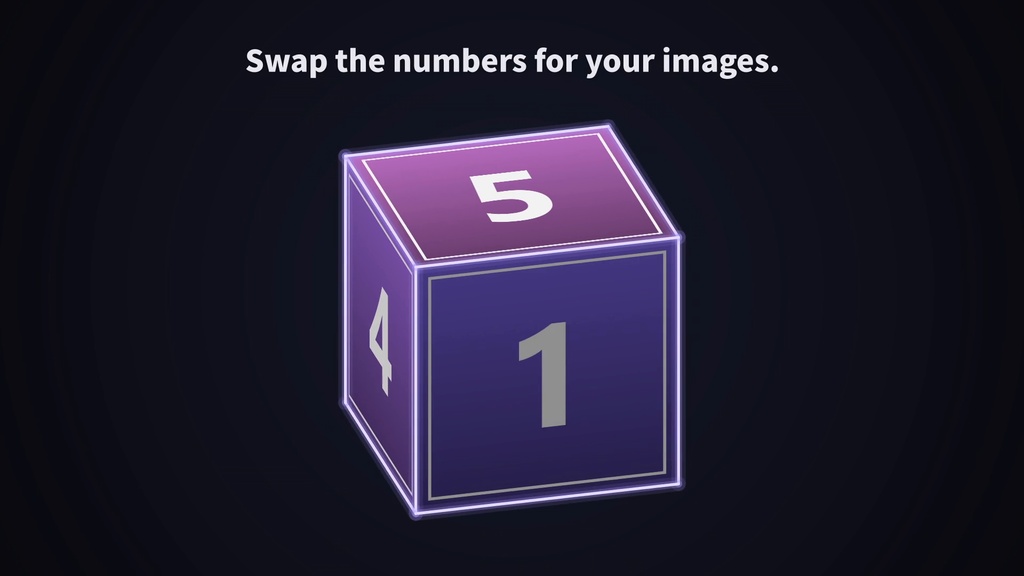


━━━━━━━━━━━━━━━ 【ENGLISH VERSION】 ━━━━━━━━━━━━━━━ Product Name: Cube Ani Pack1 ────────── Preview ▶ https://youtu.be/2UbB504rOHY?si=_r8vlMvogRhTd5wL ────────── Overview Four loading cubes for stream waiting screens: Cube Turn, Cube Tumble, Cube Diagonal and Cube Side. All 6 faces are swappable images, so your logo or avatar spins on the cube. Out of the box the faces are numbered (1 to 6) with purple edges. Drop your own 512 × 512 PNGs into MOTION KIT LITE, add glow if you like, and export a transparent MOV for OBS. ────────── Perfect for · VTuber Starting Soon / BRB screens · Putting your channel logo or avatar on a loader ────────── Contents Lottie JSON animation files Included files: · data1.json — Cube Turn · data2.json — Cube Tumble · data3.json — Cube Diagonal · data4.json — Cube Side · images/face1.png – face6.png — numbered faces (512 × 512) 【Guide】 · README_EN.md / README_JP.md Specifications: · Resolution : 1000 × 1000 · Frame Rate : 60 fps (MOTION KIT exports at 30 fps) · Duration : 12 seconds · Loop : Seamless · Background : Transparent · Format : Lottie JSON · Style : Image cube, purple edges (#A78BFA) Animation Features: · Cube Turn: spins on the vertical axis, seen from slightly above (the bottom face6 never shows) · Cube Tumble: rolls on two axes, all 6 faces show · Cube Diagonal: spins standing on a corner, all 6 faces show · Cube Side: turntable spin seen from the side (only the 4 side faces show) ────────── Customization with MOTION KIT LITE This animation is optimized for use with MOTION KIT LITE. Available customization: ✅ Image Swap (6 face slots) ✅ Glow Effects (Intensity / Spread / Layers) ✅ Color Presets / Custom Color (with Glow ON) ✅ Hue Rotation (also shifts your face images) ✅ Speed (0.1× – 3×) ✅ Transparent MOV Export (ProRes 4444) No design software required. 👉 MOTION KIT LITE https://motion-kit-lite-production.up.railway.app/ ────────── Image Replacement Support All four files show "6 images required" in MOTION KIT LITE. Fill the 6 slots with PNGs. · Size: exactly 512 × 512 PNG (other sizes show an error) · Slot 1 = face6 (bottom) … slot 6 = face1 (front) · The same image in all 6 slots is fine · For the numbered look, use the included face images ────────── How to Use 【OBS / Streaming Software】 1. Open MOTION KIT LITE 2. Upload one JSON file 3. Drop your PNGs into the 6 slots (one at a time if each face is different) 4. Turn on Glow and pick a color if you like 5. Export as MOV 6. In OBS, add it as a Media Source and turn on Loop 【Video Editing】 Use the exported MOV as an overlay in Premiere Pro / DaVinci Resolve. 【Web / App】 Load directly using lottie-web. Keep the images/ folder next to the JSON files. ────────── Important Notes ⚠ Dropping all 6 images at once fills the slots in reverse (face6 → face1), so images land opposite to their names. For different faces, drop them one at a time. ⚠ Multi-color asset: color presets and custom color work only with Glow ON, and color all edges and shading. ⚠ Transparent PNGs: with Glow ON, transparent parts become a glow-colored panel and shaded faces take on that color. With Glow OFF they look black. If you don't want them to stand out, an opaque image that fills the square works best. ⚠ The icons in the preview are my own and not included. The pack comes with the numbered faces. ────────── Price 500 JPY ────────── Terms of Use Commercial Use: Allowed (including monetized streams and videos) Attribution: Not required Modification: Allowed Redistribution: Prohibited (including resale of the files themselves) Disclaimer: No responsibility for damages or compatibility issues. ━━━━━━━━━━━━━━━ 【日本語版】 ━━━━━━━━━━━━━━━ 商品名: Cube Ani Pack1 ────────── 紹介動画 ▶ https://youtu.be/2UbB504rOHY?si=_r8vlMvogRhTd5wL ────────── 概要 配信の待機画面に使えるローディングキューブ4種(Cube Turn・Cube Tumble・Cube Diagonal・Cube Side)です。6面すべてが差し替えられる画像なので、自分のロゴやアバターを貼って回せます。 買ったままの面は1〜6の番号画像で、辺は紫です。MOTION KIT LITEで512 × 512のPNGを入れて、好みでグローを付け、透過MOVで書き出せばOBSに置けます。 ────────── こんな方におすすめ ・VTuberの待機画面・BRB画面に動きを足したい方 ・チャンネルのロゴやアバターをローダーにしたい方 ────────── 同梱内容 Lottie JSON ファイル 収録ファイル ・data1.json — Cube Turn ・data2.json — Cube Tumble ・data3.json — Cube Diagonal ・data4.json — Cube Side ・images/face1.png 〜 face6.png — 番号入りの面(512 × 512) 【使い方ガイド】 ・README_EN.md / README_JP.md 仕様 ・解像度:1000 × 1000 ・フレームレート:60fps(MOTION KITの書き出しは30fps) ・尺:12秒 ・ループ:シームレス ・背景:透過 ・形式:Lottie JSON ・スタイル:画像の面と紫の辺(#A78BFA)のキューブ アニメーション内容 ・Cube Turn:少し上から見て縦の軸で回る(底の face6 は映らない) ・Cube Tumble:2つの軸で転がる(6面すべて映る) ・Cube Diagonal:角を立てて回る(6面すべて映る) ・Cube Side:真横から回転台のように回る(側面の4面だけ映る) ────────── MOTION KIT LITEでカスタマイズ 無料Webツール MOTION KIT LITE に対応しています。 利用可能な機能 ✅ 画像差し替え(6面のスロット) ✅ グロー効果(Intensity / Spread / Layers) ✅ プリセット色・カスタムカラー(グローON時) ✅ 色相回転(面の画像の色も変わります) ✅ 速度(Speed 0.1×〜3×) ✅ 透過MOV書き出し(ProRes 4444) デザインソフト不要。 👉 MOTION KIT LITE https://motion-kit-lite-production.up.railway.app/ ────────── 画像差し替え対応 4種ともMOTION KIT LITEで「6 images required」の画面が出ます。6つのスロットにPNGを入れてください。 ・サイズ:512 × 512 のPNGちょうど(違うとエラー) ・スロット1 = face6(底)… スロット6 = face1(前) ・6つとも同じ画像でもOK ・番号入りのまま使うときは同梱の面の画像を入れる ────────── 使い方 【OBS・配信ソフト】 1. MOTION KIT LITEを開く 2. JSONを1つ読み込む 3. 6つのスロットにPNGを入れる(面ごとに画像を変えるなら1枚ずつ) 4. 必要ならグローをONにして色を選ぶ 5. MOVとして書き出し 6. OBSでメディアソースとして追加し、ループをON 【動画編集ソフト】 書き出したMOVをPremiere Pro / DaVinci Resolveでオーバーレイとして使えます。 【Web・アプリ】 lottie-webで直接利用可能です。images/ フォルダをJSONと同じ場所に置いてください。 ────────── 注意事項 ⚠ 6枚をまとめてドロップすると逆の順(face6 → face1)に入り、名前と反対の面に入ります。面ごとに画像を変えるときは1枚ずつ入れてください。 ⚠ 複数色の素材のため、プリセット色・カスタムカラーはグローONのときだけ使え、辺と陰影のすべてに色が付きます。 ⚠ 透過PNGは、グローONで透明な部分がグロー色の板になり、影側の面もその色に染まります。グローOFFでは黒く見えます。目立たせたくない場合は、角まで絵のある不透明な画像がおすすめです。 ⚠ 紹介動画のアイコンは自分の画像で、商品には入っていません。同梱の面は番号入りの画像です。 ────────── 価格 500円 ────────── 利用規約 ■ 商用・非商用利用 自由に利用可能(収益化した配信・動画を含む) ■ クレジット表記 不要 ■ 編集・改変 可能 ■ 禁止事項 素材ファイルそのものの再配布・転売 ■ 免責事項 使用によるトラブルについて責任を負いません