

BlackHole
- Digital0 JPY
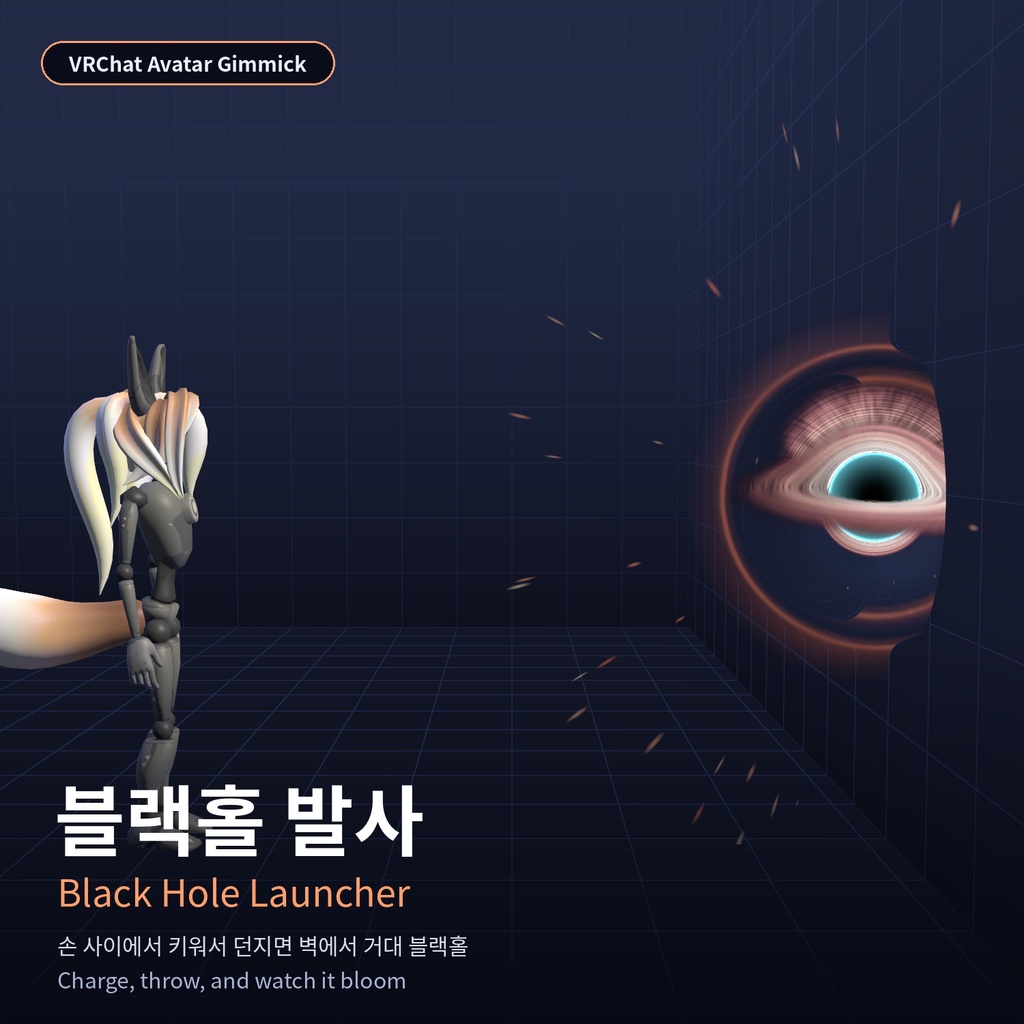


【상품명 / Title】 [VRChat] 블랙홀 발사 / Black Hole Launcher ━━━━━━━━━━ 한국어 ━━━━━━━━━━ 양 손바닥을 마주 대면 손 사이에서 검은 스파크와 함께 블랙홀이 자라나고, 손을 펴거나 던지면 날아가서 부딪힌 자리에서 사람 크기의 블랙홀로 '화악' 커집니다. 빛이 휘어 보이는 렌즈 셰이더로 영화 같은 블랙홀을 표현했습니다. ■ 주요 기능 ・손 모으기 2.5초로 차징, 다 차기 전에 떼면 흩어짐 ・손 펴기(HandOpen) 또는 던지는 동작으로 발사 ・착탄하면 0.2초 만에 몸 크기로 커졌다가 약 3.6초 뒤 사라짐 ・PC 데스크톱용 메뉴 (차징 / 발사 / 자동 시연) ・다른 플레이어에게도 같은 연출 ■ 사용 방법 1. unitypackage를 가져옵니다. 2. 씬에서 아바타를 선택하고 Tools > VRChat > Black Hole > Build & Install 을 실행합니다. 3. 업로드합니다. 메뉴 '블랙홀' > 켜기 로 사용합니다. ※ 자세한 내용은 함께 들어 있는 사용설명서 PDF를 확인해 주세요. ■ 필요 환경 ・Unity 2022.3 (VRChat 권장 버전) ・VRChat SDK3 Avatars 3.10.5 이상 ・Modular Avatar 1.19 이상 ・NDMF 1.14.8 이상 ■ 포함 내용 ・설치/제거 빌더 스크립트, 블랙홀 렌즈 셰이더 ・프리팹, FX 컨트롤러, 텍스처·메쉬·머티리얼 ・사용설명서 PDF (한국어/영어) ■ 사양·참고 ・동기화 파라미터 4 bit ・PC 전용 (커스텀 셰이더) ・큰 블랙홀 셰이더는 무거워서 가까이서 보면 프레임이 떨어질 수 있습니다 ・오른손 HandOpen을 쓰는 다른 기믹과 함께 발사될 수 있습니다 ■ 이용 약관 ・이 에셋은 AI 도구의 도움을 받아 제작했으며, 제작자는 저작권을 주장하지 않습니다. ・단, 재배포와 판매·재판매는 금지합니다. 원본·수정본·일부 파일(스크립트, 셰이더, 모델, 텍스처, 소리) 모두 해당하며, 무료 배포나 다른 상품·패키지에 포함하는 것도 금지합니다. ・구매(다운로드)한 본인의 VRChat 아바타에 넣어 사용하는 것은 자유이며, 개인 사용 범위에서 수정해도 됩니다. ・이 조건을 어기고 재배포·재판매해서 생기는 모든 문제(저작권·상표 분쟁, 금전 손해, 계정 제재, 구매자와의 분쟁 등)는 재배포·재판매한 사람에게 책임이 있으며, 제작자는 어떠한 책임도 지지 않습니다. ・이 에셋을 넣은 아바타를 퍼블릭으로 올리거나 클론을 허용하면 다른 사람이 에셋까지 쓸 수 있으니, 공개 설정은 본인 책임으로 판단해 주세요. ■ 면책 조항 ・있는 그대로(as-is) 제공되며 동작·호환성·지속적인 업데이트를 보증하지 않습니다. ・사용 중 생기는 오류, 데이터 손실, 다른 에셋과의 충돌, VRChat 계정 제재를 포함한 어떠한 손해에 대해서도 제작자는 책임지지 않습니다. ・설치 전에 반드시 프로젝트를 백업해 주세요. Unity·VRChat SDK·Modular Avatar 등이 업데이트되면 동작하지 않을 수 있습니다. ・VRChat 이용약관·커뮤니티 가이드라인과 각 월드의 규칙을 지켜 사용해 주세요. 다른 사람을 방해하는 사용으로 생긴 문제는 사용자 책임입니다. ・빛이 번쩍이는 연출이 있을 수 있으니 광과민성이 있는 분 주변에서는 주의해 주세요. ・상대방의 Safety 설정(셰이더·파티클·애니메이션 차단 등)에 따라 다른 사람에게는 일부 연출이 보이지 않을 수 있습니다. ・Unity 에디터에서 실행되는 스크립트가 포함되어 있습니다. 반드시 이 판매 페이지에서 받은 원본 파일만 사용해 주세요. (포함된 스크립트는 인터넷 접속이나 외부 프로그램 실행을 하지 않습니다.) ・이미지·영상 속 아바타는 VRChat SDK에 들어 있는 기본 샘플 아바타이며 상품에 포함되지 않습니다. ・구매·다운로드하면 위 이용 약관과 면책 조항에 동의한 것으로 봅니다. ━━━━━━━━━━ English ━━━━━━━━━━ Press your palms together to grow a crackling black hole between your hands, then open your hand or throw it. On impact it blooms into a person-sized black hole. A light-bending lens shader gives it a cinematic look. ■ Features - Charge by holding your palms together for 2.5 s; releasing early makes it fizzle - Fire with an open hand (HandOpen) or a throwing motion - On impact it grows to body size in 0.2 s and fades after about 3.6 s - Desktop menu for PC users (Charge / Fire / Auto demo) - Other players see the same effect ■ How to use 1. Import the unitypackage. 2. Select your avatar and run Tools > VRChat > Black Hole > Build & Install. 3. Upload, then turn it on from the menu (Black Hole > On). * See the included user manual PDF for details. ■ Requirements - Unity 2022.3 (VRChat recommended version) - VRChat SDK3 Avatars 3.10.5 or later - Modular Avatar 1.19 or later - NDMF 1.14.8 or later ■ Contents - Install/remove builder script, black hole lens shader - Prefab, FX controller, textures, meshes, materials - User manual PDF (Korean/English) ■ Specs & notes - 4 synced parameter bits - PC only (custom shader) - The large black hole shader is heavy and may drop frame rate up close - May fire together with other gimmicks that use right-hand HandOpen ■ Terms of use - This asset was made with the help of AI tools, and the author does not claim copyright over it. - However, redistribution, sale and resale are prohibited. This covers the original, modified versions and any part (scripts, shaders, models, textures, sounds), including free distribution or bundling into other products or packages. - You may freely use it on your own VRChat avatars and modify it for personal use. - Any problem arising from redistribution or resale in breach of these terms (copyright or trademark disputes, financial loss, account actions, disputes with buyers, etc.) is solely the responsibility of the person who redistributed or resold it; the author bears no responsibility whatsoever. - If you upload an avatar containing this asset as Public or allow cloning, others can use the asset through it. Decide your visibility settings at your own responsibility. ■ Disclaimer - Provided as-is, with no guarantee of function, compatibility or future updates. - The author is not liable for any damage arising from use, including errors, data loss, conflicts with other assets or VRChat account actions. - Always back up your project before installing. Updates to Unity, VRChat SDK, Modular Avatar, etc. may break functionality. - Please follow the VRChat Terms of Service, Community Guidelines and each world's rules. Problems caused by using it to disturb others are your responsibility. - Some effects may flash; please take care around people sensitive to flashing light. - Depending on other players' Safety settings (blocked shaders, particles, animations, etc.), they may not see some effects. - Contains scripts that run in the Unity Editor. Only use the original file downloaded from this page. (The included scripts do not access the internet or launch external programs.) - The avatar shown in the images and video is the sample avatar included in the VRChat SDK and is not included in this product. - Purchasing or downloading means you agree to the terms of use and disclaimer above.