

Sky Rift: Spooky Forest (Halloween Sky VFX for VRChat, Modular Avatar)
- Digital670 JPY
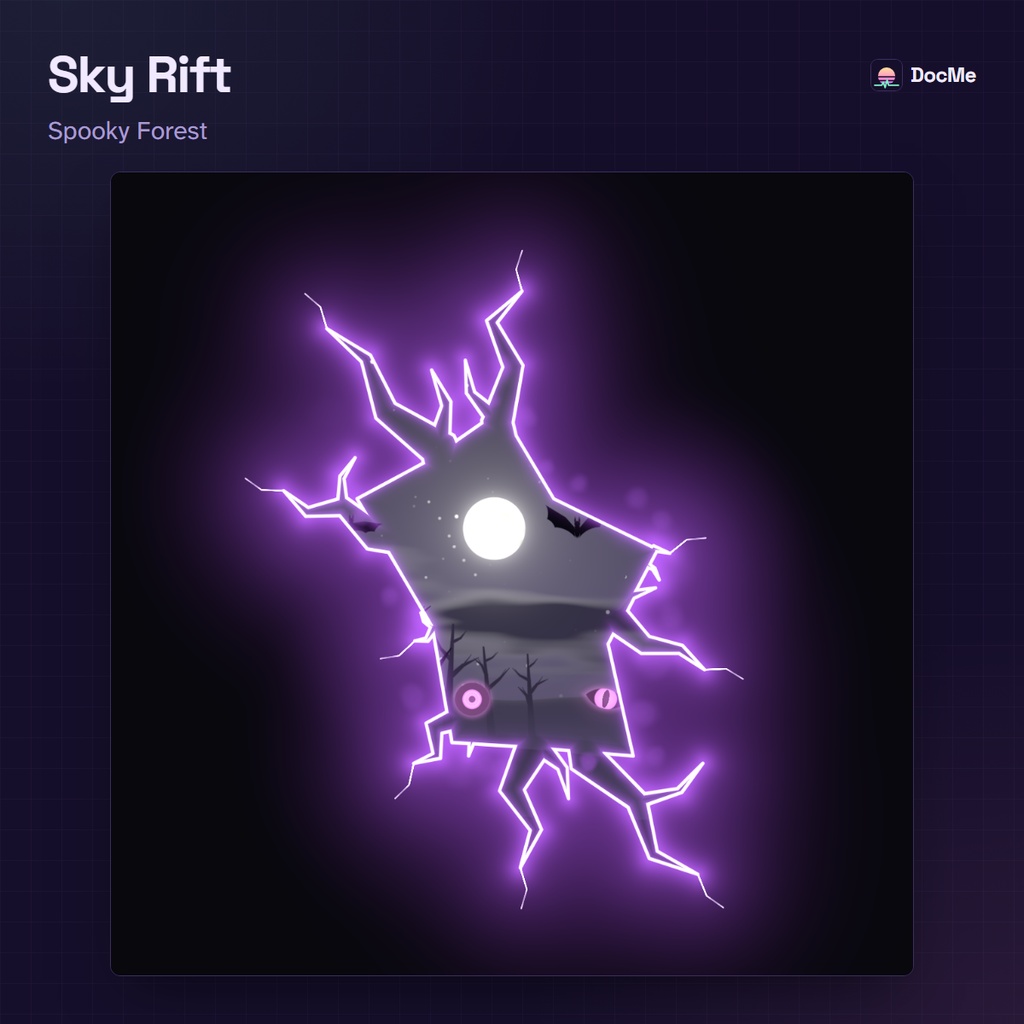
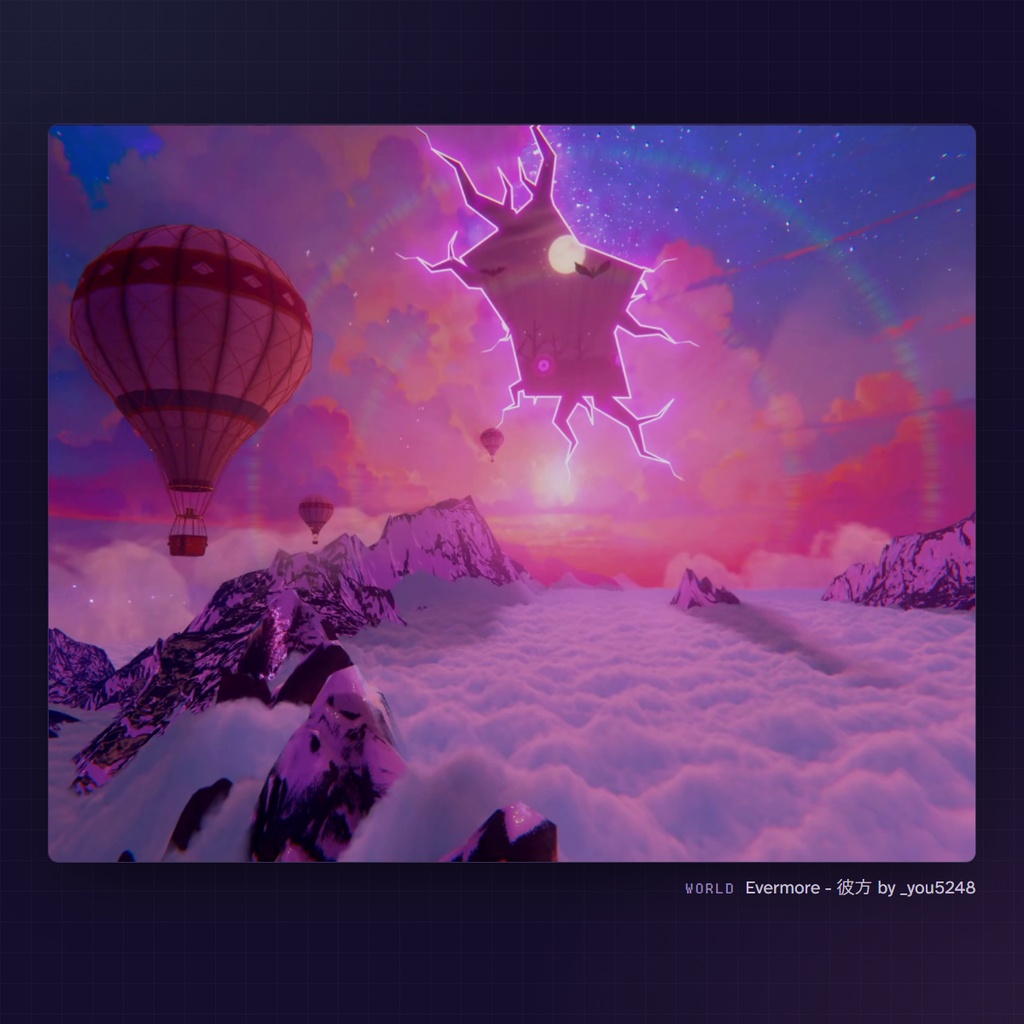
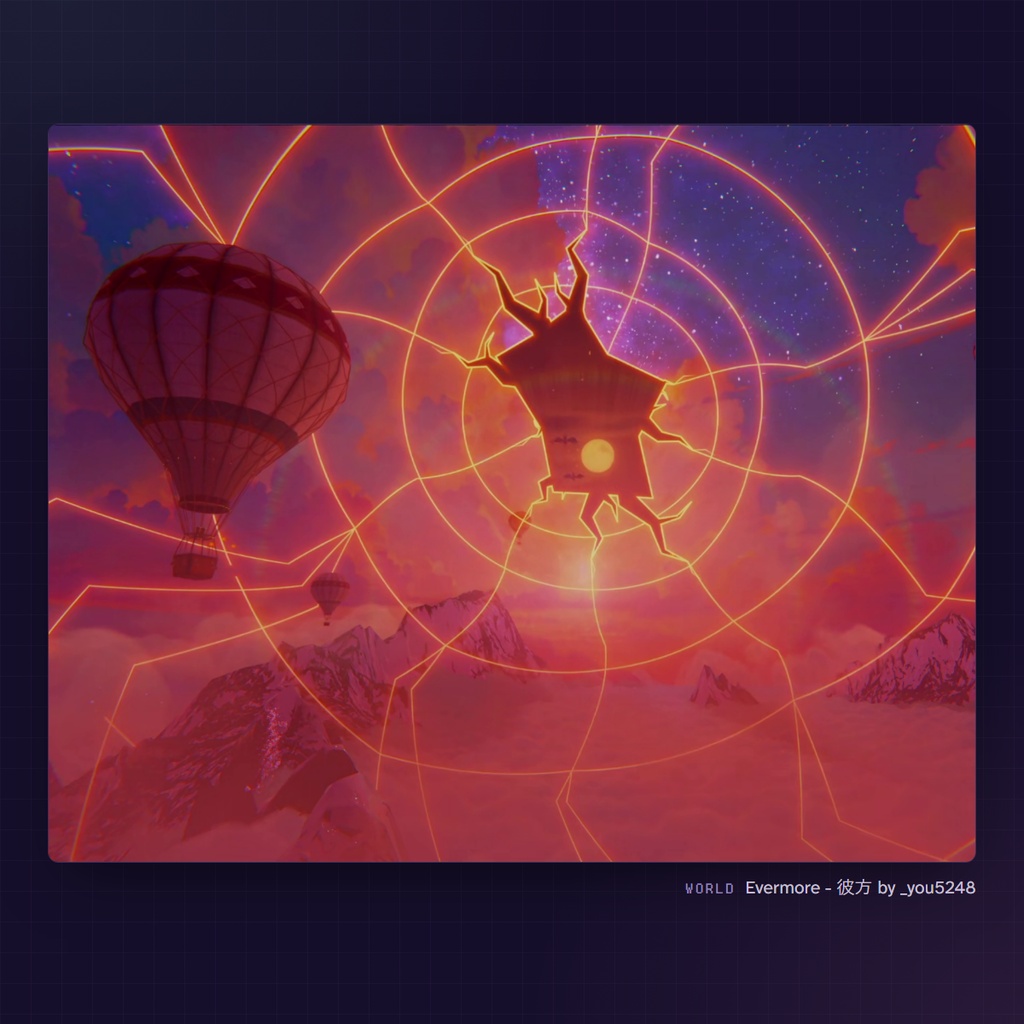
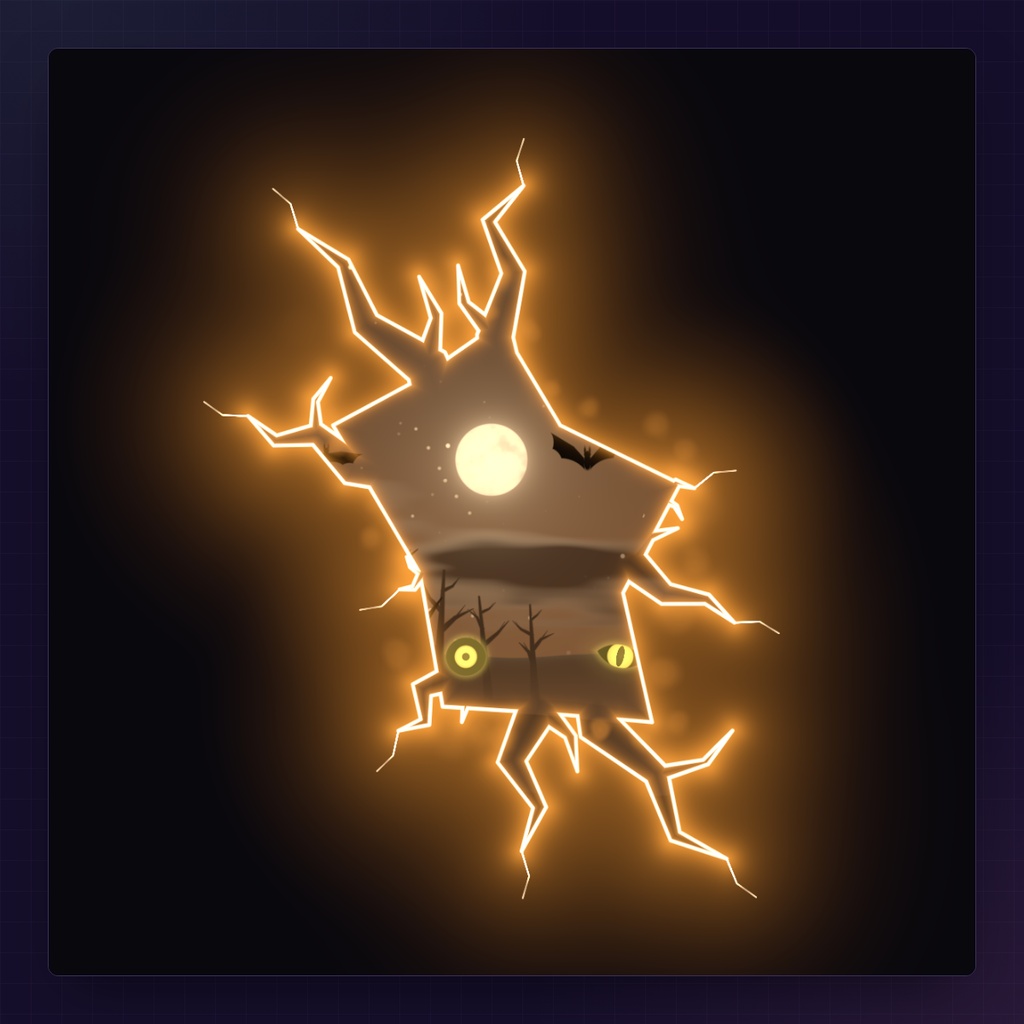
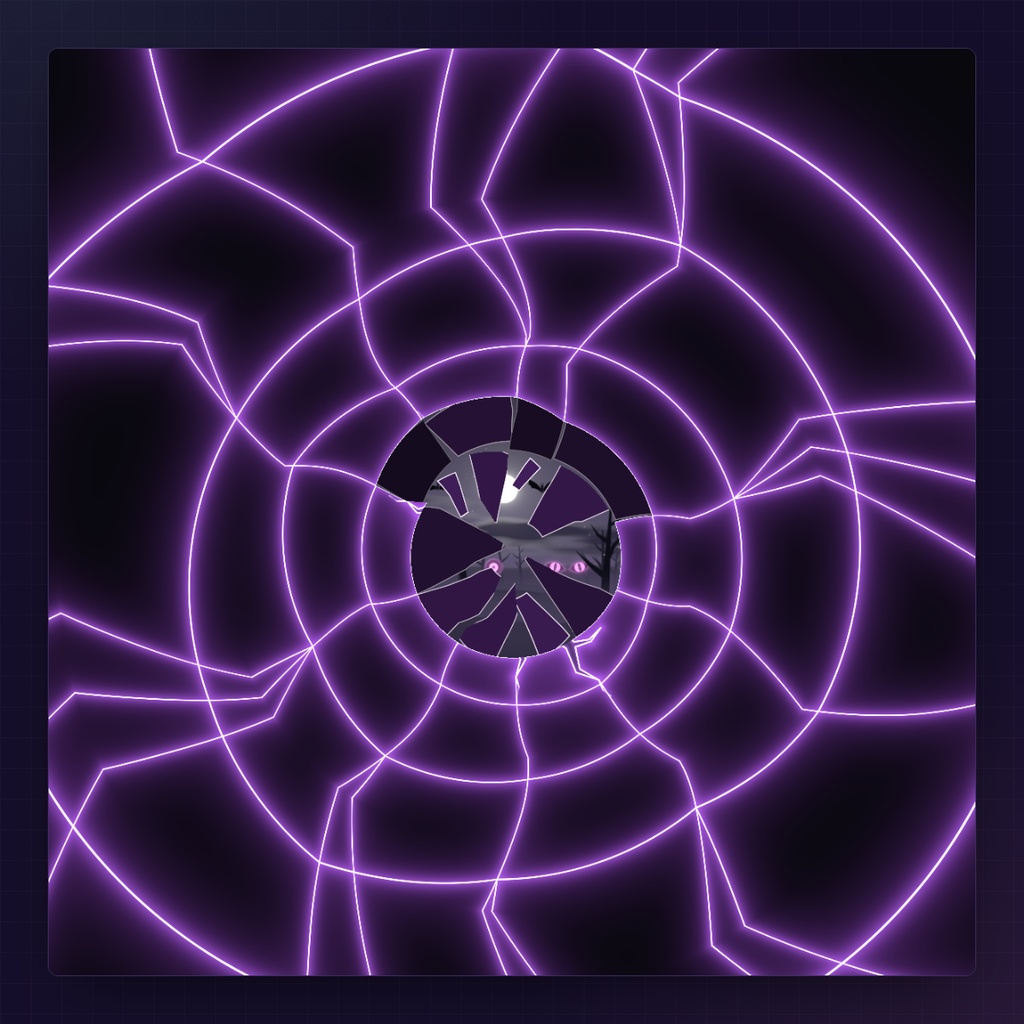
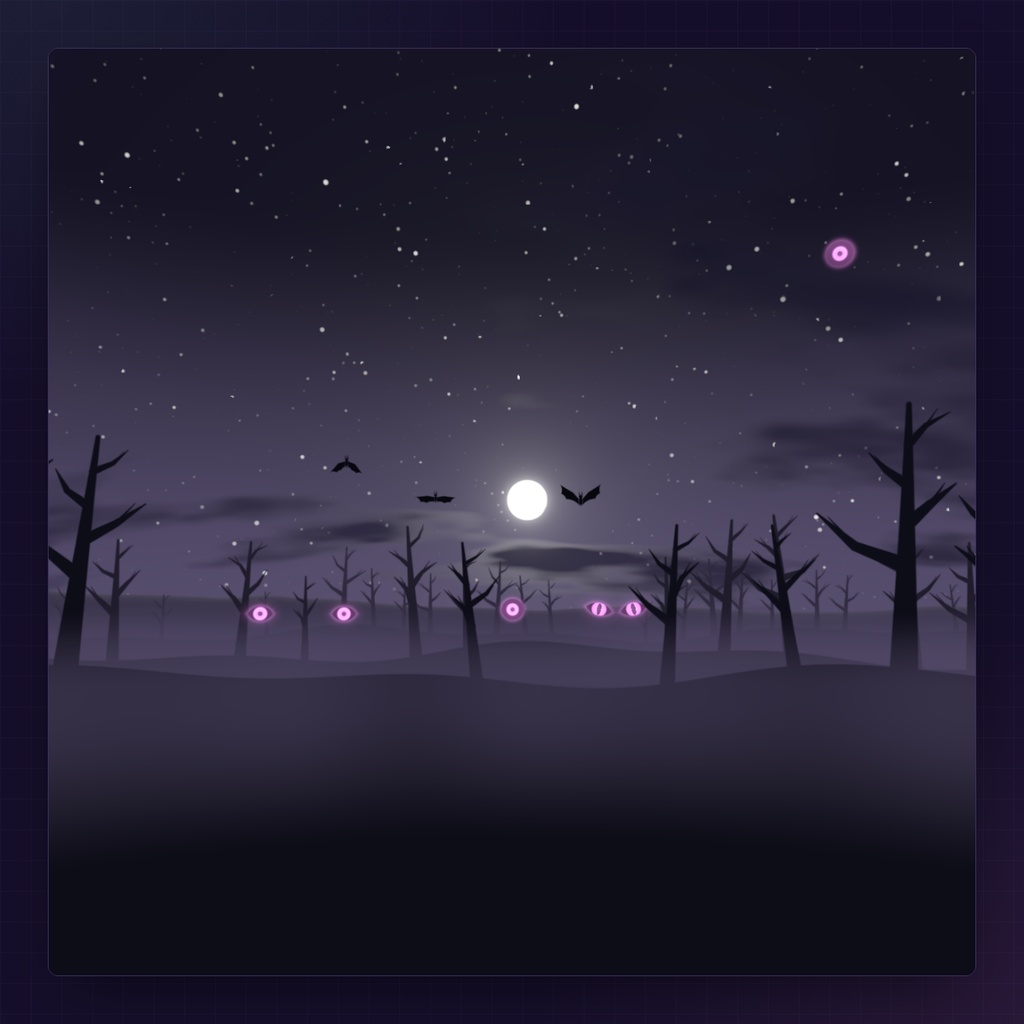
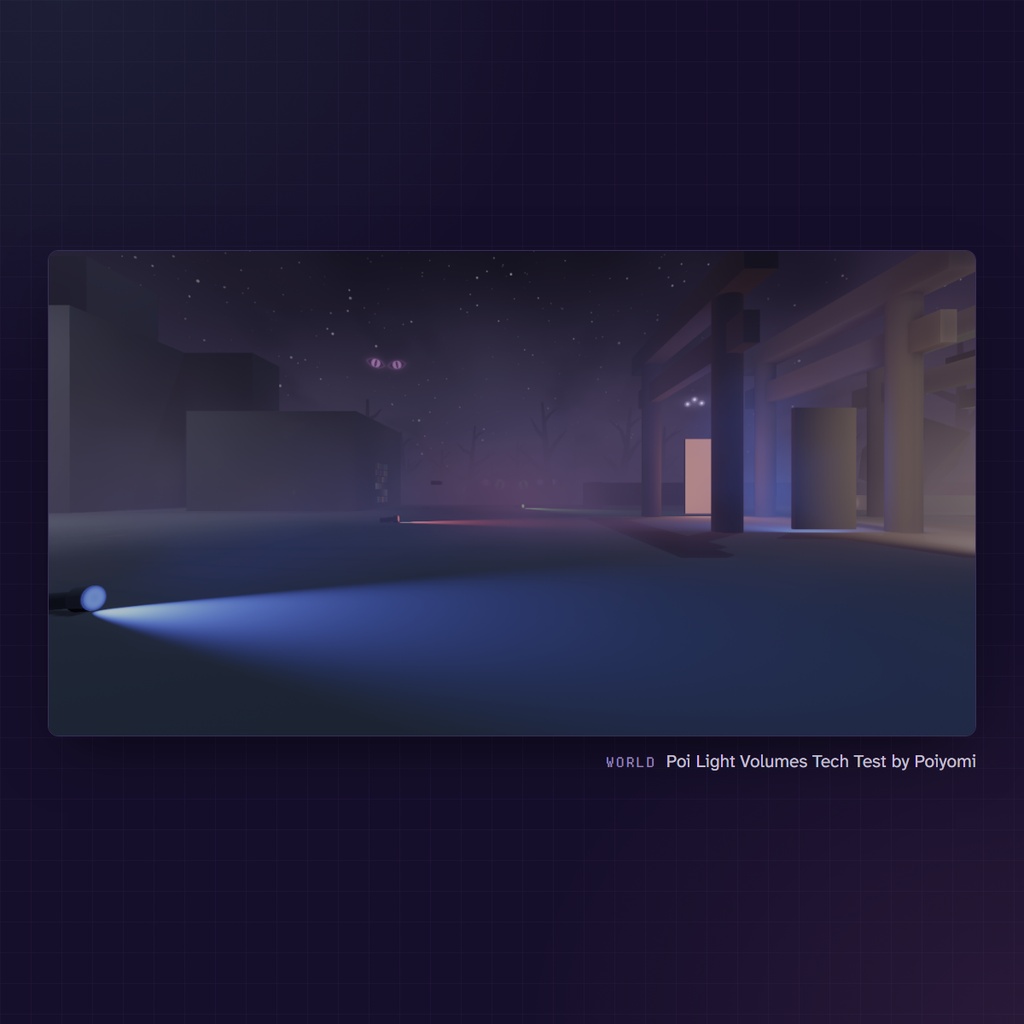


Happy (late) Halloween! 🎃 As a little Halloween project, I decided to make a spell that tears the sky open. Cast it and a glowing crack opens in the sky in front of you. Behind it waits a spooky forest under the moon, and the eyes between the trees stare back at whoever looks in. Turn your current world's skybox into a spooky forest world with realistic 3D sound effects! ※ 日本語は機械翻訳です。わかりにくいところがあれば、Discord でお気軽にお知らせください。 少し遅れましたが、ハッピーハロウィン!🎃 ちょっとしたハロウィン企画として、空を引き裂く呪文を作ってみました。 唱えると、目の前の空に光る裂け目が走ります。その奥には月夜の不気味な森。木々のあいだの目が、のぞきこんだ人をじっと見つめ返します。 今いるワールドのスカイボックスが、リアルな立体音響とともに不気味な森の世界に変わります!
What it does / できること
- The rift stays where you cast it, and everyone on PC sees it in the same spot - The forest has real depth (parallax), and the eyes look straight at each player - 3D sound: the cast, the rift's hum, the shatter, an owl, and thunder from where the bolt came down. Everyone within 40 m hears it - Pumpkin Theme turns the purple night orange - In AudioLink worlds the glow and the fog pulse with the music - The fog takes on the world's own light (VRC Light Volumes or its ambient light), and a brightness cap keeps it comfortable in dark worlds - 裂け目は唱えた場所にとどまり、PC のプレイヤー全員に同じ場所に見えます - 森には奥行き(視差)があり、目は見ている人それぞれをまっすぐ見つめます - 立体音響のサウンド付き。唱える音、裂け目のうなり、空が割れる音、フクロウ、そして稲妻が落ちた方角から響く雷鳴。40 m 以内の全員に聞こえます - Pumpkin Theme で、紫の夜がオレンジに変わります - AudioLink のあるワールドでは、光と霧が音楽に合わせて脈打ちます - 霧はワールドの光(VRC Light Volumes か環境光)になじみます。明るさには上限があるので、暗いワールドでもまぶしくなりません
Contents / 内容物
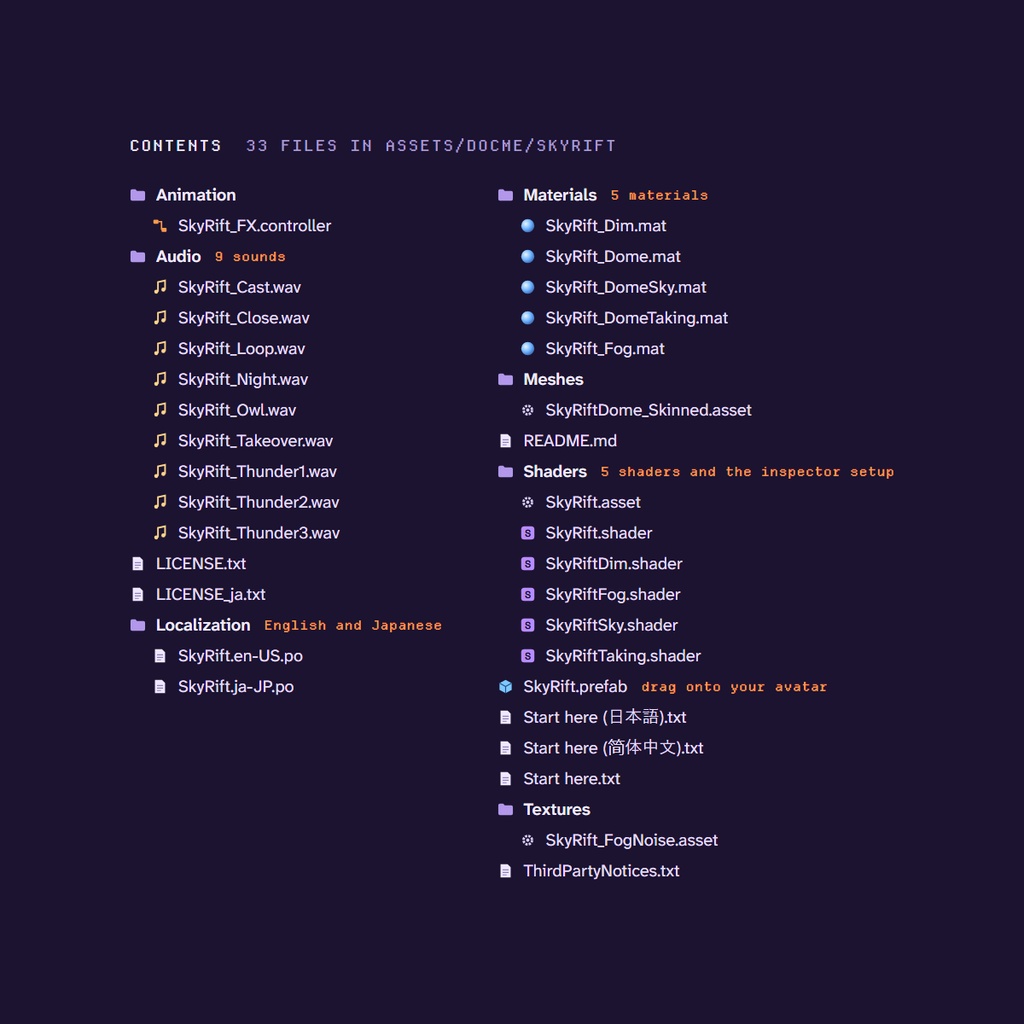
- SkyRift.prefab, with the DepthLight for the fog inside. Modular Avatar adds its menu, 4 synced parameters and 3 FX layers when you upload - 5 shaders and 5 materials (the crack with the other world behind it, the sky as it shatters, the taken sky, the fog, the darkened real world) - 9 sounds as WAV (the cast, the rift's hum, the shatter, the closing, the night, an owl, three kinds of thunder) - The FX animator, the sky sphere mesh and the fog's noise texture - The materials' settings in English and Japanese - README in English, Start here in English, Japanese and Chinese, the license in English and Japanese, third-party notices - SkyRift.prefab(霧用の DepthLight 入り)。アップロード時に Modular Avatar がメニュー、同期パラメーター 4 つ、FX レイヤー 3 つを組み込みます - シェーダー 5 つとマテリアル 5 つ(向こうの世界がのぞく裂け目、割れていく空、奪った空、霧、暗くなったワールド) - WAV のサウンド 9 つ(唱える音、裂け目のうなり、空が割れる音、閉じる音、夜の音、フクロウの声、雷鳴 3 種) - FX アニメーター、空の球メッシュ、霧のノイズテクスチャ - マテリアルの設定画面は英語と日本語に対応 - README(英語)、Start here(英語・日本語・中国語)、ライセンス(英語・日本語)、サードパーティーのライセンス表記
What you need / 必要なもの
- A VRChat avatar project with VRChat SDK 3.7.0 or newer, made with the VRChat Creator Companion (VCC): https://vrchat.com/home/download - Modular Avatar (free, added in the VCC): https://modular-avatar.nadena.dev/docs/intro - DocMe Simple Shader UI (free). Add my listing to the VCC (https://docmevr.github.io/vpm), then add it to your project - VRChat on PC, for you and for whoever should see it - VRChat SDK 3.7.0 以降のアバタープロジェクト(VRChat Creator Companion で作成):https://vrchat.com/home/download - Modular Avatar(無料。VCC で追加):https://modular-avatar.nadena.dev/ja/docs/intro - DocMe Simple Shader UI(無料)。VCC に私のリスティング(https://docmevr.github.io/vpm)を追加してから、プロジェクトに追加してください - PC 版の VRChat(自分と、見てほしい相手の両方)
Setup / 導入
1. Import the unitypackage 2. Drag SkyRift.prefab (Assets/DocMe/SkyRift) onto your avatar 3. Upload Your menu gets a SkyRift folder with Cast Rift, Take The Sky, Pumpkin Theme and Lightning. 1. unitypackage をインポート 2. SkyRift.prefab(Assets/DocMe/SkyRift)をアバターにドラッグ&ドロップ 3. アップロード メニューに SkyRift フォルダができ、Cast Rift、Take The Sky、Pumpkin Theme、Lightning が入ります。
Performance / 負荷
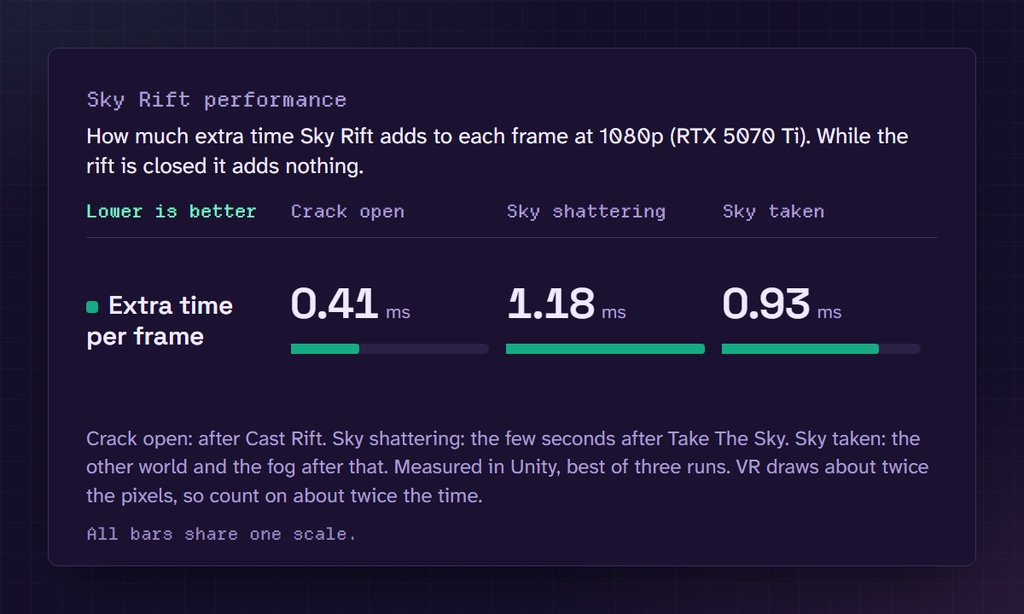
- While the rift is closed, its mesh and light are off and it costs nothing - 1 skinned mesh (a small sphere), 2 material slots, 4 audio sources, 4 synced bits - 1 light, the DepthLight, so the fog works in every world. VRChat counts every light, so your PC Performance Rank is Poor at best. Delete the DepthLight for a better rank (the fog then only shows in worlds that render depth anyway) - 1 small 3D noise texture (0.3 MB) - On an RTX 5070 Ti at 1080p: about 0.4 ms with the crack open, 1.2 ms while the sky shatters and 0.9 ms once it's taken, fog included. VR draws about twice the pixels, so count on about twice that - Every number is in the Performance picture - 裂け目を閉じているあいだはメッシュとライトがオフになり、負荷はかかりません - スキンメッシュ 1 つ(小さな球)、マテリアルスロット 2 つ、オーディオソース 4 つ、同期ビット 4 - ライト 1 つ(DepthLight)。どのワールドでも霧が出るようにするためのものです。VRChat はライトをすべて数えるので、PC のパフォーマンスランクは Poor 以下になります。ランクを上げたいときは DepthLight を消してください(霧は、もともと深度を描いているワールドでだけ見えるようになります) - 霧用の小さな 3D ノイズテクスチャ 1 枚(0.3 MB) - RTX 5070 Ti・1080p での計測:裂け目が開いているあいだ約 0.4 ms、空が割れているあいだ約 1.2 ms、空を奪ったあと約 0.9 ms(霧を含む)。VR は描くピクセルがおよそ2倍なので、負荷もおよそ2倍です - 数値はすべて「Performance」の画像にあります
Good to know / ご注意
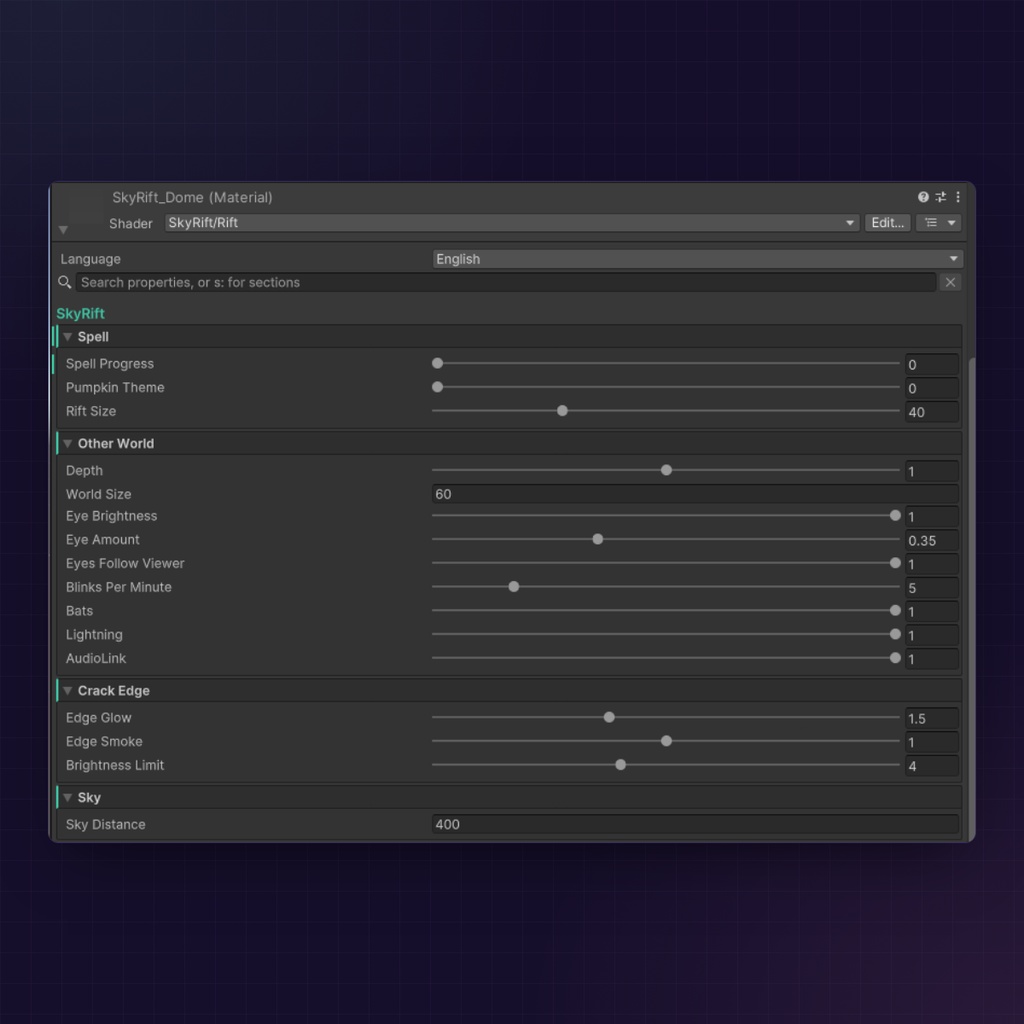
- Quest and phone players don't see it, and neither does anyone who blocks custom shaders in their Safety settings - A building or a world's small sky dome can hide the rift. Lower Sky Distance in SkyRift_Dome, SkyRift_DomeTaking and SkyRift_DomeSky, and keep the three at the same value - Someone who joins while your rift is open sees it from your next cast - Uploading a Quest version too? Delete the prefab from that copy first - Got an Assets/DocMe/ShaderUI folder from an older DocMe shader? Delete it before you add DocMe Simple Shader UI - Quest やスマホのプレイヤー、Safety 設定でカスタムシェーダーをブロックしている人には見えません - 建物やワールドの小さなスカイドームに裂け目が隠れるときは、SkyRift_Dome、SkyRift_DomeTaking、SkyRift_DomeSky の3つで「空までの距離」を下げてください。3つとも同じ値にそろえます - 裂け目が開いている最中に来た人には、次に唱えたときから見えます - Quest 版もアップロードするなら、そのアバターからはプレハブを消してください - 以前の DocMe シェーダーで入った Assets/DocMe/ShaderUI フォルダがあれば、DocMe Simple Shader UI を追加する前に削除してください
Changelog / 更新履歴
1.0.0 (2026-10-31): first release 1.0.0(2026-10-31):初公開
Terms of use and license / 利用規約・ライセンス
The short version. The full text is in LICENSE.txt, inside the download, and it is the binding one. 1. Use Sky Rift on any avatar you upload, as many as you like. Commissions are fine when the client owns their own copy or the files stay with you 2. Change the settings, materials, sounds and animation, and edit the shaders for your own avatars 3. Do NOT share, resell, re-upload or give away any of its files, changed or not 4. Do NOT put it into avatar bases, packages or assets you hand out or sell 5. Do NOT use its code, or a rewrite of it, to make and hand out another shader or effect 6. It is provided as is, without warranty. DocMe is not liable for any damage from its use, for example upload problems or problems with your VRChat account 7. Please follow VRChat's Terms of Service and Community Guidelines on every avatar you upload: https://hello.vrchat.com/legal and https://hello.vrchat.com/community-guidelines 8. Breaking these terms ends your license. No support for changed versions or for copies from anywhere but this page 要約です。全文はダウンロードに同梱の LICENSE.txt(日本語訳は LICENSE_ja.txt)にあり、そちらが優先されます。 1. アップロードするどのアバターにも、数の制限なく使えます。依頼制作は、依頼者が自分で購入しているか、ファイルがあなたの手元にとどまる場合に使えます 2. 設定、マテリアル、サウンド、アニメーションの変更と、自分のアバターのためのシェーダーの編集ができます 3. 改変の有無にかかわらず、ファイルの共有、再販売、再アップロード、無料配布は禁止です 4. 配布・販売するアバター素体、パッケージ、素材に含めることは禁止です 5. そのコードや、その書き直しを使って、別のシェーダーやエフェクトを作って配布することは禁止です 6. 現状のまま提供され、保証はありません。アップロードの不具合や VRChat アカウントに関する問題を含め、使用によって生じた損害について DocMe は責任を負いません 7. アップロードするすべてのアバターで、VRChat の利用規約とコミュニティガイドラインを守ってください:https://hello.vrchat.com/legal ・ https://hello.vrchat.com/community-guidelines 8. 規約に違反するとライセンスは終了します。改変版や、このページ以外から入手したものはサポートの対象外です
Support / サポート
For questions or bug reports, join my Discord. It helps to tell me your Unity, VRChat SDK and Modular Avatar versions and what you see: https://discord.com/invite/ZvhnZ9F4Bs You can also message DocMe directly on Discord. My links are on my Booth shop page: https://docme.booth.pm If you read this, I hope you have a wonderful day! =) ご質問や不具合の報告は、Discord へどうぞ。Unity、VRChat SDK、Modular Avatar のバージョンと、起きていることを教えていただけると助かります: https://discord.com/invite/ZvhnZ9F4Bs Discord で DocMe に直接メッセージを送ることもできます。リンクは私の BOOTH ショップページにあります:https://docme.booth.pm ここまで読んでくださった方、素敵な一日をお過ごしください =)
Credits / クレジット
The rift's own sounds are synthesised. The night, the owl and the thunder are made from CC0 recordings on Freesound. Thanks to their makers: - "CricketsandTawnyOwl.wav" by raoul_slayer: https://freesound.org/people/raoul_slayer/sounds/203598/ - "Owl Hoot" by Breviceps: https://freesound.org/people/Breviceps/sounds/465697/ - "thunder 5 dry.wav" by elmoustachio: https://freesound.org/people/elmoustachio/sounds/476739/ - "Thunder 07" by Emulius: https://freesound.org/people/Emulius/sounds/744722/ - "peal of thunder - distant" by bastipictures: https://freesound.org/people/bastipictures/sounds/243782/ The fog reads VRC Light Volumes with RED_SIM's shader code (MIT): https://github.com/REDSIM/VRCLightVolumes One step of the crack's shape comes from Inigo Quilez's 2D distance functions (MIT): https://iquilezles.org/articles/distfunctions2d/ Thanks to llealloo and the AudioLink team for AudioLink: https://audiolink.dev The video and pictures were filmed in Evermore - 彼方 by _you5248, Island Home by zanariyo, Avatar Testing Chamber by Ziggor and Poi Light Volumes Tech Test by Poiyomi. 裂け目の音は合成で作りました。夜、フクロウ、雷鳴は Freesound の CC0 の録音から作っています。作者のみなさん、ありがとうございます: - raoul_slayer さんの「CricketsandTawnyOwl.wav」:https://freesound.org/people/raoul_slayer/sounds/203598/ - Breviceps さんの「Owl Hoot」:https://freesound.org/people/Breviceps/sounds/465697/ - elmoustachio さんの「thunder 5 dry.wav」:https://freesound.org/people/elmoustachio/sounds/476739/ - Emulius さんの「Thunder 07」:https://freesound.org/people/Emulius/sounds/744722/ - bastipictures さんの「peal of thunder - distant」:https://freesound.org/people/bastipictures/sounds/243782/ 霧の VRC Light Volumes 対応には、RED_SIM さんのシェーダーコード(MIT)を使っています:https://github.com/REDSIM/VRCLightVolumes 裂け目の形の一部には、Inigo Quilez さんの 2D 距離関数(MIT)を使っています:https://iquilezles.org/articles/distfunctions2d/ AudioLink を作った llealloo さんと AudioLink チームに感謝します:https://audiolink.dev 動画と画像は、_you5248 さんの「Evermore - 彼方」、zanariyo さんの「Island Home」、Ziggor さんの「Avatar Testing Chamber」、Poiyomi さんの「Poi Light Volumes Tech Test」で撮影しました。