
PITCH FAZE - Live Vocal Hard Tune
- Digital0 JPY
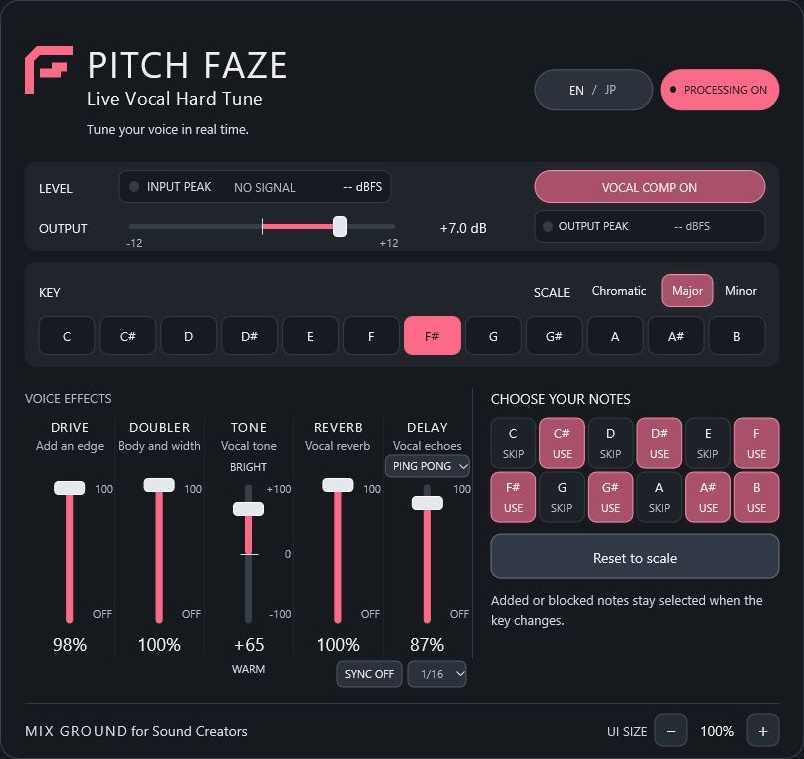
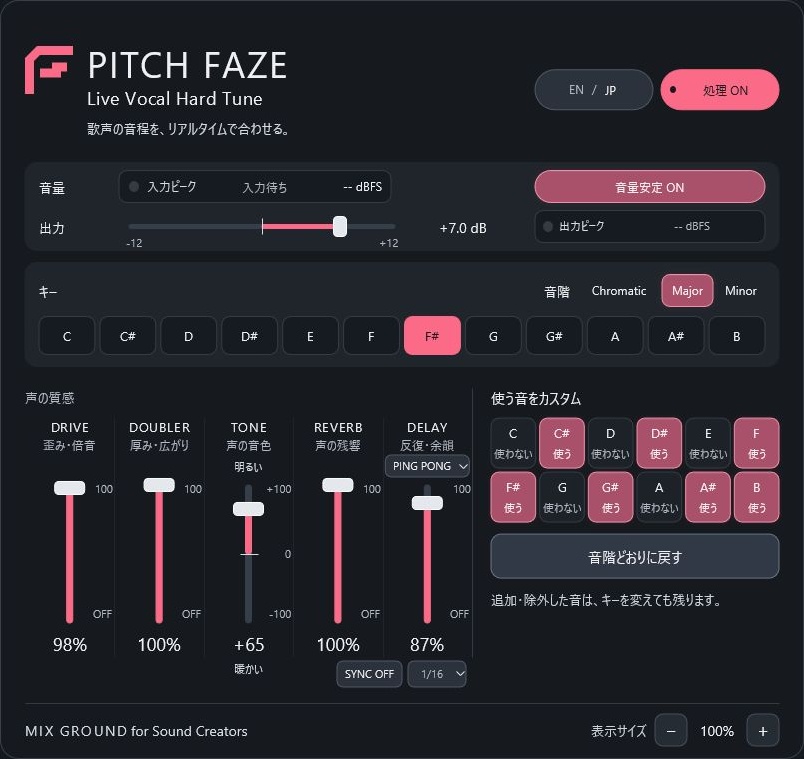


MIX GROUND for Sound Creators PITCH FAZE - Live Vocal Hard Tune English description below. 歌声をリアルタイムでケロケロ加工に。 PITCH FAZEは、MIX GROUNDが開発したオリジナルのボーカル用プラグインです。 ライブや配信等を想定した低遅延設計で、DAWに報告するレイテンシーは4ms(48kHz時)。 歌いながら、声の変化を楽しめます。 ミキシング用途にもお使いいただけます。 DAWのトラックはステレオに設定することを推奨します。 ケロケロ加工、音量の安定、声の厚み、音色、残響まで、ボーカルの基本的な音作りを、これひとつにまとめました。 ケロケロ加工を使わず、コンプやエフェクトだけで声を整えることもできます。 ※4msはプラグインのDAW報告値です。実際に耳へ届くまでの遅れは、音程補正の状態、PC・オーディオ機器・DAWの設定、併用プラグインによって変わります。 音楽を楽しみたい。 誰かの歌や作品づくりの役に立てたらうれしい。 そのような思いからこのプラグインを作りました。 ぜひご自身の声や好きな音楽で楽しんでみてください。 無料・利用期限なし。シリアル入力やオンライン認証は不要です。 このプラグインは今後提供するアップデートも、無料でお届けする方針です。 【できること】 ・Hard Tune キーと音階に合わせて歌声の音程を素早く補正し、独特なケロケロ感を作ります。 ・音量安定/VOCAL COMP 大きくなった声を穏やかに抑え、歌声の音量を自然に整えます。 ・DRIVE 声に歪みや倍音を加え、存在感を出します。 ・DOUBLER 声に厚みと、ステレオの広がりを加えます。 ・TONE 暖かい声から明るい声まで、音色を調整します。 ・REVERB/DELAY 声に残響や反復音を加えます。 歌っている間は効果音を自動で抑え、語尾や音の間で自然に響かせるダッキングを搭載しています。 ディレイはSLAP/ECHO/PING PONGの3種類が選べます。 ディレイのSYNCをONにすると、反復の間隔をDAWのテンポに合わせられます。 ・OUTPUT 仕上がりの音量を調整します。 表示は日本語・英語を切り替えられます。 【はじめに、入力レベルを合わせてください】 まずは、しっかり歌ったときに入力ランプが緑になるよう、オーディオ機器側でマイクの入力音量を調整してください。 緑の入力ランプは、ボーカル用に調整したコンプやエフェクトを使いやすくするための目安です。 入力と出力の信号の数値はdBFSで表示されます。強めに歌ったときの入力信号が約-12から-14dBFSくらいを目安にしてください。 小声や歌っていない間まで、緑を保つ必要はありません。 入力を整えてから、必要な機能を少しずつ加えてみてください。 音程補正なしで使う場合は、処理ONのまま「使う音のカスタム」をすべて「使わない」に設定してください。 コンプやエフェクトだけを使えます。 【対応環境・動作確認】 Windows 10以降の64bit環境(Intel/AMD)と、VST3対応DAWが必要です。 単体で起動するアプリではありません。Macには対応していません。 現時点で実機による動作確認を行っているDAWは、Studio One 5のみです。 その他のDAWでの動作は未確認です。 ライブや配信、大切な制作で使用する前に、ご自身の環境で十分にお試しください。 【導入方法】 ZIPをすべて展開し、DAWを終了してからSetup.exeを実行してください。 詳しい操作方法は、同梱の日英説明書をご覧ください。 旧版から更新する場合は、事前にプロジェクトを別名保存してください。 セットアップは未署名のため、Windowsで警告が表示される場合があります。 取得元や安全性を確認できない場合は実行を中止し、お問い合わせください。 【ご利用について】 本製品を使用した楽曲制作・配信・商用利用が可能です。 制作した楽曲や音声の公開・販売に、追加使用料や製品名のクレジット表記は必要ありません。 本ソフトウェアおよび配布パッケージの無断再配布、他サイトへの再アップロード、販売・転売は認めておりません。 ご紹介いただく際は、この商品ページへのリンクをご利用ください。 詳しい利用条件は、同梱の利用規約をご確認ください。 【お問い合わせ】 ご質問や不具合のご連絡は、BOOTHのショップメッセージへお願いいたします。 ご使用のDAW名・バージョンと症状を添えていただけますと幸いです。 配布バージョン:0.8.20 ENGLISH MIX GROUND for Sound Creators PITCH FAZE - Live Vocal Hard Tune An original vocal plug-in by MIX GROUND, bringing real-time hard tuning and essential vocal effects together for live performance, streaming and mixing. A stereo DAW track is recommended. Reported latency: 4 ms at 48 kHz. This is the plug-in's DAW-reported latency, not total monitoring delay. Actual delay depends on pitch correction behavior, your PC, audio hardware, DAW settings and other plug-ins. Made with a simple wish: to enjoy music and help others create. Try it with your own voice and the music you love. Free, with no time limit, serial number or online activation. Future updates are also planned to remain free. FEATURES • Hard Tune: quickly matches your voice to the selected key and scale for a distinctive hard-tuned sound. • VOCAL COMP: gently controls louder passages for a more consistent vocal level. • DRIVE: adds saturation, harmonics and presence. • DOUBLER: adds thickness and stereo width. • TONE: shapes your voice from warm to bright. • REVERB / DELAY: adds ambience and echoes. Automatic ducking reduces the effects while you sing, letting them return naturally between phrases. • DELAY types: SLAP, ECHO and PING PONG. Turn SYNC on to match repeat timing to your DAW's tempo. • OUTPUT: adjusts the final level. English and Japanese interface options are included. GETTING STARTED Adjust your microphone gain on your audio interface so the input indicator turns green during stronger singing. Aim for around -14 to -12 dBFS. Input and output readings use dBFS. The green indicator is a guide for using the compressor and effects designed for vocals. It need not stay green during quiet passages or silence. Set your input first, then add effects gradually. For compressor/effects only, leave processing ON and exclude every note in the custom note section. REQUIREMENTS 64-bit Windows 10 or later (Intel/AMD), plus a VST3-compatible DAW. Not a standalone app. No macOS support. Tested directly in Studio One 5 only; other DAWs are unverified. Please test thoroughly in your setup before live use, streaming or important work. INSTALLATION Extract the entire ZIP, close your DAW and run the setup .exe. See the included English/Japanese guides. Before updating, save a separate copy of your DAW project. The installer is unsigned and Windows may show a warning. If you cannot verify its source or safety, do not run it; please contact us. TERMS OF USE Music production, streaming and commercial use are permitted. Music/audio made with this plug-in can be published or sold without additional royalties or product credits. Unauthorized redistribution, re-uploading, sale or resale of the software or package is not permitted. To share PITCH FAZE, link to this product page. Full terms are in the included license agreement. CONTACT Please use this BOOTH shop's messaging feature for questions or bug reports. Include your DAW name, version and a description of the issue. Version: 0.8.20