

【頭の上で雪がふる】しょんぼり雲 GLUMDROP(グラムドロップ)【無料版あり・VRChat・MA・Quest対応】
- ANGEL・ゆき(無料)Digital0 JPY
- 3色・ハートモード付きDigital300 JPY
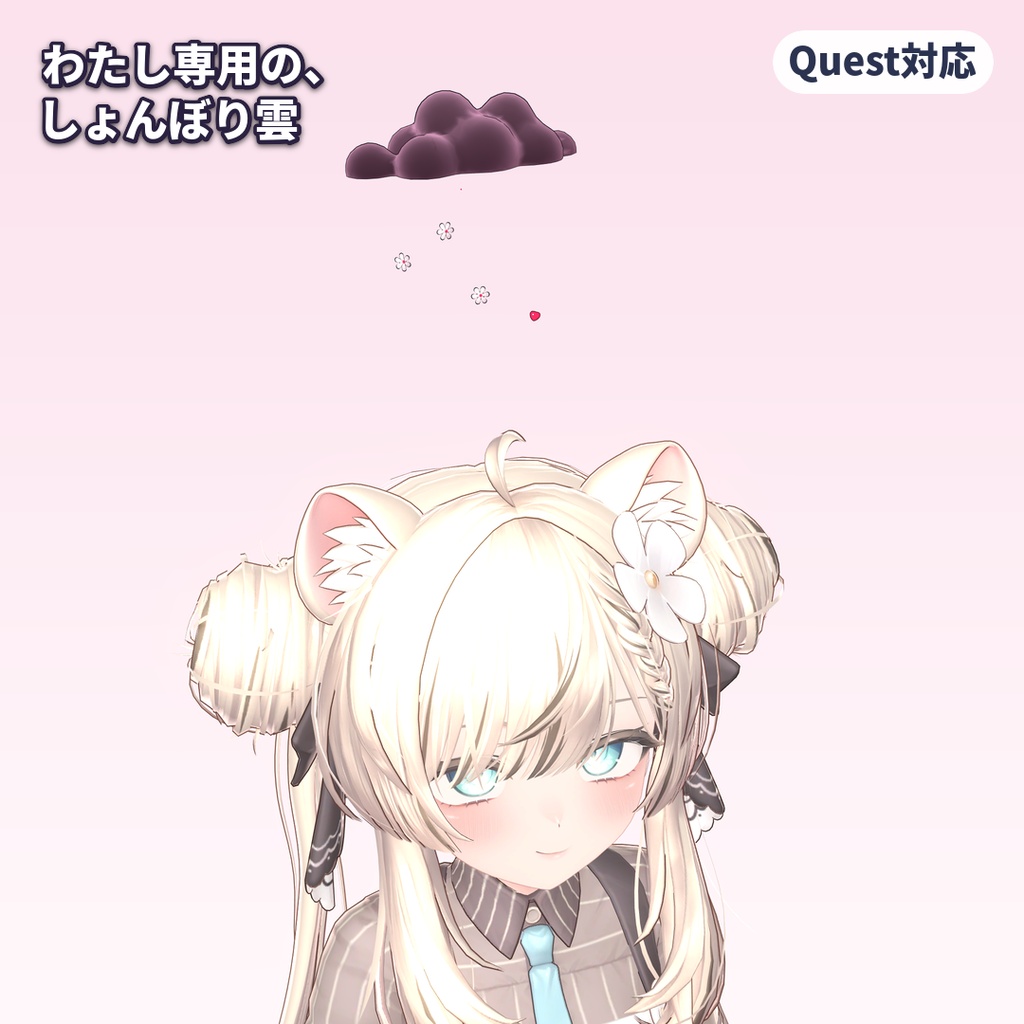
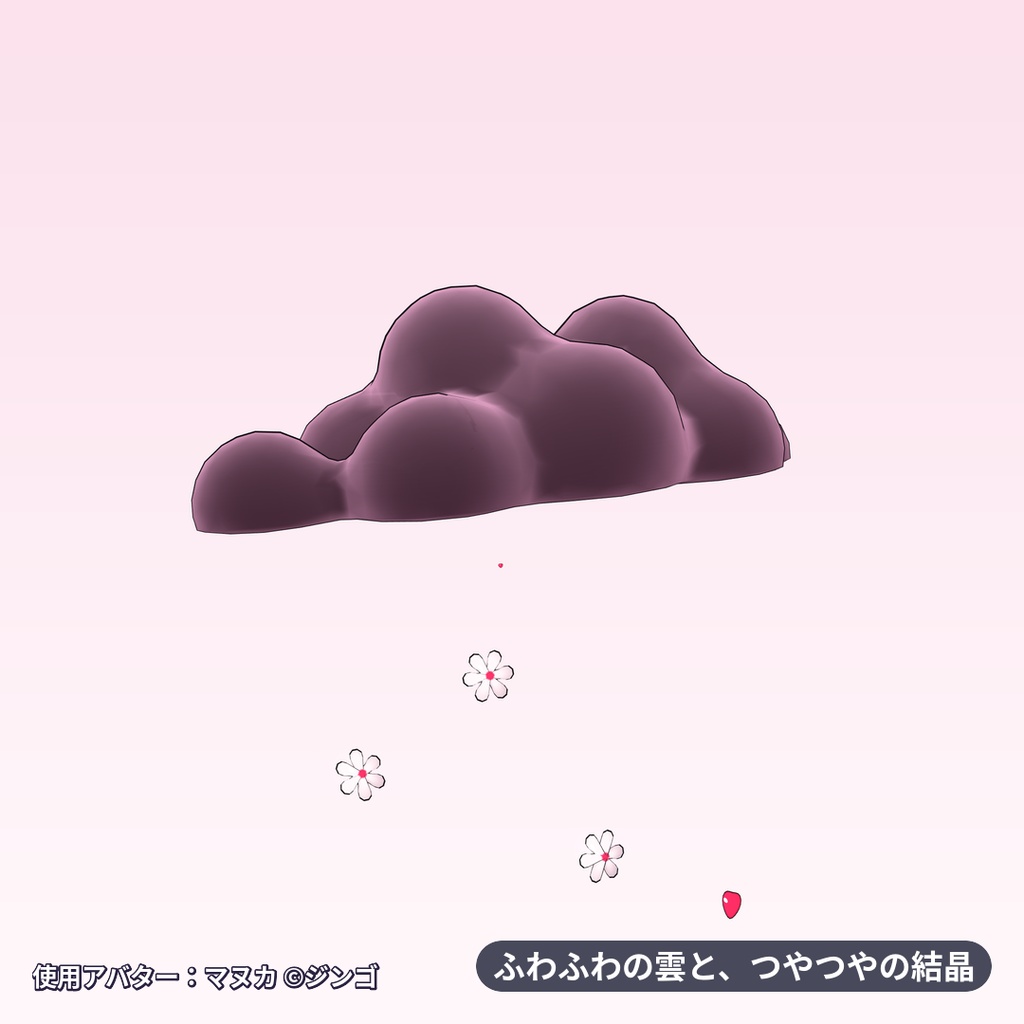
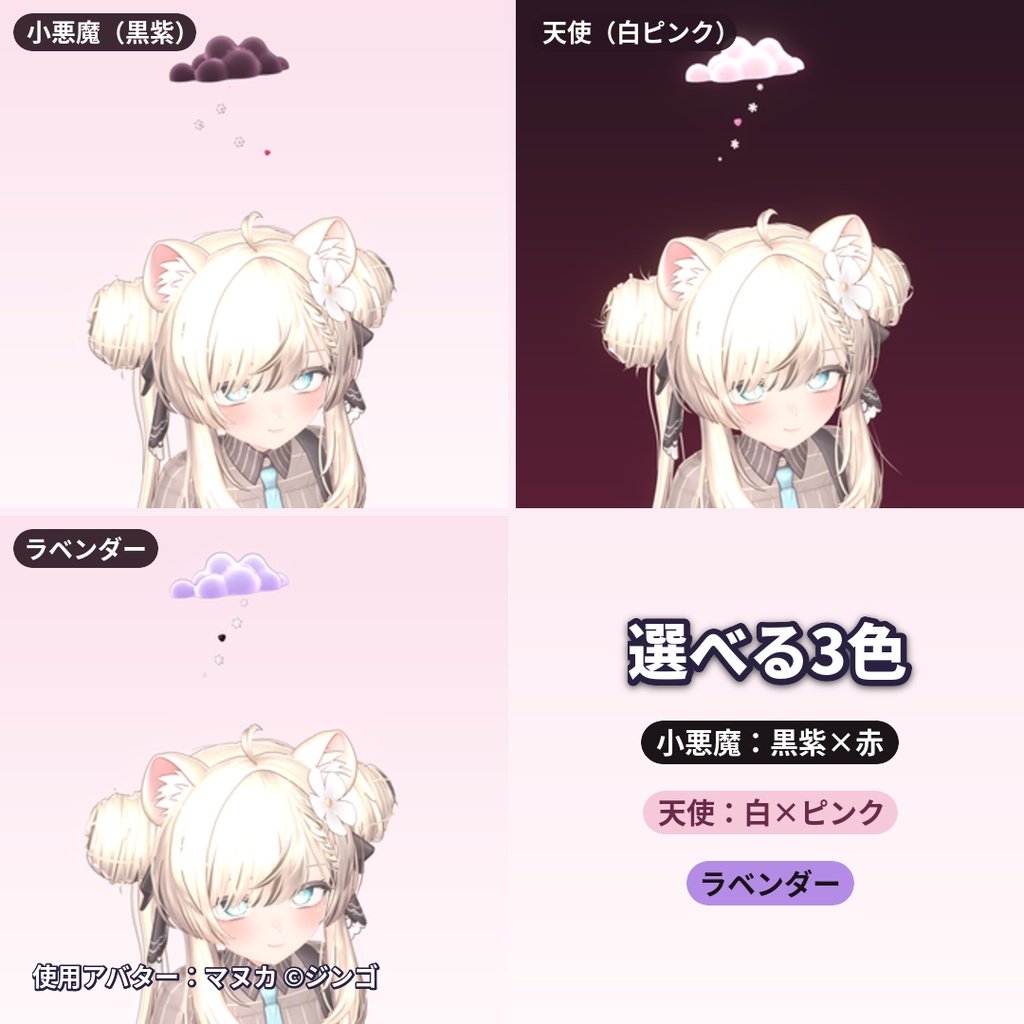
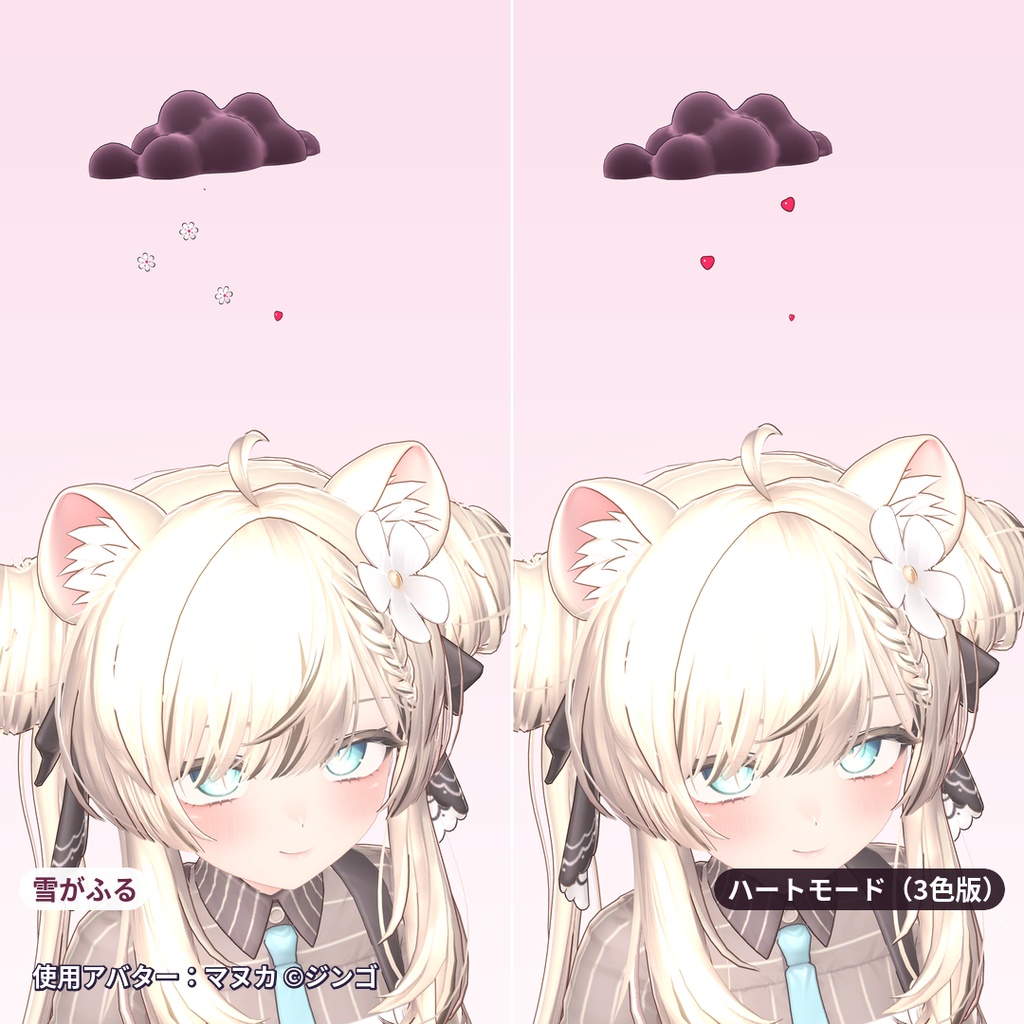
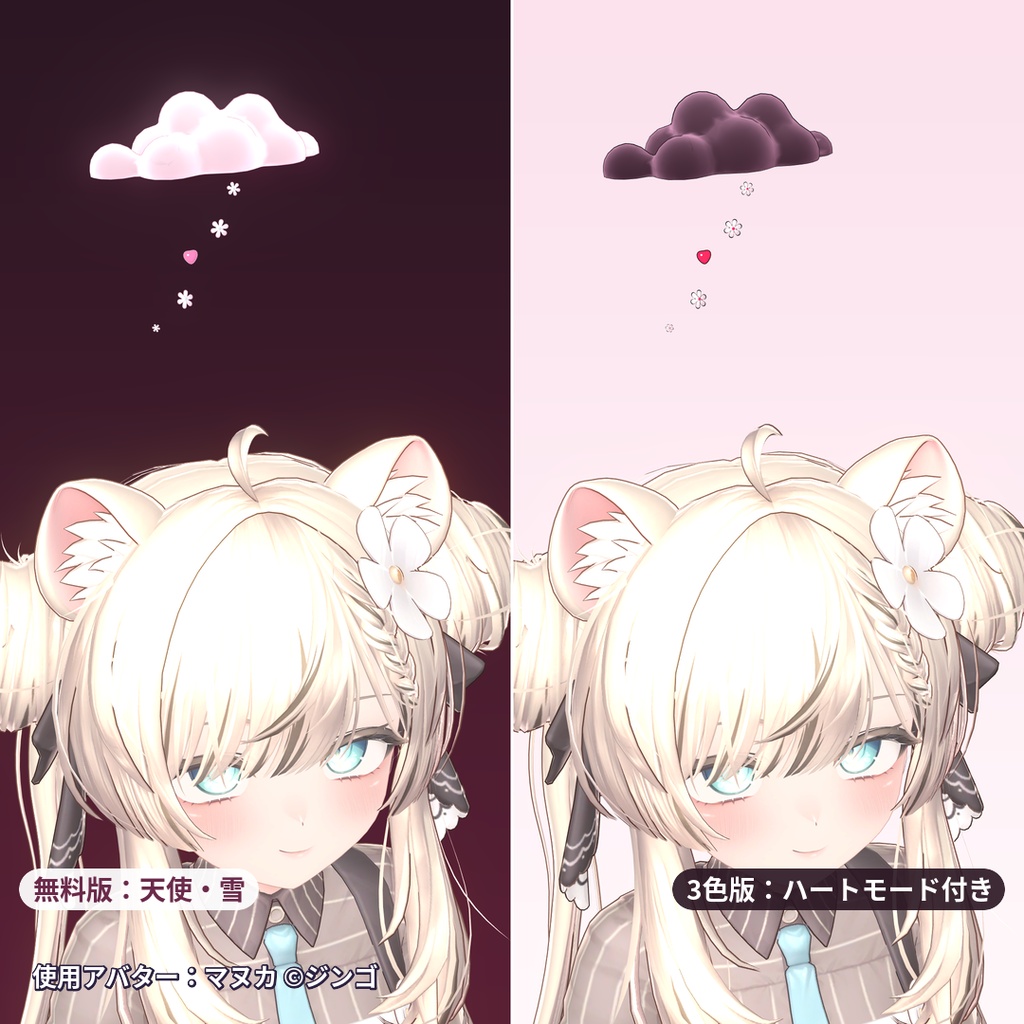
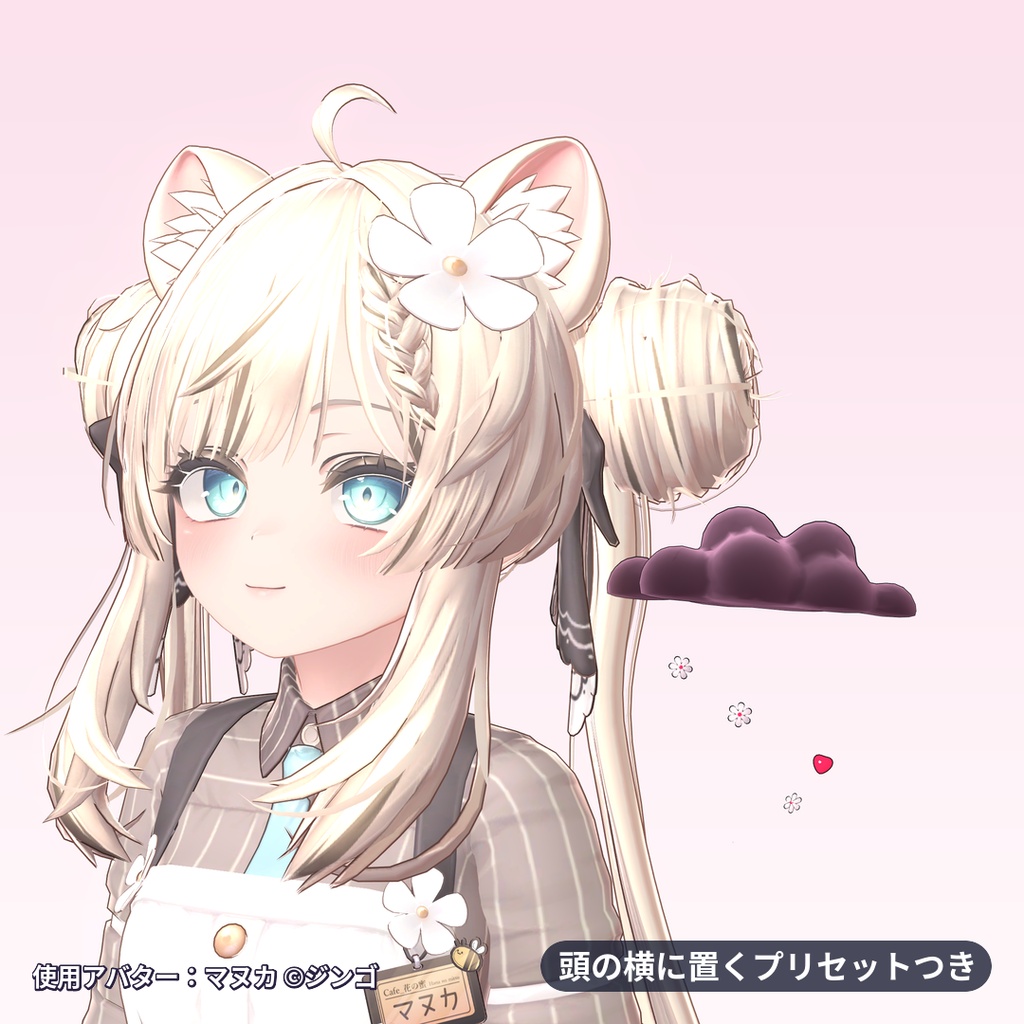
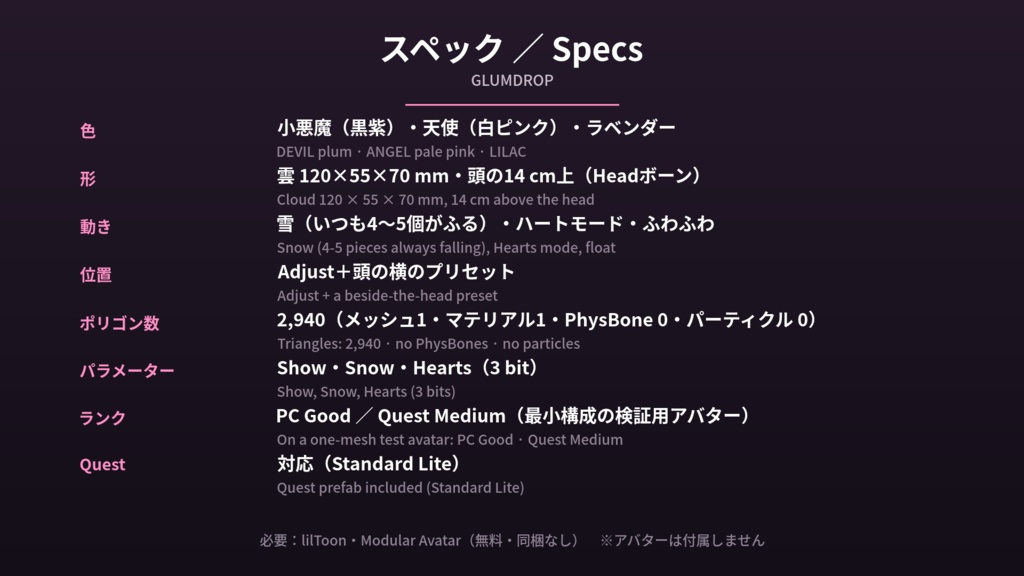
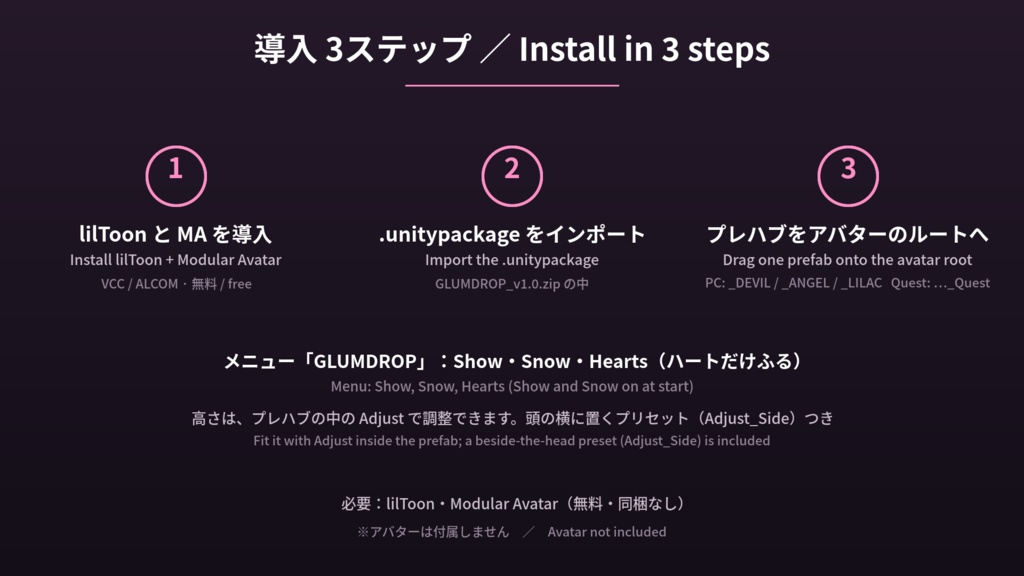
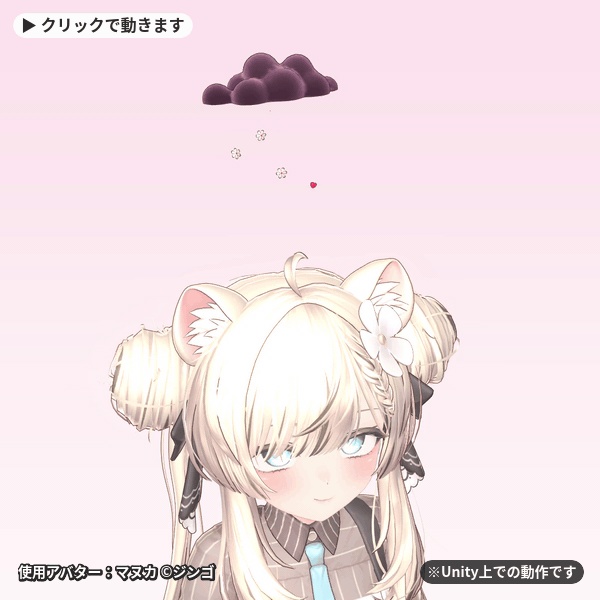


頭の上に、しょんぼりした小さな雲。ちらちら雪をふらせます。元気になると、ハートがふってきます。 色はどんより(黒紫)・白ピンク・ラベンダーの3色。パーティクルなしの雪なので、Questでもふります。 新作・無料配布のお知らせは、ショップのフォローとX(https://x.com/viperrassets)でどうぞ。 ・ドラッグ&ドロップで導入(Modular Avatar対応) ・PC/Quest対応 ・頭の上(頭のボーン)に浮かぶタイプです。Adjust で高さ・位置・大きさを合わせられます PUFFIEND(頭の上に出る、ぷっくり感情ふきだし 無料版あり):https://viperrassets.booth.pm/items/9090539 MINTIMP(ペパーミントのキャンディケイン小悪魔ツノ 無料ミニ版あり):https://viperrassets.booth.pm/items/9090596 ■ しょんぼり雲と、ふってくる雪 ・120 × 55 × 70 mmのふわふわの雲(マヌカのサイズで)。丸いもくもくを重ねた形で、顔はありません。ふわふわの色ぬりと、ふちの明るさで綿のように見えます ・雲の下側が頭の上14 cmの高さにきます。雪はその下で消えるので、髪や耳にはふれません(マヌカで確認。アバターによっては Adjust で高さを合わせてください) ・ふってくるのは、まるっこい雪の結晶と、ちいさなぷっくりハート。いつも4〜5個が空中にあります。メッシュのアニメーションなので、パーティクルは使っていません ・雲はふわふわ上下して、ふくらんだりしぼんだりします ■ ハートモード(3色版) ・メニューで Hearts をオンにすると、雪の結晶が消えて、ハートだけがふってきます ■ 3つの色(プレハブが分かれています。ゲーム内での色の切り替えはありません) ・小悪魔(DEVIL):黒紫のどんより雲に、赤い芯の雪の結晶 ・天使(ANGEL):白ピンクの雲 ・ラベンダー(LILAC):ラベンダー色の雲 ■ 無料版(天使・雪) ・ANGELの雲と、ふってくる雪です。ハートモード(Hearts)はありません(メニューは Show と Snow・2 bit・ポリゴン数 2,940) ・商品ページの「ANGEL・ゆき(無料)」を選んでダウンロードしてください ■ 位置と調整 ・プレハブの中の Adjust で、雲と雪をいっしょに動かせます(大きさ 0.7〜1.4倍ぐらい)。背が高い・低い頭では、雪が髪のすこし上で消えるように上下させてください ・頭の横に置くプリセット(Adjust_Side)つき:Adjust の Transform の右上のプリセットから選ぶと、左がわの耳の高さに浮かびます ■ メニュー Expression Menu の「GLUMDROP」に、Show(雲の表示)・Snow(雪)・Hearts(ハートだけ)が並びます。Show と Snow は初期オン、Hearts は初期オフ。保存あり(同期パラメーターは3 bit)。 ■ MA対応:ドラッグ&ドロップで導入 .unitypackage をインポートして、プレハブをアバターのルートにドラッグするだけ。ボーンにはドラッグしないでください。MA Bone Proxy が頭のボーンに付けます。 ■ Quest対応 Quest用プレハブ(VRChat/Mobile/Standard Lite)を同梱しています。メニューとパラメーターは PC版と同じで、雪もふります。つやはテクスチャに描き込んであり、Questではふちどり線はありません。 ■ スペック ・ポリゴン数:2,940 ・スキンメッシュ1つ・マテリアル1つ・PhysBone 0・パーティクル 0 ・パフォーマンス:最小構成の検証用アバター(メッシュ1つ)では PC Good、Quest Medium でした。ランクはアバター全体で決まります ・必要なもの:VRChat Avatars SDK 3.10.5、Modular Avatar 1.18.7、lilToon 2.4.1(検証したバージョン。Unity 2022.3.22f1) ■ 注意点(既知の制限) ・雪が髪や耳に重なるときは、Adjust を少し上に動かしてください ・頭の上は、ヘイローなど、ほかの頭上アイテムと同じ場所です。重ねて使うときは、Adjust か、頭の横のプリセットで位置をずらしてください ・Quest版はつやが描き込みで、PC版のように光の向きでは動きません ・ピンク色になるときは、lilToon が入っていません → lilToon を導入してください(Questは Quest 用プレハブ) ・スキンメッシュ1つ、マテリアル1つが加わるため、アバターのパフォーマンスランクが下がることがあります ■ 必要なもの(無料・同梱なし) ・lilToon:https://booth.pm/ja/items/3087170 ・Modular Avatar:https://modular-avatar.nadena.dev/ja/docs/intro ▼同じショップ PUFFIEND(頭の上に出る、ぷっくり感情ふきだし 無料版あり):https://viperrassets.booth.pm/items/9090539 MINTIMP(ペパーミントのキャンディケイン小悪魔ツノ 無料ミニ版あり):https://viperrassets.booth.pm/items/9090596 写真を投稿するときは #ViperrAssets と #GLUMDROP をつけてください。リポストします! English description below. ※アバターは付属しません。 ※使用アバター(画像のみ):オリジナル3Dモデル『マヌカ』 ©ジンゴ 本商品にマヌカのデータは含まれません。 ※画像はUnity(lilToon)での撮影です。VRChat内での見え方は、ワールドの光やエフェクトによって変わります。 Shown on Manuka (©JINGO), in images only; Manuka is not included. Images are Unity (lilToon) captures. ※デジタル商品です。説明どおりに動作しない場合は、BOOTHのメッセージからご連絡ください。修正、または導入のお手伝いをします。 ■ English GLUMDROP: a small, fluffy, sulky cloud that floats over your head in VRChat and snows on you: chunky snowflakes and little puffy hearts fall from it, fade, and fall again, with 4-5 pieces in the air at any moment. No particles (it is mesh animation), so it snows on Quest too. A free version (the ANGEL cloud with the snow) is included as its own variation. Size (Manuka's scale): the cloud is 120 x 55 x 70 mm, with no face, and its underside sits 14 cm above the head; the snow fades out above the hair. The cloud bobs and puffs softly. Colours (one prefab each, no in-game switch): DEVIL (plum storm cloud, red-centred flakes), ANGEL (pale pink), LILAC. Hearts mode (full version): turn on Hearts in the menu and the flakes disappear and only hearts fall. Placement: it attaches to the Head bone. The Adjust object moves, tilts and scales the cloud and its snow together (about 0.7-1.4); on a tall or short head, move it so the snow fades just above the hair. A beside-the-head preset (Adjust_Side) floats it on the left at ear height. Menu (Expression Menu > GLUMDROP): Show, Snow, Hearts. Show and Snow are on by default, Hearts is off; saved, 3 synced bits. The free version has Show and Snow (2 bits, no Hearts mode). Modular Avatar: import the .unitypackage and drag the prefab onto your avatar's root; MA Bone Proxy attaches it to the head. Quest prefabs are included (VRChat/Mobile/Standard Lite); the glint is painted into the texture and Quest has no outline. Specs: 2,940 triangles, 1 skinned mesh, 1 material, 0 PhysBones, 0 particles. On a one-mesh test avatar: PC Good, Quest Medium (the rank depends on your whole avatar). Needs VRChat Avatars SDK 3.10.5, Modular Avatar 1.18.7, lilToon 2.4.1 (tested; Unity 2022.3.22f1). Known issues: if the snow overlaps your hair or ears, nudge Adjust up a little. The spot over the head is the same one halos use, so when you wear another head item, move this one with Adjust or the beside-the-head preset. On Quest the glint does not move with the light. Pink material = lilToon is not installed (on Quest use the Quest prefab). It adds one mesh and one material, so your rank can drop. Requires (free, not included): lilToon and Modular Avatar. Follow the shop: https://x.com/viperrassets Digital download. If anything doesn't work as described, message us and we will fix it or help you set it up. Pairs well with PUFFIEND (https://viperrassets.booth.pm/items/9090539) and MINTIMP (https://viperrassets.booth.pm/items/9090596).