

【無料】Outfit Tools
- Digital0 JPY
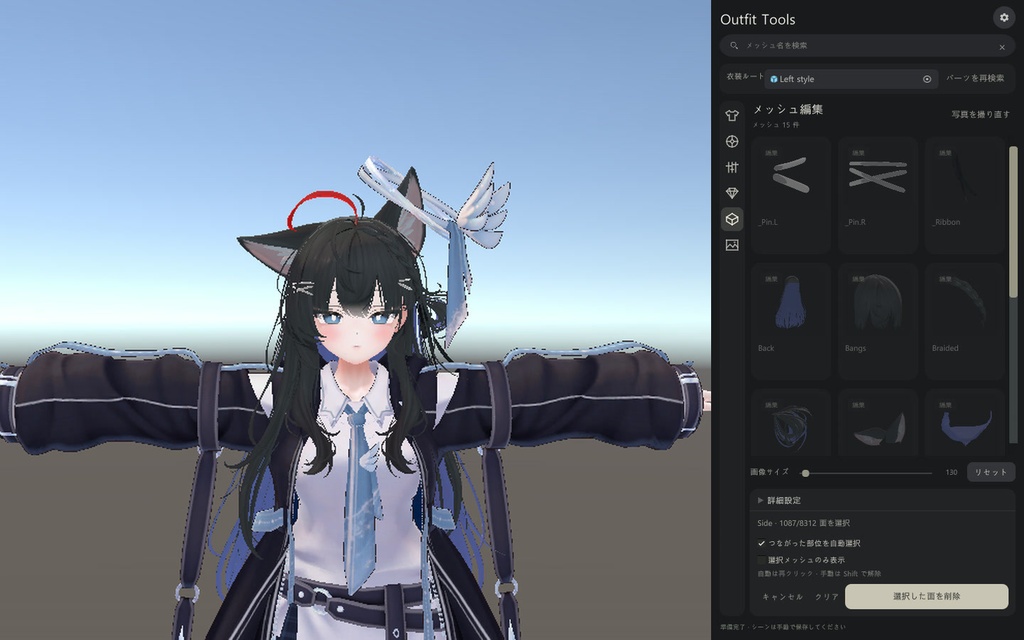
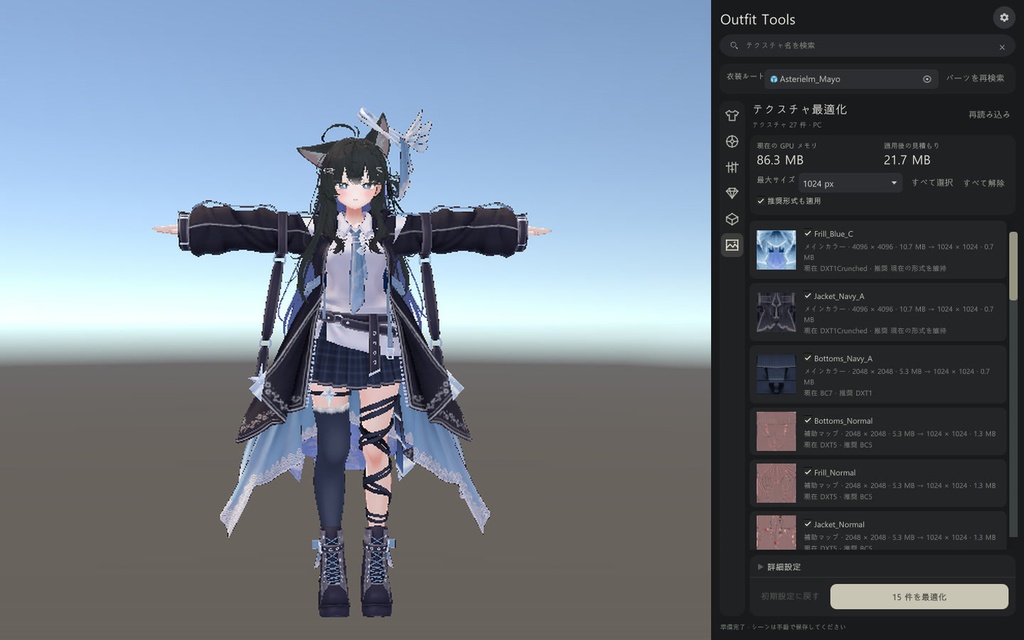


# 日本語 Outfit Toolsは、VRChatアバターの衣装やアクセサリーを調整するためのUnityエディターツールです。パーツメニューの作成、色のプレビュー、シェイプキーの連携、メッシュ編集、テクスチャの最適化を一つのウィンドウで行えます。 # English Outfit Tools is a Unity Editor tool for setting up outfits and accessories on VRChat avatars. Create part toggles, preview colors, link blendshapes, edit meshes, and optimize textures in one window. # 한국어 Outfit Tools는 VRChat 아바타의 의상과 액세서리를 편하게 설정할 수 있는 Unity 에디터 도구입니다. 파츠 메뉴 만들기, 색상 미리보기, 쉐이프 키 연결, 메시 편집과 텍스처 최적화를 한 창에서 할 수 있어요.
日本語
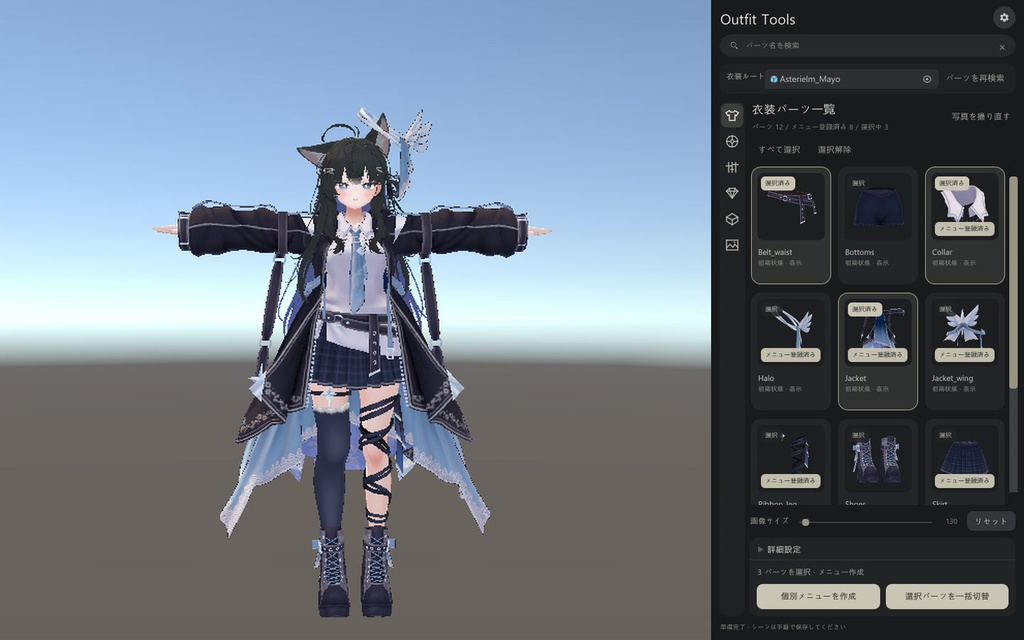
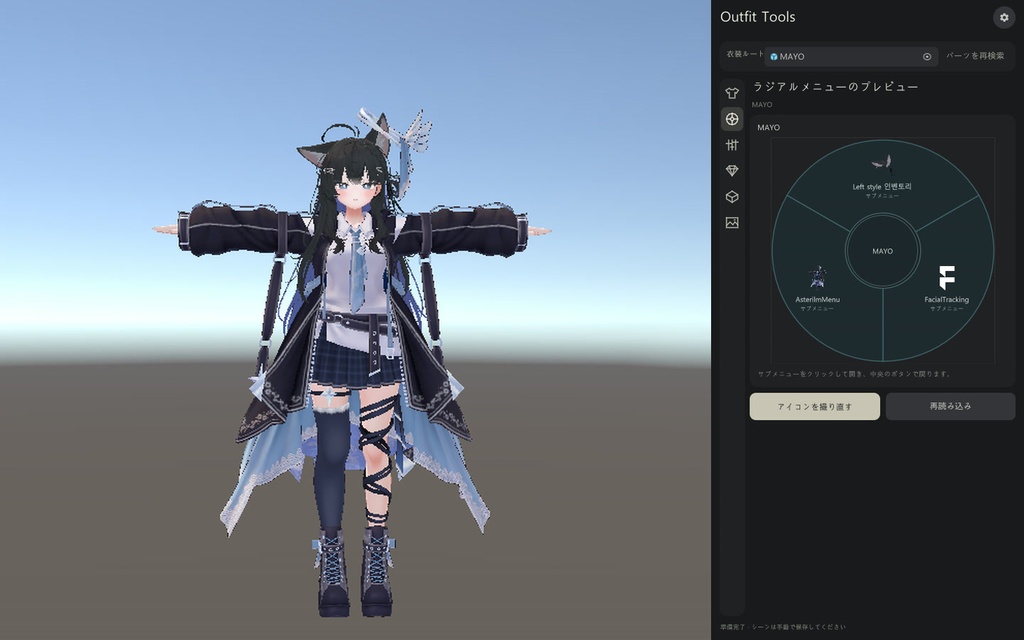
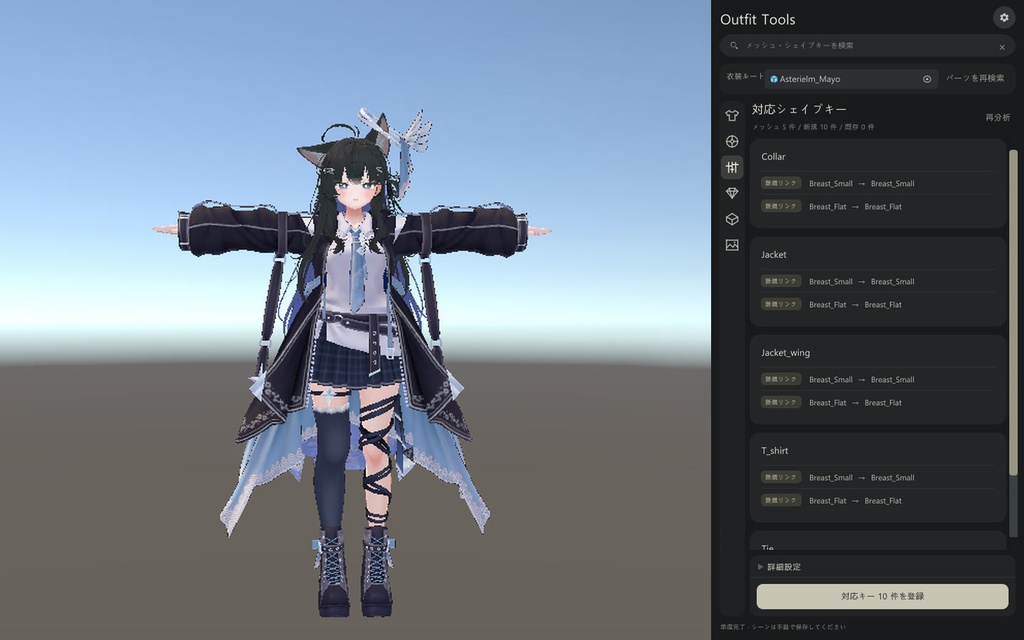
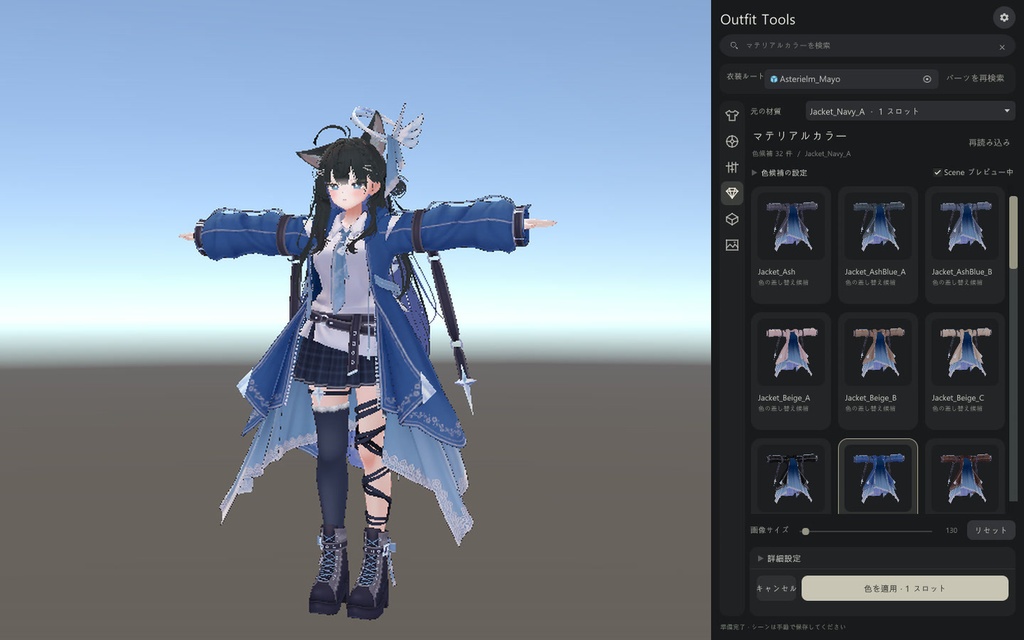
VRChat アバターの衣装やアクセサリーを調整するための Unity エディターツールです。パーツの画像からインベントリを作成し、衣装の色やトグルの動作を Scene ビューで確認できます。 - インベントリ作成 — 画像からパーツを選び、個別の ON/OFF トグルや、選んだパーツをまとめて非表示にするトグルを作成できます。 - インベントリプレビュー — アバターや衣装に登録されたメニューを円形メニューで開き、パーツの表示切り替えを Scene ビューで確認できます。 - マテリアルプレビュー — 色違いのマテリアルを適用前に比較できます。キャンセルすると元のマテリアルに戻ります。 - 対応シェイプキーの連携 — 衣装が対応するシェイプキーを確認し、アバターのボディ側のキーと連携できます。 - メッシュの削除・編集 — 編集するメッシュを選び、クリックした箇所につながる面を選択して削除できます。編集したメッシュは別のアセットとして保存されます。 - テクスチャ最適化 — サイズや圧縮フォーマットを変更したときの GPU メモリ使用量を比較できます。適用したインポート設定は復元できます。 .unitypackage をインポートし、Tools → Outfit Tools から開いてください。インベントリの作成、Scene でのトグルのプレビュー、シェイプキーの連携には VRChat Avatars SDK と Modular Avatar が必要です。 動作確認環境 · Unity 2022.3.22f1 対応言語 · 日本語 / 한국어 / English 同梱内容 · Unity パッケージ、インストールガイド
English
Outfit Tools is a Unity Editor tool for customizing outfits and accessories on VRChat avatars. Create inventory menus from part thumbnails, preview outfit colors, and test visibility toggles directly in the Scene view. - Inventory Creation — Select parts from their thumbnails and create individual ON/OFF toggles or a single toggle that hides all selected parts at once. - Inventory Preview — Browse your avatar’s or outfit’s existing menus in a radial preview and test part visibility in the Scene view. - Material Preview — Compare material variants before applying them. Cancel the preview to restore the original material. - Blendshape Linking — See which blendshapes your outfit supports and link them to the corresponding blendshapes on your avatar’s body. - Mesh Editing and Removal — Select a mesh, click an area to select its connected faces, and remove them. The edited mesh is saved as a separate asset. - Texture Optimization — Compare estimated GPU memory usage at different texture sizes and compression formats. You can restore the original import settings after applying changes. Import the .unitypackage, then open Tools → Outfit Tools in Unity. VRChat Avatars SDK and Modular Avatar are required for inventory creation, Scene toggle previews, and blendshape linking. Tested with · Unity 2022.3.22f1 Supported languages · English / 日本語 / 한국어 Included · Unity package and installation guide
한국어
VRChat 아바타의 의상과 액세서리를 꾸밀 때 쓰는 Unity 에디터 도구입니다. 파츠 사진으로 인벤토리 메뉴를 만들고, 의상 색상과 토글 동작을 Scene에서 확인할 수 있습니다. 쉐이프 키 연결, 메시 편집, 텍스처 최적화도 한 창에서 작업할 수 있어요. 주요 기능 - 인벤토리 만들기 — 사진으로 파츠를 골라 개별 ON/OFF 토글이나 여러 파츠를 한 번에 숨기는 묶음 토글을 만듭니다. - 인벤토리 미리보기 — 아바타나 의상에 등록된 메뉴를 원형으로 열고, 연결된 파츠 토글이 Scene에서 어떻게 동작하는지 확인합니다. - 마테리얼 미리보기 — 색상 후보를 눌러 적용 전에 의상에 어울리는지 비교합니다. 취소하면 원래 마테리얼로 돌아갑니다. - 지원하는 쉐이프 키 연결 — 의상이 지원하는 쉐이프 키를 확인하고 아바타 바디의 대응 키에 연결합니다. - 특정 메시를 선택하여 삭제/편집 — 편집할 메시를 고르고, 클릭한 부위에 연결된 면을 선택해 제거합니다. 편집한 메시는 별도 에셋으로 저장됩니다. - 텍스처 최적화 — 텍스처 크기와 압축 포맷을 조정할 때 GPU 메모리 사용량이 얼마나 달라질지 비교합니다. 적용한 임포트 설정은 복원할 수 있습니다. 설치 및 사용 환경 .unitypackage를 임포트한 뒤 Unity의 Tools → Outfit Tools에서 엽니다. 인벤토리 생성, Scene 토글 미리보기, 쉐이프 키 연결에는 VRChat Avatars SDK와 Modular Avatar가 필요합니다. - 확인 환경 · Unity 2022.3.22f1 - 지원 언어 · 한국어 / 日本語 / English - 다운로드 구성 · Unity 패키지와 설치 안내