

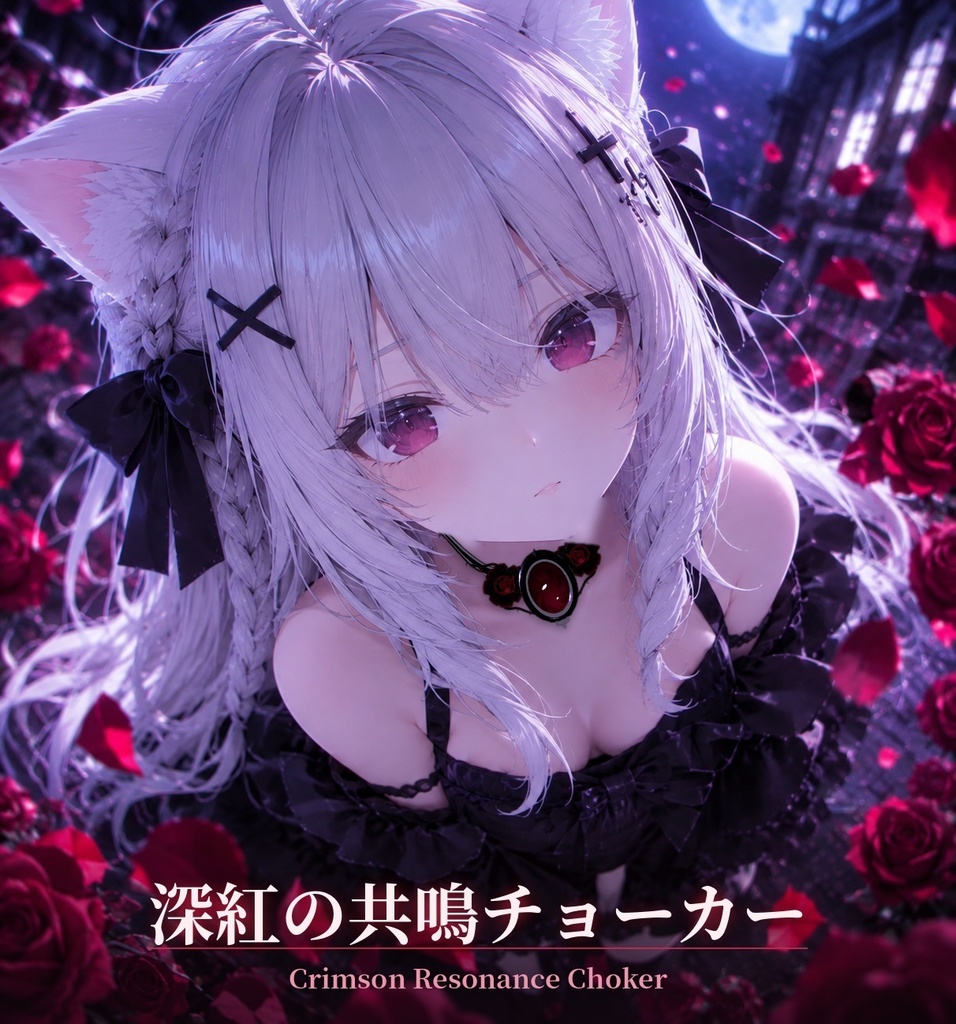
【無料配布】深紅の共鳴チョーカー|フレンドに触れられると黒薔薇が舞う|しなの対応・他アバター対応
- Digital0 JPY
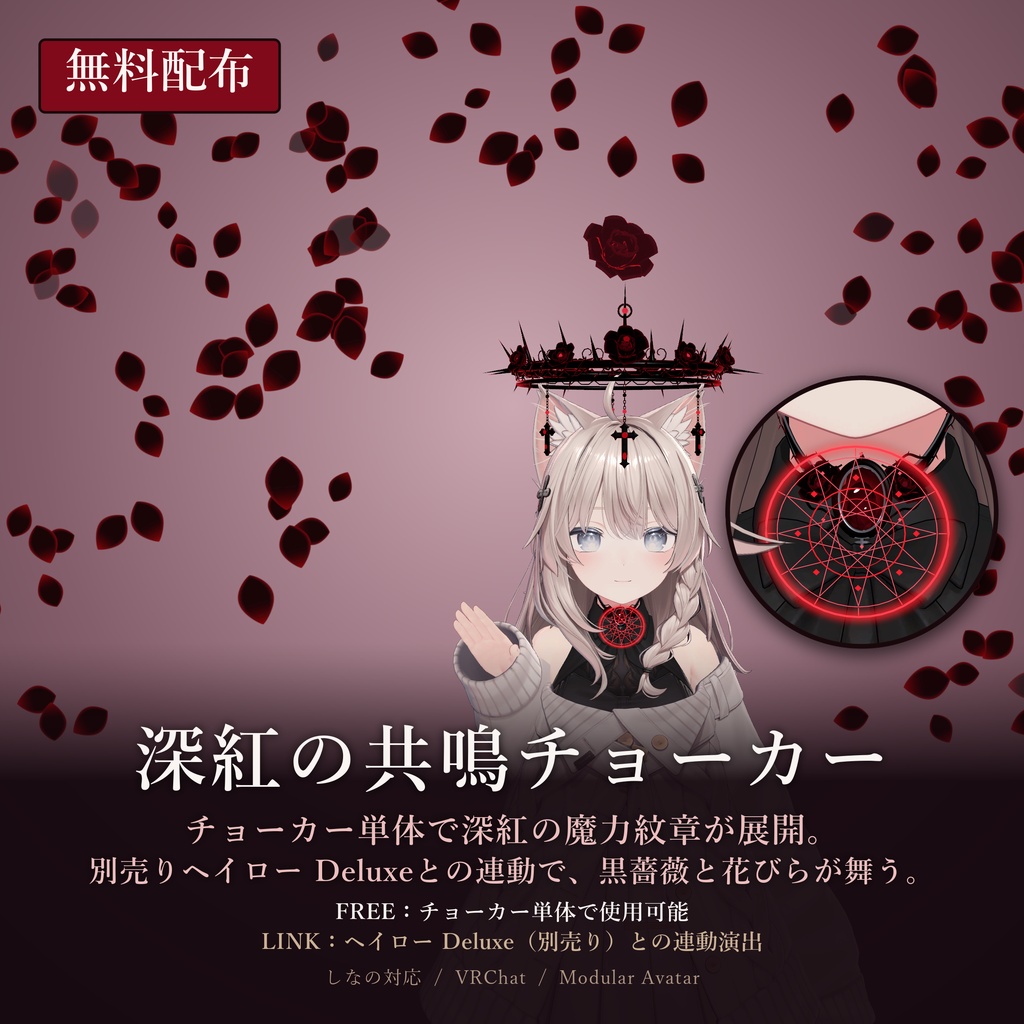
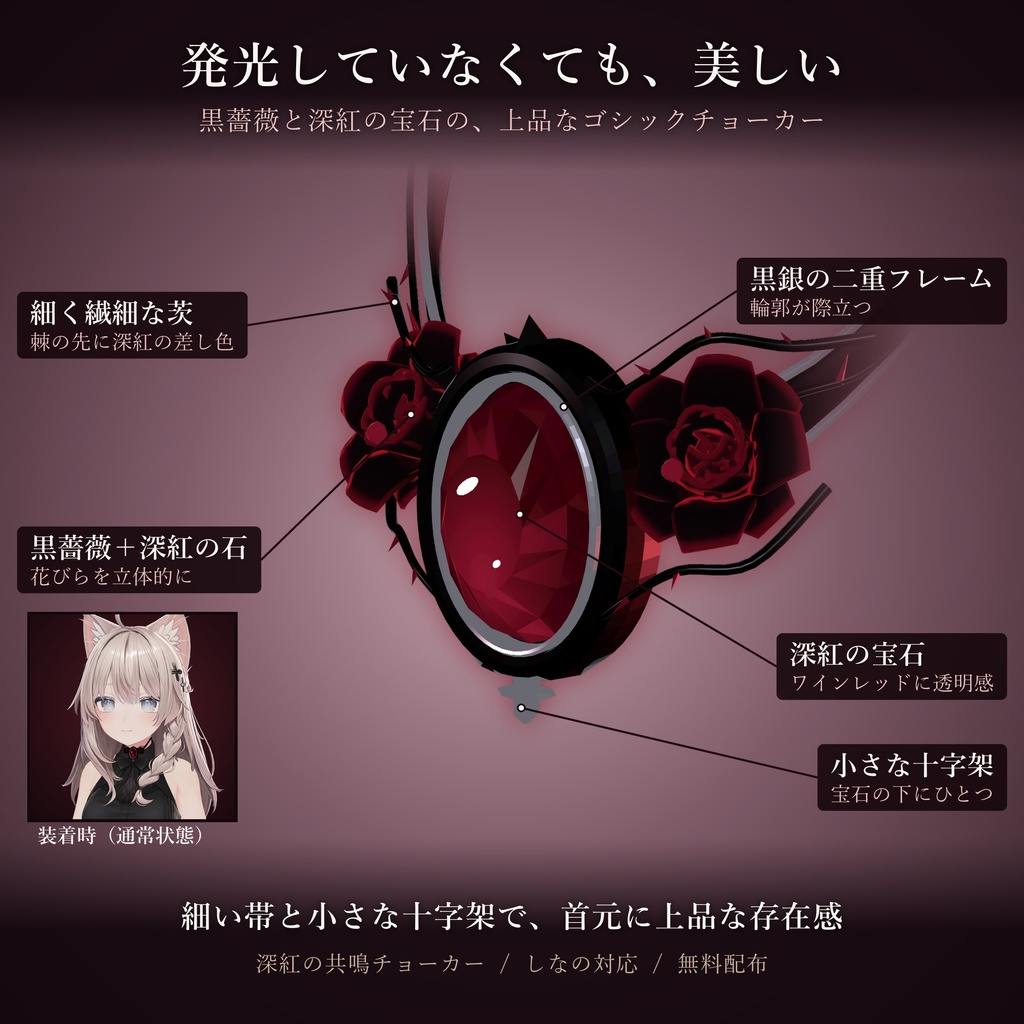
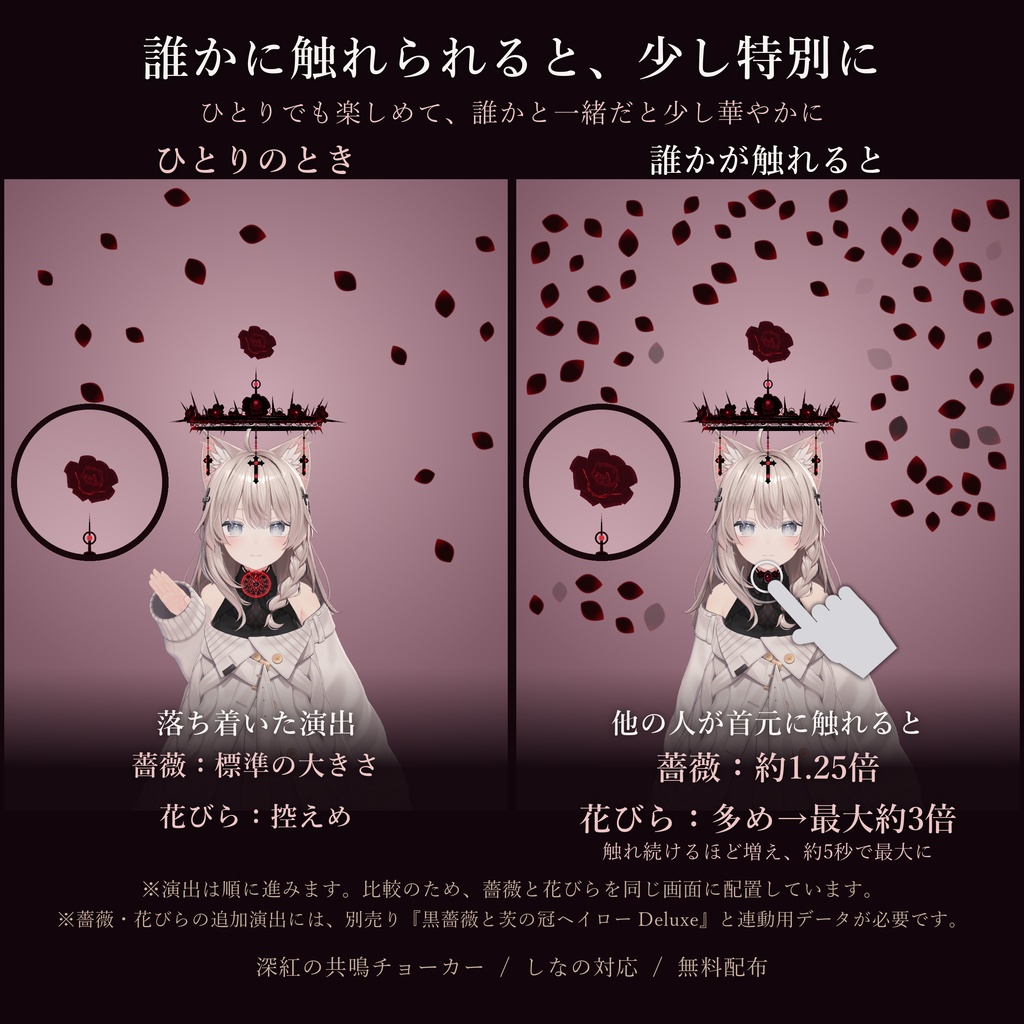
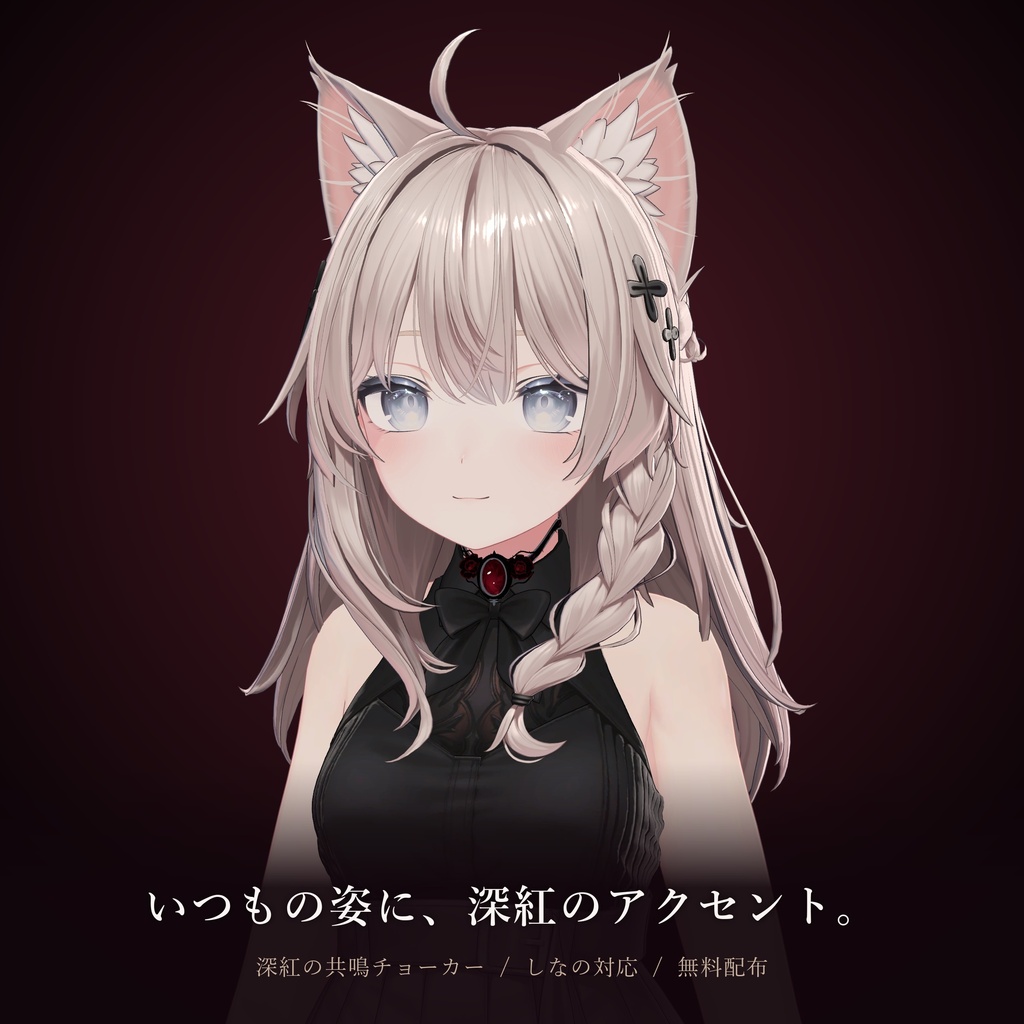
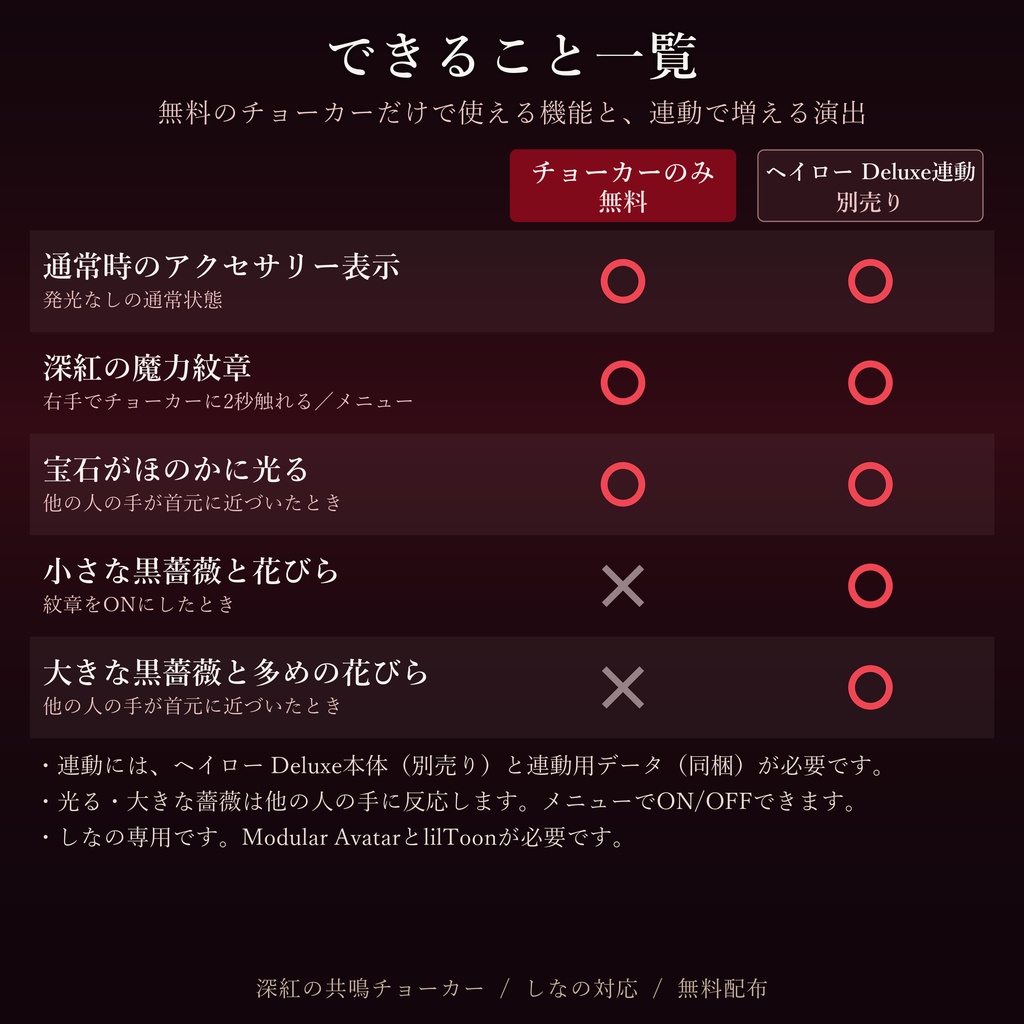


\ フレンドに首元を触れてもらうと、黒薔薇が咲き乱れる / 触れられた瞬間、頭上に大きな黒薔薇が咲き、花びらが舞いはじめます。 そのまま触れ続けてもらうと、花びらはどんどん増えて―― 約5秒で、はじめの約3倍に。 手が離れると、残った花びらがゆっくりと舞い落ちて、余韻を残します。 ひとりの時間は、静かに灯る深紅の紋章を。 誰かと過ごす時間は、ふたりで咲かせる薔薇の演出を。 ▼ 薔薇と花びらの演出は、こちらとの連動で楽しめます(別売り) 【魔法で浮かぶ十字架・多アバター対応】黒薔薇と茨の冠ヘイローDeluxe ↓↓↓↓リンク https://booth.pm/ja/items/9085544 ※チョーカーだけでは、薔薇と花びらは出ません(宝石がほのかに光る演出になります)。 ※ヘイロー本体は本商品に含まれません。連動用データは同梱しています。 ━━━━━━━━━━ ■ フレンドに触れてもらうと(ヘイローDeluxe連動時) ・触れた瞬間:大きな黒薔薇(約1.25倍)が咲き、花びらが多めに舞う ・触れ続けるほど:花びらがどんどん増え、約5秒で最大(はじめの約3倍) ・手を離すと:新しい花びらは止まり、残りがひらひらと舞い落ちる ・周りで見ている人にも、同じ演出が見えます ・反応するのは、他の人の手だけ。自分の手では発動しません ・メニューで、他の人の手への反応をON/OFFできます(初期設定はON) ■ こんな楽しみ方を ・フレンドに首元をそっと触れてもらって、薔薇が咲く瞬間を写真に ・長めに触れてもらって、画面いっぱいの花びらの中で記念撮影 ・イベントや集会で、あいさつ代わりにタッチ。周りの人も一緒に楽しめます ■ ひとりのときも ・右手でチョーカー(首元の宝石)に2秒触れると、深紅の紋章がON。もう一度でOFF ・メニューの「ソロ紋章」でもON/OFFできます ・VR・デスクトップのどちらでも使えます ・ヘイローDeluxe連動時は、紋章ONで小さな黒薔薇と控えめな花びらが舞います ■ チョーカーのみ(無料)でできること ・通常時のアクセサリーとしての着用 ・深紅の魔力紋章の展開 ・他の人の手が首元に近づくと、宝石がほのかに光る ★ダウンロードの際に「スキ!」を押していただけると、とても励みになります!ぜひお願いします! ■ 対応アバター ・しなの:位置と大きさを調整済み。置くだけで使えます。 ・その他の人型アバター:Modular Avatar対応のアバターなら、首元に合うように位置と大きさを調整してお使いいただけます。 ※動作確認はしなののみで行っています。アバターによっては、髪や衣装との重なりの調整が必要です。 ■ 必要なもの ・Modular Avatar ・lilToon ■ 同梱ファイル ・チョーカー本体(unitypackage) ・ヘイロー連動用データ(unitypackage) ・readme.txt(日本語・英語・韓国語) ■ 導入方法 チョーカーのみ:本体を読み込み、GothicChoker_Shinano をアバターの直下に入れます。 (しなの以外のアバターでは、入れたあとに首元に合わせて位置と大きさを調整してください) ヘイローと連動:さらに連動用データを読み込み、BRH_PresenceMarker をアバターの中のヘイローの上にドラッグして入れます。 ヘイロー本体のデータは変更しません。 ■ データ情報 ・ポリゴン数(三角形):11,562(通常時) 演出用を含む合計:15,318 ・マテリアル数:7(通常時)/13(演出用を含む) ・テクスチャ:2048×2048 ×1、512×256 ×1、256×256 ×2 ・シェーダー:lilToon ・パーティクル:2(花びら、最大26/114枚) ・Contact Receiver:2/Contact Sender:1 ・PhysBone:なし ・Expression Parameters(同期):Bool ×3(3bit) ・メニュー項目:3 ・ファイルサイズ:約1.0MB ■ 動作確認環境 ・Unity 2022.3.22f1 ・VRChat SDK Avatars 3.10.5 ・Modular Avatar 1.18.7 ・lilToon 2.4.1 ■ 利用規約(抜粋) OK:自分のアバターへの装着・アップロード/位置・大きさ・色の調整/SNSなどへの投稿 NG:再配布・転載・販売・譲渡/改変データの配布/本データを含むアバターの配布・販売 詳しくは同梱の readme.txt をご確認ください。 制作:sora craft sora X(Twitter) https://x.com/reason87717342
[FREE] Crimson Resonance Choker | Black roses bloom when a friend touches you | For Shinano / Other avatars
\ When a friend touches your neck, black roses burst into bloom / The moment you are touched, a large black rose blooms above your head and petals begin to fall. If your friend keeps their hand there, the petals keep growing―― about 5 seconds later, there are about 3x as many as at first. When the hand leaves, the remaining petals slowly drift down, leaving a lingering afterglow. When you are alone, a quietly glowing crimson emblem. When you are with someone, a rose effect you bloom together. ▼ The rose and petal effects require this item (sold separately) Black Rose & Thorn Crown Halo Deluxe – Magic Floating Cross & Blooming Rose https://booth.pm/ja/items/9085544 * The rose and petals do not appear with the choker alone (the gem softly glows instead). * The Halo itself is not included. The link data is included. ━━━━━━━━━━ ■ When a friend touches you (with Halo Deluxe) ・The moment of touch: a large black rose (approx. 1.25x) blooms and extra petals fall ・The longer the touch: more and more petals, reaching the maximum (approx. 3x the initial amount) in about 5 seconds ・When the hand leaves: no new petals appear, and the rest flutter down ・People around you see the same effect ・Only other users' hands trigger it. Your own hand does not ・You can turn the reaction to other users' hands ON/OFF in the menu (default: ON) ■ Ways to enjoy it ・Have a friend gently touch your neck and capture the moment the rose blooms ・Ask for a longer touch and take a photo surrounded by petals ・At events and meetups, a touch as a greeting. Everyone around can enjoy it too ■ When you are alone ・Touch the choker (the gem at your neck) with your right hand for 2 seconds to turn the crimson emblem ON. Do it again to turn it OFF ・You can also use "ソロ紋章" (Solo Emblem) in the menu ・Works in both VR and desktop mode ・With Halo Deluxe, turning the emblem on makes a small black rose bloom with a few petals ■ What the choker alone can do (free) ・Wear it as a normal accessory ・Crimson magic emblem ・The gem softly glows when another user's hand comes near your neck ★ When you download, I'd be overjoyed if you could click the "スキ!" (Like) button! Your support means a lot! ■ Supported avatars ・Shinano: Position and size are already adjusted. Just drop it in. ・Other humanoid avatars: Avatars that support Modular Avatar can use it after adjusting the position and size to fit the neck. * Tested on Shinano only. Depending on the avatar, you may need to adjust for overlap with hair or clothing. ■ Requirements ・Modular Avatar ・lilToon ■ Included files ・Choker (unitypackage) ・Halo link data (unitypackage) ・readme.txt (Japanese / English / Korean) ■ Setup Choker only: Import the choker package and place GothicChoker_Shinano directly under your avatar. (For avatars other than Shinano, adjust the position and size to fit the neck after placing it.) With the Halo: Also import the link data, then drag BRH_PresenceMarker onto the Halo inside your avatar. The Halo's own data is not modified. ■ Data ・Polygons (triangles): 11,562 (normal state) Including effects: 15,318 ・Materials: 7 (normal state) / 13 (including effects) ・Textures: 2048×2048 ×1, 512×256 ×1, 256×256 ×2 ・Shader: lilToon ・Particle systems: 2 (petals, max 26 / 114) ・Contact Receiver: 2 / Contact Sender: 1 ・PhysBone: none ・Expression Parameters (synced): Bool ×3 (3 bits) ・Menu items: 3 ・File size: approx. 1.0 MB ■ Tested environment ・Unity 2022.3.22f1 ・VRChat SDK Avatars 3.10.5 ・Modular Avatar 1.18.7 ・lilToon 2.4.1 ■ Terms of use (summary) OK: Attaching to and uploading with your own avatar / Adjusting position, size, and color / Posting on social media NG: Redistribution, reposting, reselling, or transferring / Distributing modified data / Distributing or selling avatars that include this data For details, please see the included readme.txt. Created by: sora craft sora X (Twitter) https://x.com/reason87717342
【무료 배포】심홍의 공명 초커|프렌드가 만지면 흑장미가 흩날림|시나노 대응・다른 아바타 대응
\ 프렌드가 목에 손을 대면, 흑장미가 흐드러지게 핀다 / 닿는 순간, 머리 위에 커다란 흑장미가 피어나고 꽃잎이 흩날리기 시작합니다. 그대로 계속 닿아 있으면 꽃잎은 점점 늘어나―― 약 5초 후, 처음의 약 3배가 됩니다. 손이 떨어지면 남은 꽃잎이 천천히 떨어지며 여운을 남깁니다. 혼자일 때는, 조용히 빛나는 심홍의 문장을. 누군가와 함께일 때는, 둘이서 피워내는 장미 연출을. ▼ 장미와 꽃잎 연출은 이 상품과 연동하면 즐길 수 있습니다 (별도 판매) 【마법으로 떠오르는 십자가・피어나는 장미】흑장미와 가시 왕관 헤일로 Deluxe https://booth.pm/ja/items/9085544 ※ 초커만으로는 장미와 꽃잎이 나타나지 않습니다 (보석이 은은하게 빛나는 연출이 됩니다). ※ 헤일로 본체는 이 상품에 포함되어 있지 않습니다. 연동용 데이터는 포함되어 있습니다. ━━━━━━━━━━ ■ 프렌드가 만져 주면 (헤일로 Deluxe 연동 시) ・닿는 순간: 커다란 흑장미(약 1.25배)가 피고, 꽃잎이 많이 흩날림 ・계속 닿아 있을수록: 꽃잎이 점점 늘어나, 약 5초 후 최대(처음의 약 3배) ・손을 떼면: 새 꽃잎은 멈추고, 남은 꽃잎이 하늘하늘 떨어짐 ・주변에서 보고 있는 사람에게도 같은 연출이 보입니다 ・반응하는 것은 다른 사람의 손뿐입니다. 자신의 손으로는 발동하지 않습니다 ・메뉴에서 다른 사람의 손에 대한 반응을 ON/OFF할 수 있습니다(초기 설정은 ON) ■ 이렇게 즐겨 보세요 ・프렌드에게 목을 살짝 만져 달라고 해서, 장미가 피어나는 순간을 사진으로 ・조금 길게 만져 달라고 해서, 화면 가득한 꽃잎 속에서 기념 촬영 ・이벤트나 모임에서 인사 대신 터치. 주변 사람들도 함께 즐길 수 있습니다 ■ 혼자일 때도 ・오른손으로 초커(목의 보석)를 2초간 터치하면 심홍의 문장이 ON. 한 번 더 하면 OFF ・메뉴의 「ソロ紋章」(솔로 문장)로도 ON/OFF할 수 있습니다 ・VR과 데스크톱 모두 사용할 수 있습니다 ・헤일로 Deluxe 연동 시에는 문장을 켜면 작은 흑장미와 적은 양의 꽃잎이 흩날립니다 ■ 초커만(무료)으로 할 수 있는 것 ・평소 액세서리로 착용 ・심홍의 마력 문장 전개 ・다른 사람의 손이 목 근처에 다가오면 보석이 은은하게 빛남 ★ 다운로드하실 때 「スキ!」(좋아요) 버튼을 눌러 주시면 정말 기쁘겠습니다! 꼭 부탁드립니다! ■ 대응 아바타 ・시나노: 위치와 크기가 조정되어 있습니다. 넣기만 하면 사용할 수 있습니다. ・그 외 인간형 아바타: Modular Avatar를 지원하는 아바타라면 목에 맞게 위치와 크기를 조정해 사용할 수 있습니다. ※ 동작 확인은 시나노에서만 했습니다. 아바타에 따라 머리카락이나 의상과 겹치는 부분의 조정이 필요할 수 있습니다. ■ 필요한 것 ・Modular Avatar ・lilToon ■ 포함 파일 ・초커 본체 (unitypackage) ・헤일로 연동용 데이터 (unitypackage) ・readme.txt (일본어 / 영어 / 한국어) ■ 도입 방법 초커만 사용: 본체를 불러온 뒤 GothicChoker_Shinano를 아바타 바로 아래에 넣습니다. (시나노 이외의 아바타는 넣은 뒤 목에 맞게 위치와 크기를 조정해 주세요) 헤일로와 연동: 연동용 데이터도 불러온 뒤 BRH_PresenceMarker를 아바타 안의 헤일로 위에 드래그해서 넣습니다. 헤일로 본체 데이터는 변경하지 않습니다. ■ 데이터 정보 ・폴리곤 수(삼각형): 11,562 (평소 상태) 연출용 포함 합계: 15,318 ・머티리얼 수: 7 (평소 상태) / 13 (연출용 포함) ・텍스처: 2048×2048 ×1, 512×256 ×1, 256×256 ×2 ・셰이더: lilToon ・파티클: 2 (꽃잎, 최대 26 / 114장) ・Contact Receiver: 2 / Contact Sender: 1 ・PhysBone: 없음 ・Expression Parameters (동기화): Bool ×3 (3 bit) ・메뉴 항목: 3 ・파일 크기: 약 1.0MB ■ 동작 확인 환경 ・Unity 2022.3.22f1 ・VRChat SDK Avatars 3.10.5 ・Modular Avatar 1.18.7 ・lilToon 2.4.1 ■ 이용 약관 (발췌) OK: 자신의 아바타에 장착・업로드 / 위치・크기・색상 조정 / SNS 등에 게시 NG: 재배포・전재・판매・양도 / 개변 데이터 배포 / 본 데이터를 포함한 아바타의 배포・판매 자세한 내용은 동봉된 readme.txt를 확인해 주세요. 제작: sora craft sora X 계정 https://x.com/reason87717342