

Demonic Beam FX|暗黒ビームエフェクト・암흑 빔 이펙트【MA対応・VRChat VFX / Unity】
- Digital500 JPY
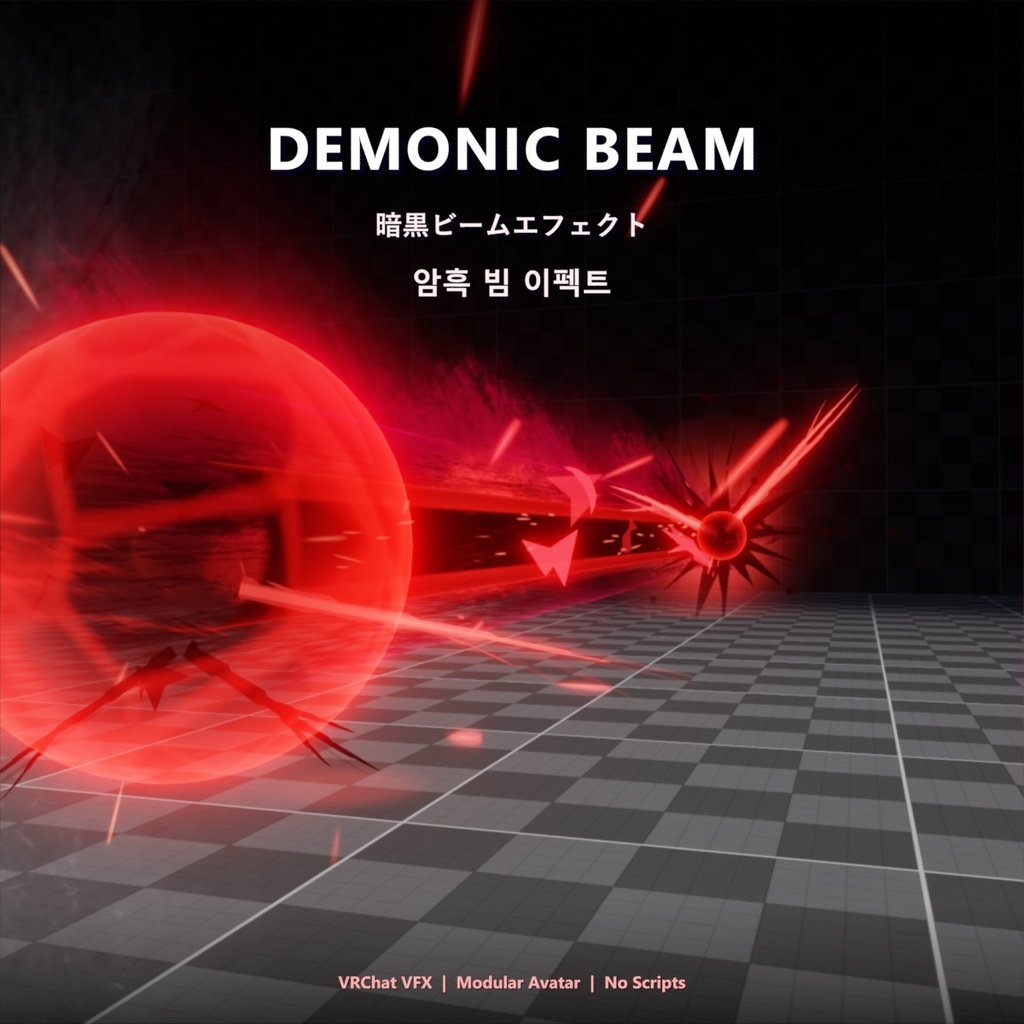
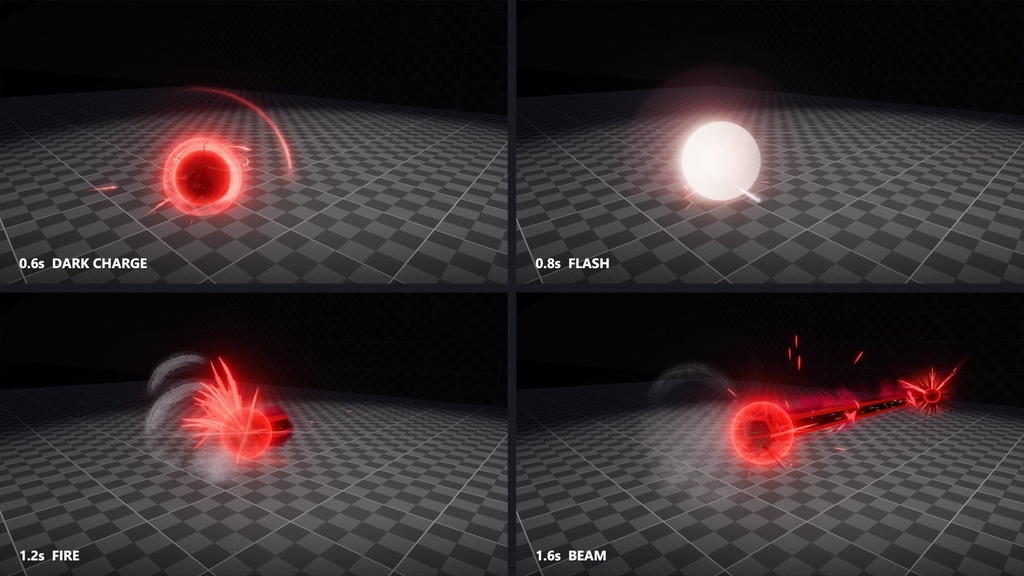
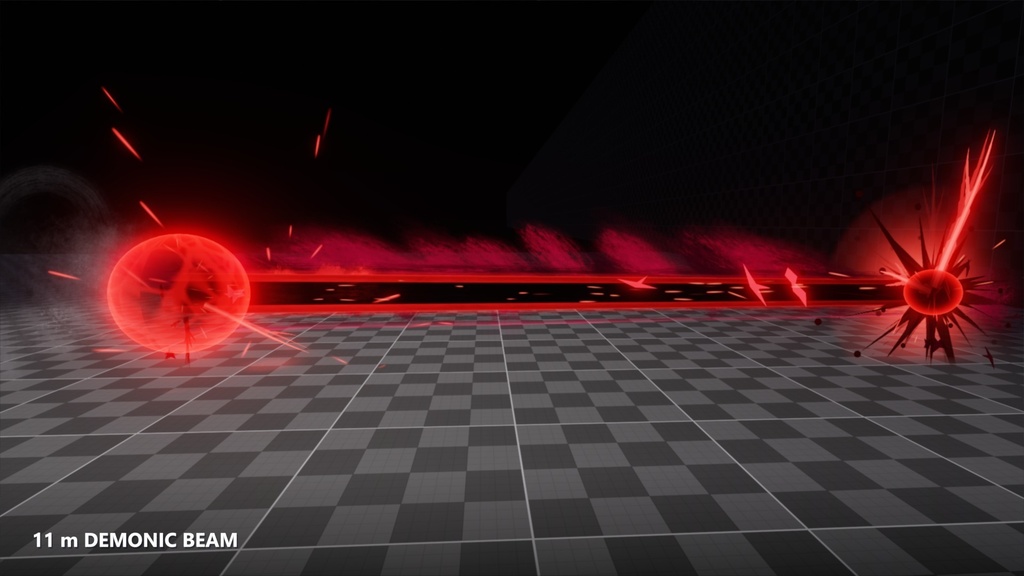
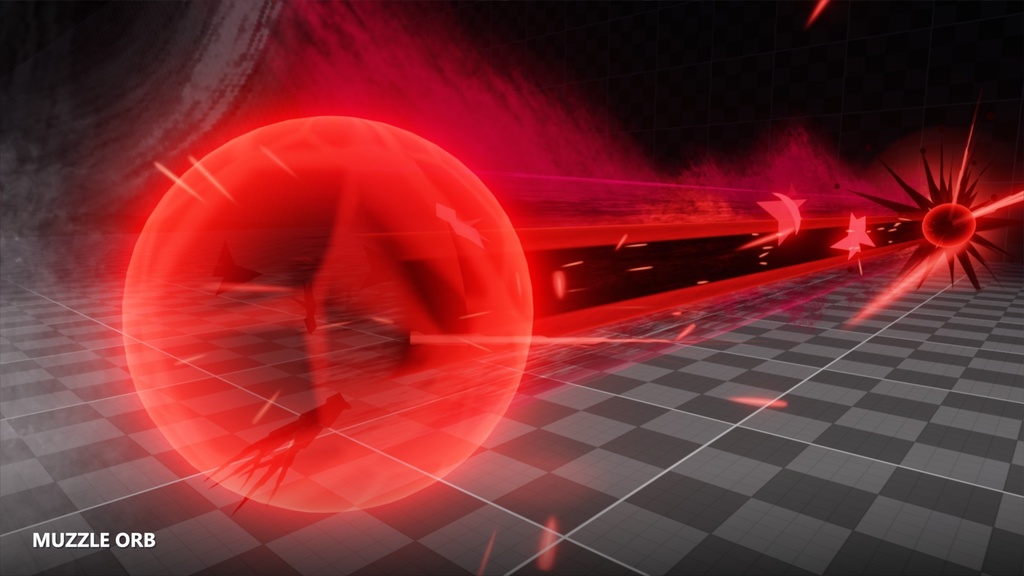
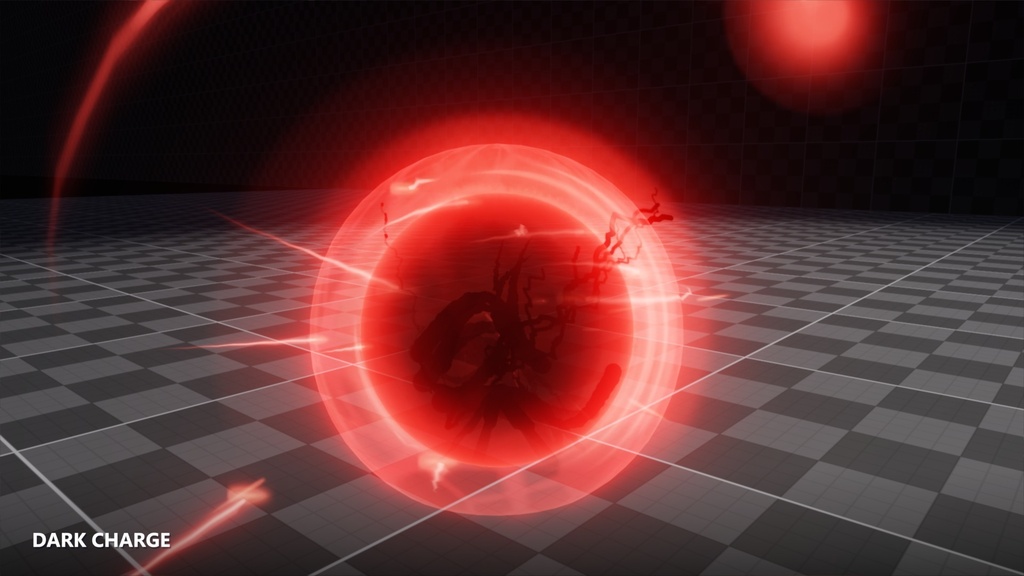
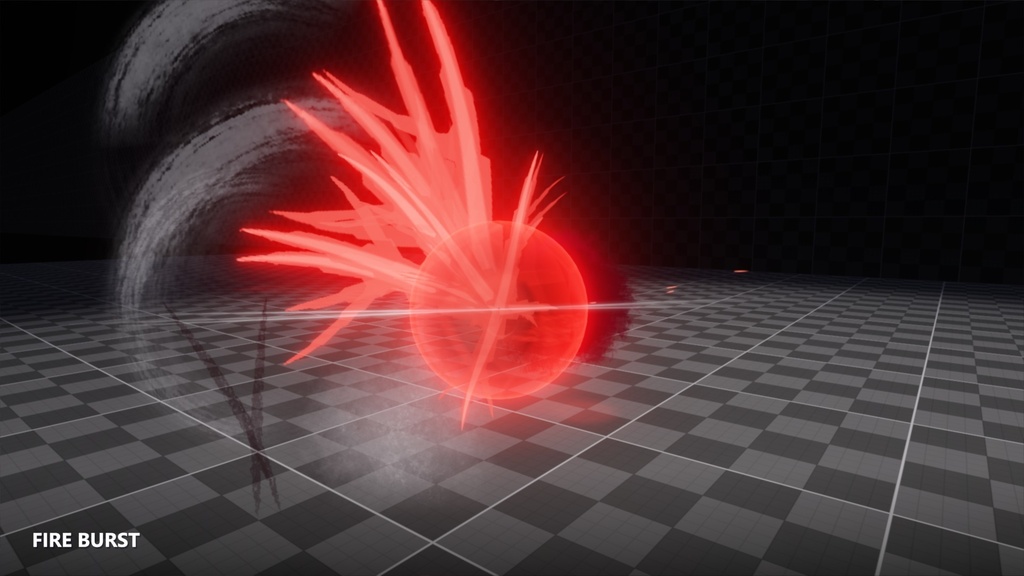
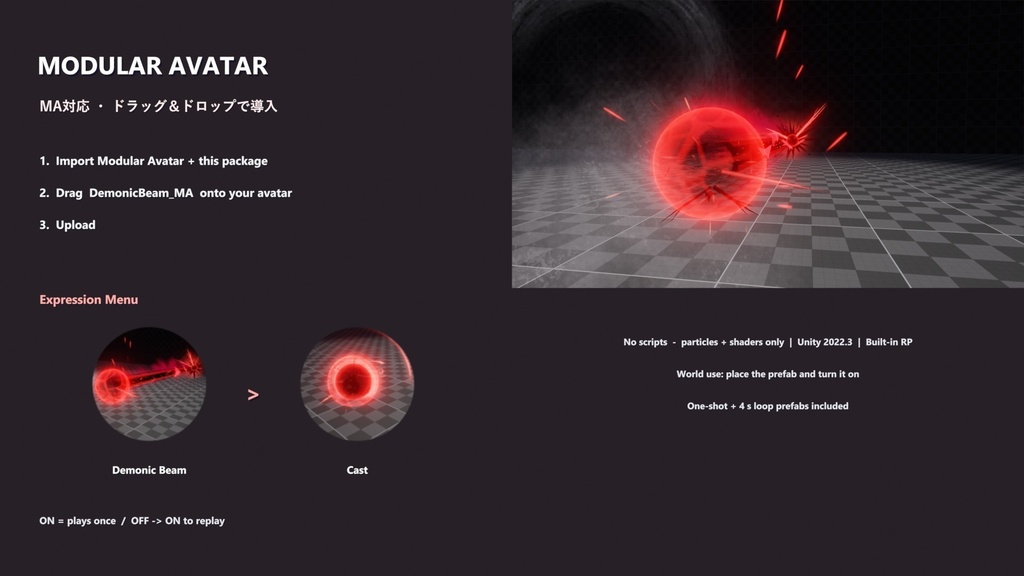


術者の腰の横で黒い魔力の球が光の輪と大きな赤い弧をまとって膨らみ、白い閃光と墨のような黒い線を残してはじける ── 次の瞬間、後ろへ炎の棘が噴き出し、真紅の煙をまとった 11 m の黒いビームが前方へ放たれます。 砲口には赤い球、着弾点には黒いトゲの飛沫。最後は細い線になって消え、黒い筆跡と赤い火の粉が残ります。 約 3 秒の攻撃エフェクトです(効果音なし)。 【Modular Avatar 対応】アバターにプレハブをドラッグ&ドロップするだけで、Expression メニューから再生できます。 ワールドではプレハブを置いてオブジェクトを ON にするだけで再生されます。 Unity 2022.3 / Built-in Render Pipeline / VRChat 向け。スクリプトは一切使っていません(パーティクル・シェーダーのみ)。 ■ 内容 ・DemonicBeam_MA … アバター用 Modular Avatar プレハブ(メニュー: Cast) ・DemonicBeam … エフェクト全体(全パーティクルを 1 つに統合・1 回再生) ・DemonicBeam_Loop … 4 秒ごとに繰り返す展示用(統合済み) ・専用シェーダー 3 種(パーティクル用・ビーム用・魔力の球用) ・オリジナルのテクスチャ、メッシュ、マテリアル ・デモシーン(ブルーム付き)、説明書(日本語 / English / 한국어) ■ 導入方法(アバター / Modular Avatar) 1. Modular Avatar を導入した後、この unitypackage をインポート https://modular-avatar.nadena.dev/ja 2. MA フォルダの DemonicBeam_MA をアバターのルート直下にドラッグ&ドロップ 3. アップロード ■ 使用方法(アバター) Expression メニュー → Demonic Beam → Cast ・ON で 1 回再生(もう一度見るときは OFF → ON) ※ 原点はアバターの足元、正面がビームの方向で、エフェクトはアバターと一緒に動きます。 ※ エディタでは中のエフェクトが ON のまま表示されます(ゲーム内では Cast を ON にしたときだけ表示)。 ■ 使い方(ワールド) 1. Prefabs の DemonicBeam をシーンに置く(原点 = 術者の足元、青い矢印 = ビームの方向) 2. オブジェクトを ON にする(Udon トグルやアニメーターで) 3. 大きさはルートの Scale で変更できます ■ 動作環境 ・Unity 2022.3 / Built-in RP / VRChat SDK3 ・アバター: VRChat SDK Avatars + Modular Avatar 1.10 以降 ・Unity 2022.3.22f1 / VRChat SDK 3.10.4 / Modular Avatar 1.18.2 のエディタ(PC)で確認しています。 Quest(Android)と、VRChat 内での複数人の同期は未確認です。 ・パーティクルシステムが 73 個あるため、アバターではパフォーマンスランクが Very Poor になります(PC 専用)。 ■ ご注意 ・効果音は含まれていません。 ・キャラクターとワールドは付属しません。 ・商品画像は Unity で撮影し、ブルームをかけています。 ・利用規約と更新履歴は下の項目をご覧ください。 ---------------------------------------------------------------------- English ---------------------------------------------------------------------- At the caster's hip a black orb of dark power swells inside rings of light and a huge red arc, then bursts in a white flash that leaves ink-black strokes - a burst of flame spikes kicks out behind and an 11 m black beam wrapped in crimson smoke fires forward, with a red orb at the muzzle and a spiky black splat where it hits. It thins to a line and fades, leaving black brush strokes and red embers. A 3-second attack effect (no sound). [Modular Avatar support] Drag the prefab onto your avatar and play it from the Expression menu. In worlds, place the prefab and turn the object on. Unity 2022.3 / Built-in Render Pipeline / for VRChat. No scripts: particle systems and shaders only. Contents - DemonicBeam_MA: Modular Avatar prefab for avatars (menu: Cast) - DemonicBeam: the whole effect, all particles integrated in one prefab (plays once) - DemonicBeam_Loop: repeats every 4 seconds for showcases (integrated) - 3 custom shaders (particles, beam, energy orb) - Original textures, meshes and materials - Demo scene (with bloom), manual in Japanese, English and Korean Setup (avatars / Modular Avatar) 1. Install Modular Avatar, then import this unitypackage (https://modular-avatar.nadena.dev/) 2. Drag MA/DemonicBeam_MA directly under your avatar root 3. Upload Use (avatars) Expression menu > Demonic Beam > Cast - On = plays once (turn it off and on again to replay) The origin is the avatar's feet and its front is the beam direction; the effect moves with the avatar. In the editor the effect inside stays visible; in game it only shows while Cast is on. Use (worlds) 1. Place Prefabs/DemonicBeam (origin = caster's feet, blue arrow = beam direction) 2. Turn the object on (Udon toggle or Animator) 3. Resize it with the root Scale Requirements - Unity 2022.3 / Built-in RP / VRChat SDK3 - Avatars: VRChat SDK Avatars + Modular Avatar 1.10 or later - Checked in the editor (PC) with Unity 2022.3.22f1 / VRChat SDK 3.10.4 / Modular Avatar 1.18.2. Not tested on Quest (Android) or for multi-user sync inside VRChat. - 73 particle systems, so avatars get the Very Poor rank (PC only). Notes - No sound effects are included. - No character or world is included. - Product images were captured in Unity with bloom. - Terms of use and update history are in the sections below. ---------------------------------------------------------------------- 한국어 ---------------------------------------------------------------------- 시전자의 허리 옆에서 검은 마력 구체가 빛의 고리와 거대한 붉은 호를 두르고 부풀다가, 하얀 섬광과 먹물 같은 검은 선을 남기고 터집니다 — 이어서 뒤로 불꽃 가시가 뿜어지고, 진홍 연기를 두른 11 m의 검은 빔이 앞으로 발사됩니다. 포구에는 붉은 구체, 착탄 지점에는 검은 가시 튀김. 마지막엔 가는 선이 되어 사라지고 검은 붓 자국과 붉은 불씨가 남습니다. 약 3초 길이의 공격 이펙트입니다(효과음 없음). 【Modular Avatar 대응】 아바타에 프리팹을 드래그&드롭하기만 하면 Expression 메뉴에서 재생할 수 있습니다. 월드에서는 프리팹을 놓고 오브젝트를 켜기만 하면 재생됩니다. Unity 2022.3 / Built-in Render Pipeline / VRChat용. 스크립트 없음(파티클·셰이더만). 내용 ・DemonicBeam_MA … 아바타용 Modular Avatar 프리팹(메뉴: Cast) ・DemonicBeam … 이펙트 전체(모든 파티클을 하나로 통합, 1회 재생) ・DemonicBeam_Loop … 4초마다 반복하는 전시용(통합) ・전용 셰이더 3종(파티클용, 빔용, 마력 구체용) ・오리지널 텍스처, 메쉬, 머티리얼 ・데모 씬(블룸 포함), 설명서(일본어 / 영어 / 한국어) 도입 방법(아바타 / Modular Avatar) 1. Modular Avatar를 설치한 뒤 이 unitypackage를 임포트 (https://modular-avatar.nadena.dev/) 2. MA 폴더의 DemonicBeam_MA를 아바타 루트 바로 아래에 드래그&드롭 3. 업로드 사용 방법(아바타) Expression 메뉴 → Demonic Beam → Cast ・켜면 1회 재생(다시 보려면 껐다 켜기) ※ 원점은 아바타 발밑, 정면이 빔 방향이며 이펙트는 아바타와 함께 움직입니다. ※ 에디터에서는 안의 이펙트가 켜진 채로 보이고, 게임 안에서는 Cast를 켰을 때만 보입니다. 사용법(월드) 1. Prefabs의 DemonicBeam을 씬에 놓기(원점 = 시전자 발밑, 파란 화살표 = 빔 방향) 2. 오브젝트 켜기(Udon 토글이나 애니메이터) 3. 크기는 루트의 Scale로 조절 동작 환경 ・Unity 2022.3 / Built-in RP / VRChat SDK3 ・아바타: VRChat SDK Avatars + Modular Avatar 1.10 이상 ・Unity 2022.3.22f1 / VRChat SDK 3.10.4 / Modular Avatar 1.18.2 에디터(PC)에서 확인했습니다. Quest(Android)와 VRChat 안의 여러 명 동기화는 확인하지 않았습니다. ・파티클 시스템이 73개라 아바타에서는 퍼포먼스 랭크가 Very Poor가 됩니다(PC 전용). 주의 ・효과음은 포함되어 있지 않습니다. ・캐릭터와 월드는 포함되어 있지 않습니다. ・상품 이미지는 Unity에서 블룸을 넣어 찍었습니다. ・이용 규약과 업데이트 내역은 아래 항목을 보세요.
Terms of Service
本データの著作権は作者に帰属します。 〇 ご自身の作品(VRChat ワールド・アバター、ゲーム、動画、画像)での利用(個人・商用可) 〇 ご自身の作品で使うための改変 ✕ 改変の有無にかかわらず、アセット・エフェクト素材・ギミック・他のアセットの一部としての再配布・再販売 (他の人に販売・配布するアバターやパッケージに含めることも含みます) ✕ 自作と偽ること クレジット表記は任意です。現状のまま提供され、利用によって生じた損害について作者は責任を負いません。 詳細は同梱の LICENSE.txt(日本語 / English / 한국어)をご覧ください。 You may use and modify it in your own works (VRChat worlds/avatars, games, videos, images), personal or commercial. You may not redistribute or resell the files, modified or not, as an asset, VFX pack, gimmick or part of another asset, or claim you made them. Credit is optional. 본인 작품(VRChat 월드·아바타, 게임, 영상, 이미지)에 개인·상업 구분 없이 사용하고 수정할 수 있습니다. 수정 여부와 관계없이 파일을 에셋·이펙트 소재·기믹·다른 에셋의 일부로 재배포·재판매하거나 본인이 만들었다고 주장할 수 없습니다. 크레딧 표기는 선택입니다.
Update information
2026-11-16 v1.0.0 公開 / First release / 첫 공개