

【VRChat】【MA対応】のびーるほっぺ - つまんで伸びる ほっぺギミック
- 通常版 / StandardDigital500 JPY
- 支援版 / Support(中身は同じです)Digital1,000 JPY
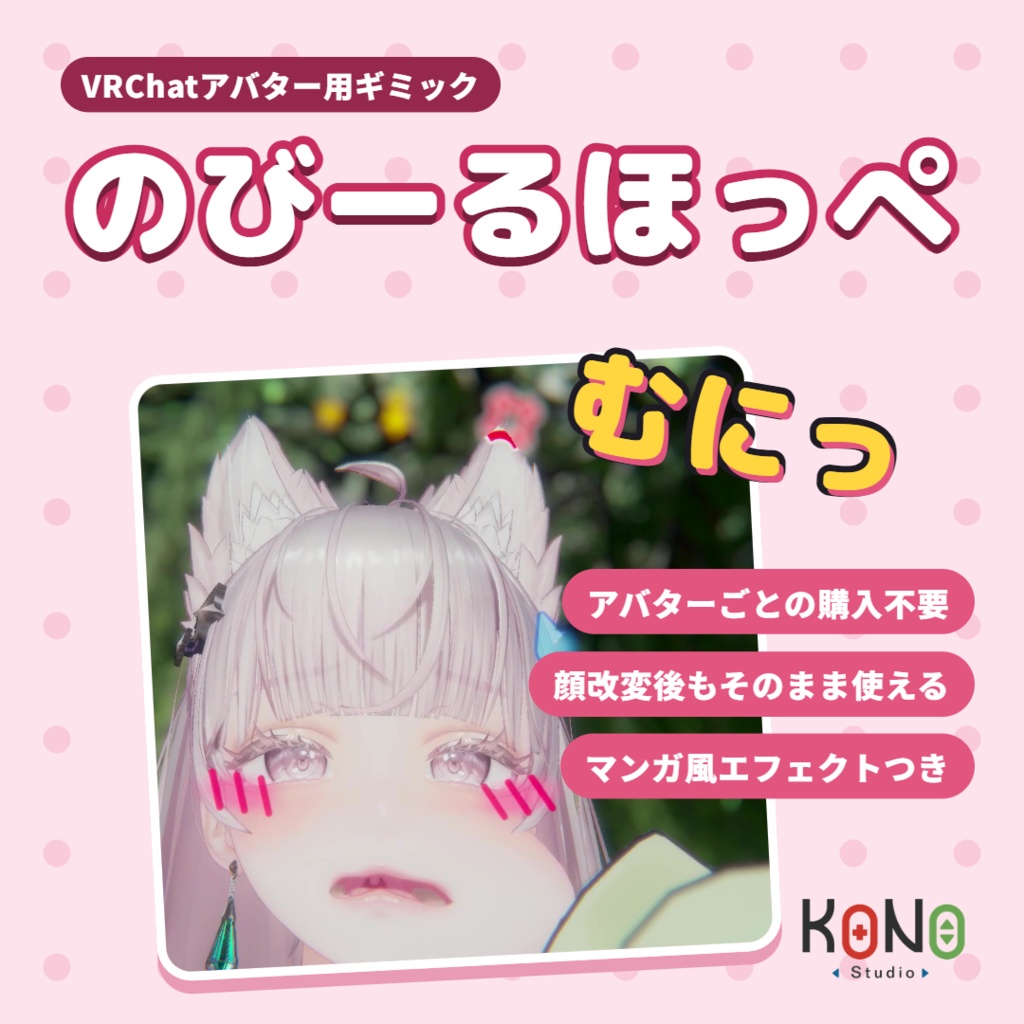
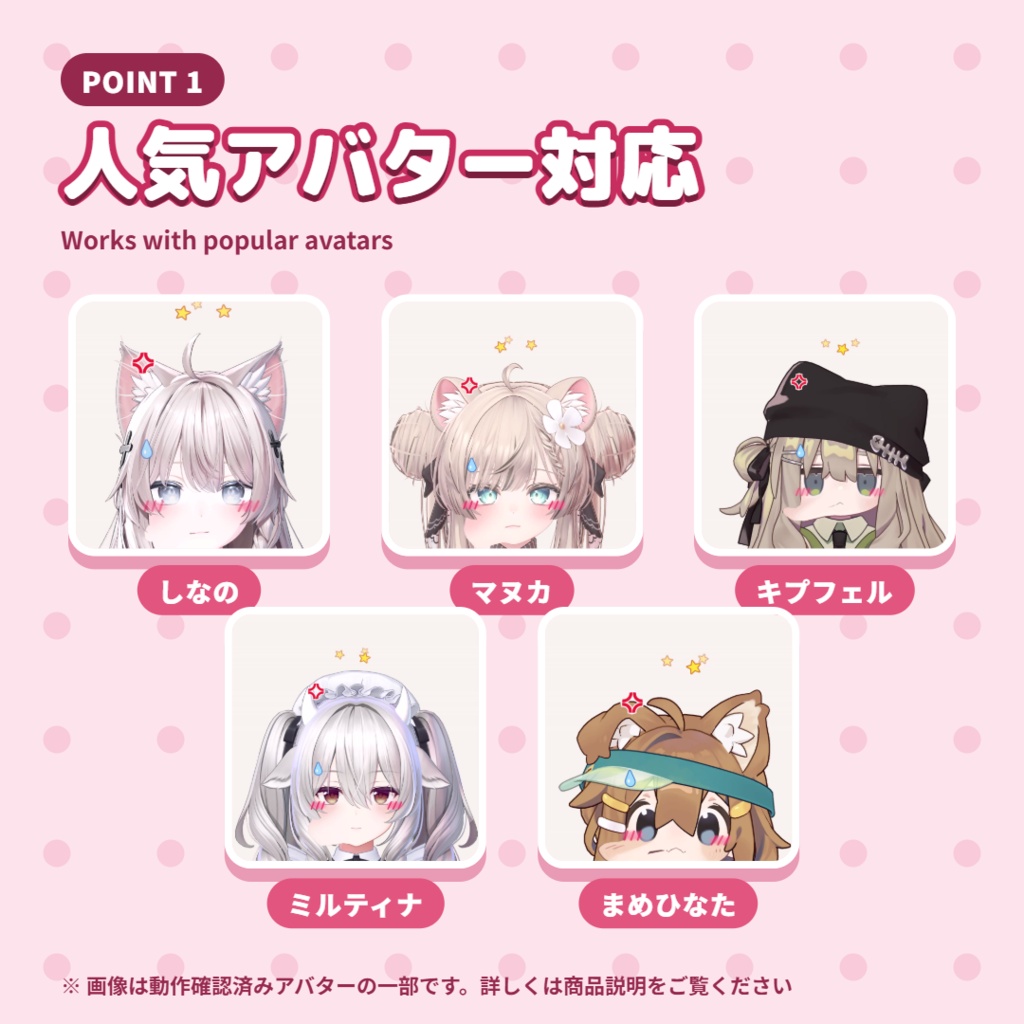
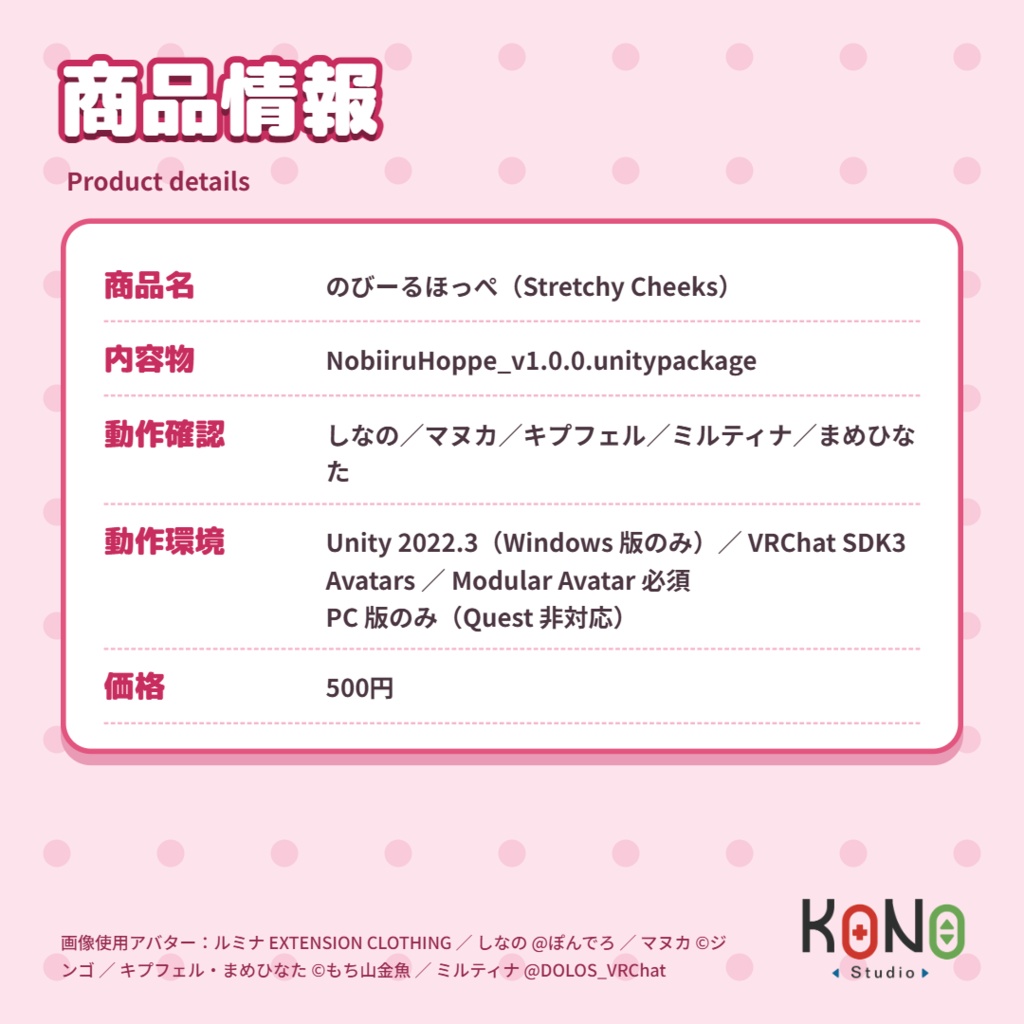


※▼ 必須環境 ・Unity 2022.3.22f1 ・VRChat SDK - Avatars 3.10.6 以降 ・Modular Avatar 1.18.7 以降(VCC から導入) ・PC 版のみ(Quest / Android 非対応) ・プレハブをアバターの中に置くだけ(NDMF / Modular Avatar) ・アバターごとに買い直す必要はありません。アバターの顔の形を読み取り、つまむ位置と漫画記号の出る位置を自動で割り出します(調整不要) ・アップロードのたびに顔に合わせ直すので、あとから衣装や顔を変えてもそのまま使えます ・表情の切り替えではなく、顔のメッシュそのものがのびます ・ふれる・つまむ・引っぱる・はなすの 4 段階でリアクション ・漫画記号はシェーダーでリアルタイム描画。どれだけ近づいてもぼやけません ・元のアバターのファイルは変更しません。アップロード時と Play モード時にだけ処理します ・入れるのはつままれる人だけ。つまむ側は何もいりません ────────── ※▼ 必要環境 ・Unity 2022.3.22f1 ・VRChat SDK - Avatars 3.10.6 以上 ・Modular Avatar 1.18.7 以上(從 VCC 安裝) ・僅限 PC 版(不支援 Quest / Android) ・只要把 prefab 放進 avatar(NDMF / Modular Avatar) ・不用每隻 avatar 各買一次。會讀取 avatar 的臉型,自動推算該捏的位置和漫畫符號出現的位置(不需要調整) ・每次上傳都會重新對齊臉部,之後換衣服、換臉也能直接用 ・不是換表情,是臉部 mesh 本身被拉長 ・碰到、捏住、用力拉、放開,共四段反應 ・漫畫符號是 shader 即時畫出來的,貼得再近也不會糊 ・不會修改 avatar 原本的檔案。只在上傳和 Play 模式時處理 ・只有被捏的人要裝,捏人的一方不用裝任何東西 ────────── ※▼ Requirements ・Unity 2022.3.22f1 ・VRChat SDK - Avatars 3.10.6 or later ・Modular Avatar 1.18.7 or later (install from VCC) ・PC only (Quest / Android not supported) - Just drop the prefab into your avatar (NDMF / Modular Avatar) - No need to buy a separate version for each avatar. It reads your avatar's face shape and works out where to pinch and where the manga symbols appear (nothing to adjust) - It refits to the face on every upload, so it keeps working after you change outfits or faces - Not an expression swap: the face mesh itself stretches - Four reaction stages: touch, pinch, pull and let go - Manga symbols are drawn by a shader in real time, so they stay sharp however close you get - Your original avatar files are never changed. It only processes the avatar at upload and in Play mode - Only the person being pinched needs it. Nothing is needed on the pincher's side
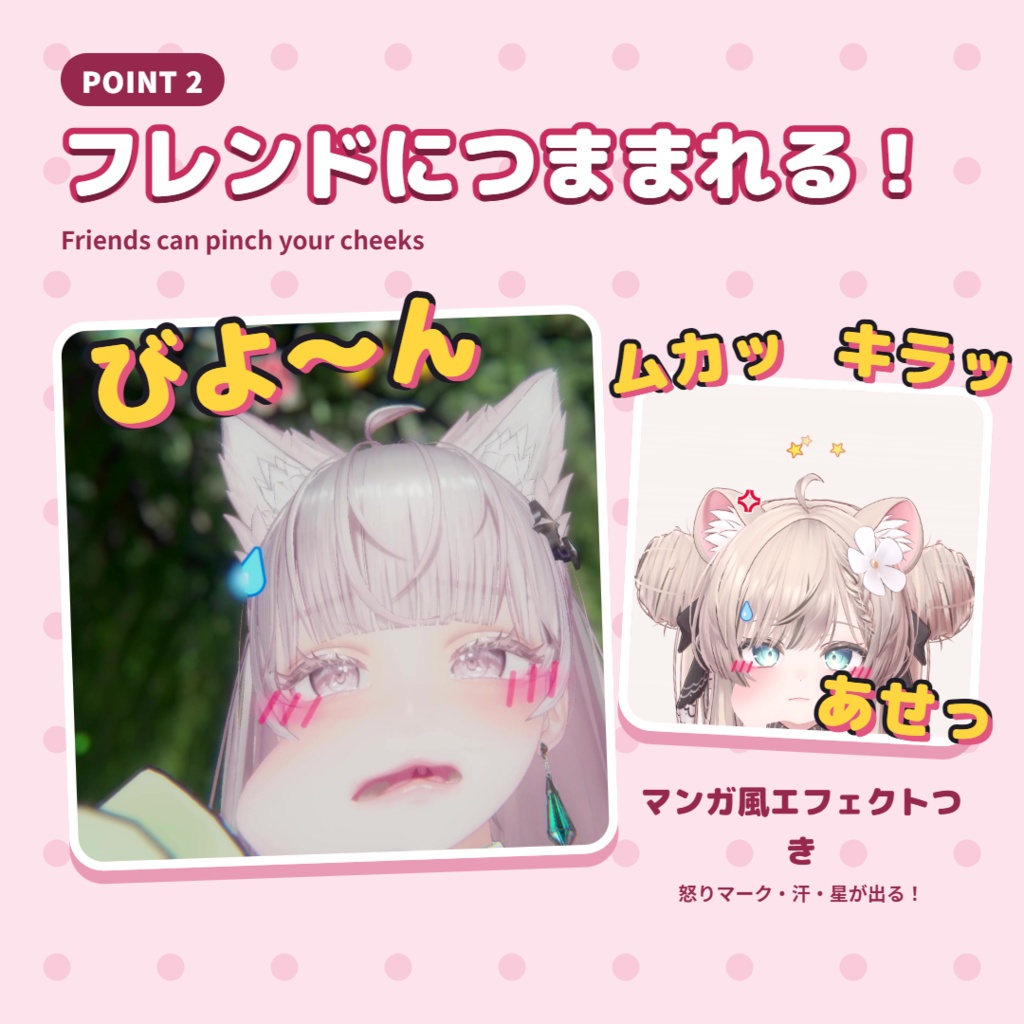
4 段階のリアクション / 四段反應 / Four reactions
・照れ:手がほっぺにふれる → 赤面 ・つかまれる:ほっぺをつまむ → 赤面+汗 ・痛い:一定以上外へ引っぱる → 赤面+汗+怒りマーク(青筋)+頭の上をまわる星 ・ぽんっ:手をはなす → ほっぺが元に戻り、パーティクルと「ぽんっ」という音 ※ 最大で両目の間ぐらいの距離までのびます。引っぱれるのは顔の外側だけです(鼻のほうへ引いても動きません)。目は崩れず、口は少しだけついてきます。 ────────── ・害羞:手碰到臉頰 → 臉紅 ・被抓住:捏住臉頰 → 臉紅+汗滴 ・痛:往外拉超過一定距離 → 臉紅+汗滴+生氣符號(青筋)+頭上轉圈的星星 ・彈回:放開 → 臉頰彈回原狀,粒子和「啵」的聲音 ※ 最遠可以拉到大約兩眼之間的距離。只能往臉的外側拉(往鼻子方向拉不會動)。眼睛不會被拉壞,嘴巴只會跟著動一點。 ────────── - Shy: a hand touches the cheek → blush - Grabbed: the cheek is pinched → blush + sweat drop - Ouch: pulled outward past a set distance → blush + sweat drop + anger mark + stars circling the head - Pop: let go → the cheek snaps back with particles and a "pop" sound Note: it stretches up to about the distance between the eyes. It only pulls outward (pulling toward the nose does nothing). The eyes stay intact; the mouth follows only a little.
使い方 / 使用方式 / How to use
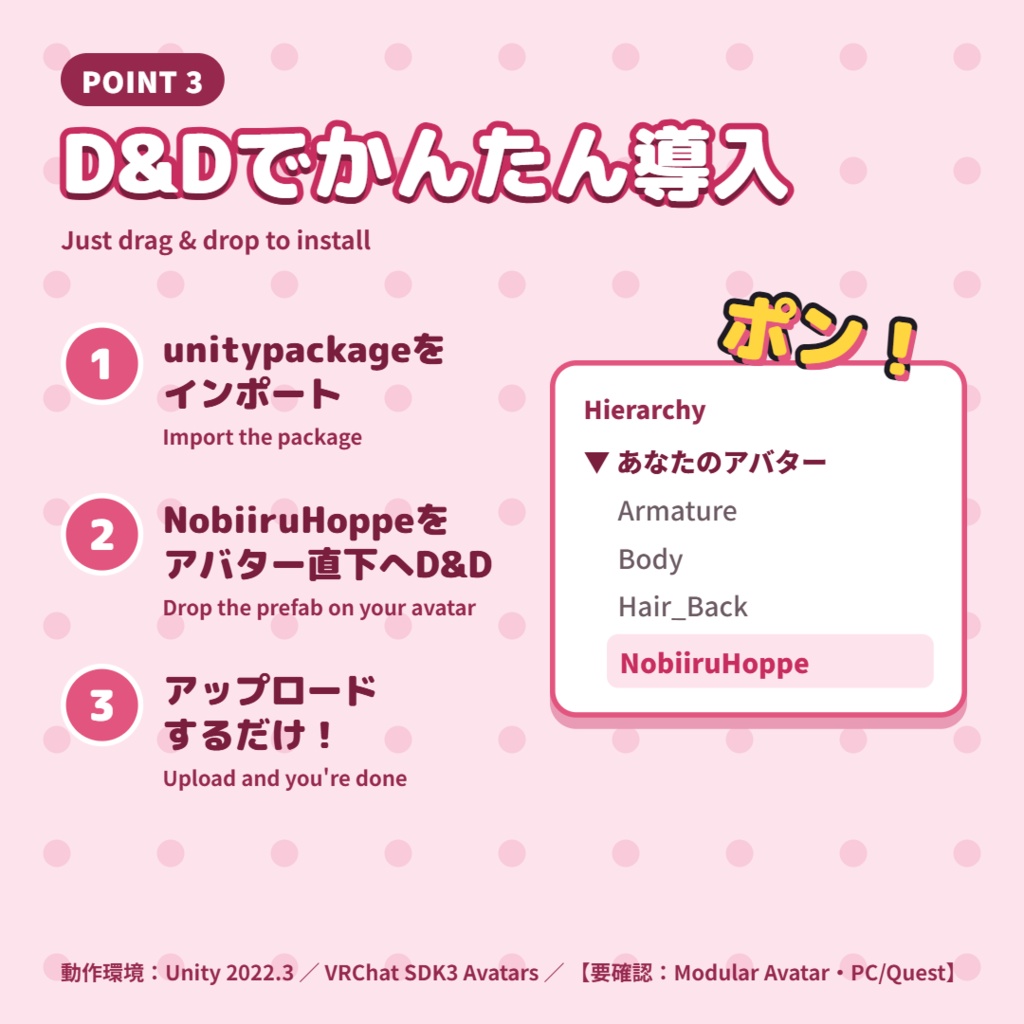
※ Windows 版の Unity のみ対応しています。 1. VCC で Modular Avatar を導入します 2. unitypackage をインポートします 3. 「NobiiruHoppe」プレハブを、アバターの中(アバターのルートの子)にドラッグします 4. そのままアップロードします(Play モードでも確認できます) ※ 編集画面で位置を確認したい場合は、アバターを選んで「Tools > Kono Studio > NobiiruHoppe > Install on Selected Avatar」を実行してください。 ────────── ※ 僅支援 Windows 版的 Unity。 1. 用 VCC 安裝 Modular Avatar 2. 匯入 unitypackage 3. 把「NobiiruHoppe」prefab 拖到 avatar 裡(avatar 根物件的子物件) 4. 直接上傳(也可以先用 Play 模式確認) ※ 想在編輯畫面先看到位置,選取 avatar 後執行「Tools > Kono Studio > NobiiruHoppe > Install on Selected Avatar」。 ────────── Note: Windows Unity only. 1. Add Modular Avatar with VCC 2. Import the unitypackage 3. Drag the "NobiiruHoppe" prefab into your avatar (as a child of the avatar's root) 4. Upload (you can also check it in Play mode first) Note: to see the positions in the editor, select the avatar and run "Tools > Kono Studio > NobiiruHoppe > Install on Selected Avatar".
ご注意 / 注意事項 / Notes
・人型のアニメ調アバター向けです。ケモノ・マズル(鼻先)のあるアバターでは、ほっぺの判定位置がずれる場合があります。 ・動作確認済み:Kipfel、Yumeka、Milltina、rurune、Mamehinata、MANUKA、Lumina ・プレハブはアバターの中(アバターのルートオブジェクトの子)に入れてください。シーンに直接置いても動きません。1 体のアバターに入れるのは 1 つだけです。 ・ドラッグしただけの状態では、編集画面のほっぺや記号は仮の位置に表示されます。Play またはアップロード時に自動で顔に合わせます。 ・ほかの人につまんでもらうには、VRChat の設定「Avatar Interactions」で相手を許可する必要があります。初期設定ではフレンドのみです。誰でもつまめるようにするには「Everyone」にしてください(VRChat 側の設定で、アバター側では変更できません)。 ・ほっぺの近くに髪の毛の揺れもの(PhysBone)があるアバターでは、手が髪のほうをつかんでしまうことがあります。ほっぺの中心あたりをつまむとつかみやすいです。 ・もともとほっぺをつまめるアバターでは、初期設定でこのギミックのほっぺを使います(アバター本来の「つままれたときの表情」もそのまま出ます)。アバター本来のつまみ方を使いたい場合は、プレハブの「NobiiruHoppe」オブジェクトの「Cheek Bones」を「Avatars Own」に変えてください(Unity 上でのみ変更できます)。この場合、アバター本来の赤面などと、このギミックの記号・音が同時に出ます。 ・Unity でテストするときは、Play を押した瞬間に表示されているアバターだけが処理されます。別のアバターを試すときは、Play を止めて、試したいアバターだけを表示してから、もう一度 Play を押してください。 ・詳しくは同梱の説明書をご覧ください。 ────────── ・適用於人形的動漫風格 avatar。Furry(ケモノ)、有口鼻部(マズル)的 avatar,臉頰的位置可能會偏掉。 ・已驗證:Kipfel、Yumeka、Milltina、rurune、Mamehinata、MANUKA、Lumina ・prefab 要放在 avatar 裡面(avatar 根物件的子物件)。直接放在場景上不會動。一隻 avatar 只裝一個。 ・只拖進去的話,編輯畫面裡的臉頰和符號會顯示在預設位置;按 Play 或上傳時會自動對到臉上。 ・別人要能捏到你,VRChat 設定的「Avatar Interactions」要允許對方。預設只有好友可以;要讓所有人都能捏,改成「Everyone」(這是 VRChat 的設定,avatar 這邊改不了)。 ・臉頰附近有頭髮 PhysBone 的 avatar,手可能會抓到頭髮。捏臉頰中心附近比較容易抓到。 ・本來就能捏臉的 avatar,預設使用這個 gimmick 的臉頰(avatar 原本「被捏時的表情」照樣會出現)。想用 avatar 原本的捏臉,把 prefab 裡「NobiiruHoppe」物件的「Cheek Bones」改成「Avatars Own」(只能在 Unity 裡改)。這時 avatar 自己的臉紅等效果,會和這個 gimmick 的符號、音效同時出現。 ・在 Unity 測試時,只有按下 Play 那一瞬間顯示中的 avatar 會被處理。要換一隻 avatar 測試,請先停止 Play,只顯示要測的那隻,再按 Play。 ・詳細內容請看附上的說明書。 ────────── - Made for humanoid anime-style avatars. On furry (kemono) avatars or avatars with a muzzle, the cheek position may be off. - Tested on: Kipfel, Yumeka, Milltina, rurune, Mamehinata, MANUKA, Lumina - Put the prefab inside your avatar (as a child of the avatar's root object). Placed directly in the scene, it does nothing. One per avatar. - If you only drag it in, the cheeks and symbols show at default positions in the editor; they fit to the face when you press Play or upload. - Others can only pinch you if VRChat's "Avatar Interactions" setting allows them. By default only friends can; set it to "Everyone" to let anyone pinch you (this is a VRChat setting and can't be changed from the avatar). - On avatars with hair PhysBones near the cheeks, a hand may grab the hair instead. Pinching near the center of the cheek works best. - On avatars that already have a cheek pinch, it uses its own cheeks by default, and the avatar's own "pinched" expression still plays. To use the avatar's own cheek pinch instead, set "Cheek Bones" on the "NobiiruHoppe" object in the prefab to "Avatars Own" (Unity only). The avatar's own blush and other effects then play together with this gimmick's symbols and sound. - When testing in Unity, only the avatars shown at the moment you press Play are processed. To test another avatar, stop Play, show only that avatar, then press Play again. - See the included manual for details.
利用規約 / 使用條款 / Terms of use
・本商品を使ったアバターの VRChat などへのアップロード:OK ・個人で使う範囲での改変:OK ・本商品の再配布・転売(改変したものを含む):禁止 ・本商品を組み込んだアバター・衣装の販売:(未定) ・本商品の使用によって生じたトラブルについて、作者は責任を負いません。 ────────── ・使用本商品的 avatar 上傳到 VRChat 等平台:可以 ・個人使用範圍內的修改:可以 ・再發布、轉賣本商品(包含修改後的版本):禁止 ・販售含有本商品的 avatar 或衣裝:(未定) ・因使用本商品造成的問題,作者不負任何責任。 ────────── - Uploading avatars that use this product to VRChat and similar platforms: OK - Modifying it for your own use: OK - Redistributing or reselling this product, modified or not: not allowed - Selling avatars or outfits that include this product: (to be decided) - The author is not responsible for any problems caused by using this product.
内容物 / 內容物 / Contents
・NobiiruHoppe_v1.0.0.unitypackage ・説明書 / 說明書 / Manual(日本語・中文・English)PDF
更新履歴 / 更新紀錄 / Update history
※注意事項 パッケージ内のファイルを直接改変している場合、 更新すると上書きされます。 更新する際はバックアップを推奨します。 【公開日】: v1.0.0 ・初回アップロード ────────── ※注意事項 如果直接修改過套件裡的檔案,更新時會被覆蓋。 更新前建議先備份。 【公開日】: v1.0.0 ・首次上傳 ────────── * Note If you edited files inside the package, updating will overwrite them. Back up your project before updating.