
Plasticity2Zbrush Bridge Plugin
- Digital0 JPY
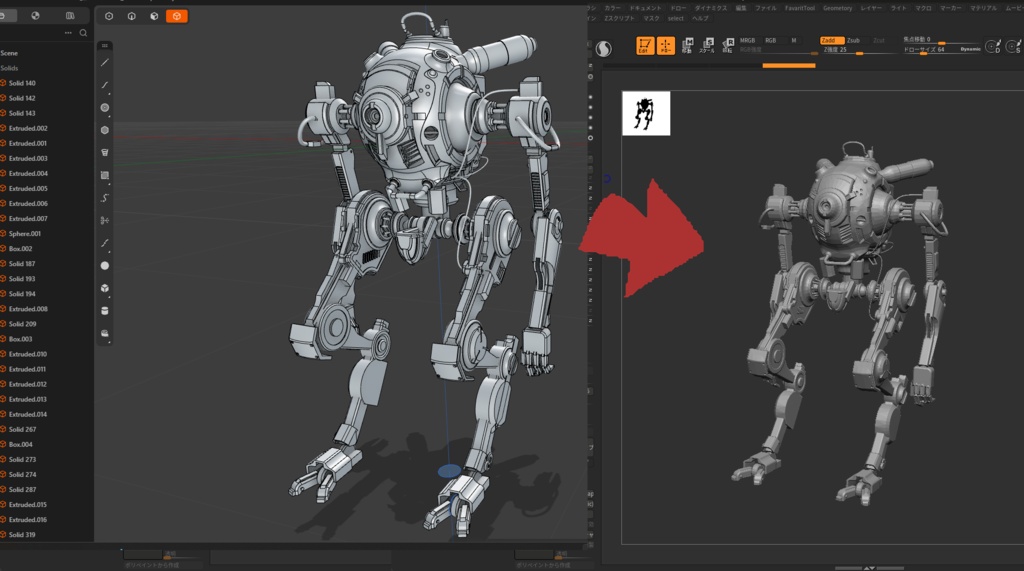

【Plasticity → ZBrush】ボタン1つで送れるブリッジ「PlastiGoZ」 Plasticity で作ったモデル、ZBrush に持っていくとき 「OBJ を書き出して、読み込んで、サブツールを分けて…」していませんか? PlastiGoZ は、ZBrush のメニューのボタンを押すだけで Plasticity のモデルを取り込めるようにするツールです。 Blender の GoB のような感覚を、Plasticity でも。 ■ こんなところが便利です ・ボタン1つで、Plasticity の表示中のパーツが ZBrush に届く ・面の境目が割れない、閉じたメッシュで取り込める(穴あきになりにくい) ・Plasticity の面ごとにポリグループが付くので、ZBrush で選びやすい ・四角形 / 三角形 / N角形、細かさ、エッジ幅などを設定できる(リファセット対応) ・パーツがたくさんあっても大丈夫。自動で1つにまとめて、取り込みの待ち時間を短縮 ・「全部を1つのメッシュで」ボタンもあります ・パーツを選んで送る単体アプリ付き(ホットキー・ドラッグ&ドロップ対応) ・日本語 / English 対応 ■ 導入はかんたん ZIP を展開して install.bat をダブルクリック。 ZBrush のバージョンを自動で探して入れます。 動作環境:Windows 10/11(64bit)/ Plasticity / ZBrush 2018 以降 (動作確認は ZBrush 2022。Maxon 版も自動検出しますが、手元では未確認です) ※ 非公式ツールです。Plasticity・ZBrush の各社とは関係ありません。 ※ DLL は署名がないため、ウイルス対策ソフトが警告する場合があります。 --- Send your Plasticity models to ZBrush with one button. PlastiGoZ adds a menu to ZBrush that pulls the visible solids and sheets from Plasticity as SubTools — GoZ/GoB-style, no OBJ export and import dance. Watertight welded meshes, one polygroup per Plasticity face, refacet settings (quads / tris / n-gons, tolerance, angle, edge width), auto-merge when there are many parts, a standalone app with a part picker, and an English / Japanese UI. Windows 10/11, Plasticity, ZBrush 2018+ (tested on ZBrush 2022). Unofficial tool, not affiliated with Plasticity or Maxon.