

撮影用コーナーセット
- Digital800 JPY
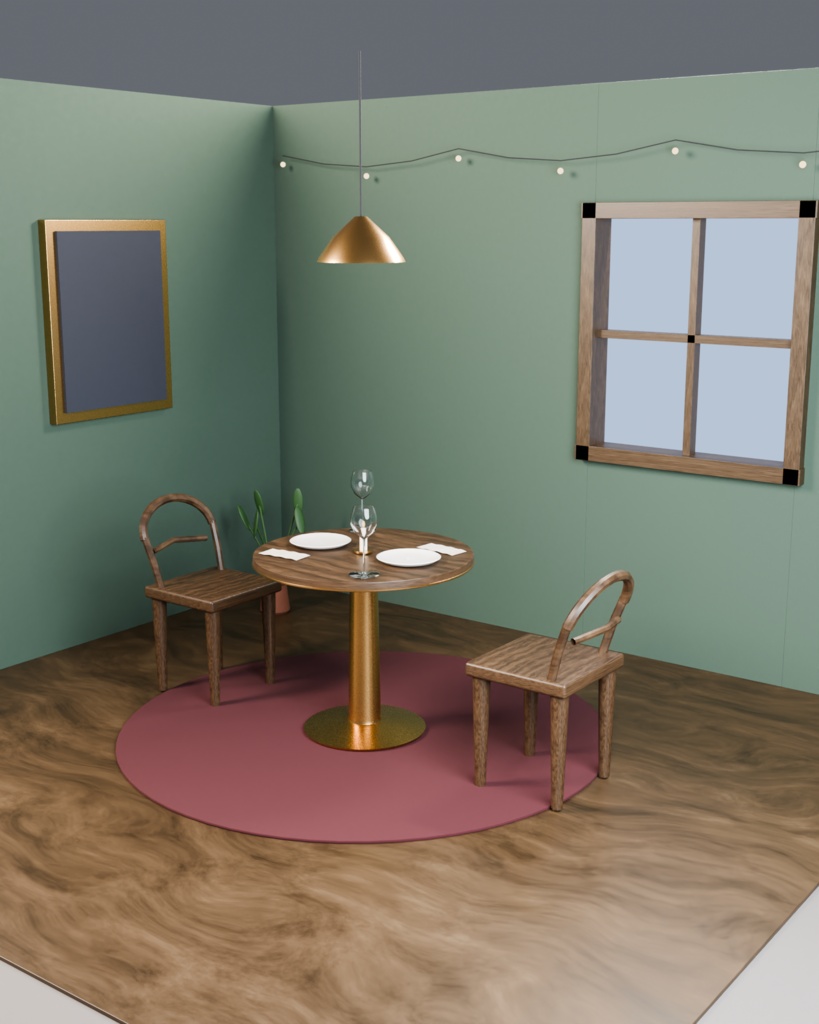
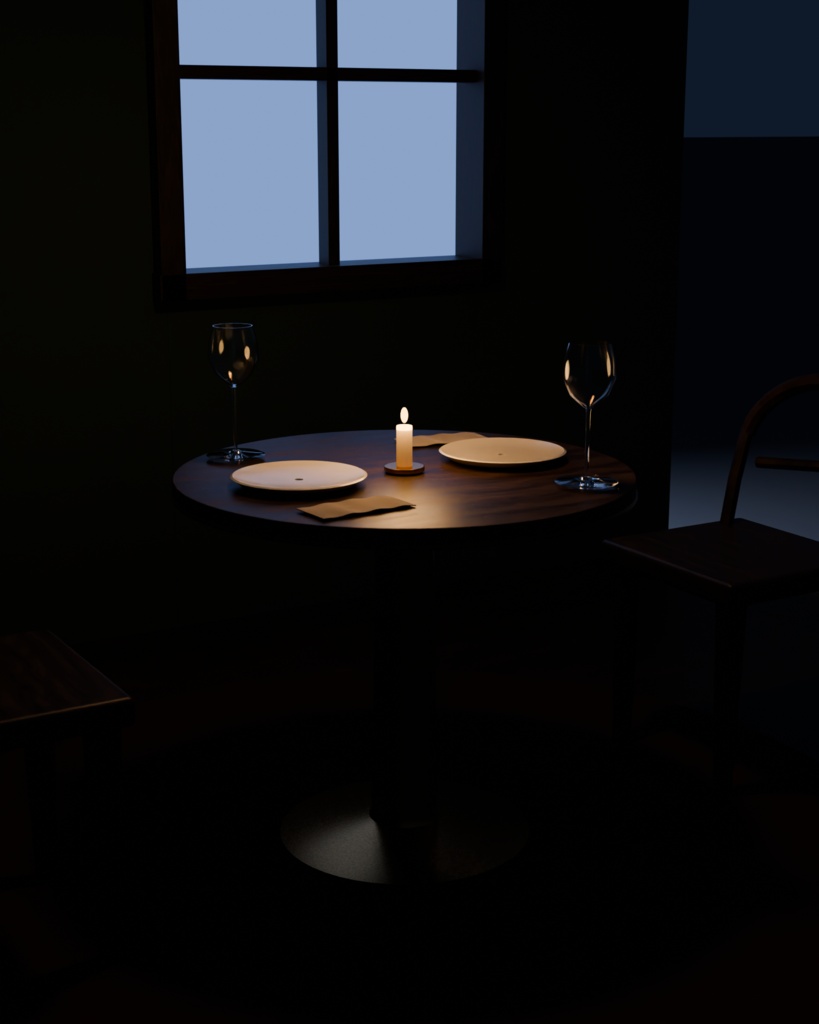
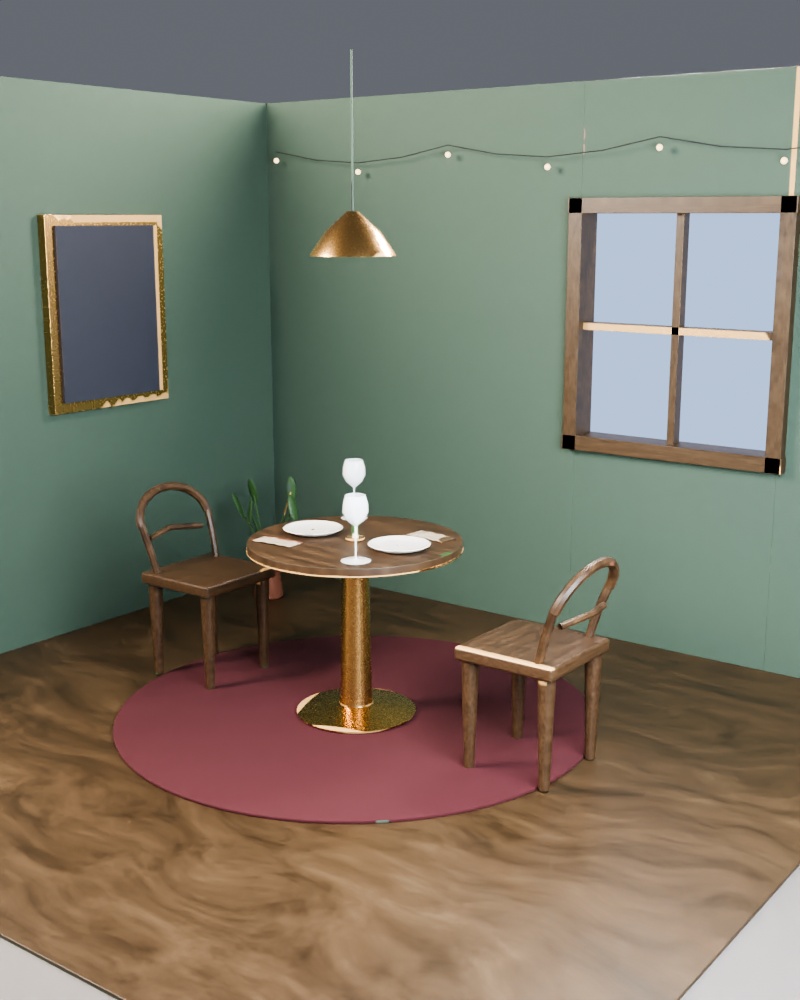


VRChat ワールドの片隅に置くだけで、ビストロ風の撮影スポットができるコーナーセットです。深緑の壁・窓・ペンダントランプ・ストリングライトまで一式入っているので、背景づくりに悩まずポートレート撮影の舞台が整います。 【内容物】 ・コーナー壁(背面・側面、深緑プラスター)/窓枠+桟 ・床パネル(ダークウォールナット) ・ラウンドラグ(深いバーガンディ) ・ペデスタルテーブル(真鍮リム付き)×1 ・曲木風チェア ×2 ・ペンダントランプ(真鍮シェード+電球)×1 ・ストリングライト(電球7個+ワイヤー) ・ワイングラス ×2、プレート ×2、リネンナプキン ×2 ・キャンドル(真鍮ベース+ロウ+炎) ・観葉植物(テラコッタ鉢) ・額装アート(真鍮フレーム) 【スペック(実測)】 ・オブジェクト数:71 点 ・総三角形数:24,300 ・マテリアル:4種(アトラス化PBRマテリアル/ガラス/電球エミッシブ/炎エミッシブ) ・テクスチャ:2048×2048 アトラス(BaseColor/Roughness/Normal/Metallic、ベイク済み) ・セット外寸:約 3.8 × 3.5 m、高さ約 2.6 m ・形式:UnityPackage(Prefab 同梱)/FBX/テクスチャPNG 【導入手順】 1. Unity プロジェクト(Unity 2022.3 LTS 推奨)を開きます。 2. メニュー「Assets > Import Package > Custom Package…」から同梱の .unitypackage をインポートします。 3. Assets/PhotoCornerSet/Prefabs/PhotoCorner_Full.prefab をシーンへ配置します。 4. ライト類は見た目用のエミッシブ表現です。実ライトは含まれないため、ワールド側のライティングに合わせて必要に応じてライトを追加してください。 FBX を直接使う場合は、Textures フォルダの4枚をマテリアルへ割り当ててください(BaseColor→Albedo、Normal→Normal Map、Roughness/Metallic は各チャンネルへ)。 【対応環境・確認状況】 ・PC(Windows)環境での利用を想定した設計です。Unity 2022.3.22f1 でのインポート検証済み(Prefab 生成、マテリアル自動割り当て、エラー0件を確認)。 ・Quest 実機では未検証です。Quest 向けワールドで使う場合は、ご自身の環境で表示をご確認ください。 ・VRChat SDK には依存しません(通常の Unity マテリアル/Prefab のみ)。Udon ギミック・着席アニメーションは含まれません。 【ライセンス】 ・購入者ご自身の VRChat ワールド(公開・非公開を問いません)および動画・配信・スクリーンショットへの使用可。 ・本アセット自体(モデル・テクスチャ・Prefab)の再配布・転売・共有は禁止します。改変はご自身のワールド内での利用に限り可。改変後の再配布も禁止です。 --- English --- A ready-to-place bistro-style photo corner for VRChat worlds. Deep-green walls, a window, a pendant lamp and string lights are all included, so you can set up a portrait-shooting backdrop in seconds — just drop it into a corner of your world. Contents: corner walls (back & side, deep-green plaster) / window frame with mullions / floor panel (dark walnut) / round rug (deep burgundy) / pedestal table with brass rim x1 / bentwood-style chairs x2 / pendant lamp (brass shade + bulb) x1 / string lights (7 bulbs + wire) / wine glasses x2, plates x2, linen napkins x2 / candle (brass base + wax + flame) / potted plant (terracotta pot) / framed art (brass frame) Specs (measured): Objects 71 / Total triangles 24,300 / Materials 4 (atlased PBR material / glass / bulb emissive / flame emissive) / Textures 2048x2048 atlas (BaseColor / Roughness / Normal / Metallic, fully baked) / Footprint approx. 3.8 x 3.5 m, height approx. 2.6 m / Formats: UnityPackage (with Prefab) / FBX / texture PNGs Setup: 1. Open your Unity project (Unity 2022.3 LTS recommended). 2. Import the included .unitypackage via "Assets > Import Package > Custom Package...". 3. Place Assets/PhotoCornerSet/Prefabs/PhotoCorner_Full.prefab in your scene. 4. The lamps use emissive materials for their glow; no real-time lights are included, so add lights in your world as needed. Compatibility: Designed for use on PC (Windows). Import-verified with Unity 2022.3.22f1 (Prefab generation, automatic material assignment, zero errors). Not tested on Quest hardware. No VRChat SDK dependency (plain Unity materials and a Prefab only). No Udon gimmicks or seating animations are included. License: You may use this asset in your own VRChat worlds (public or private) and in videos, streams and screenshots. Redistribution, resale or sharing of the asset itself (models, textures, Prefab) is prohibited. Modification is allowed for use within your own worlds only; redistributing modified versions is also prohibited.