
電光矢印板 AR-14|AR-14 LED Arrow Board【Unity用プレハブ】
- 矢印板本体 / Unity PrefabDigital500 JPY
- 操作動画のみ / Preview Video (MP4)Digital0 JPY
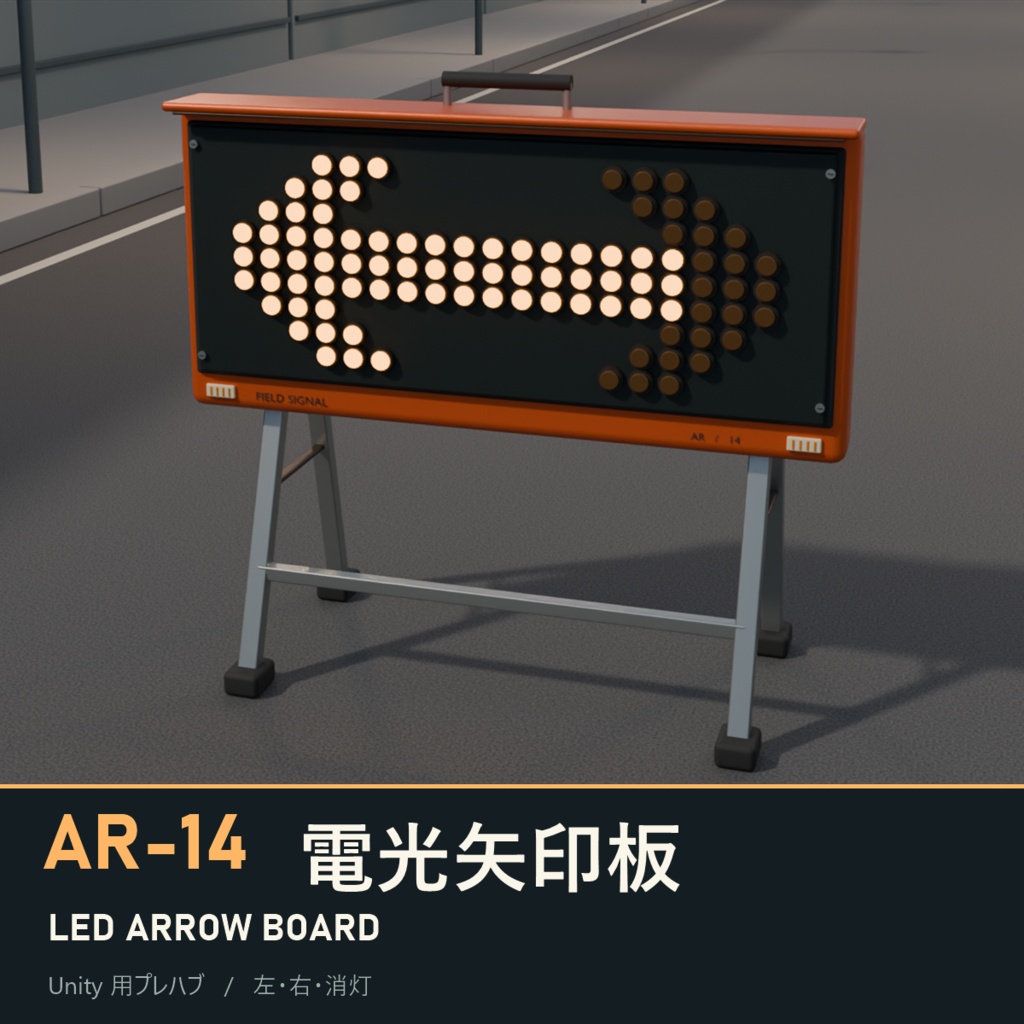
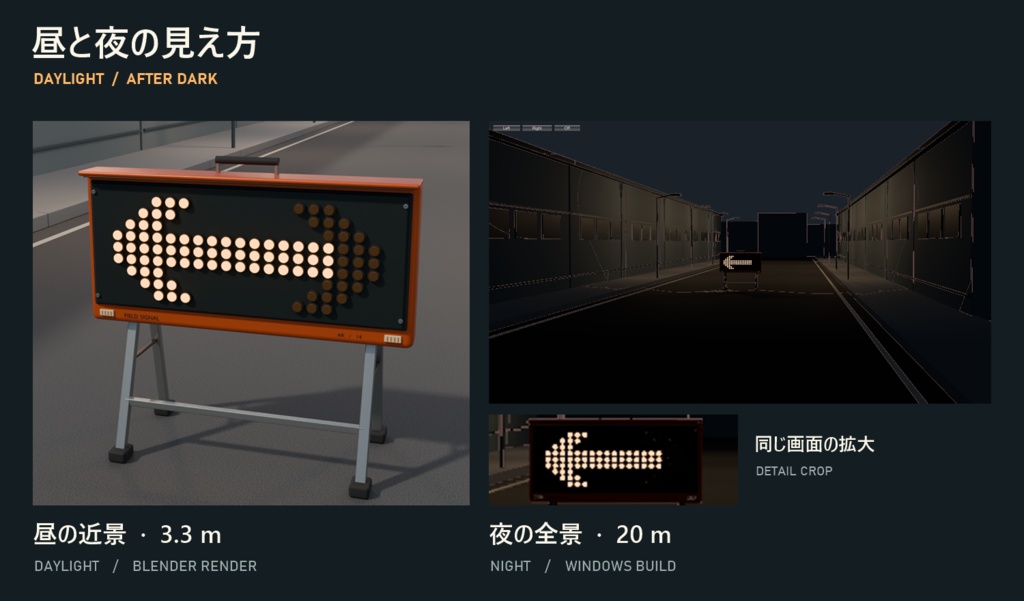
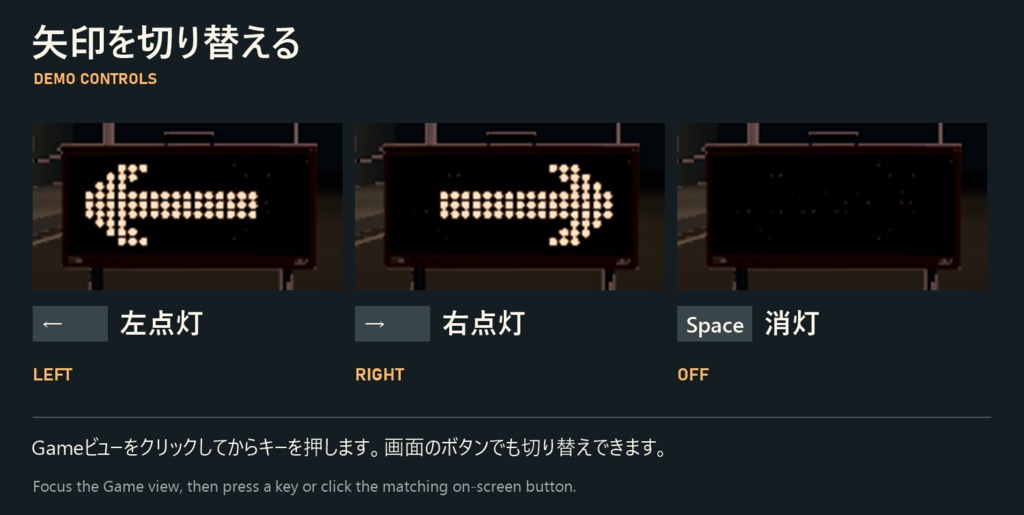
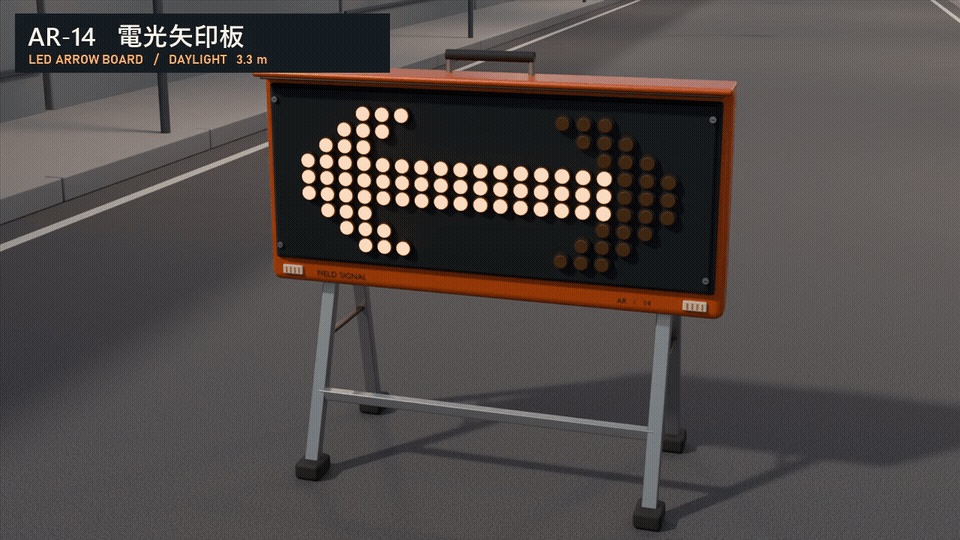


操作動画(9.5秒)は「操作動画のみ / Preview Video (MP4)」から無料でダウンロードできます。プレハブ本体は500円です。 The 9.5-second preview video is free to download. Choose “Unity Prefab” for the 500 JPY asset. 工事中の道路や夜の迂回路に置ける、据え置き式の電光矢印板です。オレンジの筐体と金属の脚に、アンバー色の丸いランプを並べました。ゲームの進行に合わせて、同じ1台で誘導方向を切り替えられます。 ■ まずは付属の夜間デモで パッケージをUnityに読み込み、Night20m シーンを開いてPlay。ゲーム画面を一度クリックしてから、←で左点灯、→で右点灯、スペースで消灯します。画面左上の Left / Right / Off ボタンでも操作できます。キーを離しても選んだ表示が続き、消灯すると筐体とレンズだけが残ります。 ■ 自分のシーンに置く ArrowBoard.prefab をHierarchyにドラッグして配置し、Inspectorで初期状態を選びます。デモと同じ操作を追加する手順と、操作スクリプトの割り当て方は付属READMEに記載しています。 ■ 画像と動画の見方 昼の近景は3.3 mからのBlender作例、夜の全景は付属デモをWindows単体版で動かした20 m地点の画面です。どちらも左点灯で比較できます。動画では、各キーと左点灯・右点灯・消灯の表示を対応させています。夜の拡大部分は同じ画面から切り出しました。 ■ ダウンロード内容 AR14.zip ・ArrowBoard.unitypackage(矢印板1台、材質、制御スクリプト、夜間デモシーン) ・README_JA.txt / README_EN.txt(導入と操作) ・TERMS.txt(日英の利用条件) ■ 動作確認 Unity 2022.3.22f1 / Built-in Render Pipeline / Linear 導入:新規プロジェクトでプレハブの配置、メッシュ・材質、デモシーンの参照を確認。 Playモード:左・右・消灯のキー入力を確認。 Windows 64ビット単体ビルド(Direct3D 11):6回の切り替えを確認。1600×900の夜間デモで、20 m先の左右を判別できました。見え方は照明・画角・解像度によって変わります。URP、HDRP、他のUnityバージョン、Windows以外の環境は未検証です。 ■ 利用条件 商用利用、改変、完成作品への組込み可。素材単体の再配布・再販売不可。 ────────── Set up a road closure or mark a night-time detour with a freestanding LED arrow board. Round amber lamps sit in an orange housing on a metal stand. The same board can direct players left or right, then go dark when the route reopens. Try the night demo Import the package, open the Night20m scene and press Play. Click inside the Game view, then press Left Arrow to point left, Right Arrow to point right, or Space to turn the lamps off. You can also use the Left, Right and Off buttons in the upper-left corner. The selected state stays active after you release the key. The housing and lenses remain visible when the lamps are off. Place it in your scene Drag ArrowBoard.prefab into the Hierarchy and choose its initial state in the Inspector. The included guide shows how to connect the demo controls to your own board. Gallery and video The daylight close-up is a Blender render from 3.3 m. The night view shows the included demo running in a Windows build, with the camera 20 m from the board. Both views show the left arrow for comparison. The video pairs each key with its result. Night-time detail views are crops from the same game window. Inside AR14.zip • ArrowBoard.unitypackage — one arrow board prefab, materials, control scripts and a night demo scene • README_JA.txt and README_EN.txt — setup and controls in Japanese and English • TERMS.txt — terms of use in Japanese and English Tested configuration Unity 2022.3.22f1 / Built-in Render Pipeline / Linear color space Import — Checked prefab placement, meshes, materials and the demo scene's prefab reference in a fresh project. Editor Play mode — Verified keyboard switching between left, right and off. Windows 64-bit standalone (Direct3D 11) — Verified six state changes. Both directions were distinguishable at 20 m in the 1600 × 900 night demo. Visibility varies with lighting, field of view and resolution. URP, HDRP, other Unity versions and non-Windows platforms have not been tested. Terms Commercial use, modification and incorporation in finished works are allowed. Redistribution or resale as standalone assets is prohibited.
