

RetractaCharge
- Digital600 JPY
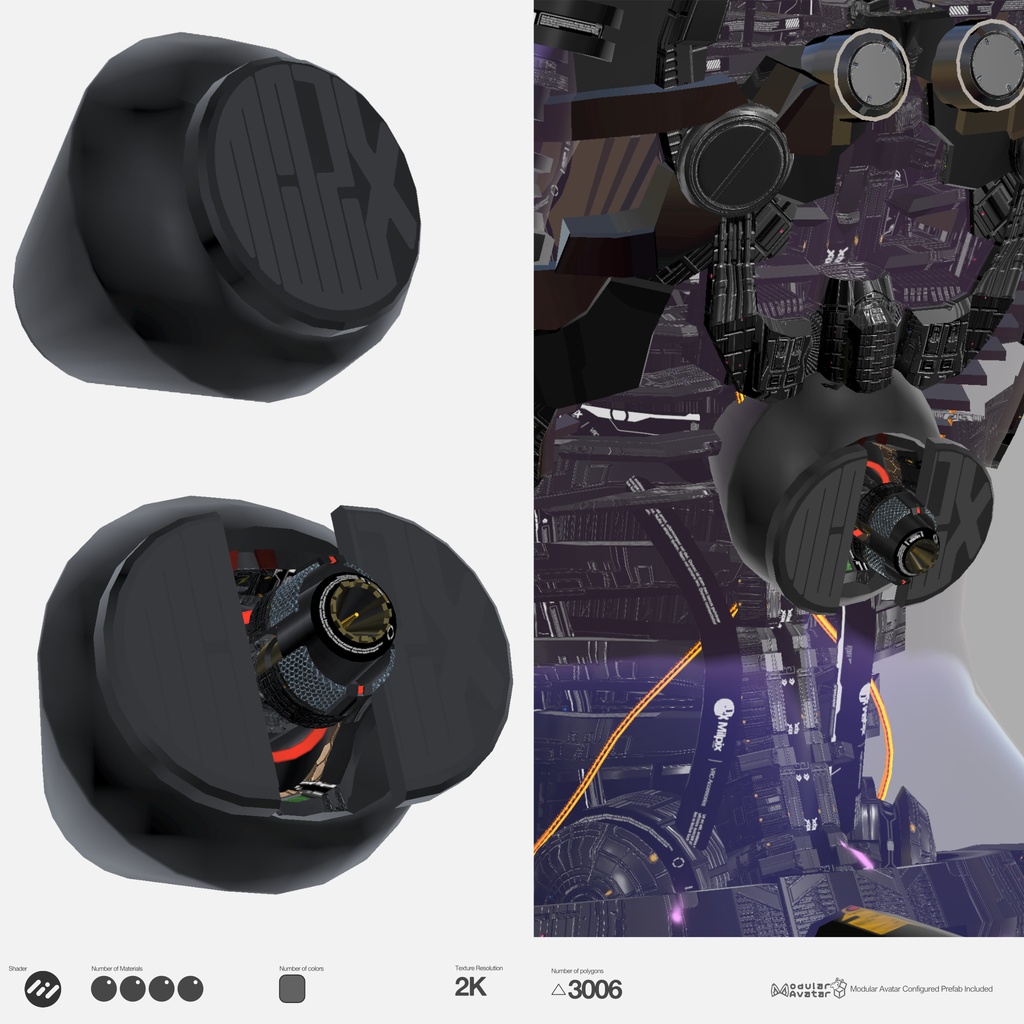
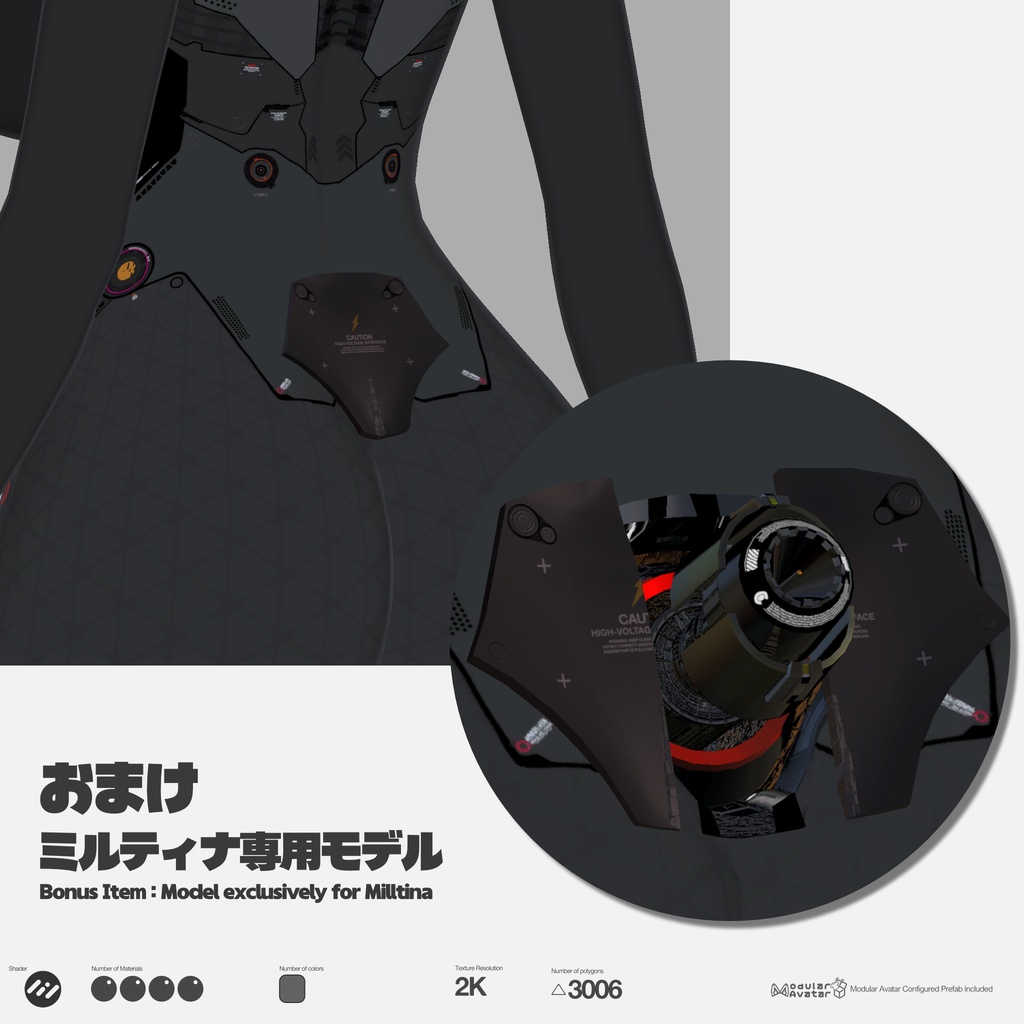


充電コネクタをイメージして製作した小物です。エクスプレッションメニューから開閉可能で、動作時には効果音が再生されます。ModularAvatar設定済みで、MA BoneProxyのターゲットはHipsに、初期位置はミルティナの腰に設定されていますが、腰だけでなく任意の場所/アイテムに付けられるよう製作しました。浅く埋め込めば内部の穴も埋まりません。 また、蓋表面にはデカール用の板ポリゴン/専用マテリアルが割り当てられており、任意の透過PNGのロゴを使用したマテリアルに差し替えることでカスタムが可能です。 また、おまけとして、ミルティナの腰にフィットするよう作られた専用モデルのPrefabも同梱されています。当初はこちらを採用する予定でしたが、腰を曲げたときに隙間が出来てしまい、どうしても解消できなかったため没としたものです。こちらはマスク設定の関係上、ご利用の際には事前に必ずModularAvatarを最新版にしておいてください。 This accessory is designed to resemble a charging port. It can be opened and closed via the expression menu, and a sound effect plays when it is operated. It comes pre-configured with ModularAvatar; the MA BoneProxy target is set to the "Hips" bone, and its default position is on Milltina’s waist. However, it is designed to be attachable to any location or item, not just the waist. If you embed it only shallowly, the internal opening will remain visible. Additionally, the surface of the cover features a dedicated polygon plane with a specific material assigned to it, allowing for customization by replacing the material with one that uses your own transparent PNG logo. Also included as a bonus is a prefab specifically modeled to fit Milltina’s waist. This was originally intended to be the primary version, but it was ultimately discarded because a gap would appear whenever the waist was bent—an issue I was unable to resolve. Please note that due to the mask settings used, you must ensure that you have the latest version of ModularAvatar installed before using this prefab. ---------------------------------------------------------------------------------- ポリゴン数 Number of polygons: △3006 テクスチャ解像度 Texture resolution: 2K 使用マテリアルスロット数 Number of material slots used: 4 プレファブ Perfab: x2 Unity2022.3.22f1 ---------------------------------------------------------------------------------- Boothのシステム上、ダウンロード商品の返品/返金はできません。あらかじめご了承ください。 Due to Booth's system limitations, returns and refunds for downloadable products are not possible. Please understand this in advance. https://booth.pixiv.help/hc/ja/articles/230691407-%E3%82%AD%E3%83%A3%E3%83%B3%E3%82%BB%E3%83%AB-%E8%BF%94%E9%87%91%E5%87%A6%E7%90%86%E3%81%AE%E6%B5%81%E3%82%8C%E3%81%AB%E3%81%A4%E3%81%84%E3%81%A6%E7%9F%A5%E3%82%8A%E3%81%9F%E3%81%84 ---------------------------------------------------------------------------------- シェーダーはLiltoonを使用しています。事前に導入しておいてください。 Liltoon is required for installation. https://booth.pm/ja/items/3087170 ---------------------------------------------------------------------------------- Modular Avatarを使用しています。事前に導入しておいてください。 Uses Modular Avatar. Please install it in advance. https://modular-avatar.nadena.dev/ja ---------------------------------------------------------------------------------- 導入方法: 1. Unitypackageをインポートします 2. Unitypackage内のPrefabフォルダ内にあるPrefabを、Hierarchyのアバター下に配置してください。 How to install: 1. Import the Unitypackage 2. Place prefab in the Prefab folder in the Unitypackage under the avatar in the Hierarchy. ---------------------------------------------------------------------------------- ライセンス License: 本製品は、VN3ライセンス(https://www.vn3.org/)を採用しております。 本製品をご購入前に下記リンクから内容をご確認ください。 本製品を購入された時点で本利用規約に同意したものとさせて頂きます。 本規約は、あしやまひろこ(@hiroko_TB)氏が作成したVN3ライセンス( https://www.vn3.org/ )のテンプレートを使用しています。 This product uses the VN3 License (https://www.vn3.org/). Please check the details at the link below before purchasing this product. By purchasing this product, you agree to these terms of use. These terms use the VN3 License (https://www.vn3.org/) template created by Ashiyama Hiroko (@hiroko_TB). JP https://drive.google.com/file/d/1q5V1DylqKehQrI6FbMY1pq9JWyqh-Du5/view?usp=drive_link EN https://drive.google.com/file/d/1j3Rij7Gob9Vdg79fbVhEMGwaxDE9fyjN/view?usp=drive_link ZH https://drive.google.com/file/d/13696cyOQTqAgOaFalRG6Af5jaC7JBqco/view?usp=drive_link KR https://drive.google.com/file/d/18hA3Z3gHwCctvUE1lgRm-cuVnO5vDMek/view?usp=drive_link
利用規約
更新履歴
2026/11/26 Ver.1.1 効果音発生位置修正 Adjust sound effect origin point