
平面素材をドームマスター形式へ一瞬で変換する魔法のツール!プラネタリウム番組編集用/A magical tool to convert flat materials to Dome Master format in an instant! For editing planetarium programs
- ダウンロード商品¥ 50,000
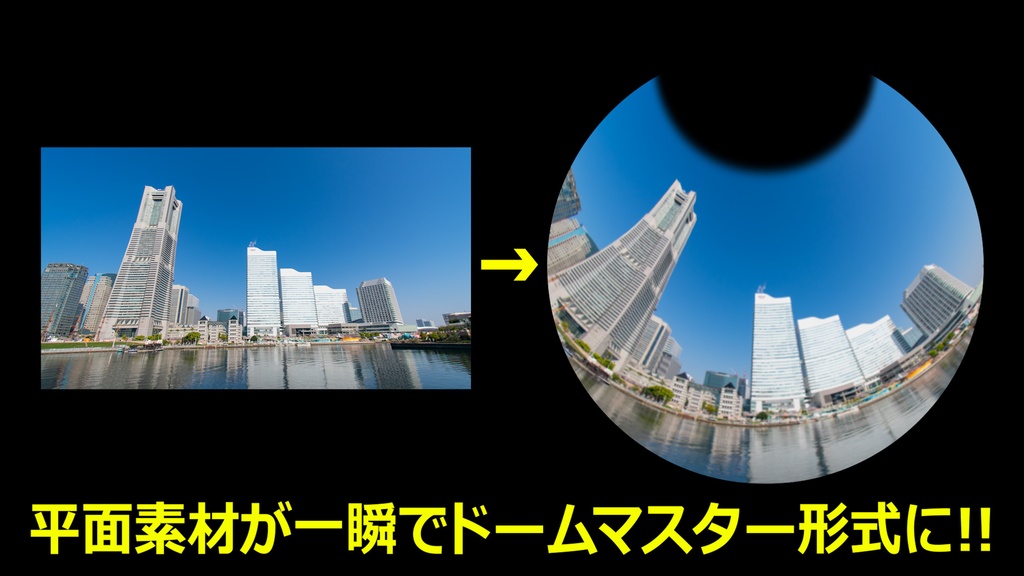
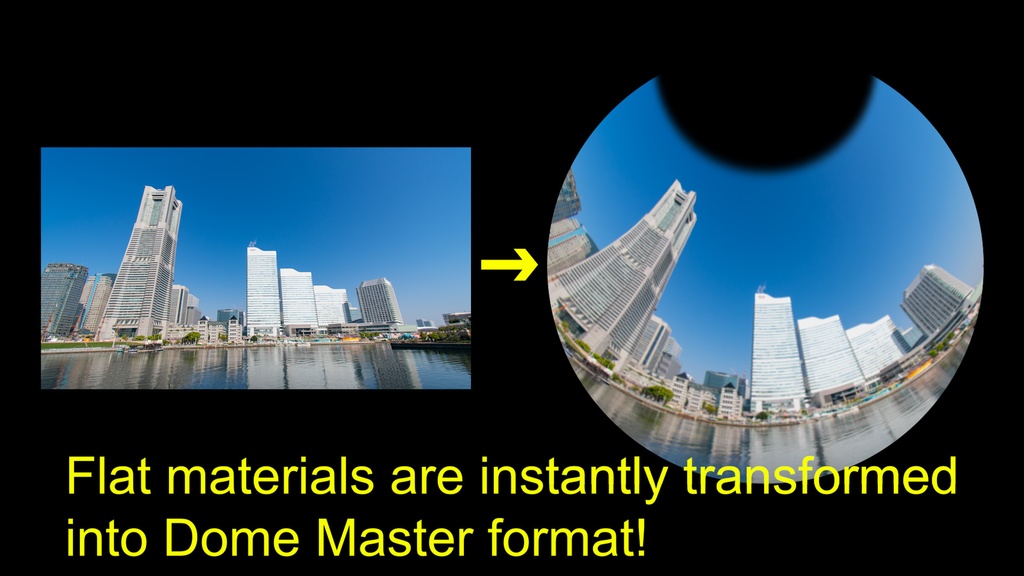
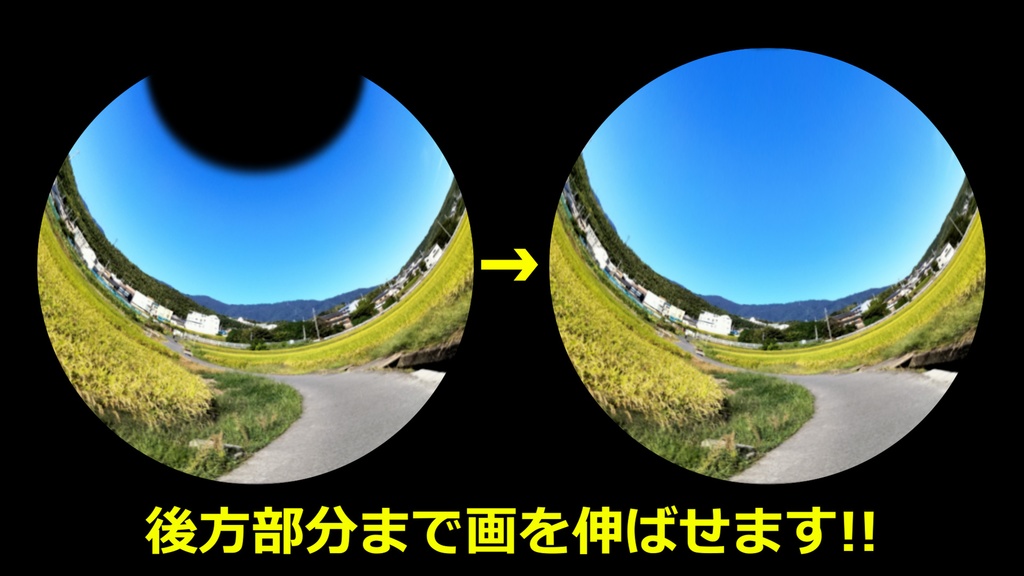
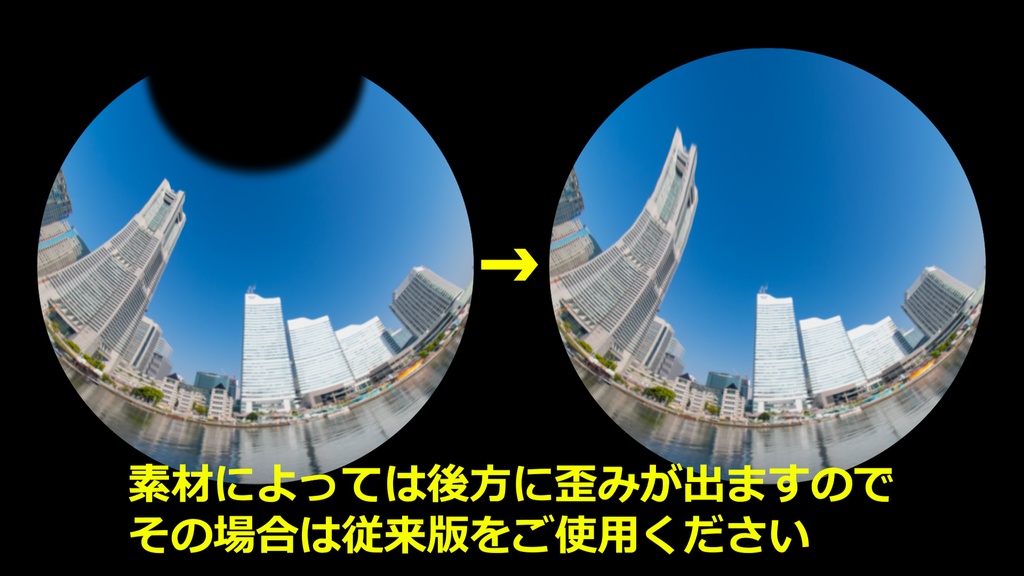
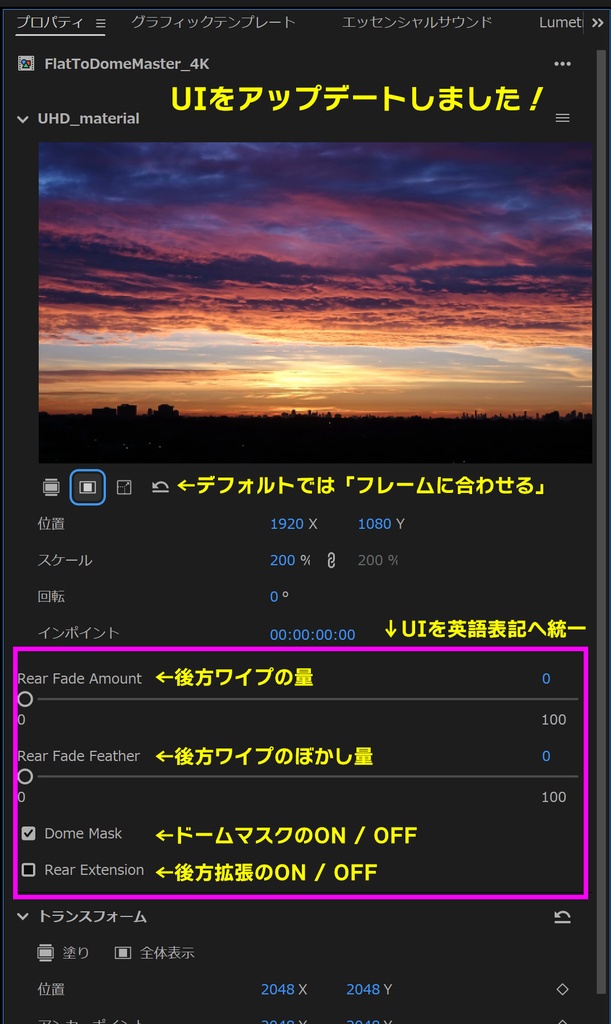


平面素材をドームマスター形式へ一瞬で変換する魔法のツール!プラネタリウム番組編集用/A magical tool to convert flat materials to Dome Master format in an instant! For editing planetarium programs これを使えばプラネタリウム向け映像の制作が簡単に! 平面素材をドームマスター形式へ変換するためのモーショングラフィックステンプレートです。 ドラッグアンドドロップするだけで4KのUHD素材を4Kドームマスター(4096×4096)に一瞬で変換できます。 もちろんUHDだけでなく様々な解像度の素材にも対応しておりますので、ワイプで見せるスライドなども簡単に制作できます。 位置や大きさ、後方のワイプなど詳細なカスタマイズも可能。 エッセンシャルグラフィックスで作成したテロップにも対応しております。 これまでドームマスターへの変換はAfterEffectsの高価なサードパーティー製のプラグインが必要でしたが、このテンプレートがあればPremiere内で一瞬で出来るようになります。 「ノーマン・ザ・スノーマン」シリーズや「鷹の爪」シリーズ、「ごん / GON, THE LITTLE FOX」、「紙兎ロペ」など多くのプラネタリウム映像がこのパラメーターで編集されております。 プラネタリウム映像を編集するにあたって時間的にも金銭的にも大幅に効率化できるツールですので、是非導入をご検討ください! ※一般的なプラネタリウム館での上映で正常に視聴できるようにパラメーターを設定しておりますが、全てのプラネタリウム館での見え方を保証しているわけではございません。 プラネタリウム館の形状や座席の位置によっては画面端などに歪みが生じる可能性がございますのでご了承ください。 またPCのスペックによっては再生前にレンダリングが必要な場合があります。 ■ Update History 2024/03/27 ・一部パラメーターを調整 ・ドーム後方へ画を伸ばせるバージョンを追加 2025/03/04 ・UHD 8K対応版を追加 2026/05/28(Latest Update) ・Rear Extension機能を統合し、スイッチ制御方式に変更 ・Dome Mask機能をON/OFFスイッチ化 ・操作UIの整理・改善(パラメータ構成と操作フローの最適化) ・デフォルトスケーリングを「Frame Fit(フレームに合わせる)」へ変更 ・UIを英語化し、グローバル利用に対応 Premiere pro 2025以上推奨 商用利用も可能で、クレジット表記は必要ありません。 購入者以外の使用・再配布・譲渡・転用・再販は禁止。 データを編集・改変したものも同様です。 本データのリバースエンジニアリング行為も禁止します。 発見次第、法的処置を行います。 This tool makes it easy to create planetarium videos! This is a motion graphics template for converting flat footage to Dome Master format. Just drag and drop to instantly convert 4K UHD footage to 4K Dome Master (4096 x 4096). Of course, it supports not only UHD, but also material of various resolutions, making it easy to create slides and other material that can be shown with wipes. Detailed customization is also possible, including position, size, and reverse wipes. It is also compatible with tickers created with Essential Graphics. Converting to a dome master used to require an expensive third-party plug-in for After Effects, but with this template it can be done instantly in Adobe Premiere. Many planetarium videos such as the Norman the Snowman series, the Eagle Tail series, GON, THE LITTLE FOX, and ROPE PAPER ROPE have been edited using this parameter. Please consider installing this tool, as it will greatly improve the efficiency of planetarium video editing, both in terms of time and money! *The parameters have been set so that the images can be viewed properly in most planetarium theaters, but we cannot guarantee that they will be visible in all planetarium theaters. Please note that depending on the shape of the planetarium and the position of the seats, there may be some distortion at the edges of the screen. Depending on PC specifications, rendering may be required before playback. ■ Update History March 27, 2024 ・Adjusted some parameters ・Added version with rear dome extension capability March 4, 2025 ・Added UHD 8K compatible version May 28, 2026 (Latest Update) ・Integrated Rear Extension system into switch-based control ・Added Dome Mask ON/OFF control ・Improved UI structure and simplified parameter workflow ・Changed default scaling to “Frame Fit” for better usability ・Fully localized UI to English for global users Premiere Pro 2025 or higher recommended. Commercial use is permitted and no credit is required. Use, redistribution, transfer, reassignment, or resale by anyone other than the purchaser is prohibited. The same applies to data that has been edited or modified. Reverse engineering of this data is strictly prohibited. Legal action will be taken if discovered.