
(Free!) Anime Like Hair Textures Pack for VROID Studio
- ダウンロード商品¥ 0
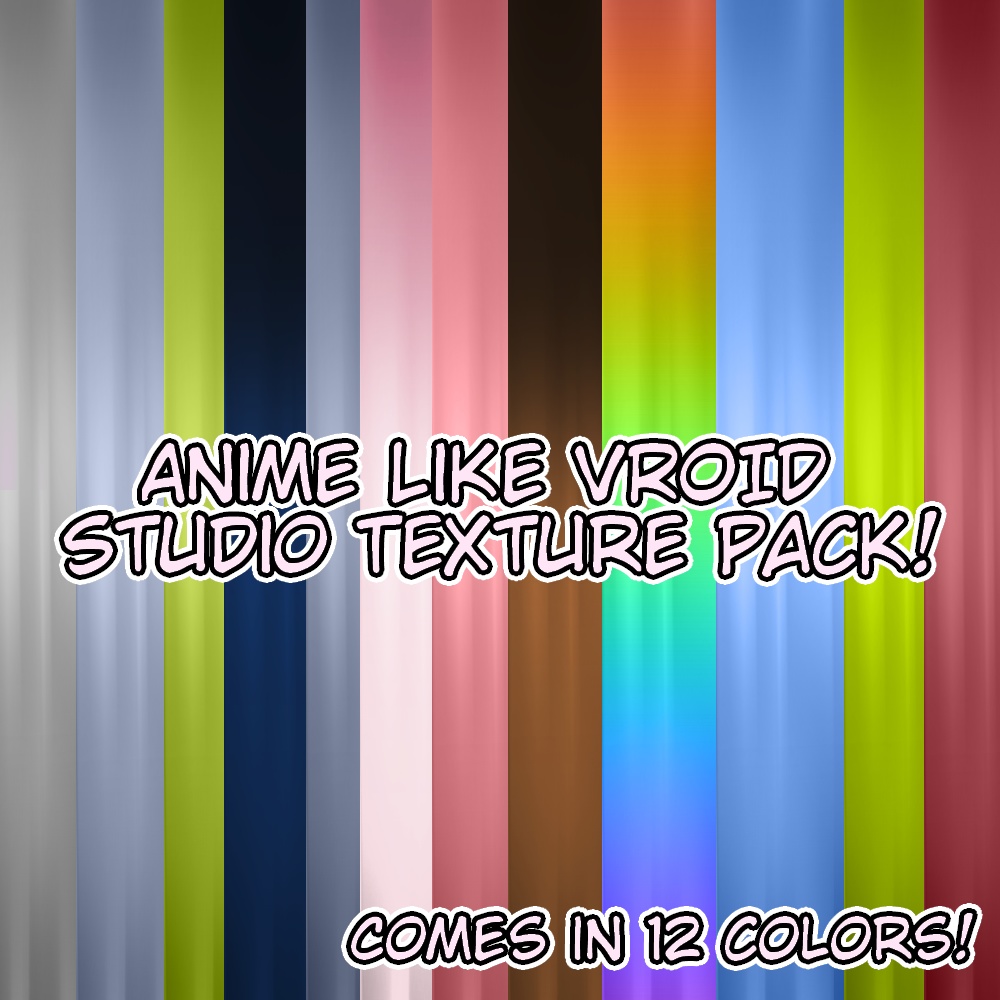

Anime Like Hair Textures Pack 1 for Vroid Studio! It's packed in a .zip file and comes in 12 colors! Enjoy!
TOS / Guidelines
📝 MOEMPORIUM'S TERMS OF SERVICE 🎀 (ENG) 🇺🇸 1: When using created textures, please credit me by linking back to my shop: moemporium.booth.pm 2: You are 100% welcome to edit downloaded textures to your hearts content, but claiming them as your own is not permitted. 3: Streaming or Vtubing with an avatar using my textures is 100% allowed, just link back to my shop 4: Using my textures or models with programs / apps outside of Vroid Studio (Such as MikuMikuDance / MikuMikuMoving, PMXEditor, Blender, VRChat, SourceFilmMaker) are 100% allowed, just credit me. 5: Using my textures or models to make video games (Such as Visual Novels for example) are permitted, just credit me if you ever use my textures or models. 6: Using my textures or models in violent, fighting / gory / Danganronpa related projects are permitted. 7: If a model / texture is uploaded onto the Moemporium and a 🔞 is visible, you may use my models in R-18 / Sexual works / NSFW, as LONG at it doesn't glorifiy or romanticise the following: Pedophilia, Rape, CSEM/CSAM, Sexual Assult, L0licon, Incest, Beastiality / Zoophilia, Necrophilia, and other taboo topics. SIDE NOTE: If you are going to make NSFW / very Sexual content, keep it far away from communites mostly filled with minors / under 18 individuals, Such as just keeping the creation private or strictly stating your account is a 18+ "Minors DNI" Account, Channel, or Website. Or a software hosting site that asks for your age before you play a game with NSFW content. (Like itch.io for example.) 8: If a model / texture is uploaded onto the Moemporium and a ⚠ is visible, that model / texture has visible blood, gore, uncanny vally, or is related to violence. It also may has sensitive themes for certain people, so interact with caution. 9: Using models / textures i've created to harrass people, garner hate speech, or use to make problematic statments or images is NOT allowed. 10: Using any models or textures in problematic / widely unacceptable political, racist, homophobic, transphobic, humanitarian takes or images is NOT allowed either. 11: No (Generative) Artificial Intelligence Usage, Training or Non-Fungible Token (NFT) usage. 📝 MOEMPORIUMの利用規約 🎀 (JP) 🇯🇵 1: 作成したテクスチャをご利用の際は、私のショップ(moemporium.booth.pm)へのリンクを記載してクレジットを明記してください。 2: ダウンロードしたテクスチャを自由に編集していただくことは大歓迎ですが、それを自分の作品として主張することは禁止されています。 3: 私のテクスチャを使用したアバターでのストリーミングやVTuber活動は、ショップへのリンクを記載していただければ、100%許可されています。 4: Vroid Studio以外のプログラムやアプリ(MikuMikuDance / MikuMikuMoving、PMXEditor、Blender、VRChat、SourceFilmMakerなど)で私のテクスチャやモデルを使用することは、クレジットを記載していただければ、100%許可されています。 5: 私のテクスチャやモデルを使用してビデオゲーム(例:ビジュアルノベルなど)を作成することは許可されています。使用した場合は、クレジットを記載してください。 6: 暴力、格闘、グロテスク、またはダンガンロンパ関連のプロジェクトで私のテクスチャやモデルを使用することは許可されています。 7: モデルやテクスチャがMoemporiumにアップロードされており、🔞マークが表示されている場合、R-18、性的な作品、NSFW作品での使用は許可されます。 ただし、以下の内容を美化またはロマンチックに描かない限りにおいてです: 小児性愛、レイプ、CSEM/CSAM、性的暴行、ロリコン、近親相姦、獣姦/動物愛好、死体愛好、およびその他のタブーなテーマ。 補足: NSFW/極めて性的なコンテンツを作成する場合は、未成年者/18歳未満の個人が多数を占めるコミュニティから遠ざけてください。 例えば、作品を非公開にするか、アカウントが18歳以上限定の「未成年者禁止(Minors DNI)」アカウント、チャンネル、またはウェブサイトであることを厳格に明記すること。あるいは、NSFWコンテンツを含むゲームをプレイする前に年齢確認を求めるソフトウェアホスティングサイト(例:itch.ioなど)を利用すること。 8: Moemporiumにアップロードされたモデル/テクスチャに⚠マークが表示されている場合、そのモデル/テクスチャには血、グロテスクな描写、不気味の谷、または暴力に関連する要素が含まれています。また、特定の人にとってセンシティブなテーマを含む可能性もあるため、取り扱いには十分注意してください。 9: 私が作成したモデルやテクスチャを、他者への嫌がらせ、ヘイトスピーチの助長、あるいは問題のある発言や画像の作成に使用することは禁止されています。 10: 問題のある、あるいは広く受け入れられない政治的、人種差別的、同性愛嫌悪的、トランスフォビア的、人道に反する見解や画像に、いかなるモデルやテクスチャを使用することも禁止されています。 11: (生成型)人工知能の使用、トレーニング、および非代替性トークン(NFT)の使用は禁止されています。
How to apply the texture
1: Open the Vroid Studio program if you haven't already 2: Make a new character or open a pre-existing one 3: Make your way to the "Hairstyle" category and click on "Front" or "Back" hair, then on the top right corner, click "Edit Hairstyle" 4: Click on a hair group then proceed to the "Materials" section on the right, then press "Edit Texture". 5: Delete the default hair texture, make a new layer, right click, then once you find the import button, click on the hair texture you wish to import. 6 (Optional): Delete the highlights if you wish, or make new ones. 7: Edit the offset if needed