

- VRC HeartSync Ver.1.1.0ダウンロード商品¥ 0
- VRC HeartSync Ver.1.0.0ダウンロード商品¥ 0
- 支援版(内容は無料版と同一です)ダウンロード商品¥ 100
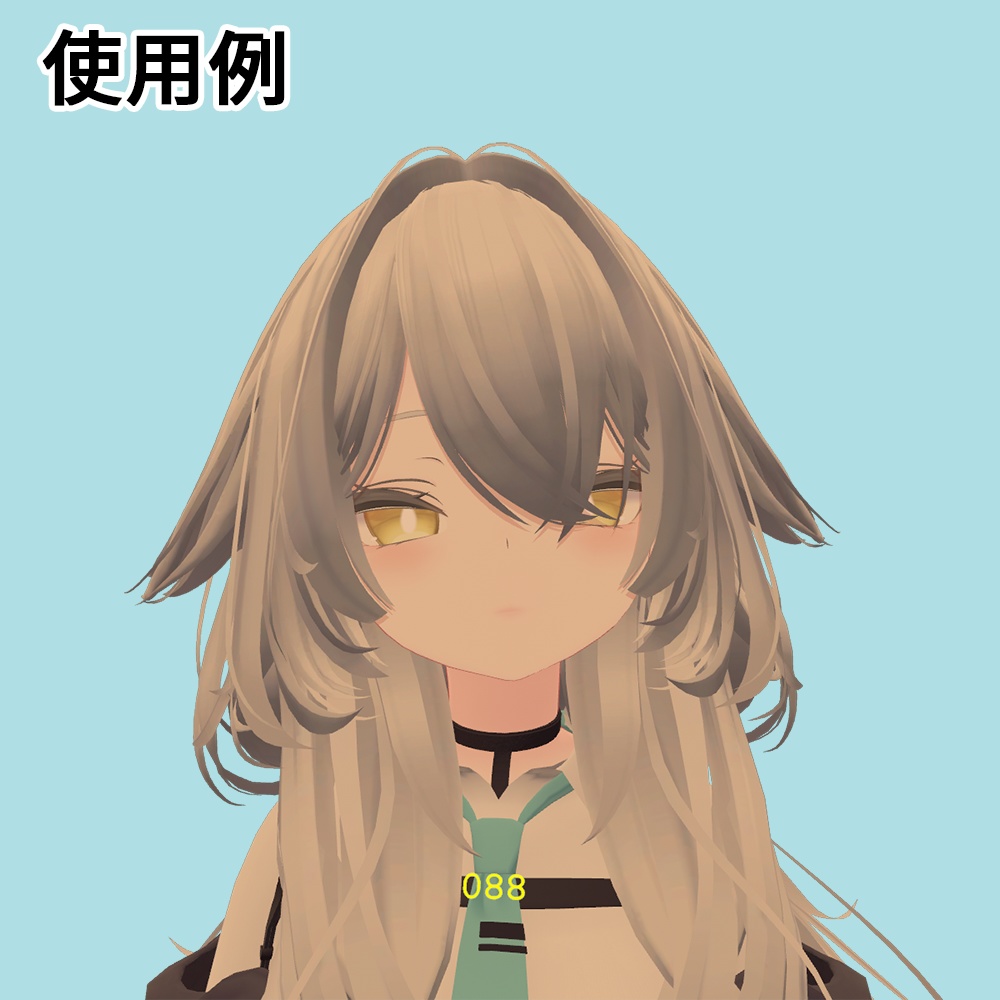


商品概要 スマートウォッチなどから取得した心拍数を、アバター上にリアルタイムで表示できるギミックです。 心拍データの取得には、Pulsoid(API)および VRCOSC(いずれも無料)またはPulsoid OSCの設定が必要です。 動作確認は行っていませんが、Bluetooth Low Energy 接続でも問題なく動作すると思われます。 Modular Avatar に対応しているため、プレハブ を配置して位置を調整するだけで簡単に導入できます。 デフォルトでは「顔」に表示されますが、他の位置に移動させたい場合も簡単な設定で変更可能です。 また、色の変更にも対応しています。 詳しくは、導入方法をご覧ください。 不具合やご不明な点などがありましたら、X、BOOTH、GitHub Issuesからお気軽にご連絡ください。 The English product description is provided after the Japanese version below.
対応デバイス
Pulsoid APIおよびPulsoid Cloudで接続する場合 Apple Watch、Pixel Watch、Galaxy Watch、Fitbit、Garminなどで利用可能です。 ※ご利用環境によっては動作しない場合があります。 対応デバイスの詳細は、Pulsoid公式サイトをご確認ください。 https://blog.pulsoid.net/monitors Bluetooth Low Energyで接続する場合 Bluetooth Low Energyに対応したスマートウォッチや心拍計が必要です。
リンク(導入方法など)
一部の環境において、サイトが正しく表示されない場合がございます。 その場合、お手数をおかけいたしますが、別のブラウザでの閲覧をお試しください。 導入方法については、以下のサイトをご覧ください。 OSCの設定方法 Pulsoid OSCまたはVRCOSCのいずれかをご利用ください。 【有料】Pulsoid OSC https://k-dev.notion.site/VRC-HeartSync-Pulsoid-OSC-298645d6d70d804ab7c8eeb6e4c408dc 提供:Pulsoid VRC HeartSyncの開発・動作検証のため、PulsoidよりBROプランの無償提供を受けています。 Pulsoid OSCについて Pulsoid OSCを使用することで、別途OSCツールを起動することなくVRC HeartSyncを利用できます。 https://pulsoid.net/products/osc 【無料】VRCOSC https://k-dev.notion.site/VRC-HeartSync-VRCOSC-298645d6d70d8010a584ca7f0e439c1b アバターへのギミック導入方法 https://k-dev.notion.site/VRC-HeartSync-3bb645d6d70d808ba722f4d1b0628200 GitHub リポジトリ https://github.com/kdev-jp/VRC-HeartSync
利用規約
本データをダウンロードおよび購入する際は、以下の利用規約に同意したものとみなします。 日本語版と他言語版との内容に差異が生じた場合は、日本語版の利用規約が優先されます。 本規約は、あしやまひろこ氏が作成したVN3ライセンス(https://www.vn3.org/)のテンプレートを使用しています。 利用規約(JP) https://www.dropbox.com/scl/fi/fvx1lldzsao83uyzetubs/VRCHeartSync_license_ja.pdf?rlkey=g7cm8el5k9wvtcbdxc43d4oik&st=xbd634d0&dl=0 Terms of Use(EN) https://www.dropbox.com/scl/fi/0ocqqpjo4ccrzyifzhxdj/VRCHeartSync_license_en.pdf?rlkey=ali0gpjntr86dz3e0y2m4ke79&st=0rwbq8iy&dl=0 Terms of Use(ZH) https://www.dropbox.com/scl/fi/hotq1a5jau7mf9j9aam44/VRCHeartSync_license_zh.pdf?rlkey=iotclpczx8oibsn73pykcik8o&st=mohmbjye&dl=0 Terms of Use(KO) https://www.dropbox.com/scl/fi/4zu2y9svpj579wqkkmbmz/VRCHeartSync_license_ko.pdf?rlkey=5v1hv9o4x1vmlbe69ple9tts3&st=znjq6rst&dl=0
注意事項
本データの利用により生じた損害やトラブルについて、当方は一切責任を負いません。自己責任でご利用ください。 本商品はダウンロード商品のため、BOOTHのシステム上、購入後のキャンセルおよび返金には対応できません。 Android(Quest)およびiOSは非対応です。 VRChat や Pulsoid、VRCOSC の仕様変更により、正常に動作しなくなる場合があります。 アバターは付属しません。 VRCOSCのパラメーター名や「Normalised Parameter」の数値を変更すると、正常に動作しない可能性があります。
クレジット
Simple Counter Shader https://www.patreon.com/posts/62864361 VRCOSC https://github.com/VolcanicArts/VRCOSC サメっ子オリジナル3Dモデル「rurune」-ルルネ- ©Paryi https://booth.pm/ja/items/5957830
アップデート履歴
2026-8-13 Ver.1.1.0 Pulsoid OSCに対応しました。 ワールドへのJoin時、心拍数が1未満の場合はギミックが非表示になるように変更しました。 デフォルトの表示位置を顔に変更しました。 2025-10-29 Ver.1.0.0 リリース
Product Description
The English version of this product description was created using machine translation. This is a gimmick that allows you to display your heart rate, obtained from a smartwatch or similar device, on your avatar in real time. To obtain heart rate data, you need to configure Pulsoid (API) and VRCOSC (both free) or Pulsoid OSC Although operation has not been confirmed with Bluetooth Low Energy (BLE) connections, it is expected to work without any issues in theory. Since this product supports Modular Avatar, you can easily install it by placing the prefab and adjusting its position. By default, the heart rate is displayed on the Face, but you can easily change the position through simple settings. Color customization is also supported. For more details, please refer to the Setup Guide.
Supported Devices
When using Pulsoid API or Pulsoid Cloud: Compatible with devices such as Apple Watch, Pixel Watch, Galaxy Watch, Fitbit, Garmin, and more. Please note that proper operation cannot be guaranteed in all environments. For a detailed list of supported devices, please refer to the official Pulsoid website: https://blog.pulsoid.net/monitors When connecting via Bluetooth Low Energy (BLE): A smartwatch or heart rate monitor that supports Bluetooth Low Energy is required.
Links (Setup Guides, etc.)
We apologize for the inconvenience, but in some environments, the documentation site may not display correctly. If this occurs, please try viewing it in a different browser. The following page provides the setup guide in English. OSC Setup Please use either Pulsoid OSC or VRCOSC. 【Paid】Pulsoid OSC https://k-dev.notion.site/VRC-HeartSync-Setup-Guide-Pulsoid-OSC-Installation-and-Configuration-3bb645d6d70d8015b056d6e194a6f139 Provided by: Pulsoid Pulsoid provides the BRO plan free of charge for the development and testing of VRC HeartSync. About Pulsoid OSC Pulsoid OSC allows VRC HeartSync to work without the need to run a separate OSC tool. https://pulsoid.net/products/osc 【Free】VRCOSC https://k-dev.notion.site/VRC-HeartSync-Setup-Guide-VRCOSC-Installation-and-Configuration-29b645d6d70d803ebf67c240a5d55401 How to Install the Gimmick on Your Avatar https://k-dev.notion.site/VRC-HeartSync-Setup-Guide-Avatar-Gimmick-Installation-3bb645d6d70d80c1a324e8d53fa6a46e GitHub Repository https://github.com/kdev-jp/VRC-HeartSync