

【ルミナ専用衣装】娘山笠(ふんどし、さらし、水法被)
- ダウンロード商品¥ 1,200


【ルミナ専用衣装】娘山笠(ふんどし、さらし、水法被)
🔸製品概要
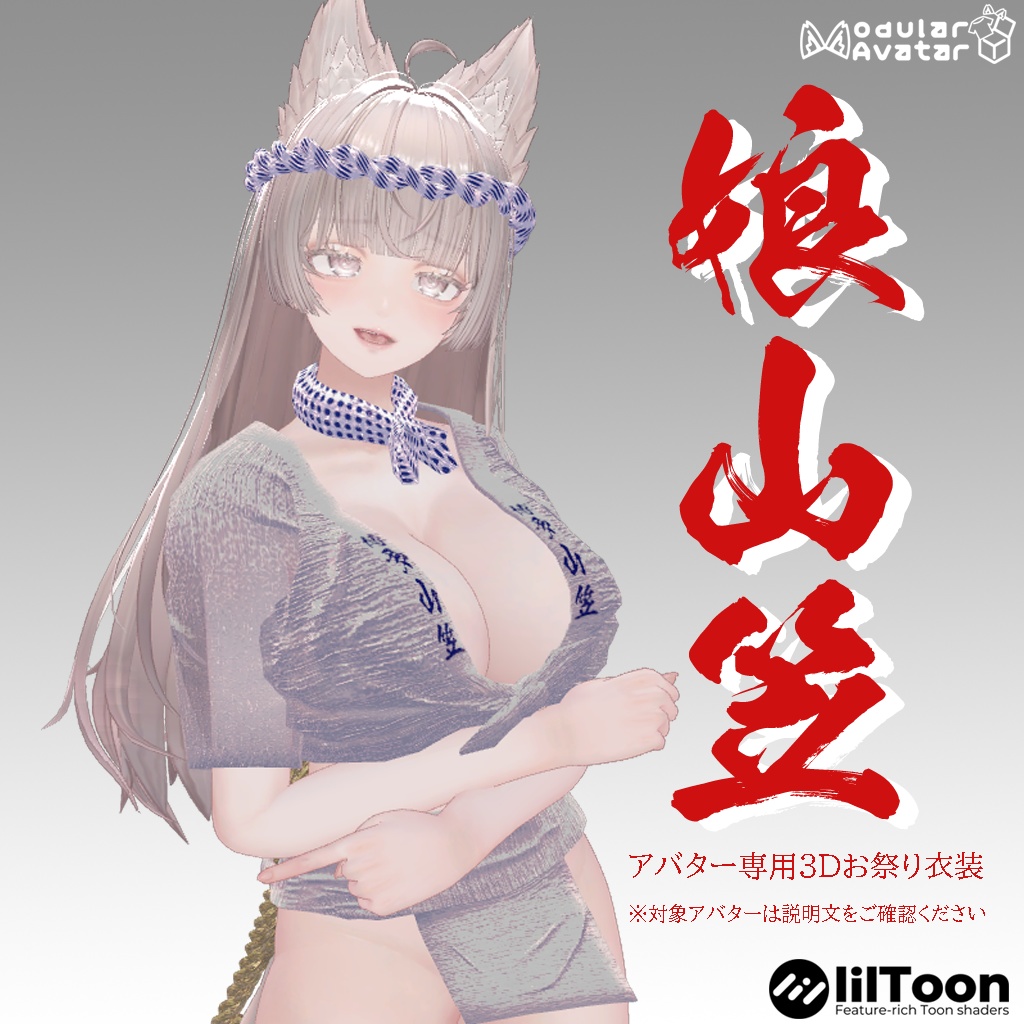
本製品は、EXTENSION CLOTHING様制作のオリジナル3Dアバター『ルミナ - LUMINA』専用の山笠衣装セットです。 PC版VRChat専用(Quest/clusterは非対応) アバター本体は付属しておりません。 拙作【くろなつ専用衣装】娘山笠(https://booth.pm/ja/items/3422678)を ルミナさん用に調整した派生バージョンです。
🔸セット内容
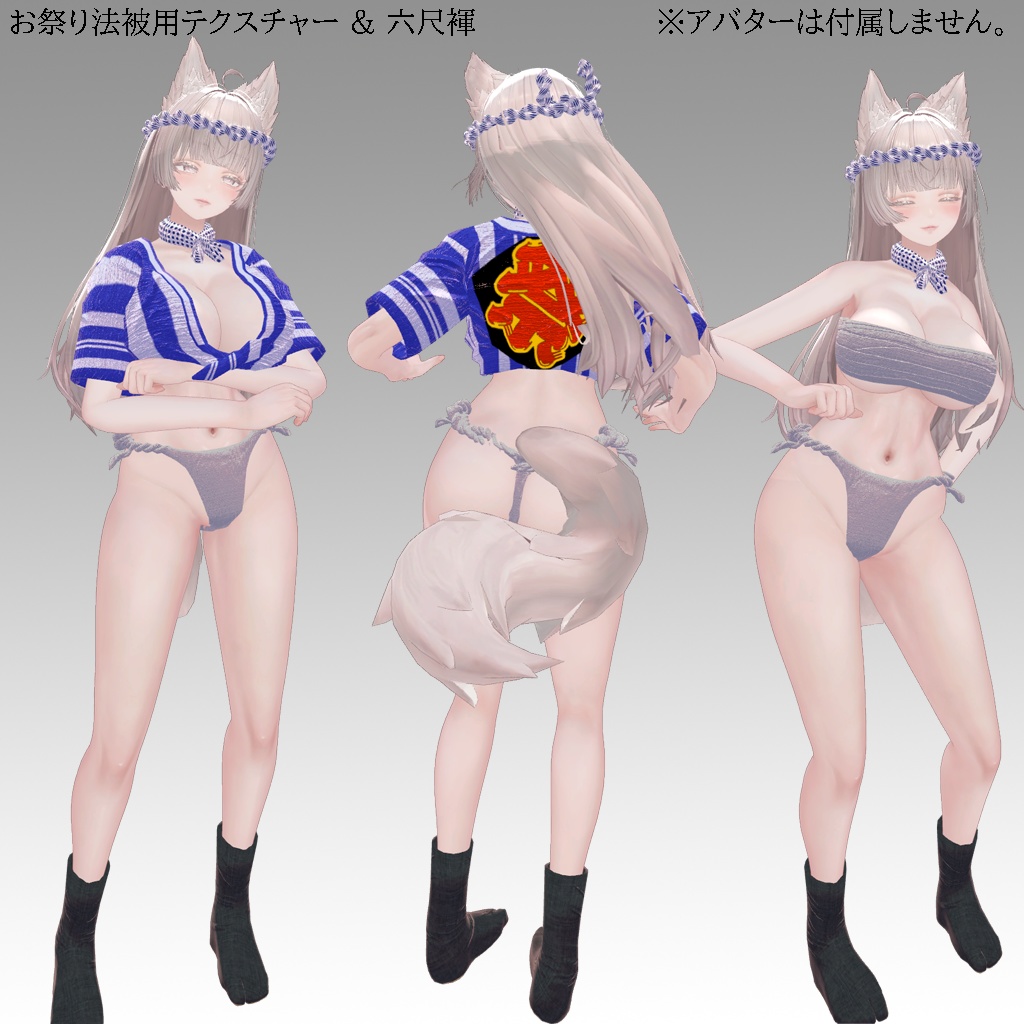
・unitypackage(以下4種のPrefabを含む) - yamakasa:山笠衣装セット - omaturi:お祭り衣装セット - mizugi:水着衣装セット - kakinawa:舁き縄アクセサリ単体(締め込み右後ろに配置推奨) ・FBXモデルデータ ・Readme.txt(本ファイル)
🔸同梱アイテム(ポリゴン数)
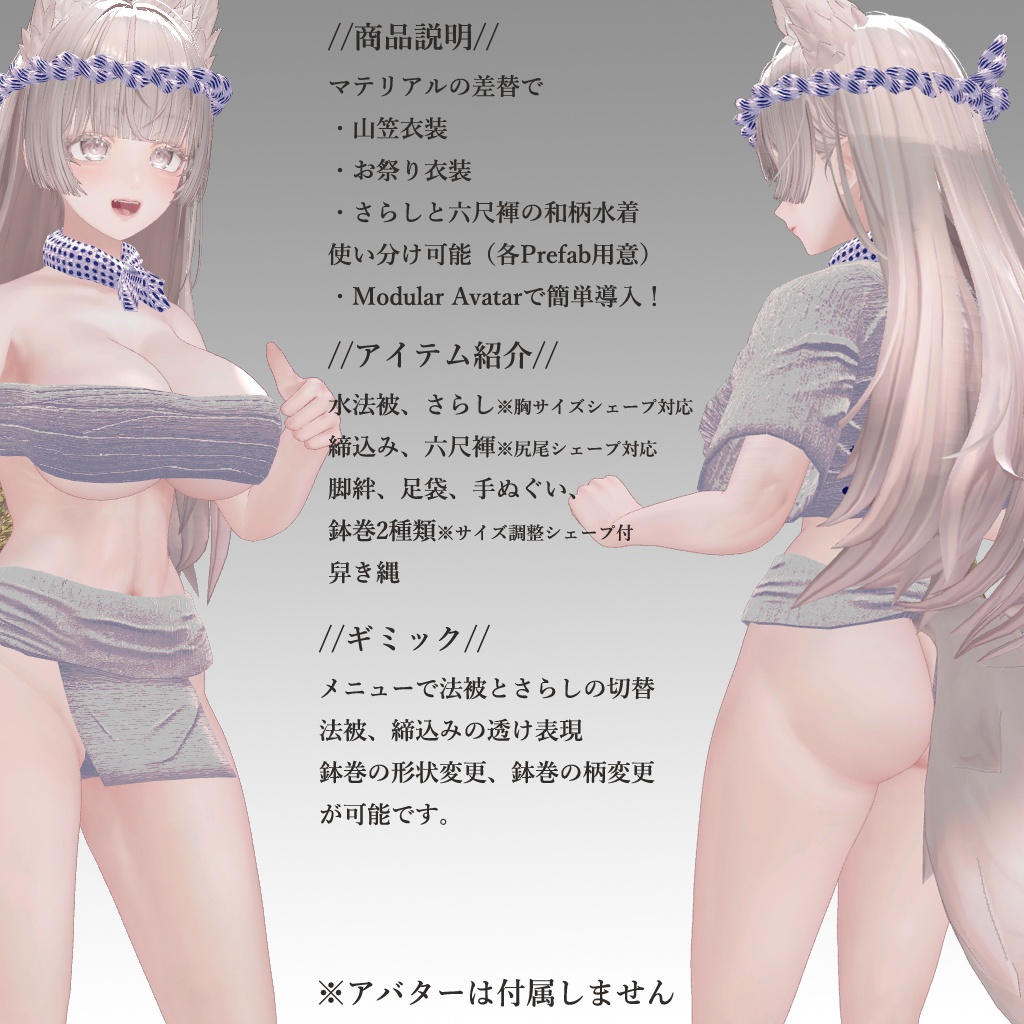
水法被:△3504(胸シェープキーBig、Small対応) 締め込み:△1332(Tail、Fatシェープキー対応) さらし:△1008(胸シェープキーBig、Small対応) 地下足袋:△3712 脚絆:△1792 鉢巻(ねじねじ):△3584 鉢巻(はばひろ):△848 手ぬぐい:△304 舁き縄:△19236 六尺褌:△10326(Tail、Fatシェープキー対応)
🔸必要な環境
・アバター本体: LUMINA_ver1.07(EXTENSION CLOTHING) https://extension.booth.pm/items/7502898 ・シェーダー:lilToon ・Modular Avatar(最新版推奨) ・娘山笠 共通データ https://masami-sundome.booth.pm/items/7003765
🔸導入手順
1. ルミナ導入済みUnityプロジェクトを用意 2. Modular Avatarを導入 3. 娘山笠共通データをインポート 4. 本製品のunitypackageをインポート 5. 以下のPrefabいずれかをアバター直下に配置: ・yamakasa(山笠衣装) ※kakinawa(舁き縄アクセサリ)※締め込みの右後ろへ配置調整 ・omaturi(お祭り衣装) ・mizugi(水着衣装)
🔸メニュー機能(Modular Avatar使用時)
・鉢巻の形状切替(2種) ・鉢巻の柄切替 ・法被とさらしの切替 ・法被の透け表現ON/OFF
🔸揺れもの(PhysBone対応)
・舁き縄がPhysBoneで揺れます ・締め込みの前垂れがPhysBoneで揺れます(ペロン可)
🔸利用規約
・VN3ライセンス(https://www.vn3.org/)準拠 ・規約全文: https://drive.google.com/drive/folders/1GT8QHNFKuwWU95mhqbSorUpGF1BAQzZB ・R18/商用利用は導入アバターの利用規約を優先します
🔸改定履歴
2025.01.16 初版リリース
🟣 English Description
[Lumina Exclusive Outfit] Musume Yamakasa (Fundoshi, Sarashi, Mizu-Happi) ──────────────────────────── ■ Product Overview This is an outfit set specifically designed for the original 3D avatar "Lumina" by EXTENSION CLOTHING. Platform: PC VRChat Only (Not compatible with Quest/cluster) Note: The avatar model itself is not included. This is a variant of my previous work, [Kuronatsu Exclusive] Musume Yamakasa (https://booth.pm/ja/items/3422678), adjusted specifically for Lumina. ──────────────────────────── ■ Set Contents unitypackage (Includes the following 4 Prefabs): yamakasa: Full Yamakasa festival set omaturi: Standard festival set mizugi: Swimsuit-style set kakinawa: Standalone "Kakinawa" rope accessory (Recommended placement: back-right of the loincloth) FBX Model Data Readme.txt (This file) ──────────────────────────── ■ Included Items (Polygon Count) Mizu-Happi (Water Coat): △3,504 (Supports Big/Small breast shape keys) Shimekomi (Loincloth): △1,332 (Supports Tail/Fat shape keys) Sarashi (Chest Wrap): △1,008 (Supports Big/Small breast shape keys) Jika-Tabi (Split-toe Boots): △3,712 Kyahan (Leggings): △1,792 Hachimaki (Twisted Headband): △3,584 Hachimaki (Wide Headband): △848 Tenugui (Hand Towel): △304 Kakinawa (Carrying Rope): △19,236 Rokushaku Fundoshi (Traditional Loincloth): △10,326 (Supports Tail/Fat shape keys) ──────────────────────────── ■ Requirements & Compatibility Base Avatar: LUMINA_ver1.07 (EXTENSION CLOTHING) https://extension.booth.pm/items/7502898 Shader: lilToon Tools: Modular Avatar (Latest version recommended) Required Asset: Musume Yamakasa Common Data https://masami-sundome.booth.pm/items/7003765 ──────────────────────────── ■ Installation Guide Prepare a Unity project with Lumina already imported. Import Modular Avatar. Import the Musume Yamakasa Common Data. Import this product's unitypackage. Drag and drop one of the following Prefabs directly under your Avatar root: yamakasa (Yamakasa Outfit) Optional: Adjust the placement of kakinawa (Carrying Rope) to the back-right of the loincloth. omaturi (Festival Outfit) mizugi (Swimsuit Outfit) ──────────────────────────── ■ Menu Features (When using Modular Avatar) Switch between 2 types of Hachimaki (Headbands) Change Hachimaki patterns Toggle between Happi and Sarashi Toggle Happi transparency (Wet look) ON/OFF ──────────────────────────── ■ Physics (PhysBone) Kakinawa (Rope): Animated with PhysBones. Shimekomi (Loincloth flap): Animated with PhysBones (Can be flipped). ──────────────────────────── ■ Terms of Use Based on the VN3 License (https://www.vn3.org/) Full Terms: https://drive.google.com/drive/folders/1GT8QHNFKuwWU95mhqbSorUpGF1BAQzZB For R18 / Commercial use, the terms of the base avatar being used will take priority. ──────────────────────────── ■ Update History 2025.01.16: Initial Release