
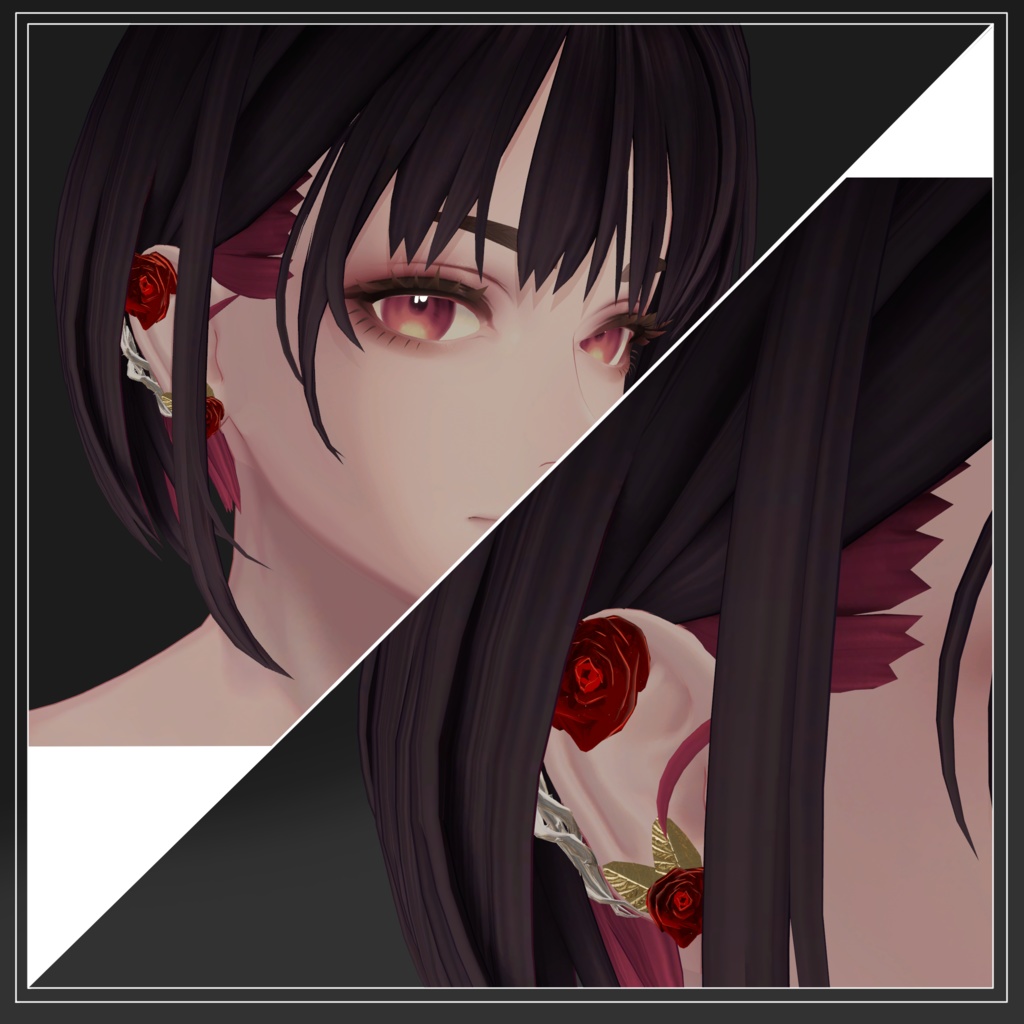
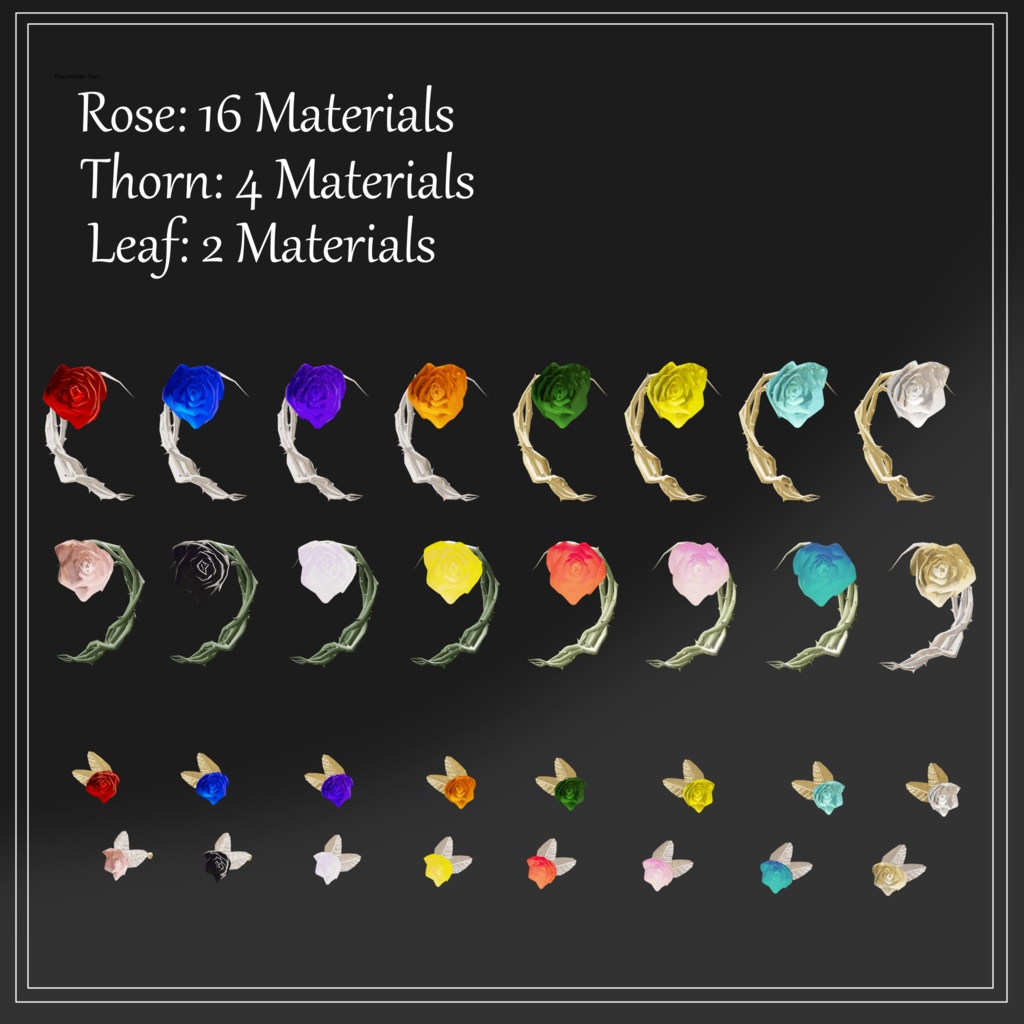
【深澄用】Endearing Rose Cuffs and Studs【他アバター用シェイプキー有】
- ダウンロード商品¥ 500



English follows Japanese
◆商品概要◆
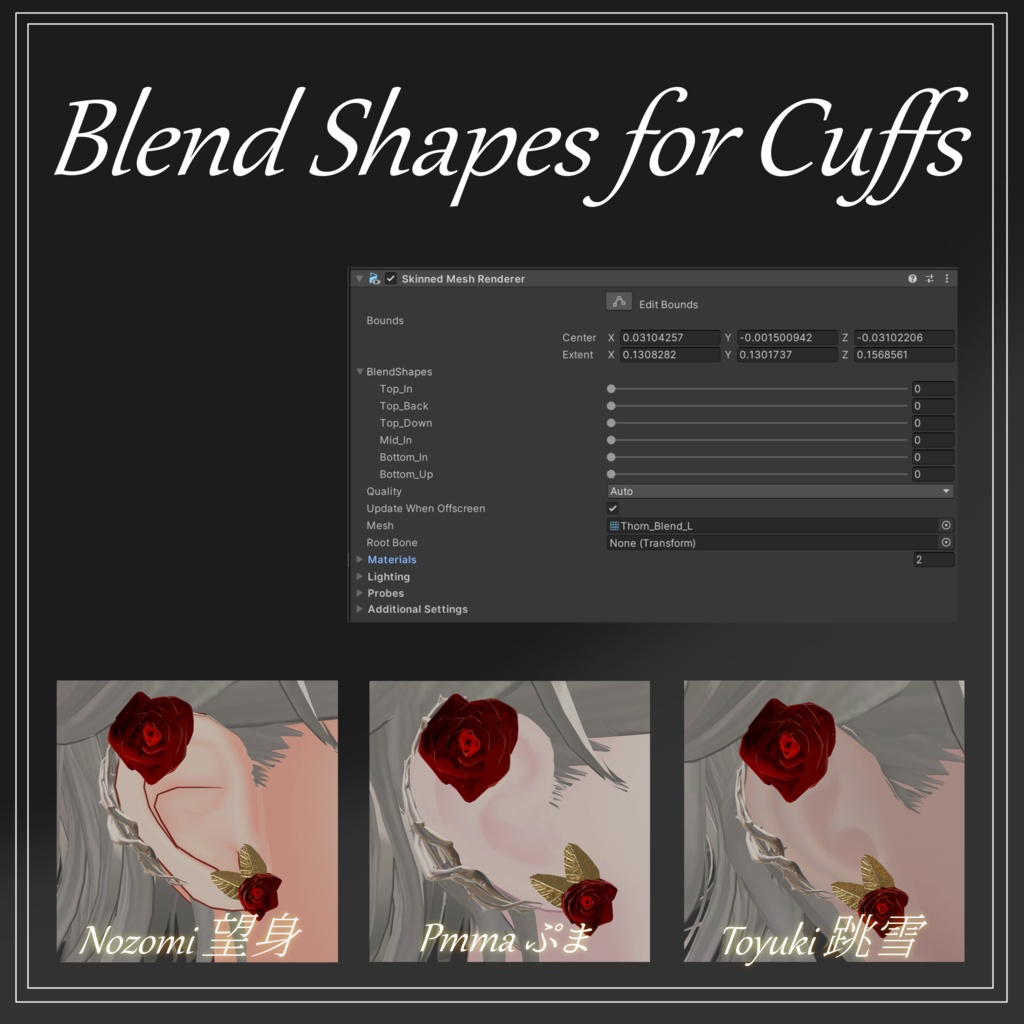
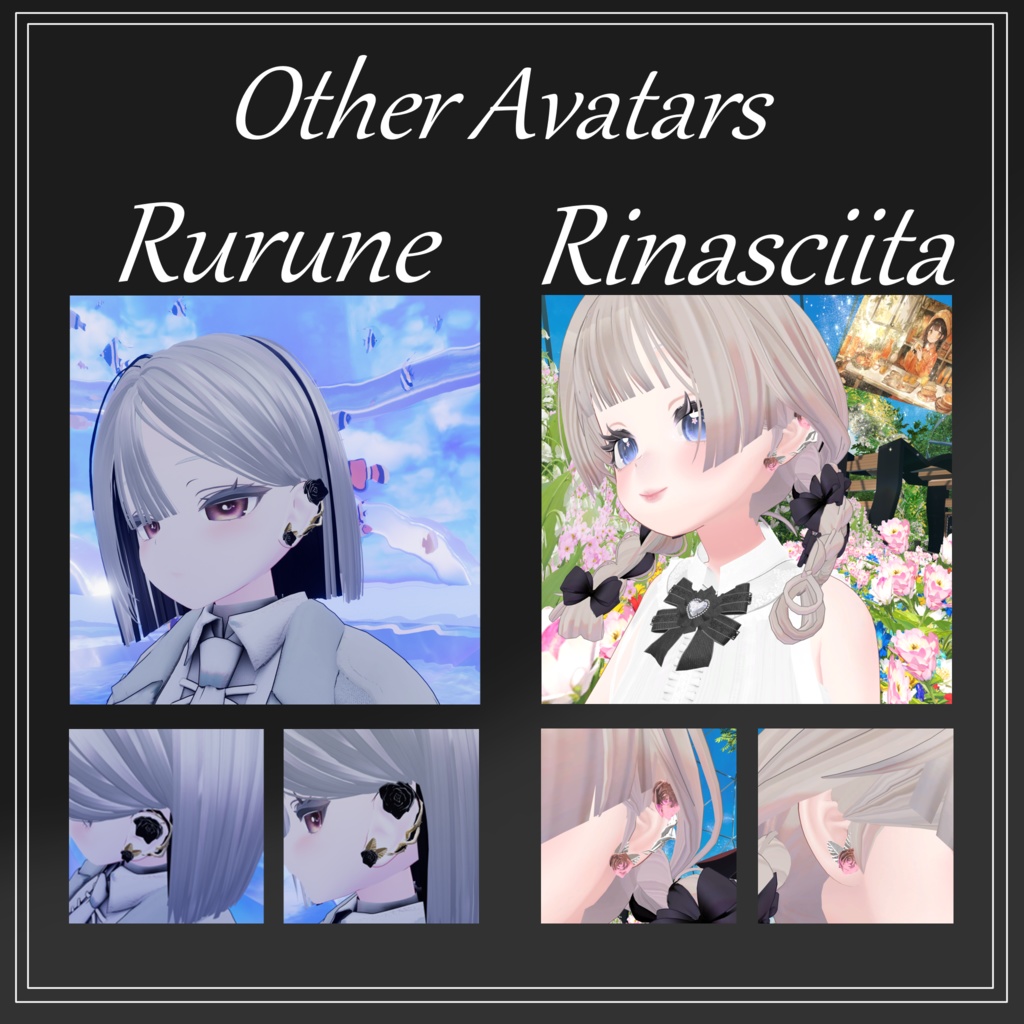
深澄用のイヤーカフとピアスとなります。 イヤーカフはシェイプキーを調整することで、ある程度* 他アバターの耳に合わせることも可能となっています。 *シェイプキーはありますが、他アバターへのフィットを保証するものではございません。(商品画像参照) 予め了承の上、購入をご検討ください。
◆イヤーカフ対応シェイプキー◆
Top_In Top_Back Top_Down Mid_In Bottom_In Bottom_Up
◆導入方法◆
lilToon https://lilxyzw.booth.pm/items/3087170 Modular Avatar https://modular-avatar.nadena.dev/ja 【深澄用】 1:パッケージをインポート 2:Prefabフォルダ内のEndearing_Rose(Misumi)をアバター直下に入れる 【他アバター用】 1:パッケージをインポート 2:Prefabフォルダ内のEndearing_Rose(Others)をアバター直下に入れる 3:以下のヒエラルキーで必要に応じて、位置を調整 Endearing_Rose(Others) ↓ StudsあるいはCuffs ↓ Rose_Studs(L,R)あるいはCuff(L,R) ↓ 各部位の位置を調整する ↓ イヤーカフの形を変える場合はCuff(L.R)内のThorn(L,R)にあるインスペクターで可能 *他アバターの場合アバター直下に入れた際、MA Merge ArmatureのHeadが外れている場合があります。外れていた際は導入先アバターのHeadを入れて頂ければ頭に追従します。
◆Polygons◆
Ear Cuff:△3220 Studs:△1402
◆注意事項◆
・シェイプキーはありますが、他アバターへのフィットを保証するものではございません。(商品画像参照) ・他アバターの場合アバター直下に入れた際、MA Merge ArmatureのHeadが外れている場合があります。外れていた際は導入先アバターのHeadを入れて頂ければ頭に追従します。
◆対応アバター◆
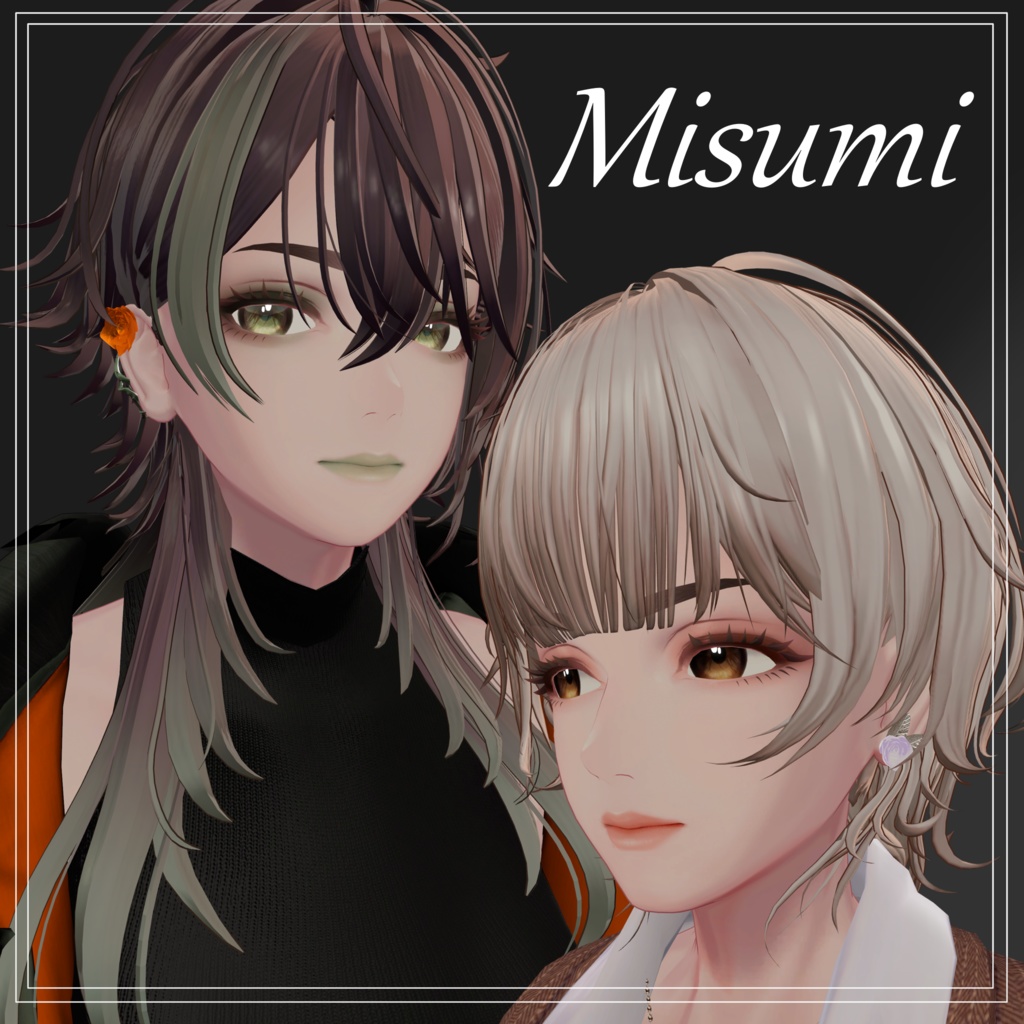
オリジナル3Dモデル『深澄/Misumi』 https://tinmeshi.booth.pm/items/7763002
◆テスター協力◆
SoooAさん
◆利用規約◆
本規約はあしやまひろこ(@hiorko_TB)氏が作製したVN3ライセンス( https://www.vn3.org/ )テンプレートを使用しています。 Japanese https://drive.google.com/file/d/1JySBrESZ2zJCZWwxwPFad32wa2VSMWws/view?usp=drive_link English https://drive.google.com/file/d/1TxrgtIu5snA6Lb-fFPo4oxTdUDrOBYY8/view?usp=drive_link Chinese https://drive.google.com/file/d/1ttMeTn2iOntHVHwrLwr_P1aeA6TCFmBj/view?usp=drive_link Korean https://drive.google.com/file/d/1JTYzCyUY6-AHcwCrEf2KUoTWjqpkNt-N/view?usp=drive_link
Product Description
Ear Cuff and Studs for avatar "Misumi". Ear Cuffs can be adjusted for other avatar using shape keys. *Although it is possible to adjust with shape key, it does not assure that it will fit the ear of other avatar. (Reffer to the pictures above)
Shape keys for Ear Cuff
Top_In Top_Back Top_Down Mid_In Bottom_In Bottom_Up
Importing and Installation
lilToon https://lilxyzw.booth.pm/items/3087170 Modular Avatar https://modular-avatar.nadena.dev/ja For Misumi 1: Import the package 2: Move "Endearing_Rose(Misumi)" inside prefab folder to Avatar hierarchy For other avatar 1: Import the package 2: Move "Endearing_Rose(Others)" inside prefab folder to Avatar hierarchy 3:Adjust postion of each object under following hierarchy Endearing_Rose(Others) ↓ Select Studs or Cuffs ↓ Select Rose_Studs (L,R) or Cuff (L,R) ↓ Adjust position for each object ↓ If you want to use shpe keys for adjusting, select Thorn (L,R) under Cuff(L.R) *When installing prefab for other avatar, they may be a time where "Head" is missed out in MA Merge Armature. When it happenes, please drag the "Head" bone of your avatar to "Merge Target".
Polygons
Ear Cuff:△3220 Studs:△1402
Notification
i) Although it is possible to adjust with shape key, it does not assure that it will fit the ear of other avatar. (Reffer to the pictures above) ii) When installing prefab for other avatar, they may be a time where "Head" is missed out in MA Merge Armature. When it happenes, please drag the "Head" bone of your avatar to "Merge Target".
Compatible Avatar
Original 3D Model『深澄/Misumi』 https://tinmeshi.booth.pm/items/7763002
Tester
SoooA
Terms and Conditions
These terms are made with template from VN3 licence( https://www.vn3.org/ )made by (@hiorko_TB). Japanese https://drive.google.com/file/d/1JySBrESZ2zJCZWwxwPFad32wa2VSMWws/view?usp=drive_link English https://drive.google.com/file/d/1TxrgtIu5snA6Lb-fFPo4oxTdUDrOBYY8/view?usp=drive_link Chinese https://drive.google.com/file/d/1ttMeTn2iOntHVHwrLwr_P1aeA6TCFmBj/view?usp=drive_link Korean https://drive.google.com/file/d/1JTYzCyUY6-AHcwCrEf2KUoTWjqpkNt-N/view?usp=drive_link
