
【PhotoShop Script】Font Replacer _フォント一括置換スクリプト
- ダウンロード商品¥ 300

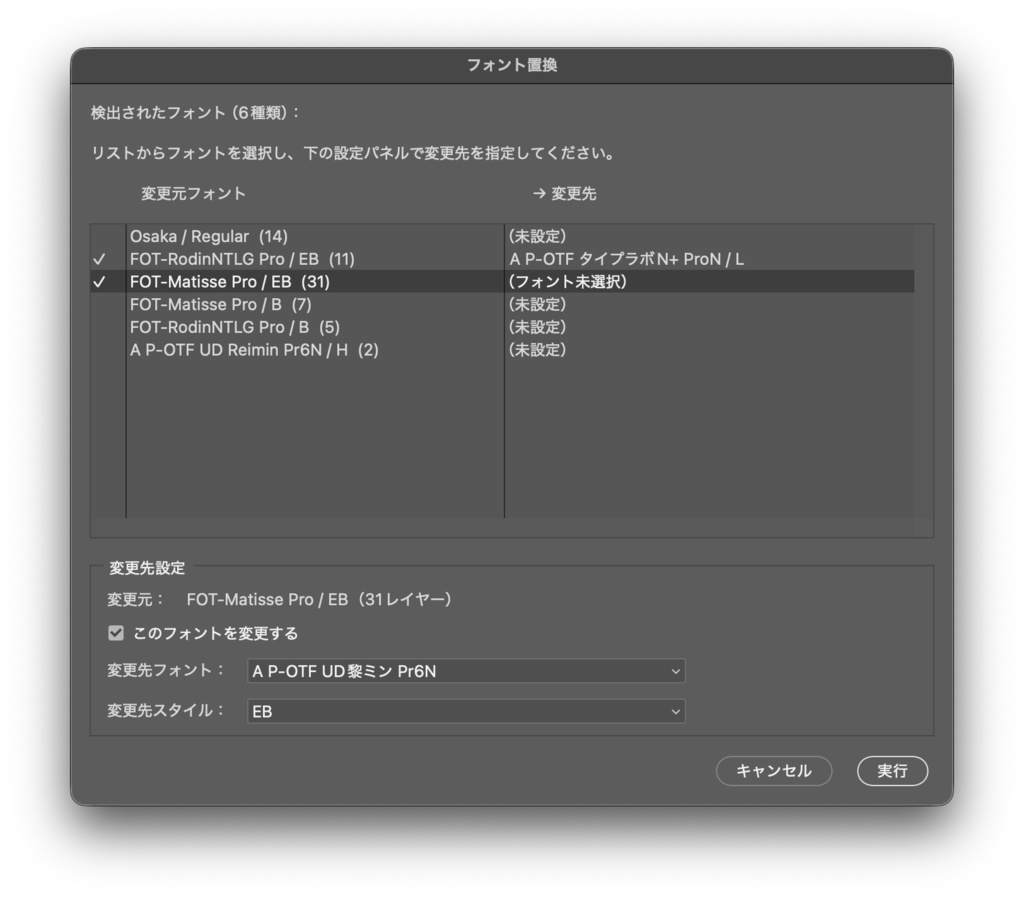
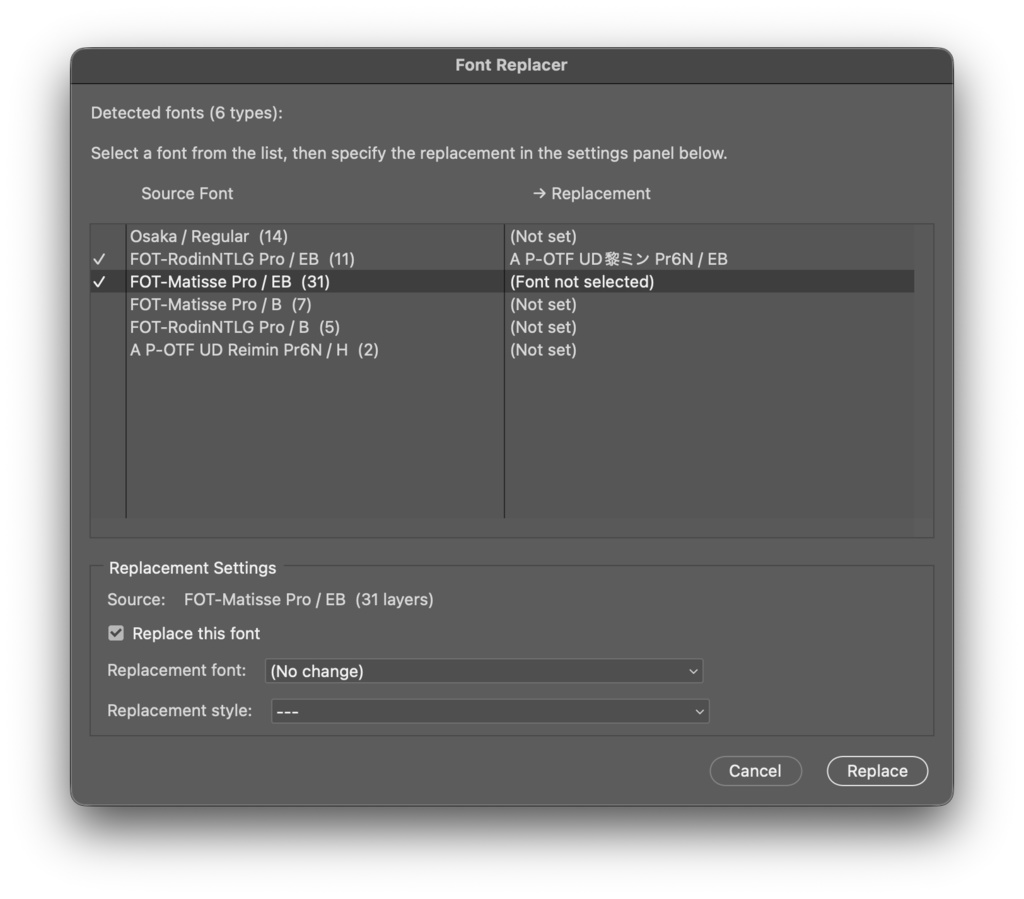


ドキュメント内のフォントを自動検出し、一括で別のフォントに置き換える Photoshop スクリプトです。 ※英語対応版も格納 --- ・主な機能 フォント × スタイルの的確な置換 「Helvetica / Bold だけを Noto Sans JP / Bold に変えたい」といった、ファミリーとスタイルを指定したピンポイントな置換が可能。 Regularは残して Bold だけ変更、といった細かいコントロールが可能。 既存の文字装飾をそのまま保持 フォントサイズ・カラー・カーニング・行間など、 フォント以外のテキストスタイル属性はすべて維持されます。 --- ・動作環境 mac M1 MAX (OS Tahoe 26.1) - Adobe Photoshop 2026, 2025 で検証済 --- ・注意事項 - ラスタライズ済みのテキストレイヤーは対象外です - 実行前にPSDのバックアップを推奨します - 変更先に指定するフォントがシステムにインストールされている必要があります 利用規約 ・使用する場合は自己責任でお願いいたします ・法律に反する行為への使用は禁止いたしします ・データの再販売、再配布する事は禁止いたします ・正しく動作しない、データが破損したなど損害が発生した場合も対応しておりません ・インボイス非対応になります ーーーーーー This is a Photoshop script that automatically detects fonts in a document and replaces them in bulk. (English version included.) Key Features: Precise Font & Style Replacement Allows for pinpoint replacement by specifying family and style, such as "changing only Helvetica Bold to Noto Sans JP Bold." You have fine-grained control, like changing only Bold while leaving Regular intact. Preserve Existing Text Formatting All text style attributes other than the font—such as font size, color, kerning, and line spacing—are fully maintained. System Requirements: Verified on Mac M1 MAX (OS Tahoe 26.1) - Adobe Photoshop 2026, 2025. Notes: Rasterized text layers are not supported. Backing up your PSD before execution is recommended. The target replacement font must be installed on your system.**」