
Simple Shop System with Stock Limit (Unity) 在庫制限付きショップシステム
- ダウンロード商品¥ 480
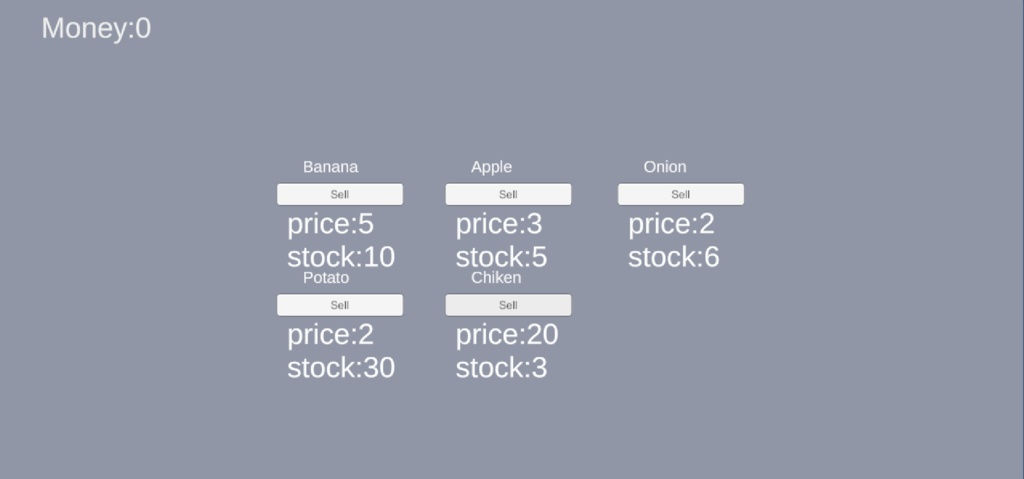


ScriptableObjectで管理できる、在庫制限付きのシンプルなショップシステムです。
概要 / Overview
ScriptableObjectでアイテムを管理する、在庫制限付き購入ショップシステムです。 プレハブ化されたItemSlotを利用し、UI上で購入・SoldOut表示が自動で反映されます。 A stock-limited shop system that uses ScriptableObjects to manage items. By using the prefab-based ItemSlot, purchases and SoldOut states are automatically reflected on the UI.
詳細 / Details
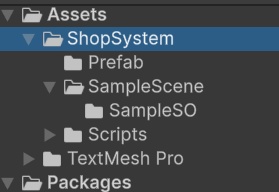
ShopSystem/ ├─ Scripts/ │ ├─ Core/ │ │ ├─ ItemData.cs // アイテムデータ定義SO) / Item data definition (SO) │ │ └─ ItemManager.cs // 在庫管理・購入処理 / Stock management and purchase handling │ ├─ UI/ │ │ ├─ ItemSlot.cs // スロットUI表示 / Slot UI display (ItemInformation・ItemName) │ │ └─ PrefabButton.cs // ボタン操作 / Button handling (SendValue・CheckSoldOut) ├─ Prefabs/ │ └─ ShopPrefab.prefab // ItemSlotをまとめたプレハブ / Prefab grouping ItemSlots ├─ Scenes/ │ └─ ShopSample.unity // サンプルシーン / Sample scene for testing └─ README.txt
使用方法 / How to Use
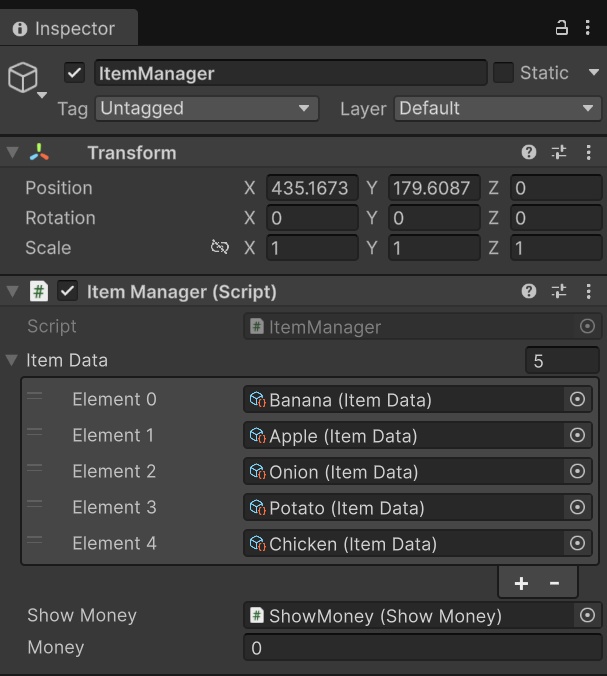
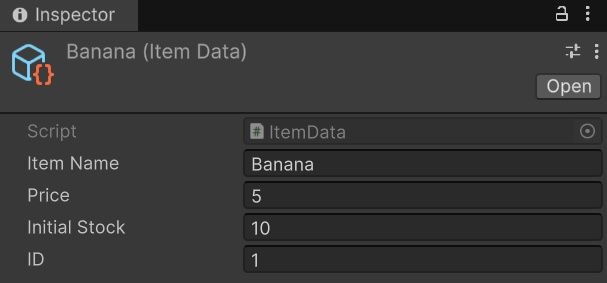
1.シーン内に ItemManager を配置 inspectorで ItemData 配列を必要数設定 Place the ItemManager in the scene. Set up the ItemData array in the Inspector with the required items. 2.ItemData (SO) を作成 アイテム名、価格、初期在庫、IDを設定 ItemManager の ItemData 配列に追加 Create ItemData (SO) objects. Set item name, price, initial stock, and ID. Add them to the ItemData array in ItemManager. 3.ShopPrefab を作成 プレハブ化する 各 ItemSlot に SO のアイテムを割り当て Create the ShopPrefab. Prefab the object and assign the SO items to each ItemSlot. 4.実行すると自動でスロットが生成され、購入・SoldOut が反映されます Run the scene. Slots are automatically generated and purchase/SoldOut states are reflected.
注意点 / Notes
ItemManager はシーン内に1つだけ配置してください SellItem.button は PrefabButton の SendValue() と連動 プレハブ化した ItemSlot 内のテキストは Inspector で割り当てが必要 セーブ・ロード・購入機能は含まれていません(拡張可能) UIの装飾や音声、アニメーションは自由に追加可能 Place only one ItemManager in the scene. SellItem.button is linked to PrefabButton.SendValue(). Prefab ItemSlot texts need to be assigned in the Inspector. Save/load and purchase features are not included but can be extended. UI decoration, sound, and animation can be freely added.
拡張例 / Extensions
売却機能の追加 → ItemManager にメソッド実装 セーブ/ロードの追加 → JSON Utility 使用 Add resale functionality → implement methods in ItemManager Add save/load functionality → use JSON Utility