
【Unityエディタ拡張】UDIMツール
- 無料/Freeダウンロード商品¥ 0
- おやつをあげる/Buy me a coffeeダウンロード商品¥ 100
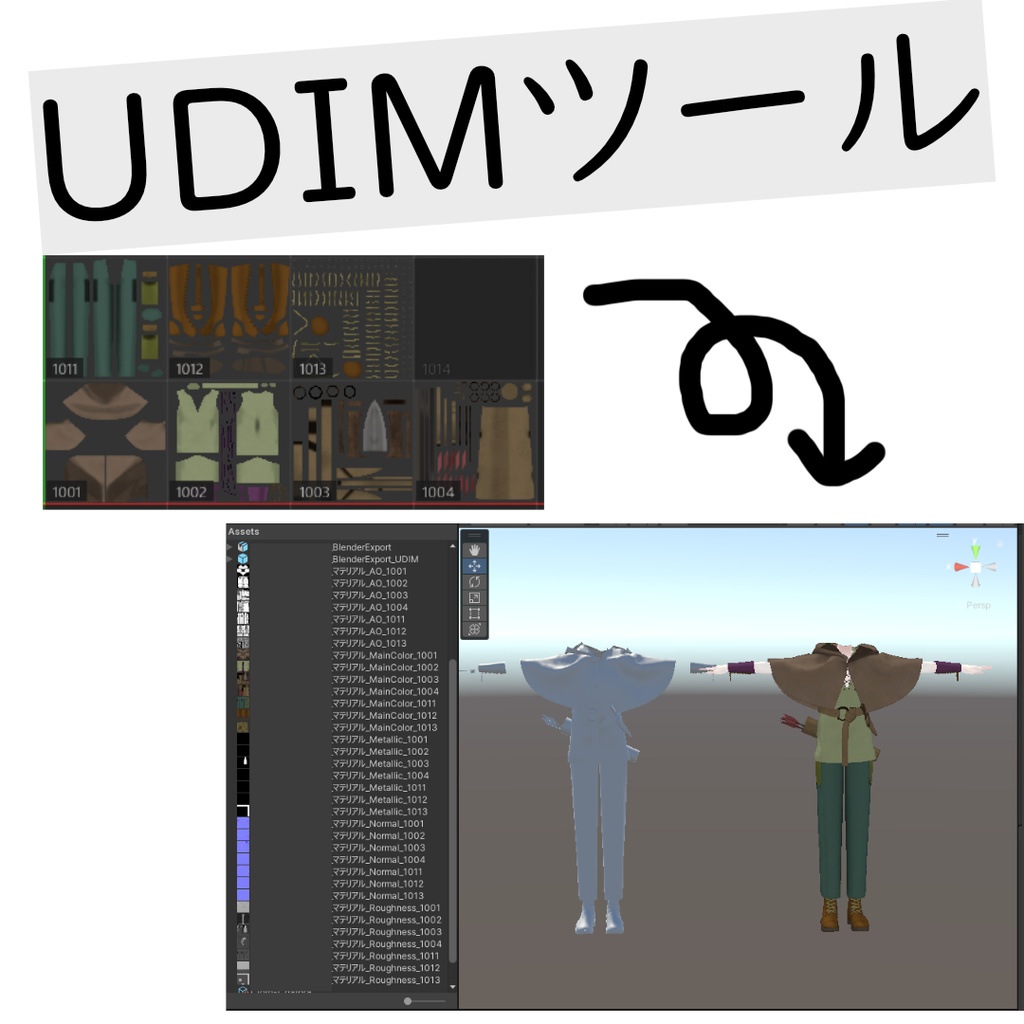


⚠このツールのアップデートはしない予定です。 ⚠This tool will not be updated. ⚠必ず利用規約と商品の内容をご確認の上でご購入ください。 ⚠Please be sure to check the terms of use and product details before purchasing.
利用規約 / Terms of Use
・商用利用可 / Available for commercial use. ・法人利用可 / Available for corporate use. ・自作発言禁止 / Claiming authorship of the original work is prohibited. ・未改変での再配布不可 / Redistribution without modification is prohibited. ・改変可 / Modification is allowed. ・改変したツールの配布可 / Distribution of modified tools is allowed.
Unityバージョン / Unity Version
Unity 2022.3(2022.3.22f1で制作) ※ModelImporterやShaderUtilを使用しているため、極端に古いバージョンでは動作しない可能性があります。 Unity 2022.3 (Created with 2022.3.22f1) *Since it uses ModelImporter and ShaderUtil, it may not work on extremely old versions.
基本仕様 / Specifications
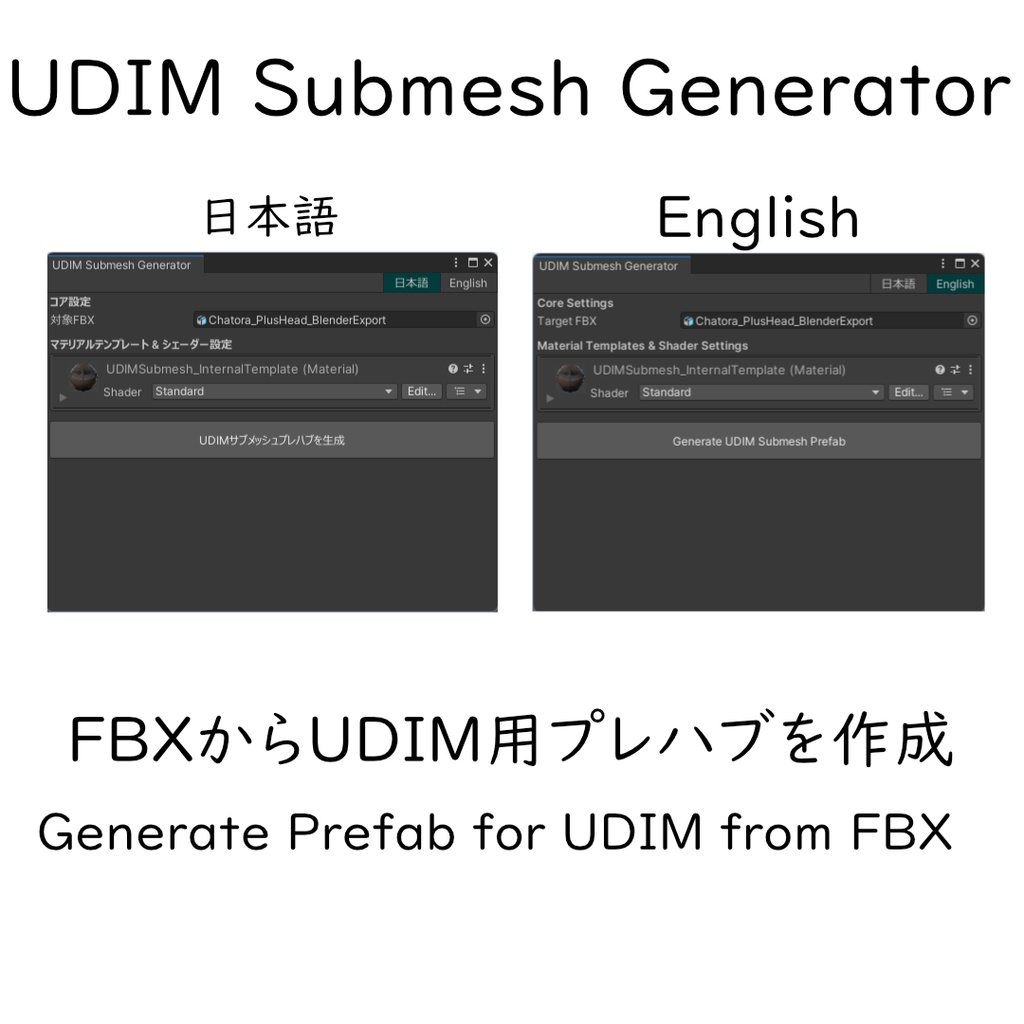
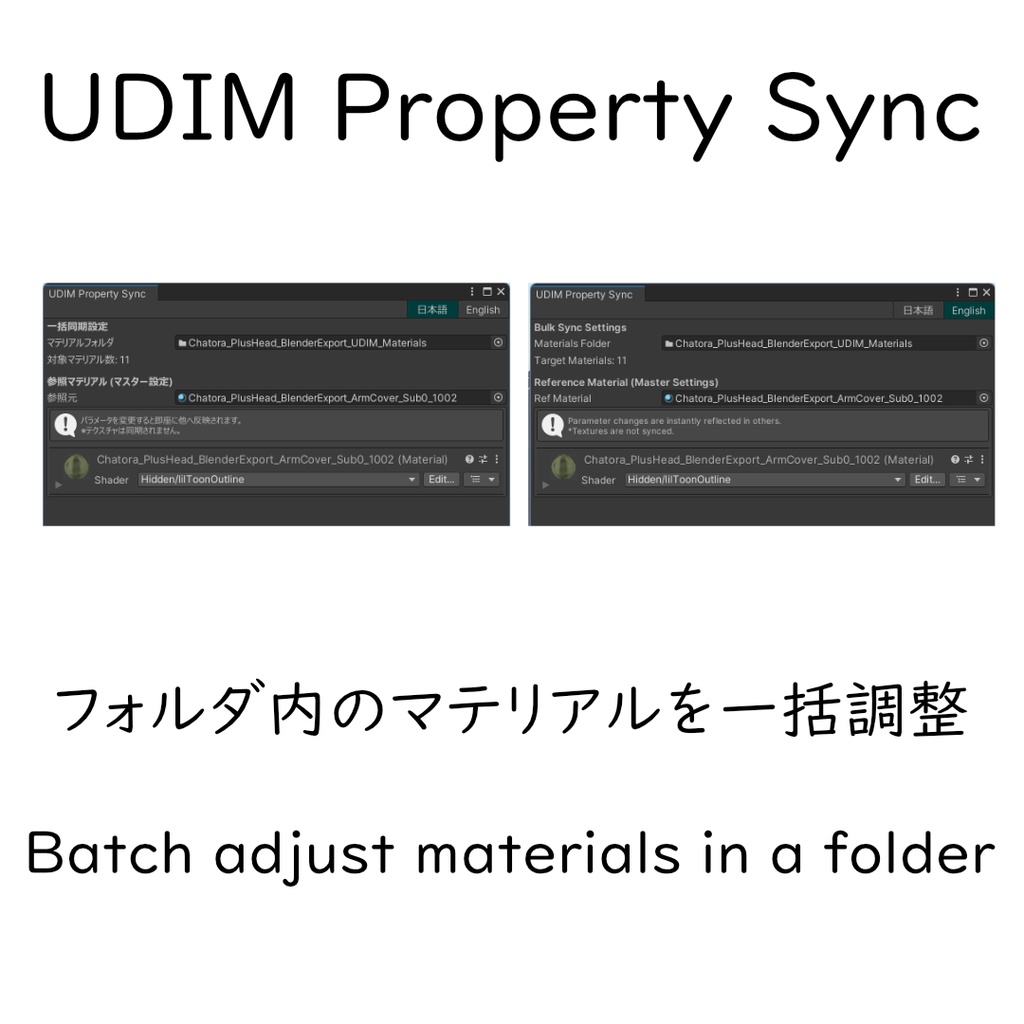
1. UDIM Submesh Generator (分割ツール) UDIM(複数のテクスチャタイル)で制作されたモデルを、Unity上でワンクリックでサブメッシュ分割し、各タイルにマテリアルを自動割り当てするツールです。 This tool splits UDIM-based models into submeshes within Unity and automatically assigns materials to each tile. 全メッシュ対応: ボーン入りの SkinnedMeshRenderer だけでなく、静的な MeshRenderer (背景小道具やアクセサリ等) にも対応しています。 テクスチャ自動置換: メインテクスチャだけでなく、Normal, Mask, Emission等、マテリアル内の全てのテクスチャを連番(1001, 1002...)に基づいて自動でセットします。 非破壊: 元のマテリアル分け(サブメッシュ)を維持したまま、さらにUDIMタイル別に細分化します。 アセット管理: 生成されたメッシュはPrefab内に、マテリアルは外部フォルダに、それぞれ最適に整理されて保存されます。 Full Mesh Support: Supports both SkinnedMeshRenderer and static MeshRenderer. Automatic Texture Replacement: Not only the main texture, but all textures (Normal, Mask, etc.) are automatically assigned based on UDIM numbering. Topology Preservation: Maintains original submesh structures while further partitioning by tile. Asset Management: Meshes are embedded in the Prefab, and materials are saved in an external folder. 2. UDIM Material Property Sync (一括同期ツール) UDIM分割で大量に生成されたマテリアルのパラメータを一括で管理・同期するツールです。 A tool for batch-managing materials generated by UDIM splitting. リアルタイム同期: 1つのマテリアルのパラメータを変更するだけで、フォルダ内の全タイルに即座に反映されます。 スマート同期: テクスチャ設定を保護しながら、色、数値、ベクトル、シェーダー設定、レンダーキューのみを安全に同期します。 Real-time Sync: Parameters changed on one material are instantly reflected across all tiles in the folder. Smart Protection: Safely synchronizes colors, values, and shader settings without damaging unique texture assignments. 【技術者の方へ / For Engineers】 UDIM (100n layout) ワークフローを Unity Editor 上で完結させるためのユーティリティセットです。 This is a utility set for completing the UDIM (100n layout) workflow within the Unity Editor. ロジック: UV0 (floor(u), floor(v))に基づくポリゴン単位の再構成機能 Logic: Polygon-level reconstruction based on UV0 (floor(u), floor(v)). 正規表現: 正規表現 \d{4} によるテクスチャスロットのインデックス置換 Regex: Index replacement for texture slots using the regular expression \d{4}. エディタ拡張: MaterialEditor の埋め込みによるシームレスな操作感とEditorPrefs による言語設定保存 Editor Extension: Seamless operation through embedded MaterialEditor and language setting persistence via EditorPrefs.
使い方 / How to Use
・UDIM Submesh Generator 1.Tools > UDIM Tools > UDIM Submesh Generator を開く。 2.FBXをセットし、ウィンドウ内のインスペクターでマテリアル設定(1001番のテクスチャ等)を行う。 3.生成ボタンをクリック。FBXと同じ場所にプレハブとマテリアルフォルダが作成されます。 1.Open Tools > UDIM Tools > UDIM Submesh Generator. 2.Assign the FBX and configure material settings (e.g., 1001 textures) in the window. 3.Click Generate. A prefab and materials folder will be created next to the FBX. ・UDIM Material Property Sync 1.Tools > UDIM Tools > UDIM Material Property Sync を開く。 2.生成されたマテリアルフォルダをセット。 3.いずれかのマテリアルの数値を動かすと、全タイルのパラメータが同期されます。 1.Open Tools > UDIM Tools > UDIM Material Property Sync. 2.Assign the generated material folder. 3.Adjust any parameter to sync it across all materials in the folder.
注意事項 / Cautions
・ 描画負荷 (Draw Calls): サブメッシュ・マテリアルをタイル数分だけ分割するため、タイル数に比例してDraw Callが増加します。負荷軽減のツールを合わせてお使いください。 ・ UVの跨ぎ: 1つの三角形ポリゴンが複数のUDIMタイルを跨いでいる場合、正常に分割できずエラーが表示されます。 ・ テクスチャ命名: 自動置換を機能させるには、同一フォルダ内に 1001, 1002... といった4桁のタイル番号を含むテクスチャが必要です。 ・ Draw Calls: Draw calls will increase proportionally to the number of tiles, as sub-meshes and materials are split by the number of tiles. Please use a tool for reducing load in conjunction. ・ UV Spanning: If a single triangular polygon spans multiple UDIM tiles, it cannot be split normally and an error will be displayed. ・ Texture Naming: For automatic replacement to function, textures containing 4-digit tile numbers such as 1001, 1002... must be present in the same folder.
変更履歴 / Changelog
2026/02/15 配布開始
