

AzurTraveler - VRChat Women's Clothing / CP42
- Shinano Compatibleダウンロード商品¥ 1,400
- Manuka Compatibleダウンロード商品¥ 1,400
- Minagi Compatibleダウンロード商品¥ 1,400
- YUI Compatibleダウンロード商品¥ 1,400
- Full Pack: ALL INCLUDED!ダウンロード商品¥ 2,600
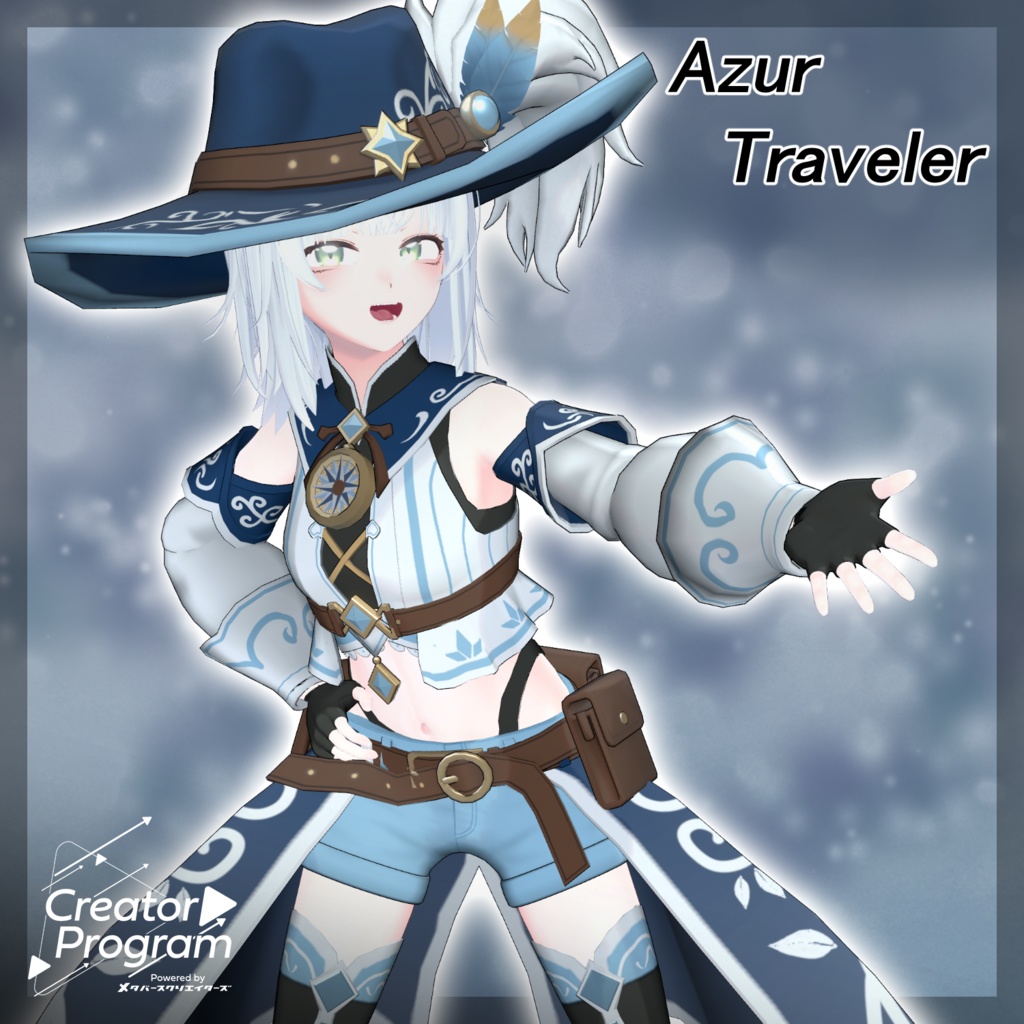
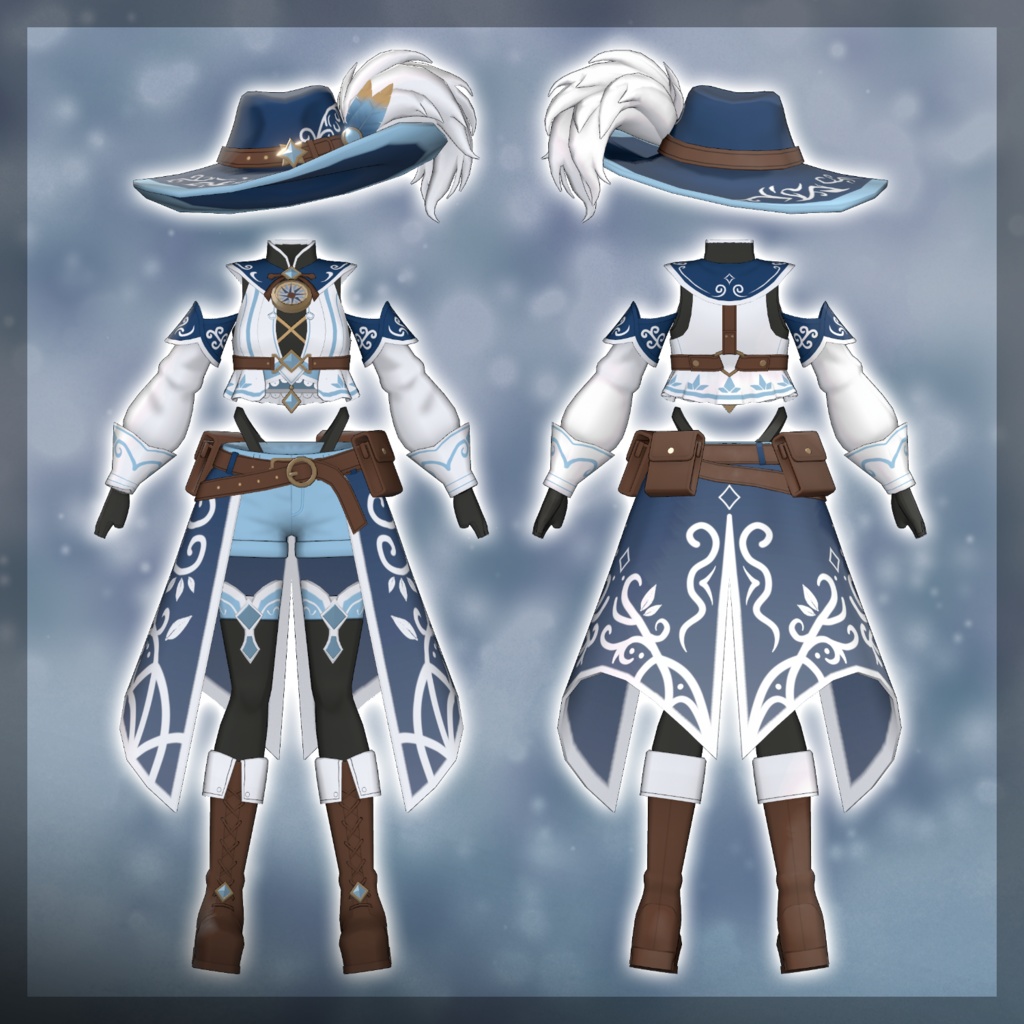
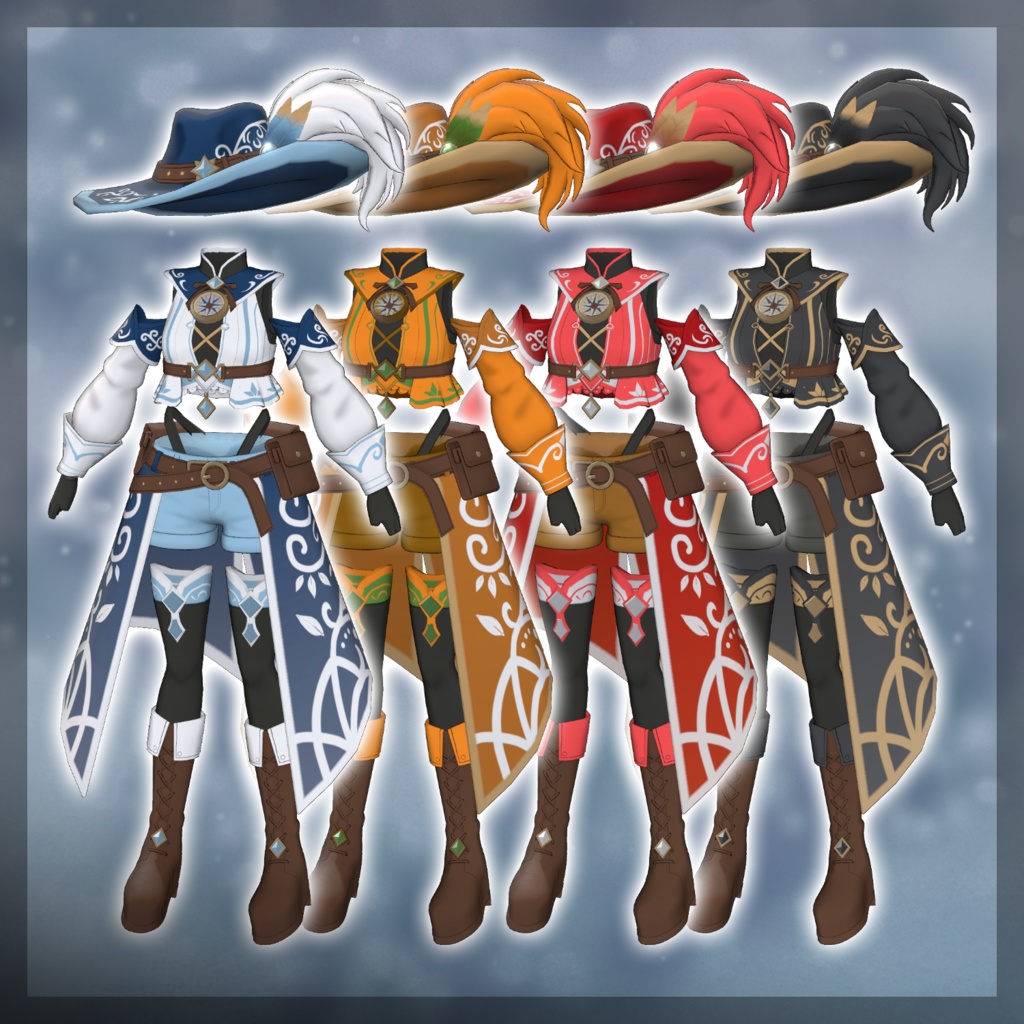
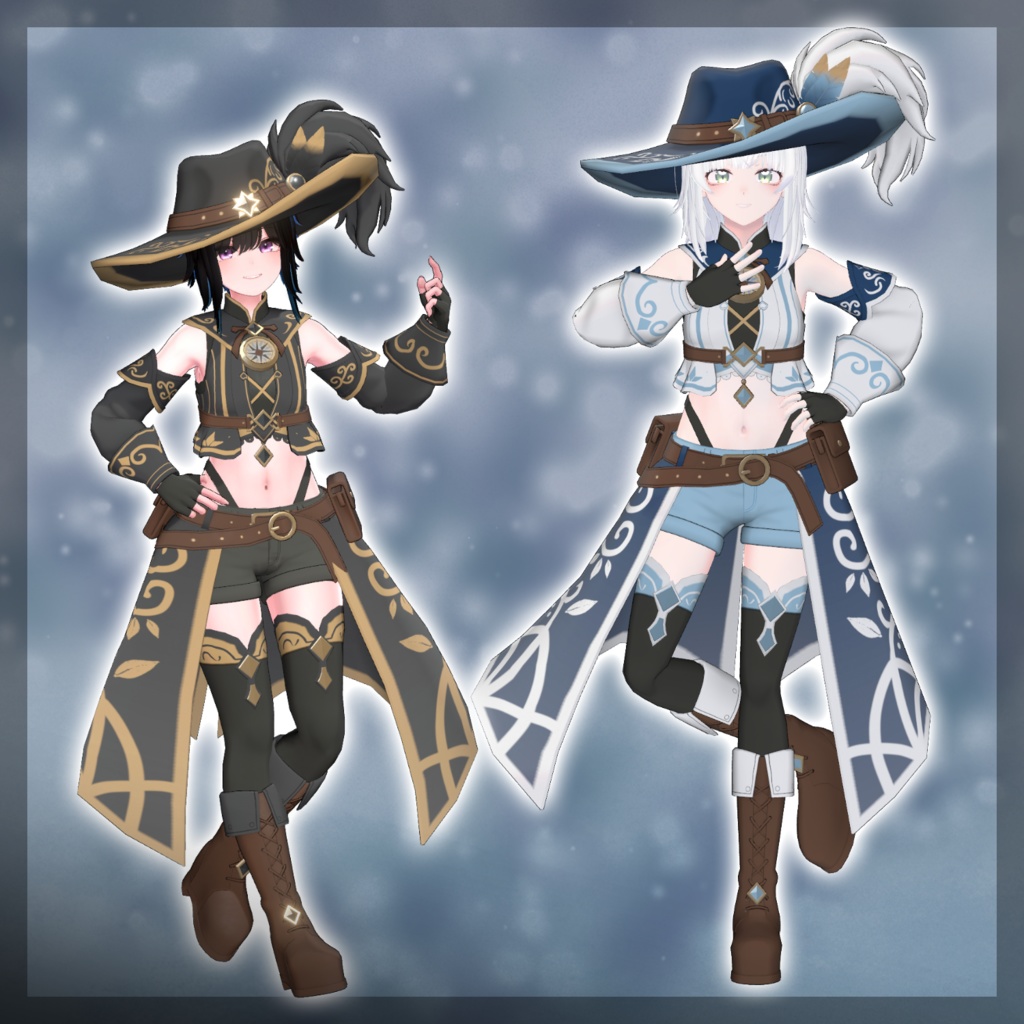
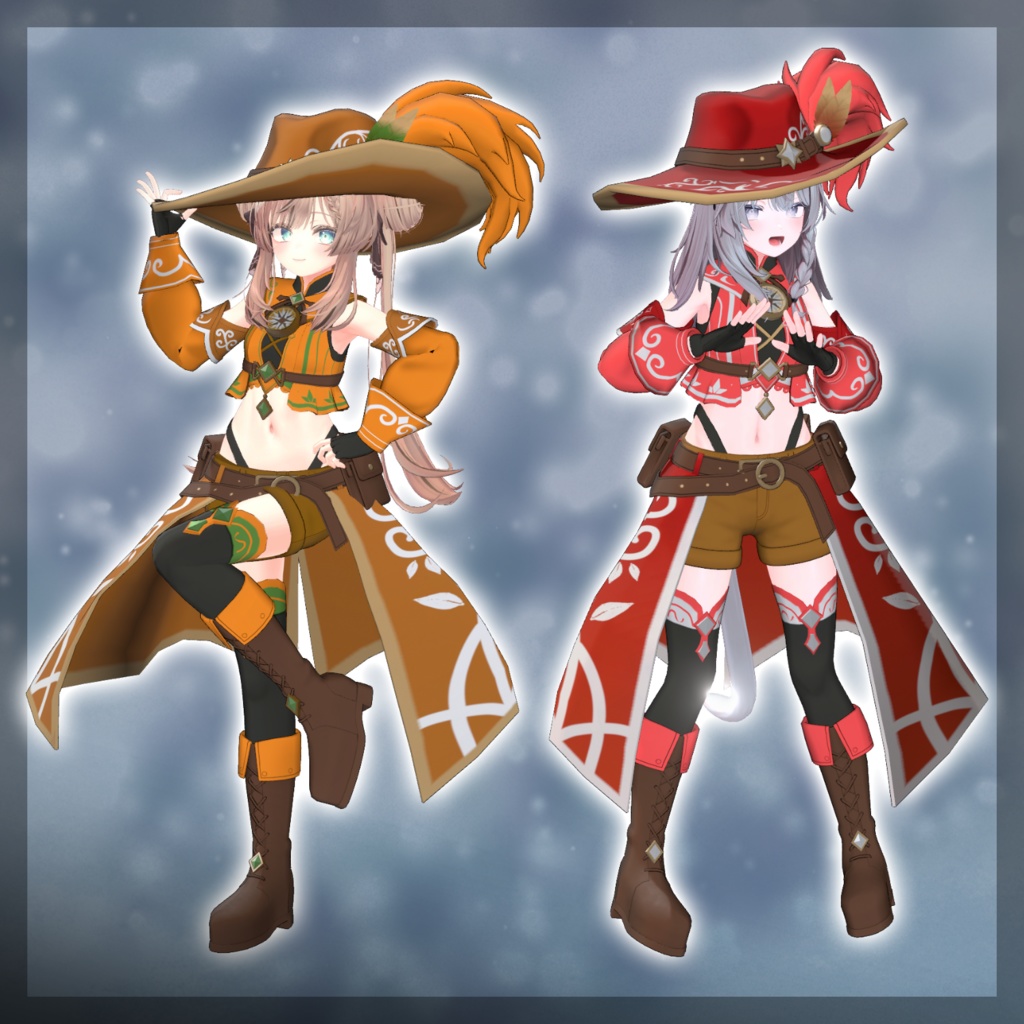


◆ AzurTraveler ◆ Creator: Domuemon Created with the theme of a traveling adventurer in a fantasy world. While giving an intelligent and calm impression, it doesn’t forget to keep a touch of cuteness. Perfect for adventurer-type character settings. ⚠️ Important Notes This product is an outfit model for avatars. The avatar base model is not included. Due to the nature of downloadable products, refunds and returns are not available. Please review the product description and terms of use before purchasing. ◆ Item Overview ● Contents AzurTraveler_◯◯.Unitypackage FBX Textures ReadMe.txt ● Required Shader liltoon https://lilxyzw.booth.pm/items/3087170 ● Required Asset Modular Avatar https://modular-avatar.nadena.dev/ja/docs/intro ● Model Data Total Polygon Count: 36,773 polygons Arm: 9,540 Bottoms: 3,896 Hat: 3,545 Shoes: 7,376 Skirt: 4,662 Tops: 7,754 Mesh Count: 6 Material Count: 2 Import Folder Assets > MetaverseCreators_CP > Domuemon_Workshop > AzurTraveler ◆ Compatible Avatars Original 3D Model “Minagi” #Minagi3D / AC2 https://metacreatorstyo.booth.pm/items/7430855 Original 3D Model “YUI” #YUI3D / AC4 https://metacreatorstyo.booth.pm/items/7684880 Original 3D Model “Shinano” https://ponderogen.booth.pm/items/6106863 Original 3D Model “Manuka” https://jingo1016.booth.pm/items/5058077 When dressing the avatar, body-hiding shapekeys (which slim the body) are used. ◆ Installation Instructions Set up the latest VRC SDK in VCC. Install required assets (liltoon, Modular Avatar) via VCC. Import the latest version of the avatar package. Import this product’s package. Drag and drop the avatar (or dressing/modification prefab) into the Scene Hierarchy. Disable unnecessary default clothing (set to Editor Only if needed). Drag and drop “OutfitName_AvatarName.Prefab” directly under the avatar. Upload the avatar via VRC SDK. ⚠️ This outfit uses Modular Avatar’s MA Shape Changer feature. When the outfit is dragged under the avatar, the body shapekey will automatically turn ON, slimming the body or hiding specific mesh areas to prevent clipping. If you do not need the MA Shape Changer, you may remove or adjust it as desired. ⚠️ For +Head avatars, the MA Shape Changer may not function properly if the body mesh name differs (this data uses “PlusHead” as the mesh name). In that case, please rename the body mesh or manually adjust the shapekeys. ⚠️ If any part of the body becomes unintentionally slim after dressing, reset the corresponding body shapekey to 0 and confirm the body is properly displayed. ◆ Color Customization Replace the materials inside: Common > Material Swap with your preferred color variation material. ◆ Terms of Use https://drive.google.com/drive/folders/1qRMXoIxM1ZgacBPfwOigQRtXP1vCbNMn?usp=sharing Please also follow the terms of use of the base avatar. ◆ Production Environment Modeling: Blender Ver4.5.4 Texturing: Substance 3D Painter 2023 Setup: Unity Ver2022.3.22f1 VRChat SDK - Avatars Ver3.10.1 (VCC) liltoon 2.3.2 ModularAvatar 1.16.0-alpha.0 ◆ Credits Creator: Domuemon X (Personal Account): https://x.com/Vdomuemon BOOTH (Personal Shop): https://domuemon.booth.pm/ Support / Inquiries: https://discord.gg/bmw3PWE37M