

【Unity Shader Graph, 無料/free】Hologram Shader(URP/HDRP対応)
- ダウンロード商品¥ 0
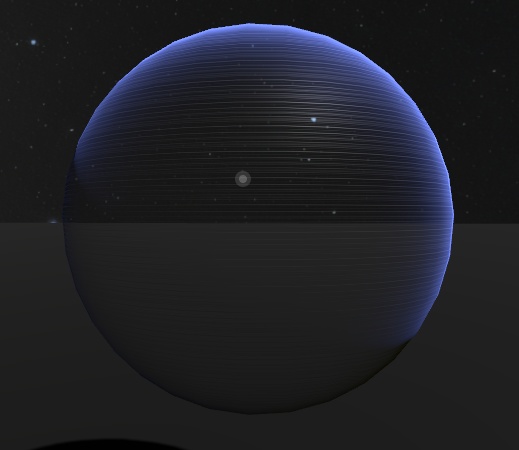
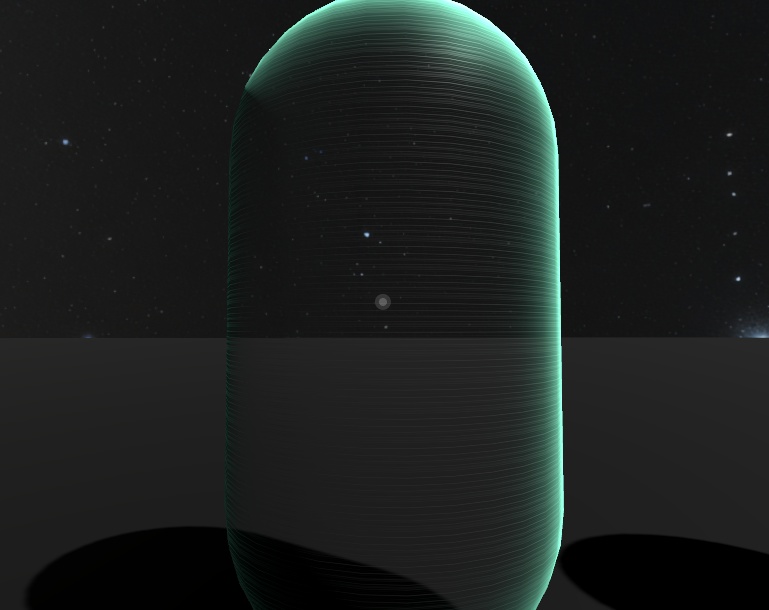
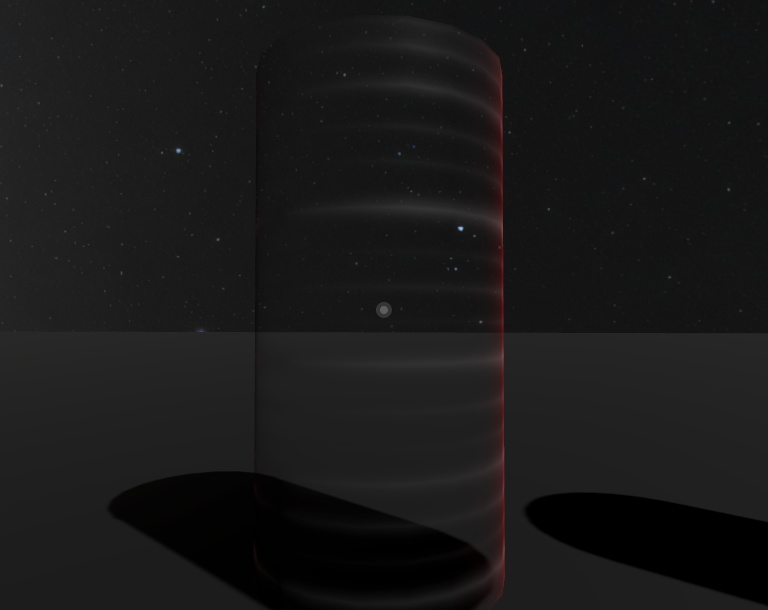


UnityのShader Graphを使用して制作したホログラムシェーダーです。 テクスチャのスクロール、HDR発光によるエフェクトが実装されています。 VRChatで使用することは可能ですが、大人数のインスタンスで用いる場合には、発光の強さに留意してください。 This is a hologram shader created using Unity’s Shader Graph. It features scrolling textures and effects driven by HDR emission. It can be used in VRChat. But, when used in instances with a large number of players, care should be taken with the emission intensity.
内容物 (contents)
HologramShader.zip HologramShader.unitypackage Fukayan/ --HologramShader.shadergraph --Sample 1.mat Sample 2.mat --Sample 3.mat --Texture/ ----HologramTexture.png ----NoiseTexture.png Descriptions in English are translated using chatgpt Sorry if any sentences sound awkward...
動作環境 (System Requirements/Environment Setup)
・Unity: 2018.1以降(Shader Graph対応バージョン) ・Render Pipeline: Universal Render Pipeline (URP) または High Definition Render Pipeline (HDRP) ※Built-in Render Pipelineでは動作しませんのでご注意ください。 以下は必要な環境構築の手順です。 〇必要パッケージのインストール手順(既存プロジェクトの場合) unityプロジェクト作成後、Package Managerから必要なツールを取得します。 1. Unityメニューの Window > Package Manager を開きます。 2. リストの中から以下の2つを探し、それぞれ Install ボタンを押します。 ・Shader Graph ・Universal RP(または High Definition RP) 3. インストール後、エラーが出る場合は、それぞれのパッケージを最新の状態に Update してください。 4. プロジェクトを開いたまま、HologramShader.unitypackageをダブルクリックして、導入してください。 〇シェーダーの動作確認 1. マテリアルの作成: シェーダーファイルを右クリックして Create > Material を選択します。(この時点では動作確認が目的なので、sample.mat等を使用してもらっても構いません!) 2. マテリアルをAssetより割り当てるメッシュにドラッグ&ドロップしてください。 〇レンダーパイプラインを有効にする パッケージを入れただけでは、「Built-in」から切り替わらない場合があります。以下の設定を確認してください。 1. Projectウィンドウで右クリックし、Create > Rendering > URP (または HDRP) > Pipeline Asset を作成します。 2. Edit > Project Settings > Graphics を開きます。 3. 一番上の Scriptable Render Pipeline Settings という項目に、先ほど作成した(あるいはテンプレートに付属の)Pipeline Assetをドラッグ&ドロップで割り当てます。 ※これが空(None)のままだと、Shader Graphが正しくコンパイルされずエラーになります。 Below are the required environment setup steps. --- ・Installing Required Packages (for an existing project) After creating a Unity project, obtain the necessary tools from the Package Manager. 1. Open Window > Package Manage from the Unity menu. 2. From the list, find the following two packages and click Install for each: Shader Graph Universal RP (or High Definition RP) 3. After installation, if any errors appear, update each package to the latest version. 4. With the project open, double-click HologramShader.unitypackage to import it. --- ・ Verifying Shader Operation 1. Create a Material: Right-click the shader file and select Create > Material. (At this stage, this is only for testing, so using `sample.mat` is fine.) 2. Drag and drop the material from the Assets folder onto the mesh you want to apply it to. --- ・ Enabling the Render Pipeline Installing the packages alone may not switch the project from the Built-in Render Pipeline. Please check the following settings: 1. In the Project window, right-click and select Create > Rendering > URP (or HDRP) > Pipeline Asset. 2. Open Edit > Project Settings > Graphics. 3. In the Scriptable Render Pipeline Settings field at the top, assign the Pipeline Asset you just created (or the one included with the template) by dragging and dropping it. *If this field is left empty (None), Shader Graph will not compile correctly and errors will occur.
利用規約 (Terms of Use)
許可 ・商用利用・個人利用 ・改変 禁止 ・本シェーダーファイル自体の再配布、再販売 ・政治的、宗教的利用、および他者への迷惑行為 Permissions ・Commercial use and personal use ・Modification Prohibited ・Redistribution or resale of this shader file itself ・Political or religious use, as well as any activities that may cause inconvenience or harm to others